

Cloud Deployment Strategies for Laravel Applications
How to choose and implement a cloud deployment strategy for Laravel - AWS vs GCP vs Azure, managed services vs containers, infrastructure as code with Terraform, and the practical trade-offs at each deployment tier.

Chirag Daxini
The cloud deployment decision for a Laravel application is not just about which provider to choose. It is about the combination of: which cloud provider, which compute model (traditional VMs, containers, or serverless), whether to use managed services or self-hosted components, and how to manage infrastructure with code rather than by clicking through a console.
Laravel dominates modern web development thanks to its rapid development, strong security, built-in scalability, and long-term maintainability especially in well-architected cloud setups. Discover why thousands of businesses choose Laravel in 2026
This article covers the practical trade-offs at each tier of that decision stack, with specific service comparisons for the three dominant cloud providers and a concrete approach to Infrastructure as Code using Terraform.
KEY TAKEAWAYS
|
The Deployment Decision Stack

- Choose a cloud provider (AWS for most projects, GCP for analytics/ML heavy, Azure for Microsoft ecosystem)
- Choose a compute model (managed containers on ECS/GKE vs Kubernetes for full control)
- Decide managed vs self-hosted for supporting services (RDS/ElastiCache/SQS vs self-hosted MySQL/Redis/queue)
- Implement infrastructure as code with Terraform for reproducibility and version control.
Cloud Provider Comparison for Laravel
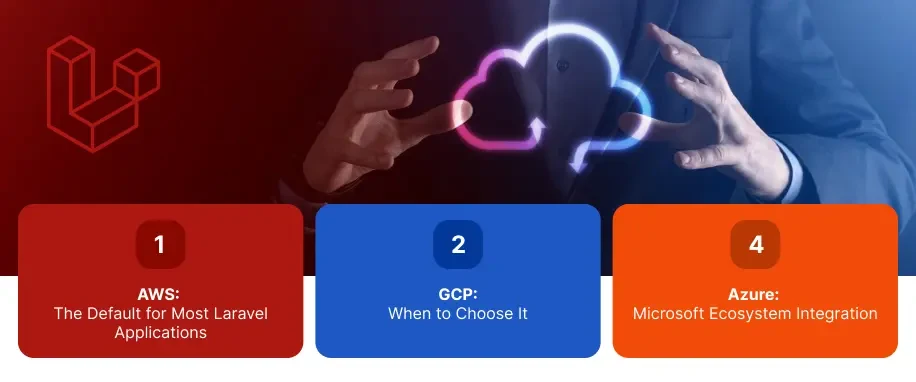
AWS: The Default for Most Laravel Applications
AWS has the deepest service catalogue, the largest community of Laravel developers who have documented deployment patterns, and the most mature tooling for the services a Laravel application typically needs. Key services: EC2 or ECS Fargate for compute, RDS for MySQL/PostgreSQL, ElastiCache for Redis, SQS for queuing, S3 for file storage, CloudFront for CDN, and IAM for secrets and access management.
AWS Beanstalk provides a managed platform for traditional Laravel deployments (upload a ZIP, it deploys) with less configuration but less control than ECS. For teams new to cloud deployment, Beanstalk is a reasonable starting point it can be replaced by a more controlled ECS or Kubernetes setup as requirements grow.
GCP: When to Choose It
Google Cloud Platform is the right choice when BigQuery is a core data analytics requirement (its integration with GCP services is unmatched), when Google Kubernetes Engine (GKE) is preferred over Amazon EKS, or when the team has existing GCP expertise. Cloud SQL for MySQL/PostgreSQL, Cloud Memorystore for Redis, Cloud Storage for files, and Cloud CDN for content delivery cover the full Laravel infrastructure stack.
Azure: Microsoft Ecosystem Integration
Azure is the natural choice for organisations already using Microsoft 365, Active Directory, or Azure Active Directory for identity management. Azure App Service provides a managed Laravel hosting platform. Azure Database for MySQL is the managed database service. Azure Cache for Redis and Azure Storage complete the stack. Azure AD integration for enterprise SSO is significantly simpler than on AWS or GCP when the organisation already uses Microsoft identity
Compute Model: VMs, Containers, or Serverless

Traditional VMs (EC2, Compute Engine)
A single VM or a group of VMs behind a load balancer is the simplest deployment model. It is appropriate for smaller applications (under 10,000 DAU) where operational simplicity is more important than flexibility. The disadvantage: VMs are provisioned to handle peak load, so you pay for capacity that sits idle during off-peak hours. Scaling requires manual intervention or autoscaling groups with slower scale-out times than containers.
Managed Containers: ECS Fargate / Cloud Run
ECS Fargate (AWS) and Cloud Run (GCP) run containers without managing the underlying server infrastructure. You provide a container image; the cloud provider provisions compute. Scaling is per-container, fast (seconds vs minutes for VM scale-out), and granular. You pay only for compute consumed by running containers. This is the recommended compute model for most Laravel applications above 10,000 DAU.
Kubernetes (EKS, GKE, AKS)
Kubernetes provides the most control and flexibility but requires a dedicated platform engineering capability to operate reliably. Appropriate for applications with complex deployment requirements: multiple services with different scaling profiles, canary deployments, sophisticated rollback strategies, or workloads that need GPU access. The operational overhead of Kubernetes is justified at scale (500K+ DAU) but not for most standard Laravel applications.
Serverless PHP (Bref on AWS Lambda)
Bref is a PHP runtime for AWS Lambda that supports Laravel applications. Serverless deployments scale to zero (cost is zero when idle) and to thousands of concurrent requests instantly. The trade-offs: Lambda cold start adds 200 to 500ms latency on the first request after idle periods, maximum execution time of 15 minutes rules out long-running queue jobs, and the stateless model requires additional thought around file storage and session management.
Managed Services vs Self-Hosted
Every component of a Laravel application's infrastructure can be self-hosted (run MySQL on an EC2 instance yourself) or managed (AWS RDS manages MySQL for you). The trade-off is operational overhead vs cost and control.
Managed database (RDS, Cloud SQL): automated backups, point-in-time recovery, automated minor version upgrades, Multi-AZ failover. Cost premium: 30 to 50 percent over self-hosted equivalent. For most production applications, the operational overhead reduction more than justifies the premium.
Managed Redis (ElastiCache, Cloud Memorystore): automated failover, cluster mode, encryption at rest. Same cost-vs-overhead trade-off as managed database.
Managed queue (SQS, Cloud Pub/Sub): no infrastructure to manage, infinite scale, built-in dead letter queues. Cost is per-message rather than per-hour. For high-message-volume applications, self-hosted Redis queues are cheaper; for most applications, SQS is simpler.
Infrastructure as Code with Terraform
Infrastructure as Code (IaC) means defining infrastructure in code files that are version-controlled, reviewed, and applied automatically -- instead of clicking through cloud consoles. The benefit: infrastructure is reproducible (staging is guaranteed to match production), changes are auditable (who changed what, when, and why), and disaster recovery is fast (restore infrastructure from code in minutes).
Terraform for Laravel Infrastructure
Define the Laravel infrastructure stack in Terraform: VPC and security groups, ECS cluster or EC2 auto-scaling group, RDS instance with backup configuration, ElastiCache cluster, S3 bucket with lifecycle policies, CloudFront distribution, and IAM roles and policies. Store Terraform state in an S3 backend with DynamoDB locking.
A Terraform configuration for a standard Laravel production environment (ECS Fargate + RDS + ElastiCache + S3 + CloudFront) runs to approximately 400 to 600 lines. It can rebuild the entire infrastructure from scratch in 20 to 30 minutes. The same configuration, parameterised, deploys identical infrastructure for staging, UAT, and production with different values.
Terraform in CI/CD
Run terraform plan in the CI pipeline on infrastructure pull requests -- the plan output shows exactly what changes will be applied to production infrastructure before approval. Require human approval for terraform apply on production. Run terraform apply automatically for staging. This pattern makes infrastructure changes as reviewable as code changes.
For the Kubernetes-specific deployment configuration required at high scale
Conclusion
The right cloud deployment strategy depends on the organisation's existing ecosystem, the application's scale requirements, and the team's operational capability. AWS with managed services (RDS, ElastiCache, ECS Fargate) and Terraform IaC covers the full range from startup to enterprise for most Laravel applications. Our Laravel development services include cloud infrastructure design, Terraform configuration, and deployment pipeline setup as standard project deliverables.
FAQ's
-
What is the best cloud provider for deploying a Laravel application?
AWS for most applications it has the deepest service catalogue, the best Laravel community documentation, and the most mature tooling. GCP if BigQuery analytics or Google ML services are core requirements. Azure if the organisation already uses Microsoft 365 and Azure AD for identity management. All three support the full Laravel infrastructure stack at any scale.
-
Should I use containers or VMs for deploying Laravel?
Managed containers (ECS Fargate or Cloud Run) for most applications above 10,000 DAU. They scale faster, cost less during off-peak periods (you pay only for running containers), and deploy more cleanly than VMs. VMs are appropriate for the simplest deployments where operational simplicity is more important than flexibility. Kubernetes for applications with complex multi-service scaling requirements.
-
What is Infrastructure as Code and why does Laravel deployment need it?
Infrastructure as Code defines cloud infrastructure in version-controlled code files (Terraform, Pulumi, CloudFormation). It makes infrastructure reproducible (staging guaranteed to match production), auditable (full change history), and recoverable (rebuild from code in minutes). The 'works in staging, broken in production' problem is almost always a configuration drift problem that IaC eliminates.
-
What is the simplest production cloud deployment for a Laravel application?
AWS Elastic Beanstalk with an RDS MySQL database and ElastiCache Redis. Beanstalk handles load balancing, auto-scaling, and deployment mechanics. RDS and ElastiCache are managed services with automated backups and failover. Add S3 for file storage and CloudFront for CDN. This stack handles most applications up to 50,000 DAU with minimal operational overhead.
With over 11 years of experience in web application development and project management, I excel in leading cross-functional teams to deliver innovative digital solutions. My expertise spans eCommerce platforms, ERP systems, and JS & PHP-based frameworks, including WordPress, React JS, and Laravel. As a Technical Project Manager, I specialize in strategic planning, system design, and end-to-end project execution, transforming complex ideas into scalable, high-impact applications.
Table of Contents
Get Started with Acquaint Softtech
- 13+ Years Delivering Software Excellence
- 1300+ Projects Delivered With Precision
- Official Laravel & Laravel News Partner
- Official Statamic Partner