

How Warehouse Management Systems Work: Architecture, Modules, and Data Flow Explained
A Warehouse Management System is not a spreadsheet with barcode readers attached. It is a structured operational platform that owns inventory location, pick sequence, worker task allocation, and carrier handoff in one controlled environment.

Manish Patel
As Head of Technology and Client Success at Acquaint Softtech, a software product development company with over 1,300+ projects delivered across 13 years, I have seen operations teams spend months planning a warehouse platform, only to realise mid-build that their understanding of a WMS (Warehouse Management System) was incomplete. Most teams treat WMS software as simple inventory tracking, which leads to scope gaps, cost overruns, and broken integrations at go-live.

- Logistics and operations leaders evaluating custom vs ready-made WMS solutions.
- CTOs designing scalable 3PL and warehouse management platforms.
- Supply chain teams moving beyond spreadsheet-based inventory systems.
- Founders and product managers building logistics SaaS products.
This guide follows proven software product development practices and clearly explains how the warehouse management system works, including its architecture, modules, and data flow. The confusion starts with the word 'management.' A WMS does not manage abstractly. It enforces location-based rules that control stock movement, picking sequence, and carrier updates.
The system is an operational rulebook with a database behind it and interfaces connecting warehouse workers, ERP systems, and carrier networks. As explained in Acquaint Softtech’s Logistics & Supply Chain Software Development Guide, understanding this architecture is what separates a successful WMS implementation from one that launches with only partial capability.
Acquaint Softtech has built warehouse and fulfilment systems for clients, including a fashion resale marketplace handling 200K+ SKUs, and the structural lessons from those builds are exactly what this article covers. The sections below move from concept to architecture to modules to data flow, then cover the cost and build-vs-buy decision.
If you are evaluating whether to hire Python developers for a warehouse management system, the module and cost sections will give you a concrete scope to start from.
What a Warehouse Management System Actually Is
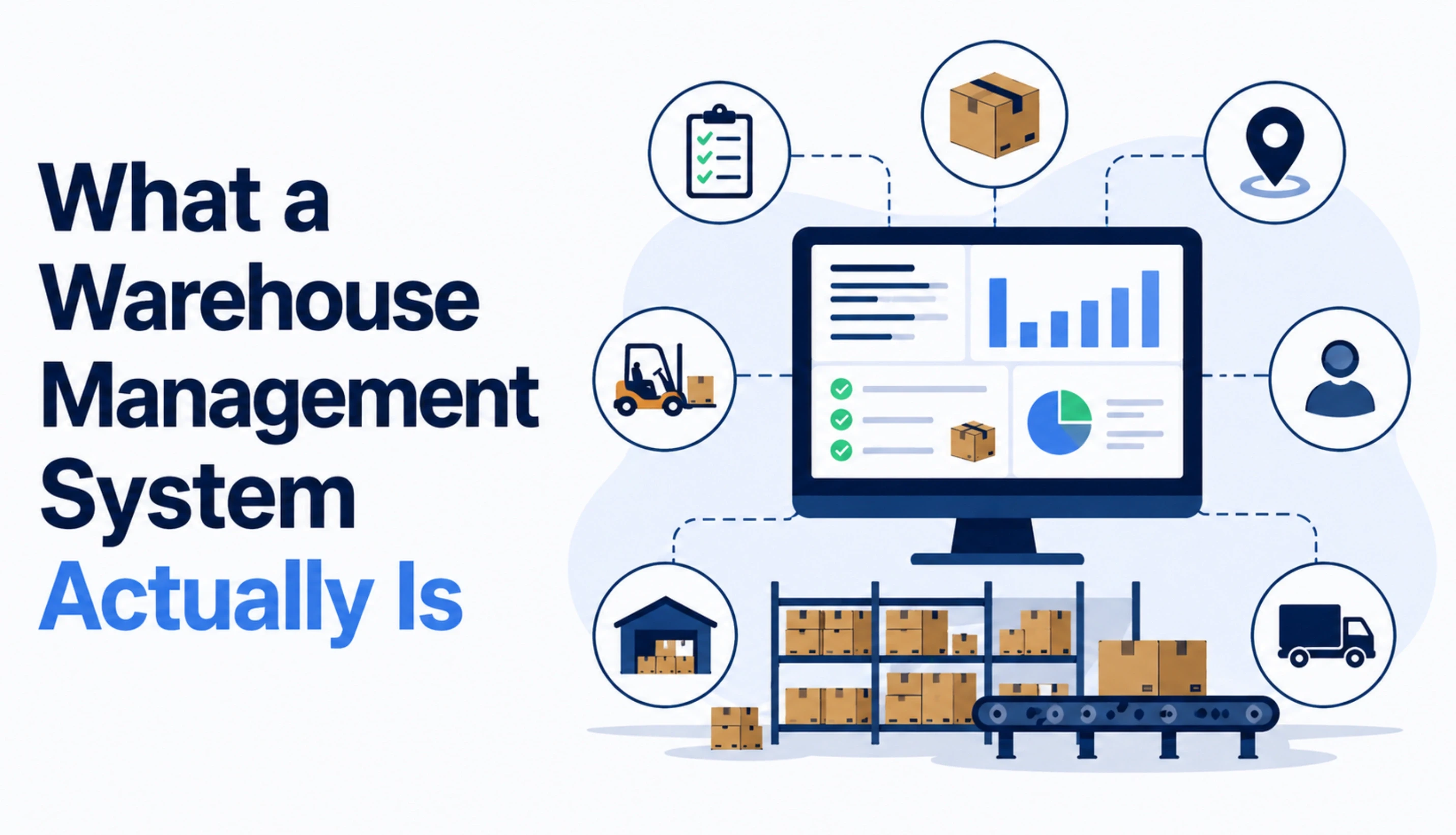
A Warehouse Management System is a software platform that controls and records every physical movement of inventory inside one or more warehouse facilities. In food production, meat processing software can extend this visibility across production, inventory, quality control, and product traceability. It is not an inventory counter. It is not a reporting layer on top of a spreadsheet. It is the operational authority for stock location, task assignment, pick sequencing, and carrier handoff.
Precision Definition A WMS owns three operational domains: WHERE stock is (bin, aisle, zone), WHO acts on it next (picker, packer, dock worker), and WHEN it moves (pick sequence, dispatch window, carrier cutoff). Every module in the system serves one of these three domains. |
The Difference Between a WMS and an Inventory Management System
Inventory management tracks quantity. A WMS tracks quantity, location, condition, and movement sequence simultaneously. An inventory system tells you that 500 units of SKU (Stock Keeping Unit) X exist. A WMS tells you that 200 units are in Aisle C, Bay 4 Bin 3 (available for pick), 80 units are in the receiving dock awaiting QA (Quality Assurance) inspection, and 220 units are on a pick task assigned to worker ID 41 with an ETA (Estimated Time of Arrival) to packing station 2 of 8 minutes.
The Difference Between a WMS and an ERP Warehouse Module
Most ERP systems include a warehouse module. That module manages financial inventory: it records stock value, posts goods receipts to the ledger, and triggers replenishment orders. It does not direct physical tasks inside the four walls. A WMS operates at the task level. The ERP posts the goods receipt; the WMS tells the dock worker exactly which bin to put the pallet in and generates the put-away task.
The two systems are designed to work together, not to replace each other. When an existing ERP warehouse module has aged beyond its practical lifespan, many operations turn to legacy software migration services to transition cleanly onto a modern WMS without disrupting live stock records.
The Difference Between a WMS and a TMS
A TMS (Transportation Management System) manages the movement of goods between facilities: carrier selection, load tendering, freight rates, and proof of delivery. A WMS manages the movement of goods inside a facility. The boundary between the two is the loading dock. When a pallet crosses the dock threshold outbound, it leaves WMS jurisdiction and enters TMS jurisdiction. At Acquaint Softtech, logistics platforms that need both typically integrate the two systems through a shared event bus rather than building a single monolith.
The Six-Layer Architecture Every WMS Shares
.webp "The Six-Layer Architecture Every WMS Shares")
Every production-grade WMS, whether commercial or custom-built, has the same six architectural layers. The implementation differs; the layers do not. Understanding them tells you where complexity hides, which layers are cheapest to build, and which layers carry the highest engineering risk.
Layer 1: Data Persistence
The foundation is a relational database that stores three types of WMS solutions with records: inventory positions (what is where, in what condition, in what quantity), transaction history (every movement event with timestamp, actor, and result), and master data (SKU definitions, bin configurations, zone maps, worker profiles). PostgreSQL and MySQL are the dominant choices. High-volume operations with 50K+ daily transactions often add a read replica or a time-series layer for reporting. Structuring this layer correctly from day one is one of the core concerns addressed during a discovery workshop, where data models are validated before a single line of code is written.
Layer 2: Business Logic
This is the most complex layer. It contains the algorithms that decide: which bin receives incoming stock (put-away logic), which picker gets which task (task interleaving), in what sequence a pick list is generated (wave, batch, or zone), and how to handle exceptions (damaged goods, short picks, carrier delays). This layer is where most custom WMS builds diverge from off-the-shelf products. When a 3PL has unusual storage rules or a pharmaceutical distributor has temperature and lot-tracking constraints, the rules engine must be built to match those specific requirements.
Layer 3: Integration Bus
A WMS does not operate in isolation. It exchanges data with ERP systems (SAP, Oracle, NetSuite), carrier networks via EDI (Electronic Data Interchange) or API (Application Programming Interface), e-commerce platforms (Shopify, WooCommerce), and hardware devices (barcode scanners, RFID readers, conveyor PLCs). The integration bus manages these connections. At Acquaint Softtech, we typically implement this layer using a message queue (RabbitMQ or Apache Kafka) for high-volume operations, or a REST API gateway for simpler integrations. Our backend development services cover exactly this kind of high-throughput connector architecture.
Layer 4: Task Management
This layer converts inventory events into worker tasks. When an inbound shipment arrives, the task manager creates put-away tasks, assigns them to available workers, and tracks completion. When an order drops from the OMS (Order Management System), it creates pick tasks, sequences them by warehouse zone, and manages wave release. This layer holds the work queue, the worker assignment logic, and the task completion confirmation flow.
Layer 5: Device Interface
Warehouse workers interact with the WMS through handheld RF (Radio Frequency) scanners, mobile devices running the warehouse app, voice-directed headsets, or pick-to-light systems. This layer handles the communication protocols for each device type, manages offline operation (when a scanner loses connectivity mid-task), and formats data for small-screen hardware. React Native is a common choice for the mobile layer because it allows a single codebase to run on both Android handheld devices and iOS supervisor tablets.
Layer 6: Reporting and Analytics
KPI (Key Performance Indicator) dashboards, labour productivity reports, inventory accuracy metrics, and order fill-rate analysis all live in this layer. It reads from the transaction history in Layer 1 and presents aggregated data to supervisors, operations managers, and clients (in a 3PL context). This layer is typically built as a separate service with its own read-optimised data store to avoid query load on the operational database.
Standards for what these dashboards should surface in regulated industries are increasingly shaped by frameworks like the U.S. Bureau of Labor Statistics Occupational Requirements for Warehouse Operations, which defines baseline productivity and safety metrics that enterprise clients expect to see reported.
Want to See How Acquaint Structures a WMS Architecture Review?
Acquaint Softtech delivers a structured technical review of your existing warehouse operations within 48 hours of first contact. We map the six layers against your current stack, identify the integration gaps, and give you a build-vs-configure recommendation before any engagement starts. You review the team profiles and interview before any code is written.
Core Modules and What Each One Owns
A WMS is composed of discrete modules. Each module owns a specific operational domain. The table below maps each module to its domain, the core data it manages, and the hardware or external systems it touches. Not every WMS includes every module: the right scope depends on operation type, volume, and the regulatory environment.
WMS Module | What It Owns | Key Integrations |
Receiving | Goods receipt, PO matching, QA inspection, put-away task generation | ERP purchase orders, carrier POD (Proof of Delivery) documents, and the dock scheduling system |
Inventory Location | Bin-level stock positions, zone configuration, lot and serial tracking | RFID readers, barcode scanners, and ERP stock ledger |
Pick, Pack, Ship | Pick task generation, wave/batch/zone sequencing, packing verification, shipment manifesting | OMS order feed, carrier rate engine, label printer |
Labour Management | Worker task assignment, productivity tracking, shift scheduling, and KPI reporting | HR system, biometric clock-in, supervisor dashboard |
Returns (RMA) | Return authorisation, inspection, re-stocking or disposal routing | OMS return feed, carrier return labels, customer portal |
Yard Management | Dock door scheduling, inbound/outbound trailer tracking, gate management | Carrier ETA feed, dock appointment system, security gate hardware |
Billing (3PL) | Storage fee calculation, activity-based costing, client invoicing | ERP accounts receivable, client portal, rate card engine |
Reporting | Inventory accuracy, order fill rate, pick productivity, and carrying cost | BI tools (Tableau, Power BI), client-facing dashboards |
The modules that carry the highest engineering complexity are Labour Management and the Rules Engine inside the Pick, Pack, Ship module. Labour Management requires real-time task allocation algorithms that balance worker load across a shift. Pick sequencing requires a route optimisation pass over the warehouse floor plan to minimise travel time per pick.
Both modules are areas where a custom build outperforms off-the-shelf software for operations with non-standard layouts or unusual pick profiles. Teams that choose to outsource software development for these modules typically do so because the algorithmic complexity demands specialists rather than generalists. For operations that need ongoing refinement post-launch, pairing the build with software support and maintenance services ensures the rules engine and labour algorithms stay calibrated as the warehouse grows.
Key Insight: Where Off-the-Shelf WMS Breaks DownOff-the-shelf WMS products cover the standard modules well. Where they fail is in the rules engine: when a client has non-standard put-away logic (temperature zones, hazmat segregation, client-specific labelling), the configuration options run out, and the workarounds create technical debt. This is the most common reason Acquaint Softtech clients come to a custom build after two years on a commercial WMS. |
How Data Flows Through a WMS: Receipt to Dispatch
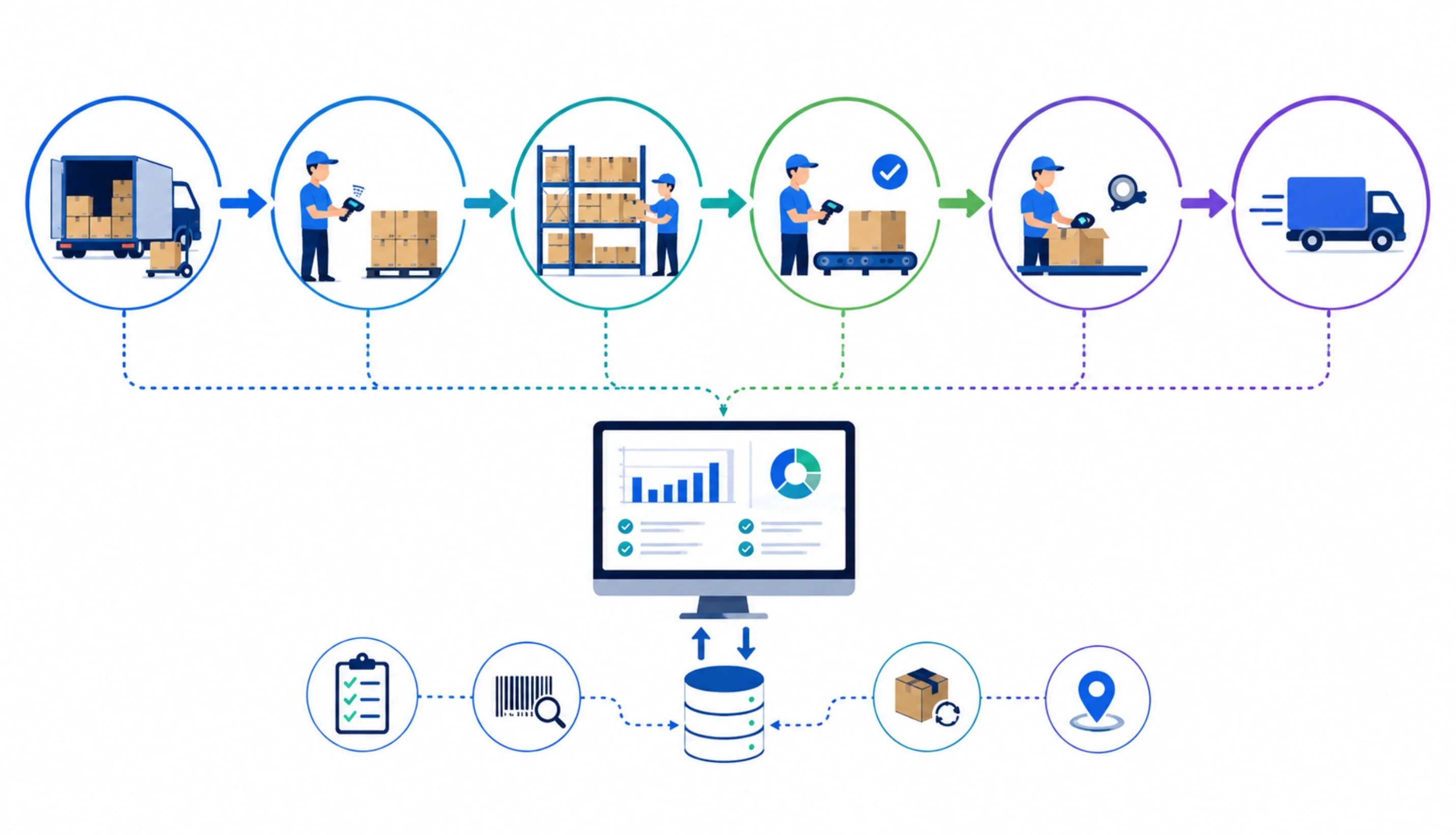
Understanding data flow is what separates an operator who can troubleshoot a WMS from one who cannot. Every operational event in a warehouse triggers a chain of data transactions. The seven-step flow below traces a standard inbound-to-outbound cycle through the WMS.
The Standard WMS Data Flow: Goods In to Goods Out
Advance Shipping Notice (ASN) received: The ERP or supplier portal pushes an ASN to the WMS before the truck arrives. The WMS pre-creates the expected receipt record, stage bin, and dock appointment.
Goods receipt and PO match: When the truck arrives, the dock worker scans each pallet or carton. The WMS matches scanned quantities against the ASN and flags discrepancies (short delivery, damaged goods, substitutions).
QA inspection task created: If the SKU requires inspection, the WMS creates a QA task and assigns it to a QA worker. The stock is held in a 'quarantine' location until the task is completed.
Put-away task generated: After receipt or QA clearance, the rules engine runs the put-away algorithm. It selects a bin based on SKU velocity (A/B/C classification), weight, dimensions, and zone rules. A put-away task is pushed to the next available worker's handheld device.
Inventory position updated: When the worker confirms put-away by scanning the bin barcode, the WMS writes the new inventory position: SKU, quantity, location, lot number, expiry date. The ERP is notified of the stock receipt.
Order pick task generated: When an order drops from the OMS, the WMS pick logic assigns it to a wave or batch, generates a pick list optimised for travel path, and pushes tasks to pickers. Task interleaving ensures a picker does not return empty-handed from any aisle.
Pack, manifest, and dispatch: The packer confirms pick accuracy by scanning items against the order. The WMS generates the carrier label, records the manifest weight, and updates the order status to 'shipped.' The TMS or carrier API receives the shipment event and begins tracking.
The critical integration points in this flow are: the ASN feed from ERP to WMS (must be real-time or near-real-time), the inventory position write-back (must update ERP within the same transaction or via a guaranteed queue), and the carrier dispatch notification (must trigger TMS or carrier API within the pick-pack confirmation, not as a batch job).
Batch integrations at any of these three points introduce inventory accuracy problems that compound daily. If you are planning a WMS integration with SAP or Oracle, our blog on PHP vs Python vs Node.js for SaaS 2026 covers the API and event-driven integration patterns most relevant to enterprise logistics stacks.
Scoping a WMS Integration With Your ERP or OMS?
Acquaint Softtech has integrated warehouse management platforms with SAP, Oracle NetSuite, Shopify, and custom ERP systems across more than 1,300 projects. We provide a written integration scope with API mapping within 48 hours of your project brief. No sales call required to get the document. You interview the team before any engagement begins.
Cloud vs On-Premise WMS: The Architecture Decision
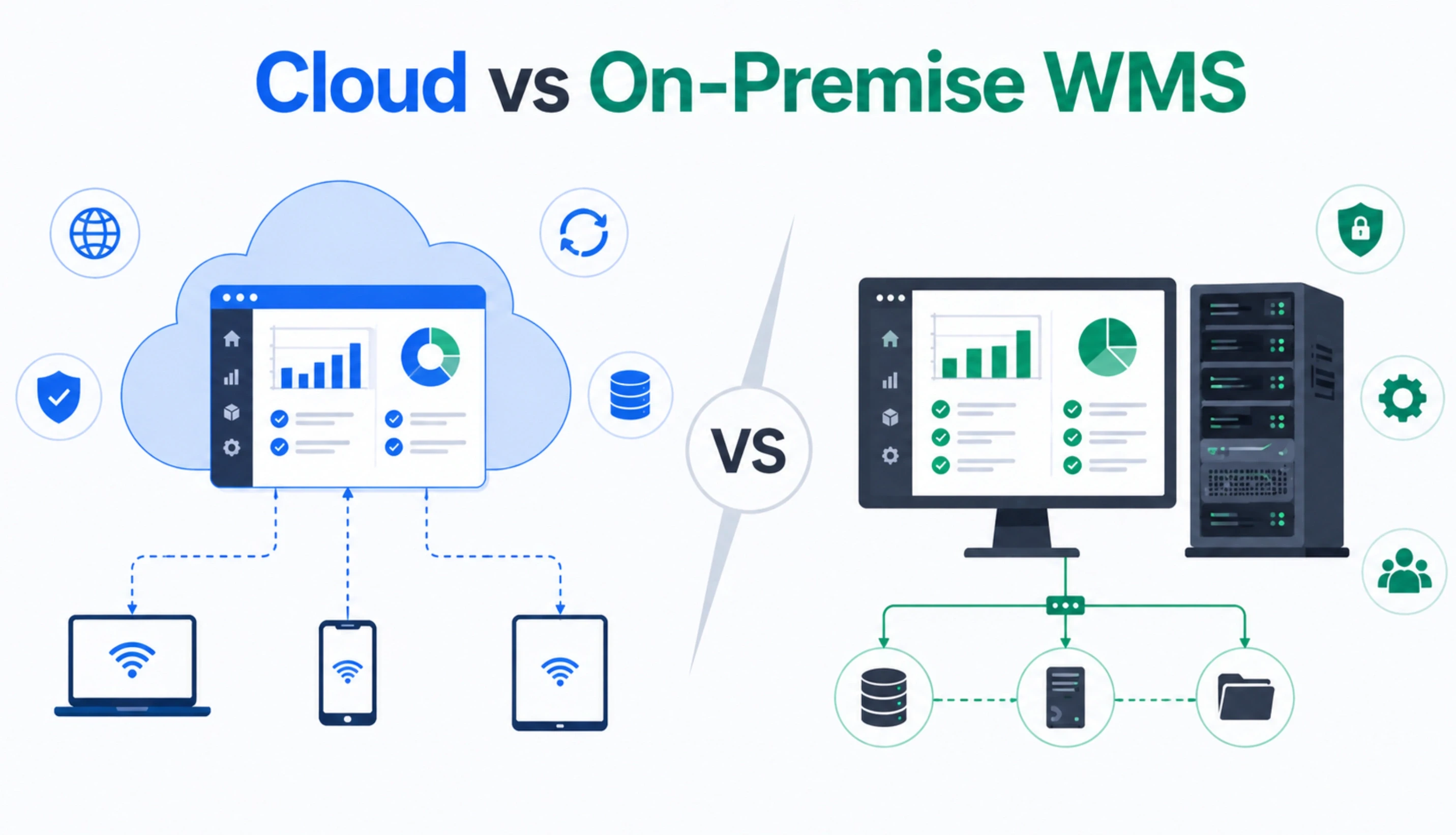
The cloud vs on-premise decision for a WMS is not primarily a technology choice. It is a latency and compliance choice. The table below maps the dimensions that actually drive the decision.
Decision Dimension | Cloud WMS | On-Premise WMS |
Latency to handheld devices | Acceptable for most operations; sub-200ms with edge caching | Sub-50ms possible; required for conveyor-integrated systems with hard real-time constraints |
Data residency compliance | Requires cloud provider to offer a compliant region (relevant for EU operations under GDPR) | Data stays within the four walls; simpler compliance posture for pharmaceutical and defence clients |
Infrastructure cost | $2,000 to $8,000/month for a mid-size operation on AWS or Azure; scales with volume | $40,000 to $120,000 upfront for server hardware; lower variable cost over 5+ years |
Upgrade path | Continuous deployment; version upgrades are vendor-managed | Manual upgrade cycle; internal IT team must manage patching and version control |
Disaster recovery | Managed by a cloud provider; RTO (Recovery Time Objective) measured in minutes | Requires redundant on-site hardware or off-site backup; RTO measured in hours to days |
Offline capability | Requires a local caching architecture for scanner continuity during connectivity loss | Full offline capability natively; LAN-connected devices work without internet |
Most new WMS builds in 2026 are cloud-native. The exceptions are: operations in regions with unreliable connectivity (rural logistics hubs, remote distribution centres), operations under pharmaceutical or defence compliance regimes, and operations where the warehouse network is already on a closed LAN with purpose-built conveyor hardware. For these, a hybrid cloud architecture for reporting and integration, on-premise for task execution, is the practical answer.
What is the Custom WMS Development Build Cost in 2026
The cost of a custom WMS build is a function of module scope, integration count, and data volume requirements. The figures below are based on Acquaint Softtech's delivery operations across logistics and e-commerce fulfilment clients. They cover the dedicated development team model: a fixed team, a fixed monthly rate, deploying within 48 hours of engagement confirmation.
Engagement Size | Monthly Team Rate | Equivalent In-House Cost | Annual Saving |
Small: Core receiving, inventory, pick-pack-ship. 1 to 2 integrations. Single warehouse. | $8,000 to $12,000/month | $22,000 to $28,000/month (2 to 3 FTE in-house) | $120,000 to $192,000/year |
Medium: Full module suite + labour mgmt + 3 to 5 integrations. Multi-location. | $14,000 to $22,000/month | $35,000 to $50,000/month (4 to 6 FTE in-house) | $252,000 to $336,000/year |
Large: 3PL multi-client, 6+ integrations, AI-driven pick optimisation, custom reporting. | $24,000 to $40,000/month | $55,000 to $80,000/month (7 to 10 FTE in-house) | $372,000 to $480,000/year |
What the Monthly Rate Includes at Acquaint Softtech
|
The rate the client pays is the rate. No additional employer overhead, no hidden tooling charges, no per-seat licensing on top. Acquaint Softtech is an Official Laravel Partner with 70+ multi-stack engineers available for logistics platform builds, deployable within 48 hours of engagement confirmation.
Need a Cost Estimate for Your WMS Build?
Tell us your module scope, warehouse count, and integration targets. Acquaint Softtech will send a detailed team structure and cost breakdown within 48 hours. You review, you interview the developers, and you decide. No commitment required to receive the estimate.
Common Misconceptions About Warehouse Management Systems
The misconceptions below appear in almost every WMS scoping conversation Acquaint Softtech has with new logistics clients. Correcting them before a build starts saves months.
Misconception: A WMS and an inventory management system are the same thing. Reality: An inventory management system tracks quantities at a product level. A WMS tracks quantities at a bin level, manages the physical movement of those quantities, and directs the workers who execute the movements. The two systems can coexist: many operations use an inventory management system for purchasing decisions and a WMS for operational execution. Treating them as the same leads to a WMS scope that is too thin to function and an inventory system that is expected to direct warehouse tasks it was never designed for. |
Misconception: Off-the-shelf WMS software can be configured to meet any operational requirement. Reality: Commercial WMS products have a configuration ceiling. Standard operations with standard stock types, standard carrier integrations, and standard labour models hit that ceiling rarely. Operations with unusual put-away rules, temperature-zoned storage, client-specific labelling requirements, or DG (Dangerous Goods) segregation matrices hit it within 12 to 18 months of go-live. The workarounds used to extend commercial software beyond its ceiling create technical debt that is more expensive to resolve than a custom build would have been. |
Misconception: A WMS implementation takes 6 to 12 weeks. Reality: A commercial WMS configuration and training cycle for a standard single-site operation takes 3 to 6 months. A custom WMS build for a multi-site, multi-client 3PL operation takes 6 to 18 months. The timeline is driven by integration complexity, data migration scope, and the depth of the rules engine. Teams that budget 12 weeks for a full WMS implementation either have a simpler operation than they think, or they are setting themselves up for a launch with incomplete modules. |
Misconception: The WMS handles everything once it is live; no ongoing development is needed. Reality: A WMS is a living system. Carrier API changes require integration updates. New SKU types require rules engine additions. Volume growth requires database optimisation. New regulatory requirements require compliance module development. Operations teams that treat WMS as a set-and-forget installation face growing technical debt and an increasing gap between what the system can do and what the operation needs. A support and maintenance engagement is a standard part of every Acquaint Softtech WMS delivery. |
One additional misconception worth naming: that a WMS can be replaced quickly if the engagement does not work out. Replacement is a 3 to 6-month project in its own right, involving data migration, staff retraining, and integration rebuilding. This is why the team composition and vendor selection decision matter before a single line of code is written. Acquaint Softtech's staff augmentation model for logistics teams is designed for operations that need to add WMS engineering capability without the switching cost of replacing a vendor: the engineers work inside your existing team, on your codebase, under your technical leadership.
Building the Right WMS Foundation
|
A WMS that matches your operational rules is a competitive asset. One that forces your operation to conform to its configuration limits is a constraint. Acquaint Softtech has delivered warehouse and logistics platforms for operations ranging from 200K-SKU fashion resale to multi-site 3PL networks, and the architecture principles in this guide apply across all of them.
If you are ready to scope your build, the MVP development pathway for a logistics platform is the fastest route from your current state to a working system in the hands of your warehouse team.
The Five Questions That Tell You Whether to Build vs Buy WMS
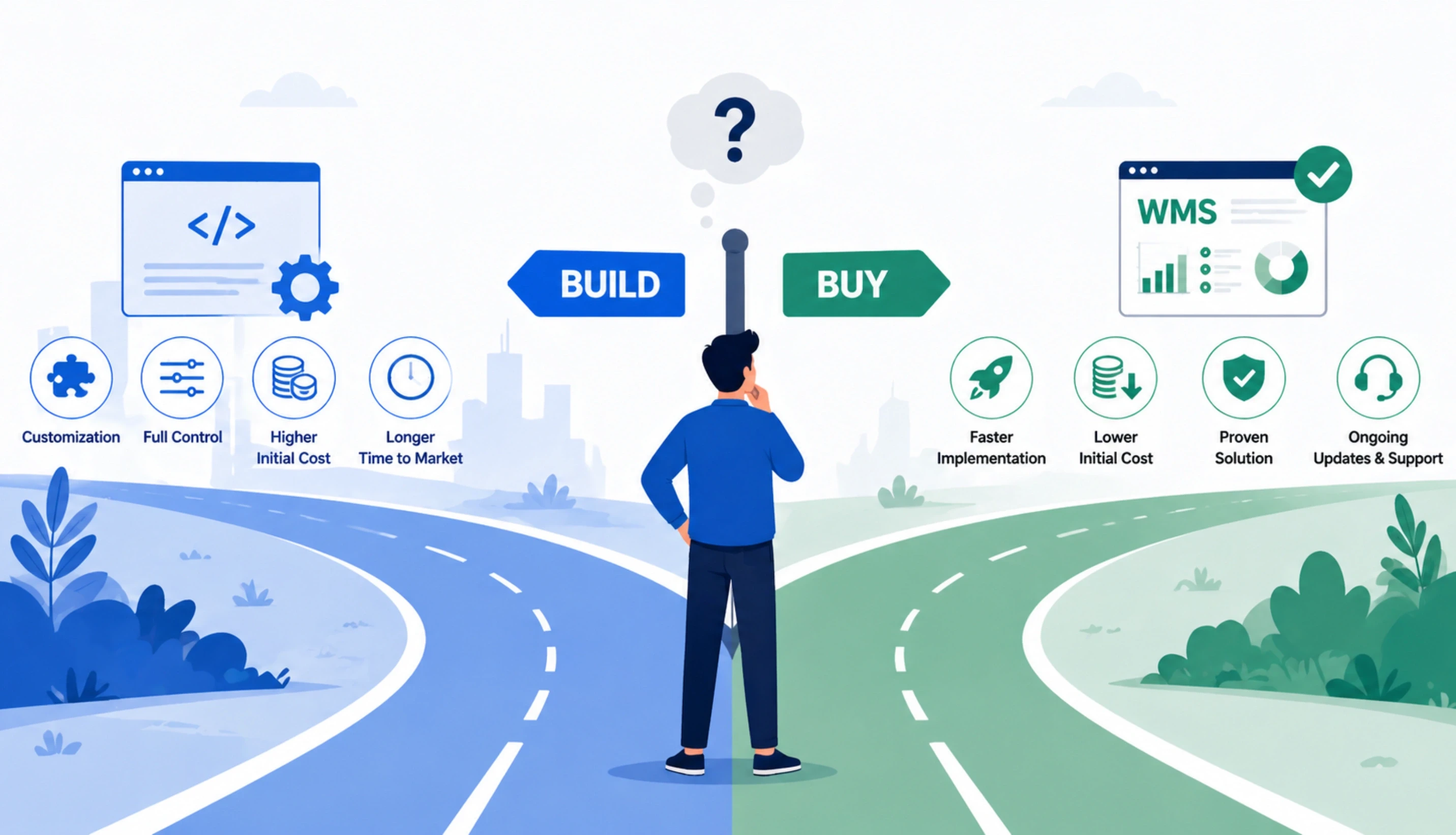
This decision framework is used by Acquaint Softtech in every discovery workshop for warehouse software projects. Answer Yes or No to each question. Three or more Yes answers indicate a custom build is the right path.
Does your operation have non-standard put-away rules that cannot be expressed as a configuration in an off-the-shelf WMS?
Yes: Yes: A custom WMS build is justified. The configuration ceiling of commercial products will create workarounds that cost more over 3 years than a custom rules engine built once.
No: No: An off-the-shelf WMS with standard configuration may be sufficient. Evaluate SAP Extended Warehouse Management, Manhattan Associates, or Körber before committing to a build.
Do you operate more than one warehouse with different stock rules, zone configurations, or client ownership structures?
Yes: Yes: Multi-location WMS with client isolation (for 3PL) or site-specific rules requires custom architecture. Off-the-shelf products struggle with truly different rule sets per site.
No: No: A single-site commercial WMS is likely sufficient unless other questions indicate otherwise.
Does your fulfilment volume exceed 5,000 orders per day or 50,000 pick lines per week?
Yes: Yes: At this volume, query performance and task allocation speed become engineering problems. A custom-optimised database schema and pick algorithm outperforms generic commercial WMS systems measurably.
No: No: Most commercial WMS products handle sub-5,000 order volumes without performance degradation.
Do you have a planned integration with a proprietary ERP, a carrier network not supported by commercial WMS vendors, or a custom OMS?
Yes: Yes: Custom integration development on top of a commercial WMS is expensive, slow, and creates support complexity. A custom WMS with a clean integration layer is more maintainable.
No: No: If your integrations are standard (SAP, Oracle, standard carrier EDI), commercial WMS vendors support these natively.
Is your warehouse operation subject to regulatory requirements (pharmaceutical GDP, temperature-controlled storage, DG goods segregation, OSHA audit trails) that a commercial WMS does not fully address?
Yes: Yes: Compliance modules for specialised regulated environments must usually be custom-built. Acquaint Softtech's aviation safety software case study is a useful reference for compliance-first custom builds.
No: No: Standard commercial WMS compliance features are sufficient for non-regulated general merchandise operations.
Operations that answer Yes to three or more of these questions should engage a logistics software development partner with WMS experience before evaluating commercial products. The dedicated software development team model is the most cost-effective structure for a custom WMS: a fixed team, a fixed monthly rate, full IP ownership, and no per-seat licensing in perpetuity.
Answered Yes to Three or More? Let Us Build You a WMS Team.
Acquaint Softtech sends a dedicated WMS development team structure backend engineers, a frontend developer, a QA engineer, and a DevOps specialist, within 48 hours of your project brief. You interview the team, you approve the composition, and no sprint begins until you are satisfied. Our average team tenure is 24+ months, and 95% of first-sprint goals are delivered on time.
Frequently Asked Questions
-
What are the core modules of a WMS?
The core modules of a Warehouse Management System are: Receiving (goods receipt and PO matching), Inventory Location (bin-level stock tracking), Pick, Pack and Ship (order fulfilment workflow), Labour Management (task assignment and productivity tracking), Returns Management (RMA processing and re-stocking), and Reporting (KPI dashboards and inventory accuracy metrics).
-
How does a WMS connect to ERP?
A WMS integrates with ERP systems using real time APIs for critical updates and message queues for high volume data transfers. Common integration points include purchase order feeds, goods receipt confirmations, inventory adjustments, and order releases between the ERP, OMS, and WMS systems.
-
What is the difference between a WMS and inventory management software?
Inventory management software tracks stock quantities at a product or SKU level. It tells you how many units exist across your operation. A WMS tracks stock at a bin location level inside a specific facility. It knows not only how many units exist but exactly where they are, what condition they are in, whether they are allocated to an open order, and who is currently moving them. A WMS also directs physical labour: it creates tasks, assigns them to workers, and records task completion.
-
How long does WMS implementation take?
A commercial WMS setup for a standard warehouse usually takes 3 to 6 months, while a custom WMS with multiple integrations takes around 4 to 8 months. Large multi site or 3PL platforms can require 10 to 18 months depending on integration complexity, data migration, and custom warehouse logic.
-
What tech stack is best for a custom WMS?
The backend of a custom WMS is commonly built with Python or Laravel. Python is preferred for AI driven features like demand forecasting and pick optimization, while Laravel is ideal for rapid development and strong handling of relational inventory data.
-
How much does custom WMS development cost?
Custom WMS development through Acquaint Softtech costs between $8,000 and $40,000 per month, depending on team size and module scope. A small operation with core receiving, inventory, and pick-pack-ship modules runs $8,000 to $12,000 per month. A full 3PL platform with labour management, multi-client billing, 6 or more integrations, and AI-driven pick optimisation runs $24,000 to $40,000 per month.
-
What happens to my WMS codebase if the engagement with Acquaint ends?
The client owns the codebase, the database schema, the API documentation, and all related IP from day one of the engagement. This is a contract term in every Acquaint Softtech engagement, not a negotiation point. At engagement end, the full codebase is handed over with documentation, environment configuration, and a technical handover session. The client can take the codebase to an internal team or another vendor without restriction.
-
Is a custom WMS appropriate for an operation with fewer than 500 orders per day?
Small operations with fewer than 500 daily orders can usually use a commercial WMS successfully. A custom WMS becomes valuable when the business has complex workflows, compliance requirements, or rapid scaling plans beyond 2,000 orders per day.
I lead technology and client success at Acquaint Softtech with one goal in mind. Deliver work that feels personal, reliable, and worthy of long term trust. I stay close to both our clients and our developers to make sure every project moves with clarity, quality, and accountability.
Table of Contents
Get Started with Acquaint Softtech
- 13+ Years Delivering Software Excellence
- 1300+ Projects Delivered With Precision
- Official Laravel & Laravel News Partner
- Official Statamic Partner
India (Head Office)
203/204, Shapath-II, Near Silver Leaf Hotel, Opp. Rajpath Club, SG Highway, Ahmedabad-380054, Gujarat
USA
7838 Camino Cielo St, Highland, CA 92346
UK
The Powerhouse, 21 Woodthorpe Road, Ashford, England, TW15 2RP
New Zealand
42 Exler Place, Avondale, Auckland 0600, New Zealand
Canada
141 Skyview Bay NE , Calgary, Alberta, T3N 2K6
Your Project. Our Expertise. Let’s Connect.
Get in touch with our team to discuss your goals and start your journey with vetted developers in 48 hours.