

Cloud Bill Doubling Every Quarter: What a DevOps Engineer Finds and Fixes in 30 Days
AWS bill doubling every quarter without a clear reason? A DevOps engineer typically finds 20 to 40% of cloud spend as waste. Here are the 7 categories they fix first.

Taukir katava
As a DevOps Engineer at Acquaint Softtech, a software development partner, cloud cost audits are one of the most common requests I handle. The pattern is consistent: a SaaS company or startup has been growing, deployment frequency has increased, and the AWS or GCP bill has been climbing for six months without a clear reason. Nobody changed anything deliberately. The bill simply doubled. This article covers the seven places where cloud spend accumulates without producing business value, what a DevOps engineer does to find each one, and what the realistic savings look like within 30 days.

- CTOs and engineering leads whose cloud bill is growing faster than their user base or revenue
- SaaS founders who have received an unexpectedly large cloud invoice and do not know where to start looking
- Startups that have been running on AWS or GCP for 12 to 18 months and have never had a cost audit
- Companies preparing to hire a DevOps engineer and wanting to know whether cloud cost reduction should be part of the brief
A cloud bill that doubles every quarter without a corresponding doubling of users or revenue is one of the clearest indicators that infrastructure is accumulating waste. Cloud providers make it easy to provision resources. They do not make it easy to find unused resources. A DevOps engineer who know where to look can typically identify 20 to 40% of cloud spend as either waste (resources consuming cost with no business value) or inefficiency (resources consuming more than necessary for the value they deliver).
The scalability infrastructure that prevents crashes during traffic spikes is covered in the traffic spike infrastructure guide. This article focuses specifically on the cost side of the cloud equation: what is consuming budget that should not be, and what the fix looks like.
The 7 Places Where Cloud Waste Accumulates: What I Find First
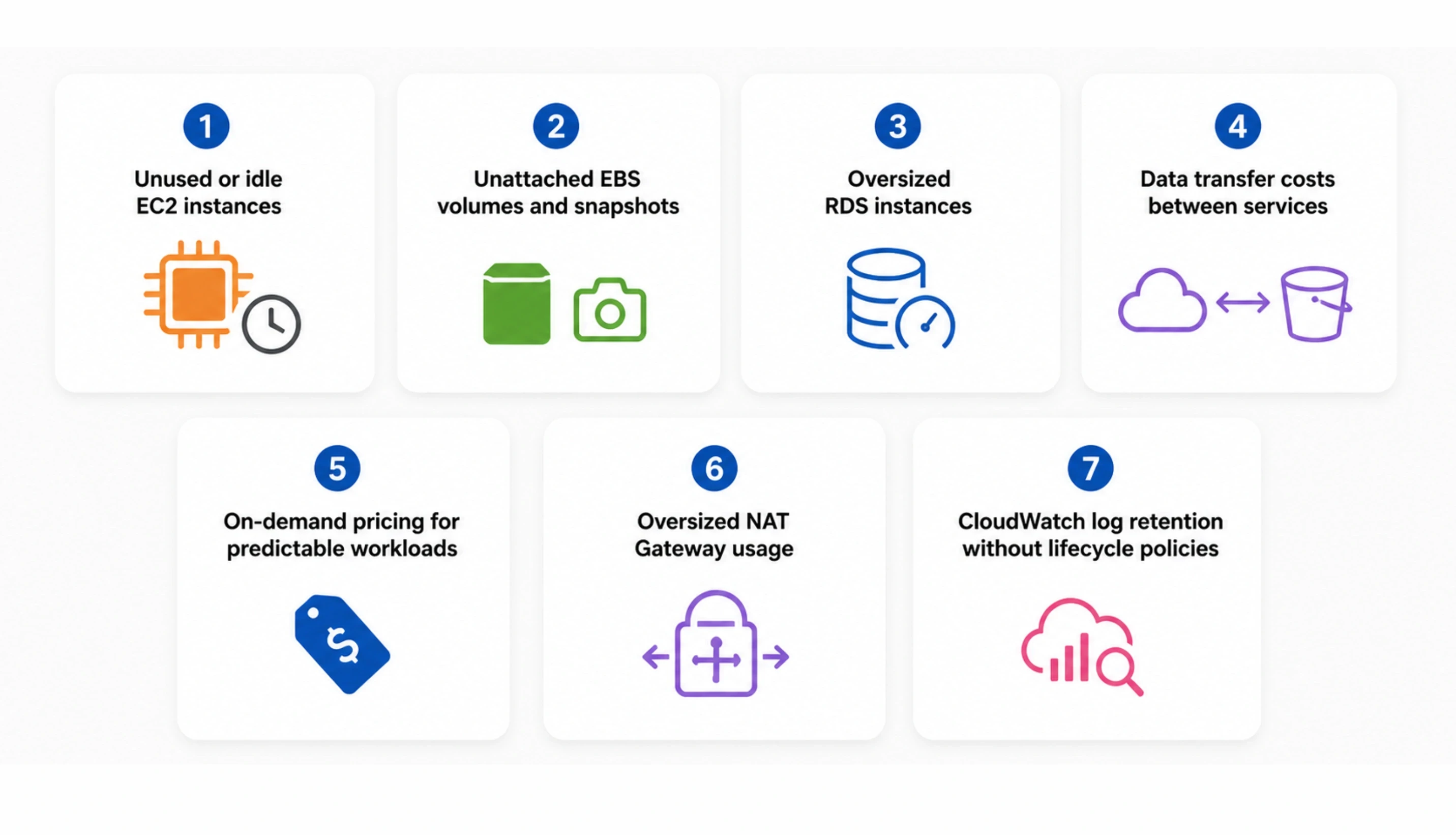
Every cloud cost audit I have run at Acquaint Softtech finds the same categories of waste in different proportions. Here is what to look for and where.
Unused or idle EC2 instances
Development and staging instances that were launched for a project and never terminated. Instances that run 24/7 when they only serve traffic during business hours. Oversized instances running at 5 to 15% CPU utilisation. On a 20-instance fleet, it is common to find 3 to 5 instances that are either completely unused or consistently underutilised. Terminating unused instances and right-sizing underutilised ones is the fastest cost reduction with zero risk to production.
Unattached EBS volumes and snapshots
When an EC2 instance is terminated, the root EBS volume is often retained rather than deleted. After 12 months, a typical AWS account has dozens of unattached EBS volumes accumulating cost at $0.10 per GB per month. Old snapshots compound this: automated snapshot policies create daily snapshots but snapshot deletion policies are not always configured. An account with 200 snapshots at 50GB average stores 10TB of snapshots for $250/month with no recovery plan that uses them.
Oversized RDS instances
A database instance selected during initial setup based on expected load rather than actual load. Six months later, the database runs at 20% average CPU and 30% memory utilisation. Downsizing an RDS db.r5.xlarge to a db.r5.large, for example, cuts RDS cost by 50% for that instance with no performance impact at the actual utilisation level.
Data transfer costs between services
AWS charges for data transfer between availability zones and between regions. An application that routes data from an EC2 instance in us-east-1a to a database in us-east-1b pays cross-AZ transfer fees on every database call. Placing the application and database in the same AZ, or using VPC endpoints for S3 and DynamoDB access, eliminates a category of cost that appears gradually and is difficult to attribute without explicit monitoring.
On-demand pricing for predictable workloads
Any workload that runs continuously or on a predictable schedule should be on Reserved Instances or Savings Plans, not on-demand pricing. On-demand EC2 is 40 to 60% more expensive than a 1-year Reserved Instance or Compute Savings Plan. A fleet of 10 on-demand m5.large instances at $0.096/hour costs $8,410/month. The same fleet on a 1-year Savings Plan costs approximately $5,040/month, a saving of $3,370/month.
Oversized NAT Gateway usage
Applications that route all internet traffic through a NAT Gateway for private subnet instances pay per-GB data processing fees. A high-traffic application routing 10TB/month through a NAT Gateway pays approximately $450/month in NAT processing fees. For traffic destined for AWS services (S3, DynamoDB, CloudWatch), VPC Gateway Endpoints eliminate the NAT Gateway fee entirely.
CloudWatch log retention without lifecycle policies
Application logs written to CloudWatch Logs accumulate indefinitely if log group retention policies are not configured. CloudWatch Logs storage costs $0.03/GB/month. An application writing 50GB of logs per day stores 1.5TB per month. Without a 30-day retention policy, after 6 months the account stores 9TB of logs for $270/month, most of which is data nobody looks at.
Cloud Bill Growing Without a Clear Reason? A DevOps Engineer Finds It in the First Week.
Tell Acquaint Softtech your current monthly cloud spend, your primary cloud provider (AWS/Azure/GCP), and roughly how many instances and services you are running. A vetted DevOps engineer will identify the specific waste categories in your account and send a prioritised savings plan within the first week of engagement.
The 30-Day Fix Sequence: What Gets Done in What Order
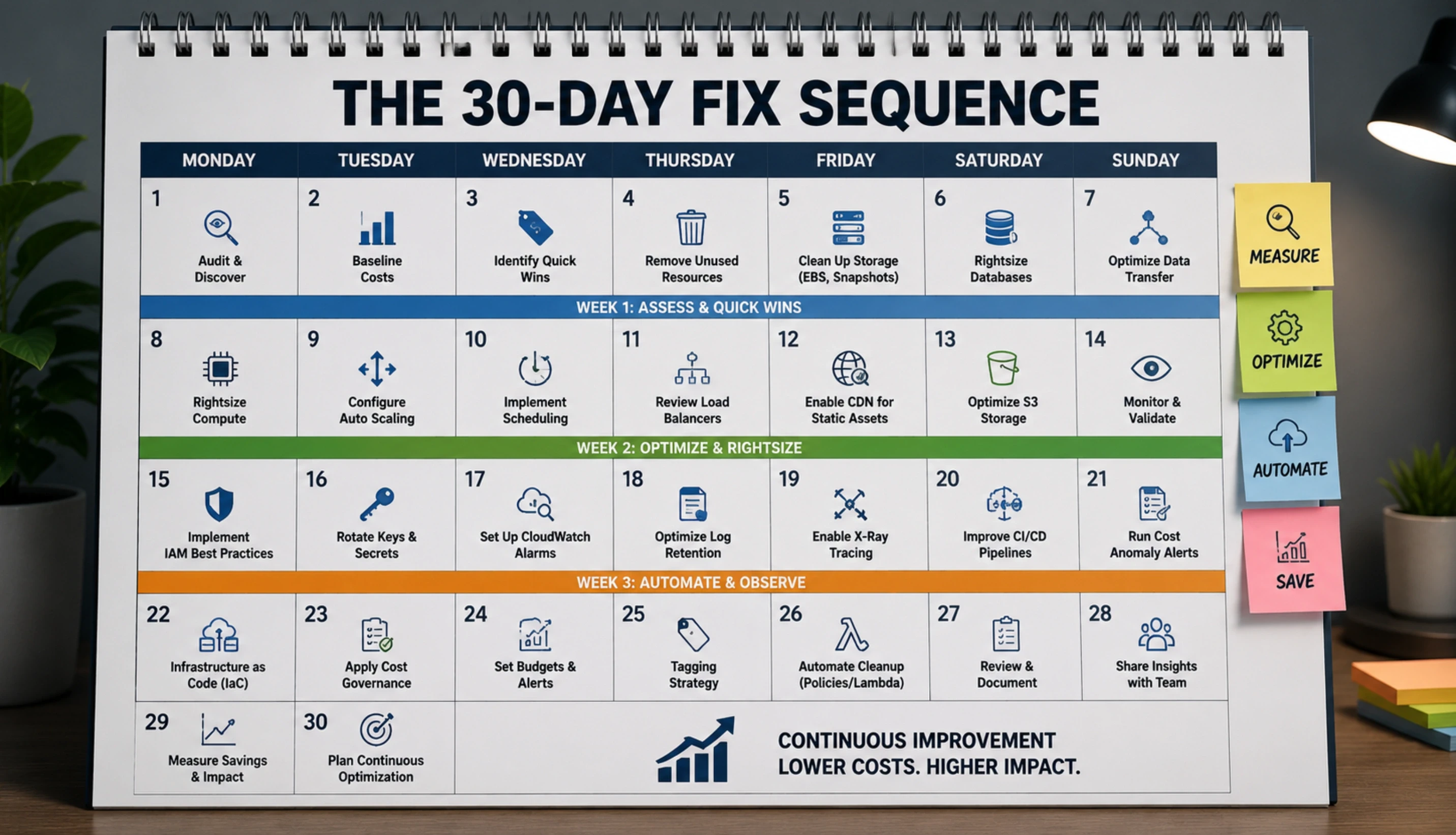
Not all cloud cost fixes are equal in effort and impact. A DevOps engineer executing a cost optimisation engagement prioritise the changes that produce the largest savings for the lowest implementation risk and effort. Here is the sequence I follow.
Week 1: Audit and quick wins
Run AWS Cost Explorer analysis, EC2 utilisation metrics, and CloudWatch data. Identify unused instances, unattached volumes, and orphaned snapshots. Terminate unused resources and set EBS volume deletion on instance termination for new instances. Configure CloudWatch log retention policies. These changes cost zero in terms of risk and typically produce $300 to $3,000 in immediate monthly savings depending on account size.
Week 2: Right-sizing and Reserved Instance planning
Review CPU and memory utilisation across the instance fleet. Downsize overprovisioned instances. Generate Reserved Instance and Savings Plan recommendations from AWS Cost Explorer. Purchase Savings Plans for the confirmed baseline of on-demand usage. This is the change that produces the largest sustained monthly saving in most accounts: 30 to 50% reduction in EC2 and Fargate costs for predictable workloads.
Week 3: Data transfer and networking costs
Audit NAT Gateway and data transfer charges in the AWS bill. Configure VPC Gateway Endpoints for S3 and DynamoDB. Review cross-AZ traffic patterns and consolidate where possible. These changes require careful architecture review to avoid unintended changes to network security, but produce significant ongoing savings for high-traffic applications.
Week 4: Monitoring, alerting, and governance
Configure AWS Budgets alerts at 80% and 100% of the target monthly spend. Set up Cost Anomaly Detection to flag unexpected spending increases. Tag all resources with environment, team, and project labels to enable cost attribution. Create a monthly cost review dashboard in CloudWatch or Cost Explorer. From this point forward, cost growth is visible and attributed before it becomes a surprise.
For teams also evaluating Kubernetes cost optimisation with spot instances, the Kubernetes spot instances guide covers the specific configuration for running Kubernetes workloads on spot instances, which can reduce compute costs by an additional 60 to 70% beyond right-sizing. For SaaS teams wanting a full DevOps budget breakdown before engaging, our DevOps for SaaS startups guide covers what to budget for DevOps infrastructure across different product stages.
What the Savings Look Like: Real Numbers by Account Size
The savings from a cloud cost audit depend on the account's size, age, and how much governance has been applied previously. Here are the realistic ranges by monthly spend bracket.
Monthly cloud spend | Typical waste found | Realistic 30-day savings |
$1,000 to $5,000/month | 15 to 25% waste | $150 to $1,250/month saved |
$5,000 to $15,000/month | 20 to 35% waste | $1,000 to $5,250/month saved |
$15,000 to $50,000/month | 25 to 40% waste | $3,750 to $20,000/month saved |
$50,000+ per month | 30 to 45% waste | $15,000 to $22,500+/month saved |
DevOps engineer cost (monthly retainer) | $3,200/month (full-time dedicated, Acquaint Softtech) | |
Break-even point | A $5K/month platform saves its DevOps cost in month 1 if it has $15K spend | |
The full DevOps engineer rate comparison by region and seniority level is in the DevOps engineer cost guide.
Acquaint Softtech's hire DevOps engineers service provides vetted engineers who conduct cloud cost audits as part of every engagement. Profiles delivered within 24 hours. Engineer in your first standup in 48 hours.
For individual DevOps capacity on a monthly retainer, our staff augmentation model fits. For a vendor-managed DevOps function with broader team structure, dedicated development teams covers the full engagement.
Cloud Bill Too High? A DevOps Engineer Finds the Waste in Week 1.
Acquaint Softtech DevOps engineers have audited AWS accounts across gaming, SaaS, and media platforms and consistently identified 20 to 40% of monthly spend as reducible waste. Monthly retainer from $3,200. Savings identified in the first week. Tell us your cloud provider and approximate monthly spend.
How to Keep Cloud Costs Under Control After the Initial Audit
The initial audit produces the biggest savings. Sustaining them requires ongoing governance. Here is what a DevOps engineer put in place to prevent cloud spend from drifting back up.
AWS Budgets and Cost Anomaly Detection |
AWS Budgets sends an alert when monthly spend crosses 80% of the target, giving the team two weeks to investigate before the budget is exceeded. Cost Anomaly Detection uses machine learning to identify spending patterns that deviate from the historical norm and alerts within 24 hours of an anomalous increase. Together, these eliminate the surprise cloud bill. |
Resource tagging and cost allocation |
Every resource is tagged with environment (production/staging/development), team, and project. Cost allocation tags enable the team to see which part of the infrastructure costs what. This makes budget conversations specific and accountability clear. A team that knows their staging environment costs $2,400/month will make different decisions about leaving test instances running. |
Monthly right-sizing review |
AWS Compute Optimizer provides ongoing right-sizing recommendations as utilisation patterns change. A DevOps engineer reviews these recommendations monthly and applies any instance changes that produce meaningful savings without performance risk. Over 12 months, this prevents the gradual return of overprovisioning that caused the original cost increase. |
Automated cleanup for non-production resources |
A Lambda function or AWS Systems Manager automation runs on a schedule to stop non-production instances outside of business hours and terminate instances older than a defined age in the development environment. This eliminates the most common source of accumulated waste: test instances that someone meant to terminate but forgot about. |
Ready to Stop the Cloud Bill from Growing? Acquaint Softtech Has DevOps Engineers Available Now.
Acquaint Softtech DevOps engineers have managed cloud cost governance for gaming platforms, SaaS products, and sports media platforms across AWS, Azure, and GCP. Pre-vetted. Monthly retainer from $3,200. Cost audit findings delivered in the first week. Tell us your cloud provider and current monthly spend.
Frequently Asked Questions
-
Why is my cloud bill growing when I have not added any new features?
Cloud bills grow passively when resources are provisioned and not terminated, when snapshots and logs accumulate without lifecycle policies, and when on-demand pricing continues for workloads that have been running long enough to qualify for Reserved Instances or Savings Plans. The most common cause of a growing cloud bill without active infrastructure changes is accumulated waste from over six months of provisioning without corresponding cleanup.
-
What does a cloud cost audit involve?
A DevOps engineer reviews your AWS Cost Explorer breakdown by service and by resource, pulls EC2 and RDS utilisation metrics for the past 30 days, identifies unattached EBS volumes and old snapshots, reviews CloudWatch log retention settings, and checks Reserved Instance and Savings Plan coverage. The full audit takes 1 to 3 days depending on account size and produces a prioritised list of specific changes and their expected savings.
-
How much can a DevOps engineer reduce my cloud bill?
For accounts with no previous cost optimisation, savings of 20 to 40% of monthly cloud spend are typical within the first 30 days. For a $10,000/month AWS bill, this means $2,000 to $4,000/month in identified and actionable savings. The exact figure depends on how much waste has accumulated and how aggressively the account has previously been optimised.
-
What is the difference between Reserved Instances and Savings Plans?
Reserved Instances (RIs) commit to a specific instance type and size in a specific region for 1 or 3 years. Savings Plans commit to a dollar amount of compute usage per hour for 1 or 3 years, with flexibility across instance type, region, and operating system. Compute Savings Plans are the more flexible option in 2026 and are the right choice for most teams. A DevOps engineer purchases the right plan type for your specific usage pattern.
-
How quickly can a DevOps engineer from Acquaint Softtech start a cloud cost audit?
Acquaint Softtech delivers a matched DevOps engineer profile within 24 hours of a brief. The cloud cost audit findings are delivered in the first week of engagement. For urgent situations where a large invoice has just arrived, the quick-win terminations (unused instances, unattached volumes, log retention policies) can be implemented in the first 2 to 3 days.
-
Is cloud cost optimisation a one-time task or ongoing work?
Both. The initial audit produces the largest savings in the shortest time. Ongoing governance (AWS Budgets alerts, monthly right-sizing reviews, automated cleanup for non-production resources) prevents savings from eroding over time. Most teams maintain a DevOps engineer on a monthly retainer who includes cloud cost governance as part of their broader infrastructure responsibilities.
-
Do cloud cost savings justify the cost of hiring a DevOps engineer?
For accounts spending more than $10,000/month on cloud infrastructure, yes. A DevOps engineer identifying and implementing 25% savings on a $15,000/month account saves $3,750/month. At Acquaint Softtech's rate of $3,200/month for a dedicated DevOps engineer, the cloud cost savings alone cover a significant portion of the engagement cost, before accounting for the other infrastructure improvements the engineer delivers.
Taukir Katava is a DevOps Engineer at Acquaint Softtech with 4+ years of experience across AWS, Azure, and GCP. He specialises in Kubernetes cluster administration, CI/CD pipeline automation, and cloud infrastructure design for high-traffic platforms. Taukir writes about the practical side of production DevOps: what infrastructure decisions cost and what they actually deliver.
Table of Contents
Get Started with Acquaint Softtech
- 13+ Years Delivering Software Excellence
- 1300+ Projects Delivered With Precision
- Official Laravel & Laravel News Partner
- Official Statamic Partner
Related Reading
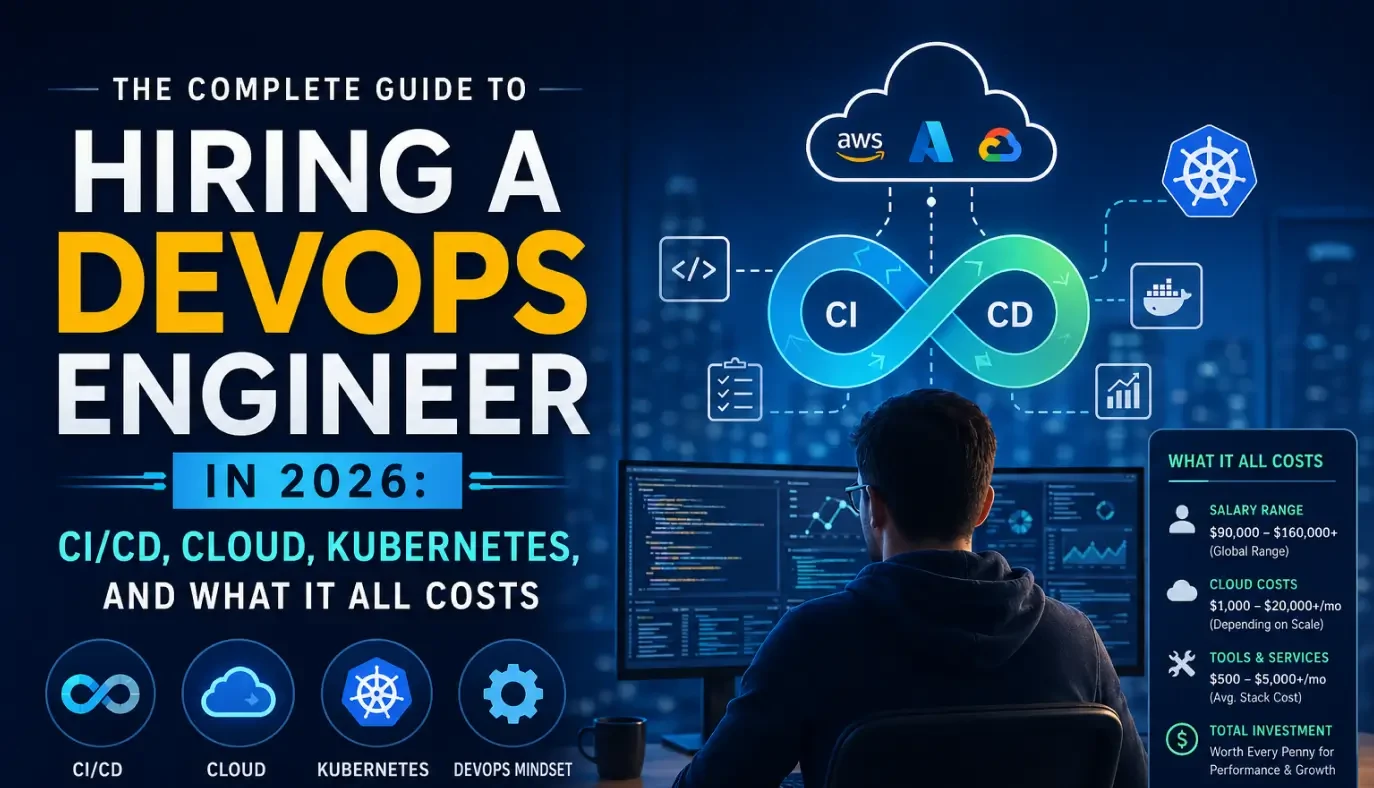
The Complete Guide to Hiring a DevOps Engineer in 2026: CI/CD, Cloud, Kubernetes, and What It All Costs
Everything you need before hiring a DevOps engineer in 2026. What the role covers, CI/CD to Kubernetes, what it costs in India vs the US, and how to start with a vetted engineer in 48 hours.

Acquaint Softtech
May 1, 2026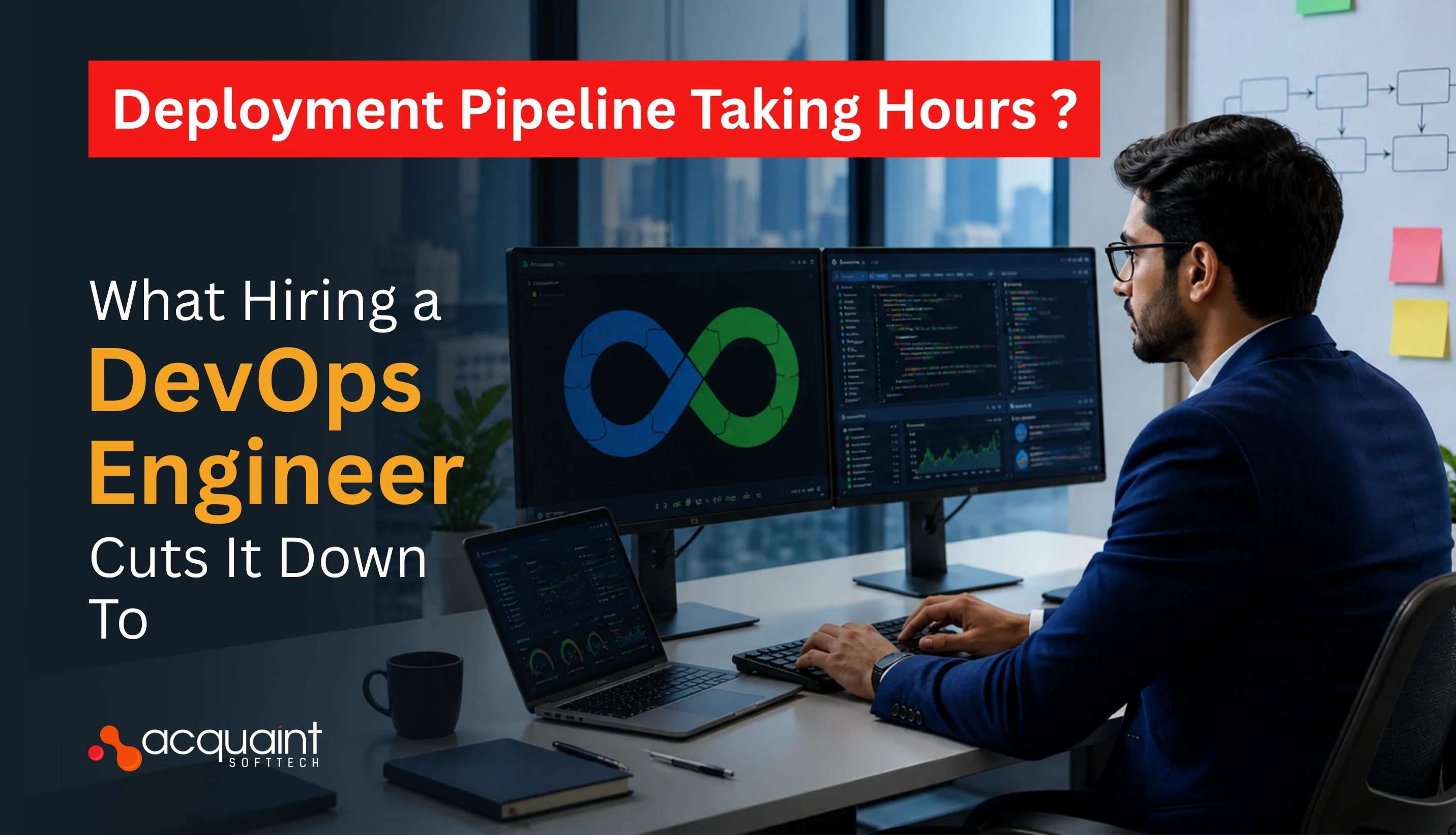
Deployment Pipeline Taking Hours: What Hiring a DevOps Engineer Cuts It Down To
A deployment pipeline that takes hours is costing your business more than just developer time. Here is what a DevOps engineer diagnoses, fixes first, and delivers in the first 30 days.
Taukir katava
May 4, 2026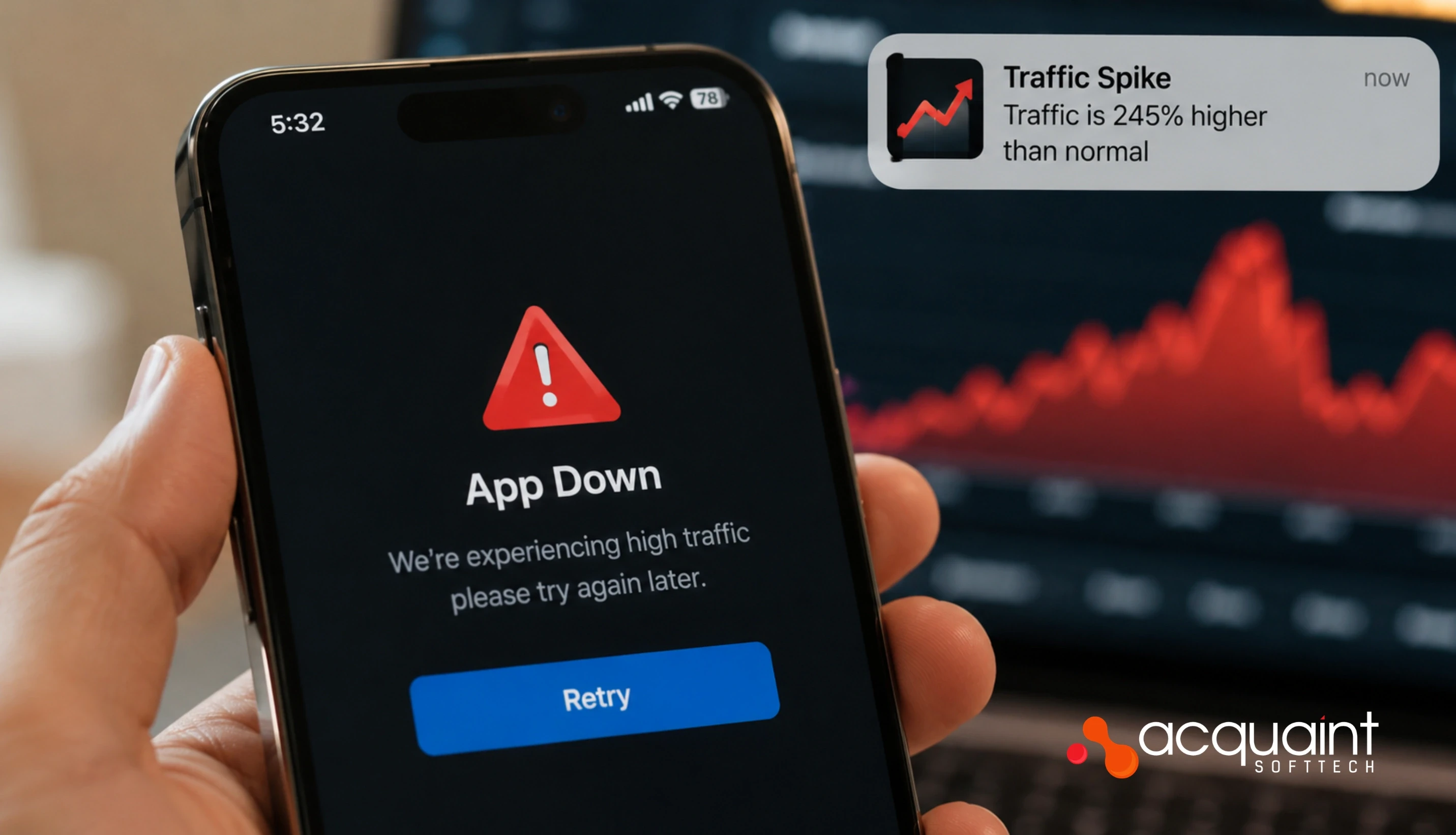
App Crashes Every Traffic Spike: The Infrastructure a DevOps Engineer Builds to Stop It
If your app crashes every time traffic spikes, the problem is infrastructure gaps, not code. Here is what a DevOps engineer diagnoses, builds, and delivers in the first 30 days.
Taukir katava
May 7, 2026India (Head Office)
203/204, Shapath-II, Near Silver Leaf Hotel, Opp. Rajpath Club, SG Highway, Ahmedabad-380054, Gujarat
USA
7838 Camino Cielo St, Highland, CA 92346
UK
The Powerhouse, 21 Woodthorpe Road, Ashford, England, TW15 2RP
New Zealand
42 Exler Place, Avondale, Auckland 0600, New Zealand
Canada
141 Skyview Bay NE , Calgary, Alberta, T3N 2K6