

Statamic CMS 2026: Why Enterprises Are Ditching WordPress (And What They Move To)
WordPress powers 43% of the web and causes 90% of CMS security incidents. Statamic has zero plugin vulnerabilities, native flat-file architecture, and Laravel at its core. Here is why enterprises are making the switch.

Acquaint Softtech
The WordPress Problem Nobody Talks About at the CMS Evaluation Stage
WordPress powers 43 percent of all websites globally. It also accounts for over 90 percent of all CMS-related security incidents. It runs on a plugin architecture that introduces a new vulnerability every time a plugin is updated or abandoned. It degrades in performance as content volume grows without significant server investment. And it requires constant maintenance from a technical team to stay secure and functional.
These are not fringe problems. They are the core architectural trade-offs of a platform designed in 2003 to power personal blogs that now runs enterprise marketing websites, e-commerce platforms, and regulated industry content operations. The problem is not WordPress. The problem is using WordPress past the point where its architecture is appropriate for the use case. Acquaint Softtech is an Official Statamic Partner and Official Laravel Partner. We have migrated enterprise clients from WordPress to Statamic and built Statamic implementations from scratch across industries. This article gives you the honest picture of both platforms in 2026.

- CTOs and CMOs evaluating a CMS migration away from WordPress in 2026
- Marketing directors frustrated with WordPress maintenance overhead, plugin conflicts, and security incidents
- Enterprise decision-makers who need a technically honest comparison before committing to a migration
- Developers and agencies evaluating Statamic as a WordPress alternative for a client build
The 6 WordPress Pain Points Driving Enterprise Migration
These are not theoretical limitations. They are the documented reasons enterprise clients give for evaluating WordPress alternatives in 2026.
1. Plugin Vulnerabilities Are Not Edge Cases. They Are the Business Model Risk.
The WordPress plugin ecosystem includes over 59,000 plugins. Each one is an independently maintained codebase that may or may not receive security updates. When a plugin is abandoned (which happens routinely), the vulnerability it carries becomes a permanent risk in the codebase. The Wordfence Threat Intelligence team documented over 5,000 WordPress plugin vulnerabilities in a single recent year, the majority rated medium to high severity.
Real cost: A compromised enterprise WordPress site costs an average of $150,000 to $1.2 million in incident response, data recovery, reputational damage, and regulatory consequence for regulated industries. The plugin that caused it typically cost $49.
2. Performance Degrades Linearly With Content Volume Without Expensive Infrastructure.
WordPress's PHP and MySQL architecture was not designed for large content libraries. A site with 50 pages performs acceptably on shared hosting. A site with 50,000 pages requires Redis caching, a CDN, database query optimisation, and dedicated server infrastructure to maintain acceptable response times. Each optimisation layer adds cost, complexity, and a new potential failure point.
Real cost: Enterprise WordPress infrastructure at scale typically costs $2,000 to $8,000 per month in hosting and maintenance before any content or development work. Core Web Vitals scores on heavily plugged WordPress sites average 15 to 25 points lower than equivalent Statamic implementations on identical hosting.
3. Plugin Conflicts Create Unpredictable Production Failures.
A WordPress installation with 15 to 30 plugins (the average for an enterprise marketing site) is a system where every update is a dependency conflict risk. Plugin A updates. It breaks Plugin B. Plugin B's developer releases a patch in 3 days. In those 3 days, a customer-facing feature is broken in production. This is not a hypothetical. It is the routine maintenance reality for WordPress at enterprise scale.
Real cost: Enterprise WordPress maintenance retainers that include proactive plugin management and incident response typically run $800 to $2,500 per month. This cost is entirely attributable to the plugin architecture, not the content management itself.
4. The Block Editor Has Created a Content Management Experience That Frustrates Non-Technical Users.
Gutenberg (the WordPress block editor) was introduced to modernise the content editing experience. In practice, enterprise content teams with varying technical literacy report higher frustration scores with Gutenberg than with the classic editor it replaced. The block-based model is powerful for developers and confusing for editors who want to write content, not assemble components.
Real cost: Enterprise WordPress implementations that invest in a custom Gutenberg block library typically spend $15,000 to $40,000 in development cost to create a content editing experience that Statamic's native control panel delivers out of the box.
5. Multisite Architectures Are Fragile at Scale.
WordPress Multisite allows multiple sites to run from a single WordPress installation. In theory, this is efficient for enterprises managing multiple brand or regional sites. In practice, a Multisite installation means a single plugin vulnerability, a single PHP error, or a single misconfiguration can take down every site in the network simultaneously. The shared infrastructure that makes Multisite efficient is the same shared infrastructure that makes it brittle.
Real cost: A Multisite incident affecting 12 brand sites simultaneously, each with distinct audiences and revenue streams, has a downtime cost that compounds across every affected property. The maintenance overhead of keeping 12 WordPress sites current on plugins and PHP versions is not 12 times a single site's overhead. It is higher, because of the interdependencies.
6. WordPress Requires a Permanent Security-Focused Technical Resource.
A maintained, secure WordPress enterprise installation requires ongoing attention from someone who understands WordPress security, plugin vetting, PHP version management, database optimisation, and hosting configuration. This is not a one-time setup cost. It is a permanent operational overhead that grows with site complexity.
Real cost: The total cost of WordPress ownership for an enterprise site with 20+ plugins, custom theme development, and proper security monitoring typically reaches $36,000 to $96,000 per year including hosting, maintenance, development retainer, and security tooling. Most enterprise WordPress budgets are planned without this full picture.
Still Running WordPress? Find Out What It's Actually Costing You.
Most enterprise teams underestimate their true WordPress cost by 40 to 60 percent because they do not count plugin maintenance time, security incident risk, performance infrastructure, or developer dependency as platform costs. We have built a 15-minute WordPress Cost Audit that surfaces the real number for your specific setup. No sales pitch. Just the actual cost of staying where you are.
What Statamic Is and Why Its Architecture Is Different
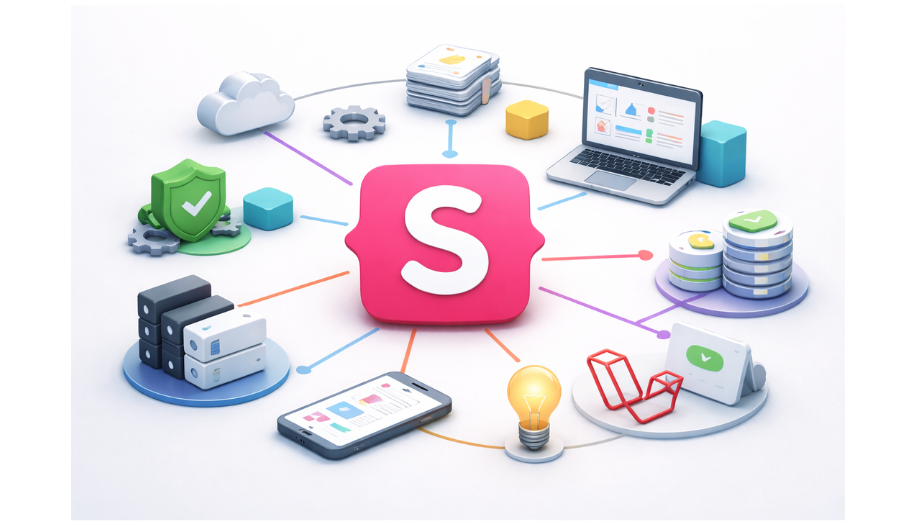
Statamic is a Laravel-based CMS built from the ground up as a professional content management platform rather than a retrofitted blogging tool. It is built by Jack McDade and Jason Viegas. It is backed by Taylor Otwell (creator of Laravel). It is actively developed and commercially supported. Acquaint Softtech is a verified Official Statamic Partner.
The architectural differences between Statamic and WordPress are not incremental. They are foundational.
Flat-File First Architecture
Statamic stores content as flat files (Markdown, YAML, Antlers templates) rather than in a MySQL database by default. This means faster reads, version-controllable content, Git-based workflows, zero database queries for static content, and dramatically simpler deployment. For sites that do not need a relational database, the flat-file approach eliminates an entire category of performance and security risk.
Built on Laravel
Statamic is a first-class Laravel application, not a WordPress-style CMS with a PHP plugin layer. Every Statamic project has access to the full Laravel ecosystem: Eloquent ORM, queues, events, authentication, testing utilities, and the entire Composer package universe. A Laravel developer can extend Statamic with the same expertise they use to build custom applications. There is no proprietary plugin API to learn.
Content Control Panel
Statamic's control panel is a modern, reactive Vue.js interface designed for non-technical content editors. Custom field types, conditional fields, reusable fieldsets, and relationship fields are configured through YAML rather than PHP code or database entries. The editing experience is closer to a purpose-built editorial tool than to a blog platform retrofitted for enterprise use.
Zero Plugin Vulnerabilities
Statamic has no plugin marketplace in the WordPress sense. Extensions are installed via Composer and follow Laravel package conventions. The Statamic addon ecosystem is smaller than WordPress's but every addon is subject to Composer's dependency management and standard PHP security practices. There is no equivalent of the WordPress plugin abandonment vulnerability pattern.
Git-Based Workflows
Statamic's flat-file content model means content changes can be version-controlled in Git alongside code changes. This enables content staging workflows, rollback capabilities, multi-environment deployment, and content review processes that are impossible in a database-driven CMS without significant custom tooling. For regulated industries and enterprises with content governance requirements, this is a structural advantage.
API-First and Headless Ready
Statamic ships with a built-in REST API and GraphQL support for headless deployments. The same content can power a traditional server-rendered site, a React or Vue frontend, a mobile app, and a digital signage system from a single Statamic installation. The headless architecture is not an add-on. It is built into the platform.
Statamic vs WordPress: The Enterprise Comparison
This table covers every dimension relevant to an enterprise CMS decision. Read it against your current WordPress implementation and the requirements of your next major project.
Criteria | Statamic | WordPress |
Security model | No plugin marketplace; Composer packages only | 59,000+ plugins; abandonment vulnerability risk |
Architecture | Laravel-based; flat-file or database | PHP plugin layer; MySQL-dependent |
Performance baseline | Fast by default; flat-file = zero DB queries | Degrades with content volume; requires caching stack |
Content editing UX | Modern Vue.js control panel; editor-first | Gutenberg block editor; developer-designed |
Version control | Git-native; content and code together | Database-driven; requires plugin for version control |
Headless capability | Native REST API and GraphQL | Requires WP REST API configuration and plugins |
Multi-site management | Clean multi-site via Laravel Forge | Fragile Multisite; shared infrastructure risk |
Developer experience | Full Laravel ecosystem; standard PHP | WordPress-specific plugin API; custom hooks system |
Plugin/addon ecosystem | Smaller; Composer-managed; no abandonment risk | 59,000+ plugins; 30% not actively maintained |
Hosting cost at scale | Lower; no database scaling overhead | Higher; requires Redis, CDN, dedicated DB at scale |
Maintenance overhead | Lower; no plugin update cascade | High; plugin conflicts routine at enterprise scale |
Learning curve | Higher for content editors initially | Lower initially; higher as complexity grows |
Statamic pricing | Free (Statamic Solo) to $259/project | Free core; hosting, plugins, maintenance costs stack |
Regulatory compliance | Git audit trail; clean data model | Requires plugins and custom tooling for compliance |
When to Choose Statamic and When WordPress Still Wins
Statamic is not the right answer in every situation. Here is the honest scenario-based framework.
Choose Statamic when:
Your team includes Laravel developers or you have access to a Laravel development partner
Security and compliance are primary concerns (regulated industries, financial services, healthcare)
Your content team needs a professional editorial environment, not a retrofitted blog interface
You need Git-based content workflows, staging environments, or content versioning
You are building a headless or multi-channel content architecture
You are migrating from WordPress and your current plugin cost and maintenance overhead exceeds $1,000 per month
Your content volume is large and WordPress performance has required significant infrastructure investment
Explore our Statamic Development Services
WordPress still makes sense when:
Your content team has deep WordPress expertise and migration disruption cost outweighs the benefits
Your site is small, your plugin count is low (under 10), and your security requirements are standard
You need specific WooCommerce functionality that would require significant custom development in Statamic
Your budget does not include a Laravel development partner for initial implementation and ongoing maintenance
Your timeline requires a launch within 2 to 4 weeks using existing WordPress themes and page builders
Explore Our WordPress Development Services or Hire WordPress Developers
The Statamic Migration Framework
A WordPress to Statamic migration is not a content import. It is an architectural shift that requires planning before execution. Here is the framework we use at Acquaint Softtech for enterprise Statamic migrations.
Phase 1: Content Audit and Architecture Design (Weeks 1 to 2)
Inventory every content type in the current WordPress installation. Map custom post types, taxonomies, custom fields, and relationships to Statamic's content model (Collections, Taxonomies, Globals, and Assets). Design the Statamic content schema before any migration work begins. This phase determines the quality of everything that follows.
Phase 2: Statamic Foundation and Control Panel Build (Weeks 2 to 4)
Set up the Statamic installation on Laravel. Configure fieldsets, blueprints, and the control panel for the content architecture defined in Phase 1. Build and test the editorial workflow with the content team before any content is migrated. The content team should approve the editing experience before the migration runs.
Phase 3: Content Migration and Template Development (Weeks 4 to 8)
Run the content migration from WordPress using a custom migration script that maps WordPress content types to Statamic collections. Build Antlers templates or connect to a headless frontend. Replicate all SEO metadata, URL structures, and redirect rules. Test content integrity with spot-checks across content types.
Phase 4: Performance Validation and Launch (Weeks 8 to 10)
Run Core Web Vitals tests on the Statamic implementation. Validate all 301 redirects from WordPress URLs. Confirm all tracking, analytics, and marketing tool integrations. Run a content team training session on the new control panel. Soft launch with monitoring. Full launch after 72 hours of stability.
Enterprise Brands That Switched Have Already Left Your Competitors Behind.
Every month a brand stays on an under-performing WordPress installation is a month their Statamic-migrated competitors are loading faster, ranking higher, publishing more securely, and spending less on maintenance. We have already migrated brands in your sector. We know exactly what the migration involves for your specific setup. The question is not whether to move. It is whether you move this quarter or next year.
How Acquaint Softtech Delivers Statamic Implementations
Acquaint Softtech is an Official Statamic Partner and Official Laravel Partner. We build Statamic implementations on the same Laravel expertise that powers our Laravel development services across 1,300+ project deliveries. Our Statamic capability is not an add-on service. It is an extension of our core Laravel engineering team.
Custom Statamic builds | New Statamic implementations built from the content architecture up. No WordPress legacy constraints. No plugin dependencies. A clean, purposeful content platform designed for how your team actually works. |
WordPress to Statamic migration | Full content migration including content types, taxonomies, media assets, SEO metadata, URL structures, and 301 redirects. Content team training included. Post-launch monitoring period included. |
Headless Statamic with Laravel backend | Statamic as a content API powering a React or Vue frontend, a mobile app, or a multi-channel distribution system. Our Laravel team builds the backend; our frontend capability handles the presentation layer. |
Ongoing Statamic maintenance | Version upgrades, addon management, content model evolution, and performance optimisation through our staff augmentation model. Pre-vetted senior Laravel developers deployed within 48 hours for ongoing support. |
The Migration Window Is Now, Not Later
WordPress's market share is not declining. Its suitability for enterprise use cases is. The brands that migrate to purpose-built platforms now will compound the performance and operational advantages of that decision for years. The brands that delay will spend the next 12 months paying for plugin maintenance, security incidents, and performance infrastructure on a platform that was not designed for what they are using it for.
Statamic is not the only WordPress alternative. It is the one with Laravel at its core, a verified partner network, and a content editing experience designed for professional editorial teams. If your organisation is evaluating a CMS migration and wants a technical assessment of what a Statamic implementation would involve for your specific setup, we offer a free initial consultation with no commitment.
Statamic CMS Development | Hire Laravel Developers | Staff Augmentation |
FAQ's
-
What is Statamic and how is it different from WordPress?
Statamic is a Laravel-based CMS that stores content as flat files by default rather than in a MySQL database. It has no plugin marketplace equivalent to WordPress, which means it has none of WordPress's plugin vulnerability and abandonment problems. It is built on the full Laravel PHP framework, which means Laravel developers can extend it with standard PHP practices rather than a proprietary plugin API. The editing interface is a modern Vue.js control panel designed for professional content teams. It is commercially supported, actively developed, and backed by Taylor Otwell, the creator of Laravel.
-
Is Statamic suitable for large enterprise websites?
Yes, and it is specifically designed for the use cases where WordPress struggles at enterprise scale. Statamic's flat-file architecture produces fast performance on large content libraries without requiring database scaling infrastructure. Its Git-based content model enables enterprise content governance workflows. Its Laravel foundation means enterprise-grade features like multi-tenancy, role-based access control, API integrations, and compliance tooling are all standard Laravel capabilities rather than plugin dependencies. Statamic has been deployed for enterprise marketing sites, multi-brand content platforms, and regulated industry content operations.
-
How long does a WordPress to Statamic migration take?
A standard enterprise WordPress to Statamic migration takes 8 to 10 weeks with Acquaint Softtech. The timeline depends on content volume, custom post type complexity, the number of active plugins that need equivalent Statamic functionality, and the complexity of the frontend templates. Content migrations with simple content structures and standard WordPress configurations run faster. Migrations from highly customised WordPress installations with 20+ active plugins and complex custom post type relationships take longer. We provide a specific timeline estimate after a technical assessment of the current WordPress installation.
-
Does Statamic have an e-commerce capability?
Yes, through third-party integrations and custom Laravel development. Statamic does not have a native WooCommerce equivalent. For simple e-commerce needs, Statamic can be integrated with payment processors and order management systems via Laravel. For complex e-commerce requirements, a separate dedicated platform (Bagisto for Laravel-native e-commerce, or a headless commerce platform) paired with Statamic for content management is a more appropriate architecture than a single-platform solution.
-
What does it cost to hire Statamic developers through Acquaint Softtech?
Statamic development at Acquaint Softtech is delivered by the same Laravel engineering team that powers our broader development services. Rates start at $22 per hour for individual developers through our staff augmentation model. Project-based Statamic implementations are scoped and priced based on content architecture complexity, migration requirements, and frontend build scope. We provide a detailed cost estimate after an initial technical assessment call.
We’re Acquaint Softtech, your technology growth partner. Whether you're building a SaaS product, modernizing enterprise software, or hiring vetted remote developers, we’re built for flexibility and speed. Our official partnerships with Laravel, Statamic, and Bagisto reflect our commitment to excellence, not limitation. We work across stacks, time zones, and industries to bring your tech vision to life.
Table of Contents
Get Started with Acquaint Softtech
- 13+ Years Delivering Software Excellence
- 1300+ Projects Delivered With Precision
- Official Laravel & Laravel News Partner
- Official Statamic Partner
Related Reading

Bagisto vs Shopify vs WooCommerce: Which Platform Wins for Growing Brands in 2026?
Shopify fees scale with your revenue. WooCommerce complexity scales with your ambition. Bagisto gives growing brands full ownership without the platform tax. Here is how the 3 actually compare in 2026.
Acquaint Softtech
March 17, 2026
Cost-Effective CMS Solutions with Statamic Partners
Develop a next-generation website using Statamic that is tailored to suit the custom needs of your business.

Mukesh Ram
October 2, 2023
All you need to know about Statamic Development
Develop a next-generation Statamic website and hire official statamic partners to do so. Read this article to know how.