

CI/CD for Kubernetes on AWS EKS: What a DevOps Engineer Builds and What to Budget in 2026
CI/CD for Kubernetes on AWS EKS requires more than a standard pipeline. Here is what a DevOps engineer builds, which tools they choose, and what to budget in 2026.

Taukir katava
As a DevOps Engineer at Acquaint Softtech, a software development partner, I have set up CI/CD pipelines for Kubernetes workloads on AWS EKS for gaming platforms, sports analytics infrastructure, and SaaS products. The CI/CD setup for Kubernetes is significantly more complex than a standard EC2 or ECS pipeline. It involves container image management, Helm chart deployment, cluster authentication, and rolling update strategies - on top of the standard build and test pipeline. This guide covers exactly what a DevOps engineer builds for EKS CI/CD, which tools they use, and what to budget in 2026.

- CTOs and engineering leads containerising their application and moving to Kubernetes on AWS EKS
- Teams already on EKS who have a manual or partially automated deployment process and want to automate it fully
- SaaS founders whose DevOps engineer has quoted a Kubernetes CI/CD setup and they want to understand what is included
- Companies hiring a DevOps engineer specifically for EKS and wanting to brief them accurately before the engagement
A CI/CD pipeline for Kubernetes on EKS is not simply a standard pipeline with a kubectl apply step at the end. The container image must be built, tagged, and pushed to ECR. The EKS cluster must authenticate the pipeline runner. The Kubernetes manifests or Helm chart values must be updated with the new image tag. The deployment must be monitored for rollout success or failure. Each of these step requires specific configuration that a DevOps engineer without Kubernetes experience may not set up correctly the first time.
The deployment strategy that runs on top of the CI/CD pipeline - Blue-Green or Canary for EKS workloads - is covered in the Blue-Green vs Canary deployment guide. This article focuses on the CI/CD pipeline layer: what gets built, which tools a DevOps engineer chooses, and what the setup costs.
What CI/CD for Kubernetes on EKS Includes: The Full Scope
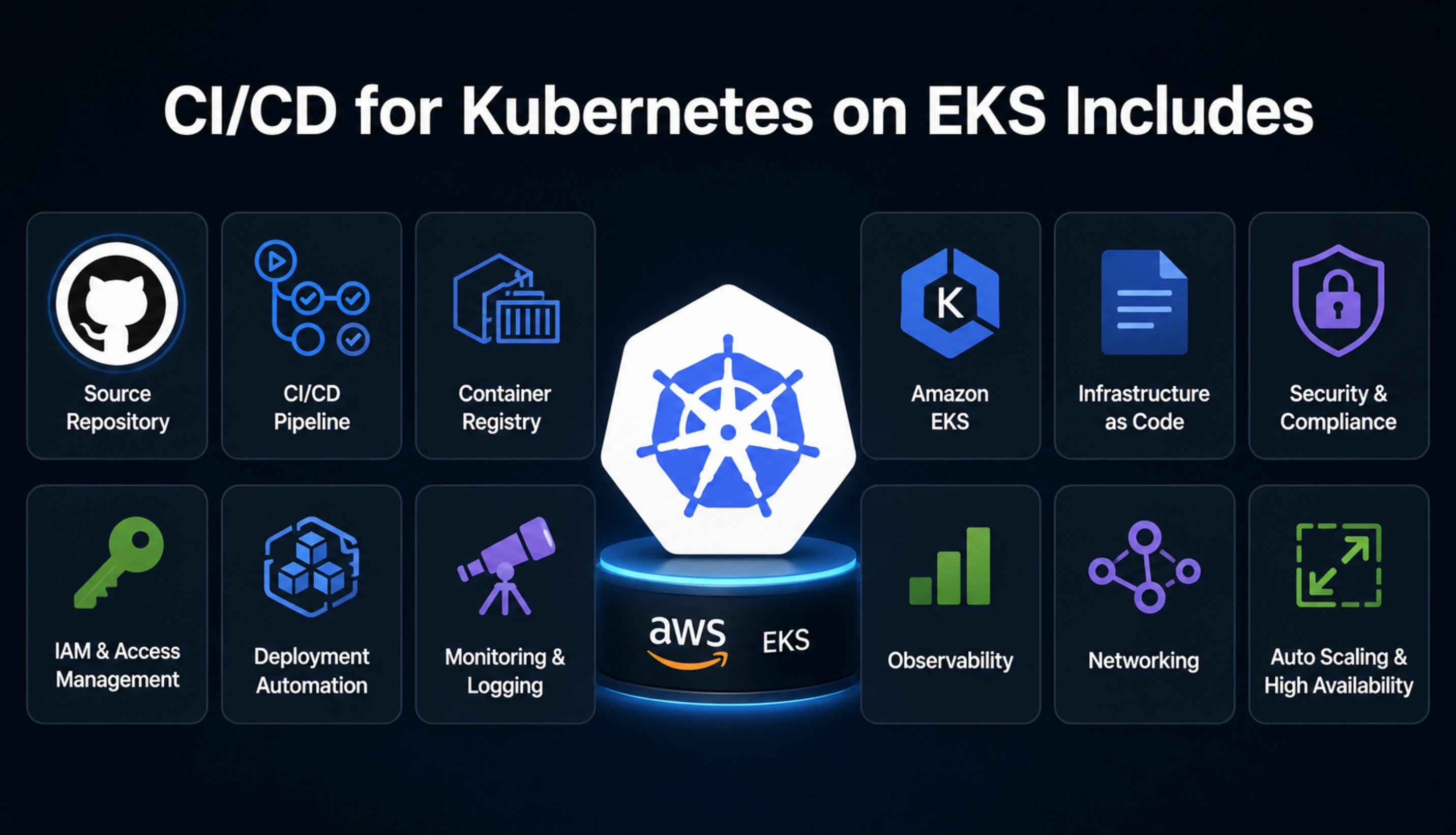
A production-grade EKS CI/CD pipeline has more components than a standard pipeline. Here is the complete scope of what a DevOps engineer builds.
The 7 components of a production EKS CI/CD pipeline
Container image build: Dockerfile optimisation, multi-stage build, layer caching. Tool: AWS CodeBuild or GitHub Actions runner.
ECR push and tagging: Push built image to Amazon ECR with semantic or SHA-based tagging. Security: ECR image scanning enabled on push.
EKS cluster authentication: Pipeline runner authenticates to EKS via IAM role assumption. Tool: aws-actions/configure-aws-credentials + kubeconfig setup.
Helm chart update or manifest patch: Update the image tag in values.yaml or patch the Kubernetes deployment manifest with the new image reference.
Deployment and rollout monitoring: Apply the updated chart or manifest. Monitor rollout status. Fail the pipeline if pod readiness checks do not pass within the timeout.
Rollback automation: If the rollout fails, trigger kubectl rollout undo automatically. Alert the team via Slack or PagerDuty.
Pipeline notifications: Slack or email notification on success and failure. CloudWatch metrics for pipeline duration and success rate.
The infrastructure layer that hosts the EKS cluster, auto-scaling node groups, VPC configuration, and the cost of running the cluster is covered in the Kubernetes for startups guide. This article focuses specifically on the CI/CD layer that sits on top of that infrastructure.
Need a CI/CD Pipeline Built for Your EKS Cluster?
Tell Acquaint Softtech your current EKS setup, source control platform, and deployment frequency. A vetted DevOps engineer with EKS CI/CD experience will send a matched profile within 24 hours.
Which Tools a DevOps Engineer Uses for EKS CI/CD in 2026
The tool selection for EKS CI/CD depend on your source control platform, your team's existing AWS tooling, and the complexity of your deployment. Here is how a DevOps engineer selects the right combination.
GitHub Actions + Helm (most common for GitHub teams) |
The pipeline is defined as a GitHub Actions workflow YAML. The build stage runs on a GitHub-hosted runner or a self-hosted runner inside the VPC. AWS credentials are configured via OIDC (no long-lived secrets). The deployment stage uses the Helm GitHub Action or runs helm upgrade directly. This is the most common setup for teams already on GitHub and the fastest to implement. |
AWS CodePipeline + CodeBuild + Helm |
The pipeline is fully AWS-native. CodePipeline orchestrates the stages. CodeBuild handles the container build and ECR push. A separate CodeBuild project runs the Helm upgrade against EKS. This setup has full CloudTrail auditability and requires no external platform. Best for teams on CodeCommit or those with strict AWS-native audit requirements. |
GitLab CI + ArgoCD (GitOps pattern) |
GitLab CI handles the build and ECR push. ArgoCD watches the Helm chart repository for changes and syncs the EKS cluster automatically. This is the GitOps pattern: the desired cluster state is defined in Git and ArgoCD reconciles the actual state to match. Best for teams who want declarative cluster management and automatic drift detection. |
Jenkins + Kubernetes Plugin |
Jenkins runs the build inside the cluster using the Kubernetes plugin (dynamic pod-based agents). The pipeline pushes to ECR and deploys via Helm or kubectl. Best for large teams with existing Jenkins investment who want Kubernetes-native build agents rather than maintaining a separate Jenkins server fleet. |
For teams deciding between these CI/CD tools at a higher level before committing to Kubernetes, the CI/CD tool comparison guide covers GitHub Actions, Jenkins, and GitLab CI across eight dimensions.
What It Costs: 2026 Budget Guide
The cost of an EKS CI/CD setup has two components: the DevOps engineer time to build it, and the ongoing AWS infrastructure cost to run it. Here are the honest 2026 numbers at Acquaint Softtech rates of $22/hour.
Setup component | Cost at $22/hour (Acquaint Softtech) |
Container image build pipeline (CodeBuild or GitHub Actions) | 1 to 2 days: $176 to $352 |
ECR repository setup + image scanning | 0.5 days: $88 |
EKS cluster authentication (OIDC or IAM role) | 0.5 days: $88 |
Helm chart structure and values management | 1 to 2 days: $176 to $352 |
Rollout monitoring and rollback automation | 1 to 2 days: $176 to $352 |
Pipeline notifications and CloudWatch metrics | 1.5 days: $264 |
Full EKS CI/CD pipeline (GitHub Actions + Helm) | 4 to 8 days total: $704 to $1,408 |
Full EKS CI/CD pipeline (CodePipeline + Helm) | 5 to 10 days total: $880 to $1,760 |
Ongoing AWS infrastructure cost for EKS CI/CD (monthly)
ECR storage: $0.10/GB/month. A fleet of 20 images at 500MB each = $1/month.
ECR data transfer: $0.09/GB to internet. Pulling images to EKS nodes within same region = free.
CodeBuild (if used): $0.005/minute on general1.small. 20 builds/day x 10 min = $30/month.
GitHub Actions: 2,000 free minutes/month on public repos. Private: $0.008/minute after.
CloudWatch logs: $0.03/GB/month for pipeline logs.
Typical total additional monthly cost for EKS CI/CD infrastructure: $30 to $80/month.
Acquaint Softtech's hire DevOps engineers service provides vetted engineers with verified EKS CI/CD implementation experience. Every engineer has worked with Helm, ECR, and Kubernetes rollout management in production environments.
For the full DevOps engineer rate comparison by region and seniority, the DevOps engineer cost guide covers what each price tier delivers. Acquaint Softtech's starting rate is $22/hour on a monthly retainer.
Want an EKS CI/CD Pipeline Built by an Engineer Who Has Done It in Production?
Taukir and the Acquaint Softtech DevOps team have built EKS CI/CD pipelines for gaming platforms and sports analytics infrastructure. GitHub Actions, CodePipeline, and GitLab CI. Tell us your EKS setup and target tool. Matched profile in 24 hours.
What the First 30 Days of an EKS CI/CD Engagement Produces
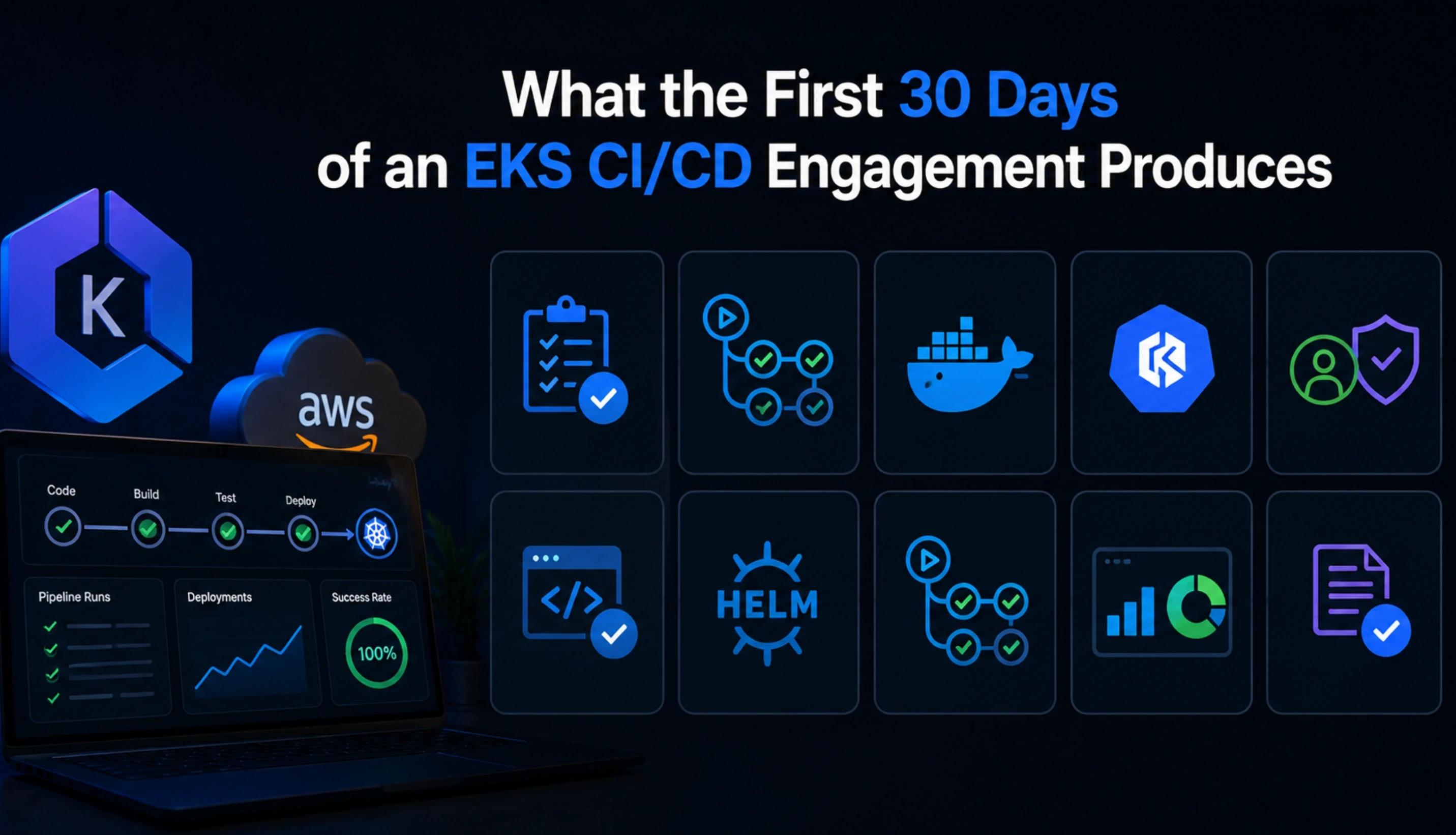
A well-structured EKS CI/CD engagement delivers a working pipeline in the first sprint. Here is the realistic week-by-week output.
Week 1: Foundation
ECR repository created with image scanning enabled. Dockerfile reviewed and optimised for layer caching. Build pipeline configured (GitHub Actions or CodeBuild). First successful image push to ECR confirmed. EKS cluster authentication via OIDC configured and tested.
Week 2: Deployment pipeline
Helm chart structure reviewed or created. Values management for environment-specific configuration confirmed. First automated deployment to staging EKS cluster triggered from a Git push. Rollout monitoring confirmed - pipeline fails correctly when pods do not reach Ready state.
Week 3: Rollback and notifications
Automated rollback on deployment failure tested and confirmed. Slack notification on pipeline success and failure configured. CloudWatch pipeline duration metric enabled.
Week 4: Production deployment and documentation
Production EKS deployment pipeline configured with environment protection (approval gate for production). Pipeline documentation delivered. Runbook for common failure scenarios delivered.
For teams whose applications are crashing under traffic in addition to needing a better deployment pipeline, the traffic spike infrastructure guide covers the auto-scaling and load balancing layer that sits alongside the EKS deployment pipeline.
Individual DevOps engineer on a monthly retainer through our staff augmentation model. Available in 48 hours. Starting at $22/hour.
For a vendor-managed DevOps team covering EKS, CI/CD, and broader infrastructure, our dedicated development teams service covers the full engagement structure.
Ready to Automate Your EKS Deployments? Acquaint Softtech Has DevOps Engineers Available Now.
Pre-vetted DevOps engineers with EKS and Kubernetes CI/CD experience. Starting at $22/hour on a monthly retainer. Matched profile in 24 hours. Engineer in your first standup in 48 hours. Tell us your cluster setup and pipeline goal.
Frequently Asked Questions
-
How do you set up CI/CD for Kubernetes on EKS?
The standard setup: a pipeline runner builds the container image, pushes it to ECR, authenticates to the EKS cluster via IAM role, updates the Helm chart with the new image tag, and applies the chart. Rollout is monitored for pod readiness. If pods do not reach Ready state within the timeout, the pipeline fails and rollback triggers automatically.
-
Which CI/CD tool is best for AWS EKS?
GitHub Actions with Helm is the most common for teams already on GitHub. AWS CodePipeline is better for teams needing full AWS-native auditability. GitLab CI with ArgoCD suits teams who want a GitOps pattern with declarative cluster state. The best tool depends on your source control platform and audit requirements.
-
What is the difference between CI/CD for EKS and CI/CD for ECS?
EKS CI/CD requires Kubernetes-specific tooling: kubectl, Helm, and cluster authentication via kubeconfig. ECS CI/CD uses simpler AWS-native tooling: ECS service updates via aws ecs update-service or CodeDeploy. EKS gives more control and portability. ECS is simpler to set up and operate for teams without Kubernetes expertise.
-
How long does it take to set up CI/CD for EKS?
A production-grade EKS CI/CD pipeline takes 4 to 8 days for GitHub Actions with Helm, or 5 to 10 days for AWS CodePipeline with Helm. At Acquaint Softtech rates of $22/hour, this costs $704 to $1,760. Most setups are absorbed into the first sprint of a monthly retainer engagement.
-
What is Helm and does a DevOps engineer set it up?
Helm is a package manager for Kubernetes. It templates Kubernetes manifests and manages releases. A DevOps engineer either creates a Helm chart for your application or reviews and improves an existing one. Helm is the standard deployment mechanism for EKS CI/CD in 2026 and is included in every Acquaint Softtech EKS CI/CD engagement.
-
What does Acquaint Softtech charge for an EKS CI/CD engagement?
Acquaint Softtech DevOps engineers start at $22/hour on a monthly retainer. A full EKS CI/CD setup takes 4 to 10 days depending on tool choice and is absorbed into the first sprint. From first standup to working EKS pipeline: typically 7 to 14 days.
-
Do I need ArgoCD for EKS CI/CD?
No. ArgoCD is a GitOps continuous delivery tool that adds declarative cluster management on top of a standard CI/CD pipeline. It is valuable for teams who want automatic drift detection and Git-based rollbacks. It adds setup complexity. Most EKS teams start with a standard GitHub Actions or CodePipeline setup and add ArgoCD when the cluster management complexity justifies it.
Taukir Katava is a DevOps Engineer at Acquaint Softtech with 4+ years of experience across AWS, Azure, and GCP. He specialises in Kubernetes cluster administration, CI/CD pipeline automation, and cloud infrastructure design for high-traffic platforms. Taukir writes about the practical side of production DevOps: what infrastructure decisions cost and what they actually deliver.
Table of Contents
Get Started with Acquaint Softtech
- 13+ Years Delivering Software Excellence
- 1300+ Projects Delivered With Precision
- Official Laravel & Laravel News Partner
- Official Statamic Partner
Related Reading
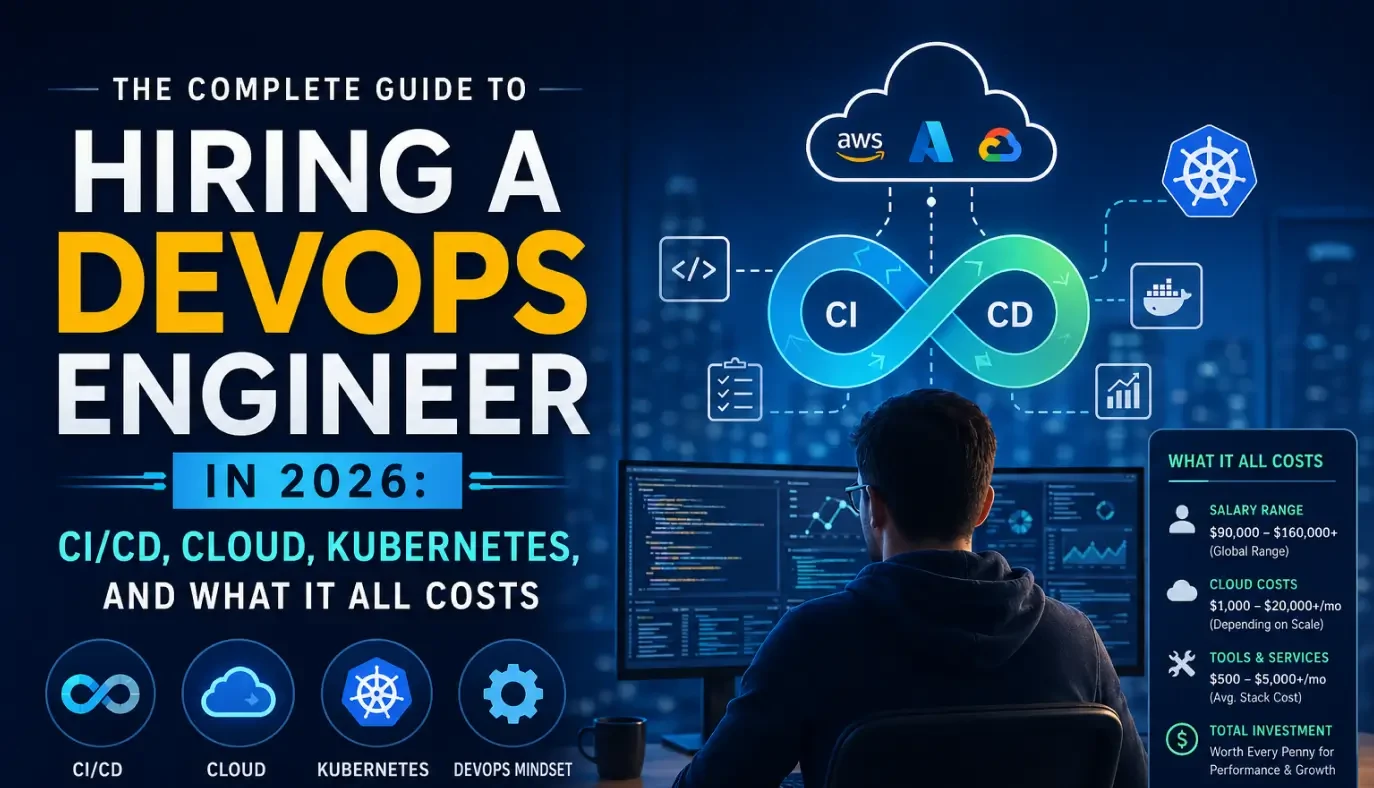
The Complete Guide to Hiring a DevOps Engineer in 2026: CI/CD, Cloud, Kubernetes, and What It All Costs
Everything you need before hiring a DevOps engineer in 2026. What the role covers, CI/CD to Kubernetes, what it costs in India vs the US, and how to start with a vetted engineer in 48 hours.

Acquaint Softtech
May 1, 2026
App Crashes Every Traffic Spike: The Infrastructure a DevOps Engineer Builds to Stop It
If your app crashes every time traffic spikes, the problem is infrastructure gaps, not code. Here is what a DevOps engineer diagnoses, builds, and delivers in the first 30 days.
Taukir katava
May 7, 2026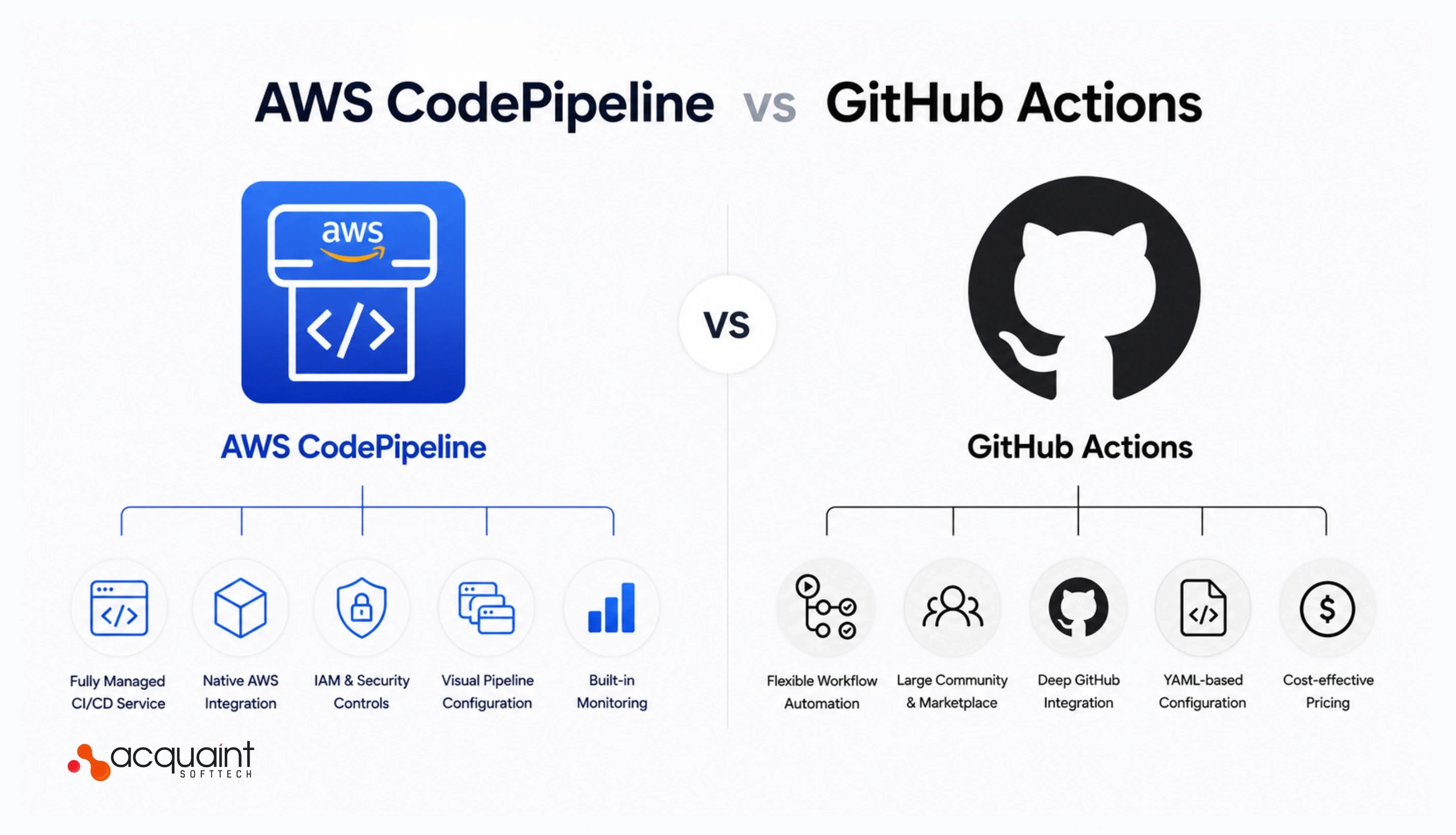
AWS CodePipeline vs GitHub Actions for SaaS: What a DevOps Engineer Recommends and Why
AWS CodePipeline and GitHub Actions both work on AWS. But they solve different problems. Here is the honest comparison and what a DevOps engineer recommends for SaaS startups in 2026.
Taukir katava
May 12, 2026India (Head Office)
203/204, Shapath-II, Near Silver Leaf Hotel, Opp. Rajpath Club, SG Highway, Ahmedabad-380054, Gujarat
USA
7838 Camino Cielo St, Highland, CA 92346
UK
The Powerhouse, 21 Woodthorpe Road, Ashford, England, TW15 2RP
New Zealand
42 Exler Place, Avondale, Auckland 0600, New Zealand
Canada
141 Skyview Bay NE , Calgary, Alberta, T3N 2K6