

Multi-Environment Kubernetes Setup (Dev/Stage/Prod): What a DevOps Engineer Delivers in 2026
Dev, staging, and production Kubernetes environments need more than separate namespaces. Here is the full multi-environment setup a DevOps engineer builds and what it costs in 2026.

Taukir katava
As a DevOps Engineer at Acquaint Softtech, a software development partner, one of the most common configuration gaps I find in new Kubernetes engagements is inadequate environment separation. Teams have a dev namespace and a production namespace in the same cluster, sharing compute and networking. A misconfigured dev service that hammers the API server affects production response times. A developer testing with high resource requests starves production pods. True multi-environment Kubernetes is not two namespaces. It is a deliberate architecture with the right isolation, the right configuration management, and the right promotion workflow between environments. This guide covers what a DevOps engineer builds for a production-grade multi-environment setup.

- Engineering leads running dev and staging in the same Kubernetes cluster as production and experiencing resource contention or configuration bleed
- SaaS CTOs setting up Kubernetes for the first time who want to understand the right multi-environment architecture from the start
- Teams that have dev/staging/prod in separate namespaces but are experiencing environment drift and want to understand what a proper configuration management approach looks like
- Founders hiring a DevOps engineer for a Kubernetes setup and wanting multi-environment configuration in the engagement brief
The cheapest multi-environment Kubernetes setup is three namespaces in one cluster. The problem with this approach is that namespace isolation in Kubernetes do not prevent resource contention at the node level. A development namespace running load tests can consume node CPU and memory that production pods need. Network policy misconfiguration can allow dev traffic to reach production services. A single cluster control plane failure takes all three environments down simultaneously.
For the Helm-based deployment automation that makes multi-environment promotion manageable, the Helm charts and Kubernetes automation guide covers values files per environment and ArgoCD-based promotion workflows. This article focuses on the cluster architecture and isolation decisions.
Multi-Environment Architecture: 3 Options and When to Use Each
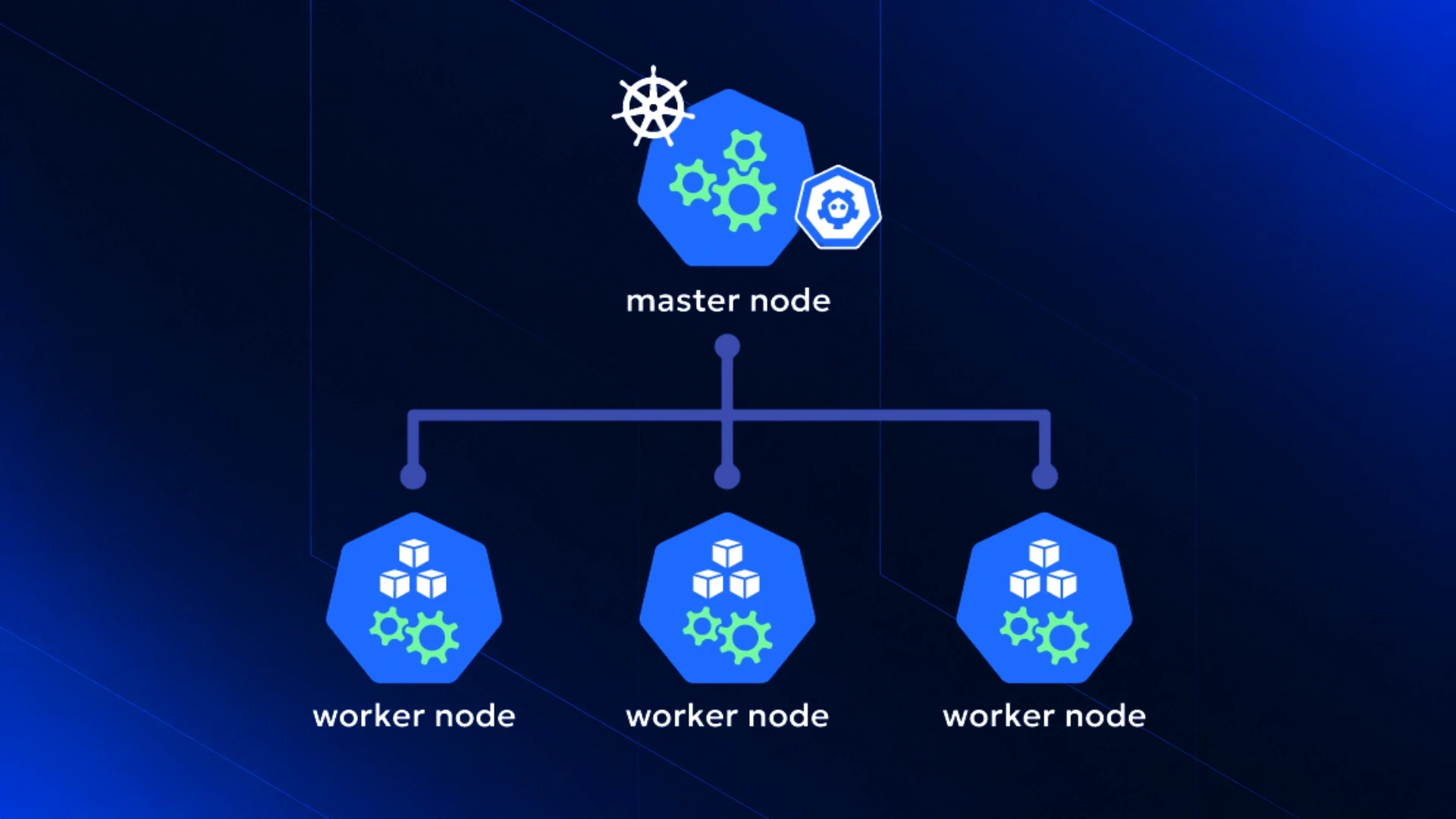
A DevOps engineer evaluates three architecture options for multi-environment Kubernetes. The right choice depends on the team's scale, compliance requirements, and cost tolerance.
Option 1: Namespaces in a Single Cluster (Minimum Viable) |
Architecture: dev, staging, and prod namespaces in the same EKS or AKS cluster. Resource quotas on each namespace. Network policies isolating namespace traffic. |
Right for: very early-stage teams with low traffic, limited budget, and a single dev team. The simplest setup to operate. |
Problems at scale: resource contention at the node level is not prevented by namespaces. A node shared between dev and prod can have dev pods starve prod pods of memory. Control plane failure affects all environments simultaneously. |
Cost: one cluster's AWS/Azure infrastructure cost. Lowest cost option. |
Option 2: Separate Node Pools per Environment (Recommended for Most SaaS) |
Architecture: a single cluster with separate managed node groups for each environment. Dev and staging run on smaller Spot Instance node pools. Production runs on dedicated on-demand node pools. |
Right for: most SaaS startups and growing companies. Strong resource isolation without the operational overhead of multiple clusters. One control plane to manage and upgrade. |
Isolation: node-level resource isolation via node groups. Pod affinity rules ensure dev pods never schedule on production nodes. |
Cost: slightly higher than single node pool because dedicated production nodes cannot be shared. |
Option 3: Separate Clusters per Environment (Maximum Isolation) |
Architecture: three separate EKS or AKS clusters (dev, staging, production). Each cluster has its own control plane, network, and node groups. |
Right for: teams with compliance requirements that mandate production cluster isolation (SOC 2, ISO 27001, PCI-DSS), large engineering organisations where a staging cluster failure should not risk production availability, and platforms where staging runs load tests that could destabilise a shared control plane. |
Cost: three clusters means three sets of control plane costs (3x EKS $73/month) and separate VPC, NAT Gateway, and monitoring costs per cluster. Higher cost but maximum isolation. |
For the Terraform code that defines each environment's cluster configuration, the Terraform infrastructure automation guide covers how Terraform workspaces or directory-per-environment structures manage multi-cluster infrastructure as code.
Running Dev and Production in the Same Kubernetes Cluster? Assess the Risk First.
Tell Acquaint Softtech your current cluster setup (how many environments, whether they share nodes, and your compliance requirements). A vetted DevOps engineer will assess your isolation risk and design the right multi-environment architecture. Matched profile in 24 hours.
What a DevOps Engineer Configures for Each Environment Layer
Regardless of which architecture option is chosen, each environment need a consistent configuration layer. Here is what a DevOps engineer sets up for each of the three environments.
Configuration layer | Dev environment | Staging environment | Production environment |
Node size | Smaller instances (t3.medium), Spot VMs | Medium instances (t3.large), mix of Spot/on-demand | Standard instances (m5.large), on-demand primary |
Replica count | 1 per service | 2 per service (HA testing) | 3+ per service (actual HA) |
Resource requests/limits | Small (50m CPU, 128Mi memory) | Medium (200m CPU, 512Mi memory) | Standard (500m CPU, 1Gi memory) |
Auto-scaling | Disabled or minimal | HPA enabled, conservative thresholds | HPA + Cluster Autoscaler, production thresholds |
External access | Internal only or dev-team VPN | Staging subdomain, basic auth or IP allowlist | Production domain, full DNS, TLS certificate |
Secret management | Dev secrets in Kubernetes Secrets | Staging secrets in Vault or AWS Secrets Manager | Production secrets in Vault or AWS Secrets Manager |
Monitoring | Basic metrics, no alerting | Full metrics, team Slack alerts | Full metrics, on-call PagerDuty alerts, SLO tracking |
ArgoCD sync policy | Auto-sync on every commit | Auto-sync after staging validation gate | Manual sync (PR review required for production) |
The Promotion Workflow: How Code Moves from Dev to Production
The promotion workflow define how a code change moves from a developer's branch through staging and into production. A DevOps engineer builds the promotion logic to match the team's release cadence.
Dev environment (continuous) | Every commit to a feature branch or dev branch is automatically deployed to the dev environment by ArgoCD. Dev deployment is fast and disposable: failed dev deployments are expected and not alerted. The dev environment is for developer testing, not for stakeholder review. |
Staging environment (on-demand or scheduled) | Staging deployment is triggered either by merging a PR to the staging branch or by a scheduled nightly build. Staging closely resembles production (similar replica counts, similar resources) so integration tests and stakeholder review are meaningful. A staging deployment that passes all integration tests and health checks is a candidate for production promotion. |
Production environment (controlled) | Production deployment requires a manual approval step in the CI/CD pipeline or a reviewed PR to the production values file in Git. With ArgoCD, the promotion is a Git operation: update the image tag in the production values file, open a PR, get a review from a second engineer, merge. ArgoCD deploys to production within minutes of merge. The full audit trail is in Git. |
For the EKS cluster setup that underlies this multi-environment architecture, the AWS EKS setup and management guide covers the node group and networking configuration that enables the separate-node-pool architecture described above.
Want a Properly Isolated Dev/Staging/Production Kubernetes Setup?
Tell Acquaint Softtech your current environment setup, your compliance requirements (if any), and your monthly cloud budget. A DevOps engineer will recommend the right isolation architecture and send a matched profile within 24 hours.
What It Costs in 2026

The multi-environment setup cost has two components: the DevOps engineer time to build and configure the environments, and the ongoing AWS or Azure infrastructure cost. Here are the honest 2026 numbers.
AWS infrastructure cost for each architecture option (monthly estimate)
Option 1 (namespaces in single cluster):
1x EKS cluster: $73 + nodes shared across envs + single VPC/NAT
Typical: $200 to $300/month total
Option 2 (separate node pools in single cluster):
1x EKS cluster: $73 + dev/staging Spot nodes + prod on-demand nodes
Typical: $300 to $450/month total
Option 3 (separate clusters per environment):
3x EKS cluster: $219 + 3x VPC/NAT/monitoring overhead
Typical: $900 to $1,300/month total
DevOps engineer setup cost at $22/hour:
Option 1 (namespace isolation + resource quotas + network policies): 4-6 days = $704 to $1,056
Option 2 (separate node pools + Terraform per env + promotion workflow): 6-10 days = $1,056 to $1,760
Option 3 (3 separate clusters + GitOps promotion): 10-16 days = $1,760 to $2,816
Monthly retainer (multi-env management): $3,200/month
Acquaint Softtech's hire DevOps engineers service provides pre-vetted engineers with multi-environment Kubernetes experience. Every engineer has configured environment promotion workflows and values-file-based environment management. Starting at $22/hour or $3,200/month.
For the full rate comparison by region and seniority, the DevOps engineer cost guide covers what each price tier delivers.
Individual DevOps engineer on a monthly retainer through our staff augmentation model. Starting at $22/hour or $3,200/month. Available in 48 hours.
For teams building cloud infrastructure from scratch alongside the Kubernetes setup, Acquaint Softtech's software product development service covers the full product team structure including DevOps.
Ready to Set Up Proper Dev/Staging/Production Kubernetes Environments? Start This Sprint.
Pre-vetted DevOps engineers with multi-environment Kubernetes setup experience. All three architecture options available. Starting at $22/hour or $3,200/month. Multi-environment architecture plan in 48 hours.
Frequently Asked Questions
-
How do you set up multiple Kubernetes environments?
A DevOps engineer sets up multi-environment Kubernetes using one of three approaches: namespaces in a single cluster (simplest, lowest cost), separate node pools in a single cluster (recommended for most SaaS), or separate clusters per environment (maximum isolation for compliance requirements). Each approach requires environment-specific Helm values files, resource quotas, and a promotion workflow from dev to staging to production.
-
What is the difference between dev, staging, and production Kubernetes environments?
Dev: small resources, Spot Instances, auto-sync on every commit, no alerting. For developer testing. Staging: medium resources, resembles production, integration tests, stakeholder review. Production: full resources, on-demand nodes, manual promotion approval, SLO monitoring, on-call alerts. The key difference is the promotion control and resource profile, not just the name.
-
Should dev and production be in separate Kubernetes clusters?
Separate clusters are recommended when: compliance requirements mandate production isolation, staging runs load tests that could destabilise a shared control plane, or the team is large enough that a staging failure creating production risk is unacceptable. For most early-stage SaaS products, separate node pools in a single cluster is the right balance between isolation and operational simplicity.
-
What are Kubernetes resource quotas and how do they help with multi-environment setups?
Resource quotas define the maximum CPU and memory that all pods in a namespace can consume. In a multi-environment namespace setup, a resource quota on the dev namespace prevents a developer running a load test from consuming compute that production pods need. A DevOps engineer sets conservative quotas on dev and staging namespaces and generous quotas on production.
-
How does GitOps promotion work between Kubernetes environments?
With ArgoCD, promoting a service from staging to production is a Git operation: update the image tag in the production values file, open a PR, get a review, merge. ArgoCD detects the Git change and deploys to the production cluster or namespace. The complete audit trail for every production change is in Git history. No kubectl commands. No CI/CD log expiry.
-
How long does multi-environment Kubernetes setup take?
Option 1 (namespaces): 4 to 6 days at $22/hour, costing $704 to $1,056. Option 2 (separate node pools, recommended): 6 to 10 days, costing $1,056 to $1,760. Option 3 (separate clusters): 10 to 16 days, costing $1,760 to $2,816. All options include Helm values files per environment and ArgoCD promotion workflow configuration.
-
What is the ongoing cost of running three Kubernetes environments?
Option 1 (single cluster, namespaces): $350 to $600/month AWS infrastructure. Option 2 (single cluster, separate node pools): $450 to $800/month. Option 3 (separate clusters): $900 to $1,500/month. DevOps engineer ongoing management: $3,200/month covers all environments in a monthly retainer.
Taukir Katava is a DevOps Engineer at Acquaint Softtech with 4+ years of experience across AWS, Azure, and GCP. He specialises in Kubernetes cluster administration, CI/CD pipeline automation, and cloud infrastructure design for high-traffic platforms. Taukir writes about the practical side of production DevOps: what infrastructure decisions cost and what they actually deliver.
Table of Contents
Get Started with Acquaint Softtech
- 13+ Years Delivering Software Excellence
- 1300+ Projects Delivered With Precision
- Official Laravel & Laravel News Partner
- Official Statamic Partner
Related Reading
Azure AKS Setup and Management: What a DevOps Engineer Delivers for Azure Workloads in 2026
Azure AKS is the right Kubernetes service for .NET stacks and Microsoft ecosystem companies. Here is what a DevOps engineer sets up, manages ongoing, and what it costs in 2026.
Taukir katava
June 11, 2026
Kubernetes for Growing Startups: What a DevOps Engineer Manages and What It Costs to Hire in 2026
Most startups move to Kubernetes too early or too late. Here is when the move makes sense, what a DevOps engineer manages in a cluster, and what it costs to hire one in 2026.
Taukir katava
June 5, 2026
The Complete Guide to Hiring a DevOps Engineer in 2026: CI/CD, Cloud, Kubernetes, and What It All Costs
Everything you need before hiring a DevOps engineer in 2026. What the role covers, CI/CD to Kubernetes, what it costs in India vs the US, and how to start with a vetted engineer in 48 hours.

Acquaint Softtech
May 1, 2026India (Head Office)
203/204, Shapath-II, Near Silver Leaf Hotel, Opp. Rajpath Club, SG Highway, Ahmedabad-380054, Gujarat
USA
7838 Camino Cielo St, Highland, CA 92346
UK
The Powerhouse, 21 Woodthorpe Road, Ashford, England, TW15 2RP
New Zealand
42 Exler Place, Avondale, Auckland 0600, New Zealand
Canada
141 Skyview Bay NE , Calgary, Alberta, T3N 2K6