

Helm Charts and Kubernetes Deployment Automation: What a DevOps Engineer Builds in 2026
Helm turns Kubernetes deployments from 20 YAML files per service into a single versioned command. Here is what a DevOps engineer builds with Helm, what gets automated, and what it costs in 2026.

Taukir katava
As a DevOps Engineer at Acquaint Softtech, a software development partner, every Kubernetes engagement I work on includes Helm. Without Helm, deploying 8 services to Kubernetes means maintaining 8 sets of YAML files with 15 to 25 files each, managing environment-specific values manually, and running kubectl apply commands in a specific order with no version tracking. With Helm, each service is a versioned, parameterised package. Deploying a service to staging is helm upgrade. Rolling back is helm rollback. This guide covers exactly what a DevOps engineer builds with Helm, how GitOps with ArgoCD extends it, and what the implementation costs in 2026.

- Engineering leads running Kubernetes without Helm who maintain separate YAML files per environment per service
- SaaS CTOs who have heard of Helm but are not sure what it does or how a DevOps engineer uses it in practice
- Teams preparing a Docker-to-Kubernetes migration who want to understand the deployment tooling from the start
- Founders hiring a DevOps engineer and wanting Helm and deployment automation in the engagement brief
Kubernetes YAML is powerful but it do not scale well across services and environments without a templating and packaging layer. A service that runs identically in staging and production except for replica count, resource limits, image tag, and environment variables needs either two complete sets of YAML files or a templating system. Helm is that templating system. It is the de facto standard package manager for Kubernetes, used by the majority of production Kubernetes clusters in 2026.
For teams who are still evaluating whether Kubernetes is the right move before thinking about Helm, the Kubernetes startup readiness guide covers the 5 signals that indicate a startup is genuinely ready for Kubernetes. This article assumes the Kubernetes decision has been made and covers the deployment automation layer.
What Helm Is: Plain English
Helm is a package manager for Kubernetes, similar in concept to apt for Ubuntu or npm for Node.js. A Helm chart is a directory of YAML templates with a values.yaml file that defines the configurable parameters. When you run helm upgrade, Helm renders the templates with the values you specify and applies the resulting Kubernetes manifests to the cluster.
What Helm replaces
Without Helm: 8 services x 20 YAML files = 160 YAML files to maintain. staging/service-a/deployment.yaml | production/service-a/deployment.yaml Differences between environments managed by hand. Easy to drift. No rollback.
With Helm:
charts/service-a/ (one chart, one set of templates)
values/staging.yaml (staging overrides: replicas=1, resources=small)
values/production.yaml (production overrides: replicas=3, resources=standard)
Deploy to staging: helm upgrade service-a ./charts/service-a -f values/staging.yaml
Deploy to production: helm upgrade service-a ./charts/service-a -f values/production.yaml
Rollback: helm rollback service-a 2
List releases: helm list
Check history: helm history service-a
What a DevOps Engineer Builds With Helm: The 5 Deliverables
A DevOps engineer do not just install Helm. They build a complete Helm-based deployment system. Here are the 5 deliverables that make up that system.
1. Helm Charts for Each Service |
A Helm chart is created for each service in the cluster. A well-structured chart includes: templates/deployment.yaml (pod specification, containers, environment variables, resource limits), templates/service.yaml (Kubernetes service for intra-cluster traffic), templates/ingress.yaml (external traffic routing), templates/hpa.yaml (HorizontalPodAutoscaler), templates/configmap.yaml (non-sensitive configuration), and templates/secret.yaml or ExternalSecrets integration for sensitive values. |
The chart is parameterised: image repository, image tag, replica count, resource requests and limits, environment variables, and ingress hostnames are all values that differ between environments and are supplied at deploy time rather than hardcoded in the templates. |
2. Values Files Per Environment |
A values file per environment (dev, staging, production) contains the overrides for that environment. Staging values: replica count 1, smaller resource requests, staging hostnames. Production values: replica count 3, standard resource requests, production hostnames, production-specific environment variables. The same chart deploys correctly to both environments using the appropriate values file, eliminating the risk of environment-specific YAML drift. |
3. Helm Repository or GitOps Structure |
Charts are stored either in a Helm repository (OCI-based, hosted in ECR, ACR, or GCR) or in a Git repository used by ArgoCD or Flux. For the OCI repository approach: helm push packages and versions each chart, and helm pull retrieves it. For the GitOps approach: the chart directory lives in Git alongside the values files, and ArgoCD reconciles the cluster state to the Git state continuously. |
4. CI/CD Pipeline Integration |
The CI/CD pipeline (GitHub Actions, GitLab CI, or Azure DevOps) calls Helm at the deployment step. Typical pipeline structure: build and push Docker image with the new tag, run helm upgrade with the new image tag as a set value, wait for the deployment rollout to complete, run smoke tests. If the smoke tests fail, helm rollback is called automatically. The image tag is the only value that changes on each deployment; everything else comes from the values file. |
5. Helm Hooks for Pre and Post-Deployment Tasks |
Helm hooks run jobs at specific points in the deployment lifecycle. Common uses: database migration job runs as a pre-upgrade hook before the new application version starts (ensures the database schema is ready), smoke test job runs as a post-upgrade hook to validate the deployment, data cleanup job runs as a post-delete hook when a release is removed. Hooks give the deployment pipeline structure that kubectl apply sequences cannot provide. |
For teams setting up EKS alongside Helm for the first time, the AWS EKS setup and management guide covers the full cluster setup including the initial Helm and ArgoCD integration.
Running Kubernetes Without Helm? Get the Deployment Automation Set Up This Sprint.
Tell Acquaint Softtech the number of services in your Kubernetes cluster and your current deployment process. A vetted DevOps engineer will design the Helm chart structure and CI/CD integration for your setup. Matched profile in 24 hours.
ArgoCD and GitOps: The Next Layer Beyond Helm
Helm manages deployments imperatively: you run helm upgrade when you want to deploy. ArgoCD extend Helm with continuous reconciliation: ArgoCD watches a Git repository and automatically applies any changes to the cluster. This is the GitOps model.
What ArgoCD adds to Helm |
With Helm only: a developer runs helm upgrade from a CI/CD pipeline when they push code. ArgoCD monitors the Helm chart values in Git and automatically syncs the cluster to match the Git state. If someone manually changes a pod's replica count using kubectl, ArgoCD detects the drift and reverts to the Git-defined state within minutes. |
With ArgoCD: the cluster state is always what Git says it should be. Manual kubectl changes are overwritten. The cluster is self-healing by definition. |
The ArgoCD application model |
ArgoCD uses Application CRDs to define what to deploy and where. Each service gets an ArgoCD Application that specifies: the source (Git repository URL, path, and branch), the destination (Kubernetes cluster and namespace), and the sync policy (automatic sync, self-heal, and prune options). A DevOps engineer creates Application manifests for each service and configures sync policies appropriate for each environment (staging: auto-sync, production: manual promotion). |
Promotion between environments |
With Helm and ArgoCD, environment promotion is a Git operation rather than a CI/CD command. Promoting a service from staging to production means updating the image tag in the production values file and merging the PR. ArgoCD detects the change in Git and syncs the production cluster. The complete audit trail for every production change is in Git history, not in CI/CD logs that may expire. |
For teams migrating from Docker to Kubernetes who want Helm and ArgoCD as part of the migration, the Docker to Kubernetes migration guide covers how Helm chart creation fits into phase 3 of the 6-phase migration sequence.
Want GitOps With ArgoCD and Helm for Your Kubernetes Cluster?
Acquaint Softtech DevOps engineers have implemented Helm and ArgoCD for gaming platforms, SaaS products, and sports media infrastructure. Tell us your cluster size and current deployment process. Matched profile in 24 hours.
What It Costs in 2026
Helm and ArgoCD implementation is typically scoped as part of the broader EKS or AKS setup engagement. Here are the standalone costs at Acquaint Softtech rates.
Helm and GitOps engagement scenario | Cost at $22/hour | What is delivered |
Helm charts for 3 to 5 services | 3 to 5 days: $528 to $880 | Chart per service, values files per environment, rollback configured |
Helm charts for 6 to 10 services | 5 to 8 days: $880 to $1,408 | Full chart library, shared library chart for common templates |
Helm + CI/CD pipeline integration (GitHub Actions) | 2 to 3 days: $352 to $528 | Pipeline calls helm upgrade with image tag, rollback on failure |
ArgoCD setup and Application configuration | 3 to 5 days: $528 to $880 | ArgoCD deployed, Application CRDs per service, auto-sync for staging |
Full GitOps stack (Helm + ArgoCD + environment promotion) | 8 to 14 days: $1,408 to $2,464 | Complete GitOps deployment system with staging and production promotion |
Monthly retainer (Helm + cluster management) | $3,200/month | Chart maintenance, new service onboarding, ArgoCD management |
What replaces kubectl apply after Helm and ArgoCD are set upBefore: developer SSHes into CI server, runs kubectl apply -f deployment.yaml No version tracking. No rollback. Environment drift possible. After (Helm + CI/CD pipeline): Developer pushes code. Pipeline builds image. Pipeline runs: helm upgrade service-a ./charts/service-a --set image.tag=v1.2.3 -f values/prod.yaml Full release history in helm history service-a. Rollback: helm rollback service-a 2 (one command, takes 30 seconds) After (Helm + ArgoCD GitOps): Developer updates image.tag in production values.yaml, opens PR, gets review, merges. ArgoCD detects the Git change and applies to production automatically. Full audit trail in Git history. No CI/CD log expiry. Manual changes auto-reverted. |
Acquaint Softtech's hire DevOps engineers service provides pre-vetted engineers with Helm and ArgoCD production experience. Starting at $22/hour or $3,200/month.
For the full rate comparison by region, the DevOps engineer cost guide covers what each price tier delivers. Acquaint Softtech starts at $22/hour.
For the CI/CD pipeline integration covering GitHub Actions and EKS deployment with Helm, the CI/CD for Kubernetes EKS guide covers the full pipeline setup.
Individual DevOps engineer on a monthly retainer through our staff augmentation model. Starting at $22/hour or $3,200/month. Available in 48 hours.
For teams building the first Kubernetes infrastructure on AWS with Helm from day one, Acquaint Softtech's software product development service covers the full product team including DevOps.
Ready to Automate Kubernetes Deployments With Helm and ArgoCD? Start This Sprint.
Pre-vetted DevOps engineers with Helm chart authoring and ArgoCD GitOps experience. Starting at $22/hour or $3,200/month. Helm charts and CI/CD integration delivered in the first sprint. Matched profile in 24 hours.
Frequently Asked Questions
-
What are Helm charts used for in Kubernetes?
Helm charts are reusable, versioned packages for Kubernetes applications. A chart is a directory of YAML templates parameterised by a values.yaml file. Instead of maintaining 20 separate YAML files per service per environment, a chart defines the service once with configurable parameters. Deploying to staging versus production is a values file swap, not a YAML file rewrite.
-
How does a DevOps engineer use Helm in Kubernetes?
A DevOps engineer creates a Helm chart for each service (Deployment, Service, Ingress, HPA, ConfigMap templates), creates values files per environment (staging and production overrides), integrates helm upgrade into the CI/CD pipeline, and configures rollback automation. For GitOps setups, they also deploy ArgoCD and create Application manifests that watch Git for changes.
-
What is the difference between Helm and ArgoCD?
Helm is a package manager that renders and deploys Kubernetes manifests. ArgoCD is a GitOps continuous delivery tool that watches a Git repository and syncs the cluster to match the Git state. They work together: Helm defines how to deploy, ArgoCD triggers the Helm deployment when Git changes. ArgoCD without Helm is possible but uncommon; Helm without ArgoCD is the standard imperative deployment model.
-
What is GitOps and why does it matter for Kubernetes?
GitOps is the practice of using Git as the single source of truth for cluster state. With GitOps, every change to the production cluster requires a Git commit that is reviewed and approved through a PR process. The cluster self-heals to the Git state: manual kubectl changes are automatically reverted. The full deployment audit trail is in Git history.
-
How long does Helm setup take for a Kubernetes cluster?
Helm charts for 3 to 5 services take 3 to 5 days. Charts for 6 to 10 services take 5 to 8 days. Adding ArgoCD and GitOps configuration takes an additional 3 to 5 days. A full GitOps stack (Helm charts, CI/CD integration, ArgoCD, environment promotion workflow) takes 8 to 14 days total.
-
Do I need ArgoCD if I already use GitHub Actions for Kubernetes deployments?
Not necessarily. GitHub Actions calling helm upgrade is a valid deployment model and is sufficient for many teams. ArgoCD adds continuous reconciliation (auto-sync) and self-healing (drift correction). The choice depends on how important it is to you that the cluster state always exactly matches Git. If manual kubectl changes are acceptable, GitHub Actions with Helm is simpler. If you need guaranteed cluster state compliance, add ArgoCD.
-
What is a Helm hook and when does a DevOps engineer use them?
Helm hooks are jobs that run at specific points in the deployment lifecycle: pre-install, post-install, pre-upgrade, post-upgrade, pre-delete, post-delete. A DevOps engineer uses pre-upgrade hooks for database migrations (ensuring schema is ready before the new app version starts) and post-upgrade hooks for smoke tests (validating the deployment succeeded before marking the release healthy).
Taukir Katava is a DevOps Engineer at Acquaint Softtech with 4+ years of experience across AWS, Azure, and GCP. He specialises in Kubernetes cluster administration, CI/CD pipeline automation, and cloud infrastructure design for high-traffic platforms. Taukir writes about the practical side of production DevOps: what infrastructure decisions cost and what they actually deliver.
Table of Contents
Get Started with Acquaint Softtech
- 13+ Years Delivering Software Excellence
- 1300+ Projects Delivered With Precision
- Official Laravel & Laravel News Partner
- Official Statamic Partner
Related Reading

Kubernetes Cost Optimisation With Spot Instances: How a DevOps Engineer Reduces Your Cloud Bill by 60 to 80%
AWS Spot Instances reduce Kubernetes node costs by 60 to 80%. Here is what a DevOps engineer configures to make Spot work safely in a production K8s cluster and what you save.
Taukir katava
June 10, 2026
Cloud Bill Doubling Every Quarter: What a DevOps Engineer Finds and Fixes in 30 Days
AWS bill doubling every quarter without a clear reason? A DevOps engineer typically finds 20 to 40% of cloud spend as waste. Here are the 7 categories they fix first.
Taukir katava
May 8, 2026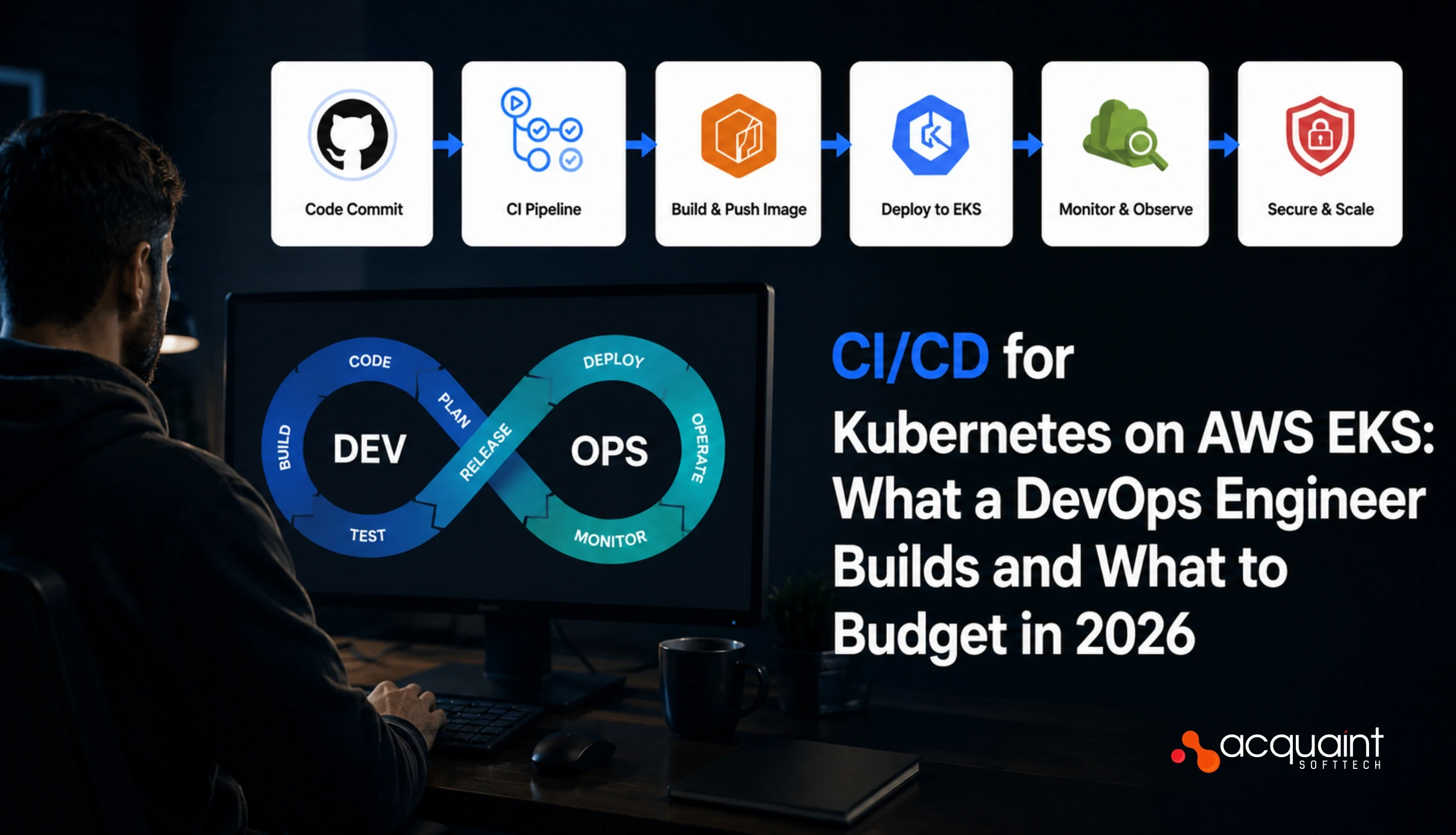
CI/CD for Kubernetes on AWS EKS: What a DevOps Engineer Builds and What to Budget in 2026
CI/CD for Kubernetes on AWS EKS requires more than a standard pipeline. Here is what a DevOps engineer builds, which tools they choose, and what to budget in 2026.
Taukir katava
May 13, 2026India (Head Office)
203/204, Shapath-II, Near Silver Leaf Hotel, Opp. Rajpath Club, SG Highway, Ahmedabad-380054, Gujarat
USA
7838 Camino Cielo St, Highland, CA 92346
UK
The Powerhouse, 21 Woodthorpe Road, Ashford, England, TW15 2RP
New Zealand
42 Exler Place, Avondale, Auckland 0600, New Zealand
Canada
141 Skyview Bay NE , Calgary, Alberta, T3N 2K6