

AWS WAF and CloudFront Security: What a DevOps Engineer Configures and What Protection You Get in 2026
AWS WAF and CloudFront form the first line of defence for a SaaS product. Here is exactly what a DevOps engineer configures, what attacks each rule prevents, and what it costs.

Taukir katava
As a DevOps Engineer at Acquaint Softtech, a software development partner. AWS WAF and CloudFront are the first two layers of defence that sit in front of a SaaS application before traffic reaches the application load balancer or origin server. Without them, every HTTP request reaches your application directly. With them properly configured, SQL injection attempts, cross-site scripting attacks, and volumetric bot traffic are blocked at the edge before they consume any application compute. This guide covers exactly what a DevOps engineer configures, what each rule set protects against, and what the implementation costs for UK, European, and US teams in 2026.

- SaaS CTOs in the UK, Europe, or US preparing for a security audit or penetration test who want edge-layer protection configured before the test begins
- Engineering leads whose SaaS product is exposed directly to the internet via an Application Load Balancer with no WAF in front
- Teams who have experienced bot traffic, credential stuffing, or scraping attacks and want to know what a DevOps engineer configures to stop them
- Founders hiring a DevOps engineer and wanting AWS WAF and CloudFront security configuration included in the engagement brief
AWS WAF (Web Application Firewall) is a managed firewall service that filter HTTP/HTTPS requests based on rules before they reach the application. CloudFront is AWS's CDN that sits in front of the origin. When WAF is associated with a CloudFront distribution, malicious traffic is blocked at the nearest AWS edge location before it crosses the internet to the origin server. A DevOps engineer configures both in combination to form the first line of defence for a production SaaS product.
For the broader Kubernetes security stack that sits behind the edge layer, the Kubernetes container security guide covers the 8-layer runtime security stack including network policies, Pod Security Standards, and Falco. AWS WAF and CloudFront protect the edge; Kubernetes security protects the cluster.
What AWS WAF Protects Against: The 6 Threat Categories
AWS WAF uses rule groups to block traffic matching specific attack patterns. A DevOps engineer selects and configures the appropriate rule groups based on the application's technology stack and threat model.
1. OWASP Top 10 Web Exploits (AWS Managed Core Rule Group) |
AWS provides a managed Core Rule Group that covers the most common web exploits from the OWASP Top 10: SQL injection, cross-site scripting (XSS), local file inclusion, command injection, and server-side request forgery (SSRF). This rule group is maintained by AWS and updated automatically when new attack patterns are discovered. |
A DevOps engineer enables the AWS-AWSManagedRulesCommonRuleSet on the WAF WebACL and configures the action to Block. The rule group inspects request body, headers, URI, and query string parameters for malicious patterns. False positives are managed by setting specific rules to Count rather than Block until the team confirms they are not affecting legitimate traffic. |
2. Known Bad IP Reputation (AWS Managed IP Reputation List) |
AWS maintains an IP reputation list of known malicious IP ranges: Tor exit nodes, botnet command-and-control servers, and IP addresses associated with recent DDoS attacks and scanning activity. |
A DevOps engineer enables the AWS-AWSManagedRulesAmazonIpReputationList rule group. Requests from IPs on this list are blocked at the edge before they reach the application. This is the lowest-effort, highest-impact WAF rule for most SaaS products. |
3. Bot Control (Automated Traffic Management) |
Bots account for a significant portion of web traffic. Some bots are legitimate (search engine crawlers, monitoring services). Others are malicious: credential stuffing bots that test stolen username and password combinations, scraping bots that harvest content, and inventory bots. |
A DevOps engineer configures AWS Bot Control, which distinguishes between verified bots (Google, Bing, LinkedIn) and unverified automated traffic. Unverified bots are served a CAPTCHA challenge (Browser Challenge). Bots that fail the challenge are blocked. This is particularly valuable for SaaS login endpoints targeted by credential stuffing attacks. |
4. Account Takeover Protection (Credential Stuffing) |
Credential stuffing attacks use large lists of stolen username and password combinations to attempt login to accounts. A high volume of failed login attempts against the same endpoint is the signature. |
AWS WAF Fraud Control - Account Takeover Prevention monitors login endpoints for credential stuffing signals: high request rate to the login endpoint, high ratio of failed login responses, and requests with compromised credential patterns. A DevOps engineer configures the login endpoint path and enables automated blocking when credential stuffing is detected. |
5. Rate Limiting (Volumetric Attack Protection) |
Rate-based rules in AWS WAF count requests from a source IP over a 5-minute window and block the IP when requests exceed a configured threshold. A DevOps engineer sets rate limits appropriate for the application: a normal user does not send more than 100 requests per 5 minutes, so a threshold of 500 per 5 minutes blocks aggressive scrapers and DDoS amplification traffic without affecting legitimate users. |
Rate limits are configured per endpoint: the login endpoint gets a tighter limit (50 requests per 5 minutes) than the main application (2,000 requests per 5 minutes). |
6. Geographic Restrictions (Geo-Blocking) |
If the SaaS product is only intended for users in specific countries, a DevOps engineer configures geographic restriction rules to block requests from countries the product does not serve. This is not a security control in isolation but reduces the attack surface from countries with high volumes of automated malicious traffic. |
Geo-blocking is configured in either CloudFront (which blocks at the CDN layer for all content) or AWS WAF (which allows fine-grained per-endpoint geo-blocking). A DevOps engineer configures the approach based on whether the product has APIs that need to remain globally accessible while the frontend is geo-restricted. |
For the DevSecOps pipeline that prevents application-layer vulnerabilities from being deployed in the first place, the DevSecOps 2026 guide covers SAST, SCA, and IaC scanning as the development-side complement to AWS WAF's edge-layer protection.
SaaS Product Exposed Directly to the Internet Without a WAF? Get It Protected This Sprint.
UK, European, and US SaaS teams: tell Acquaint Softtech whether you have a CloudFront distribution in front of your application and whether AWS WAF is currently enabled. A vetted DevOps engineer will assess your edge security posture and send a matched profile within 24 hours.
CloudFront and WAF: The Architecture a DevOps Engineer Sets Up
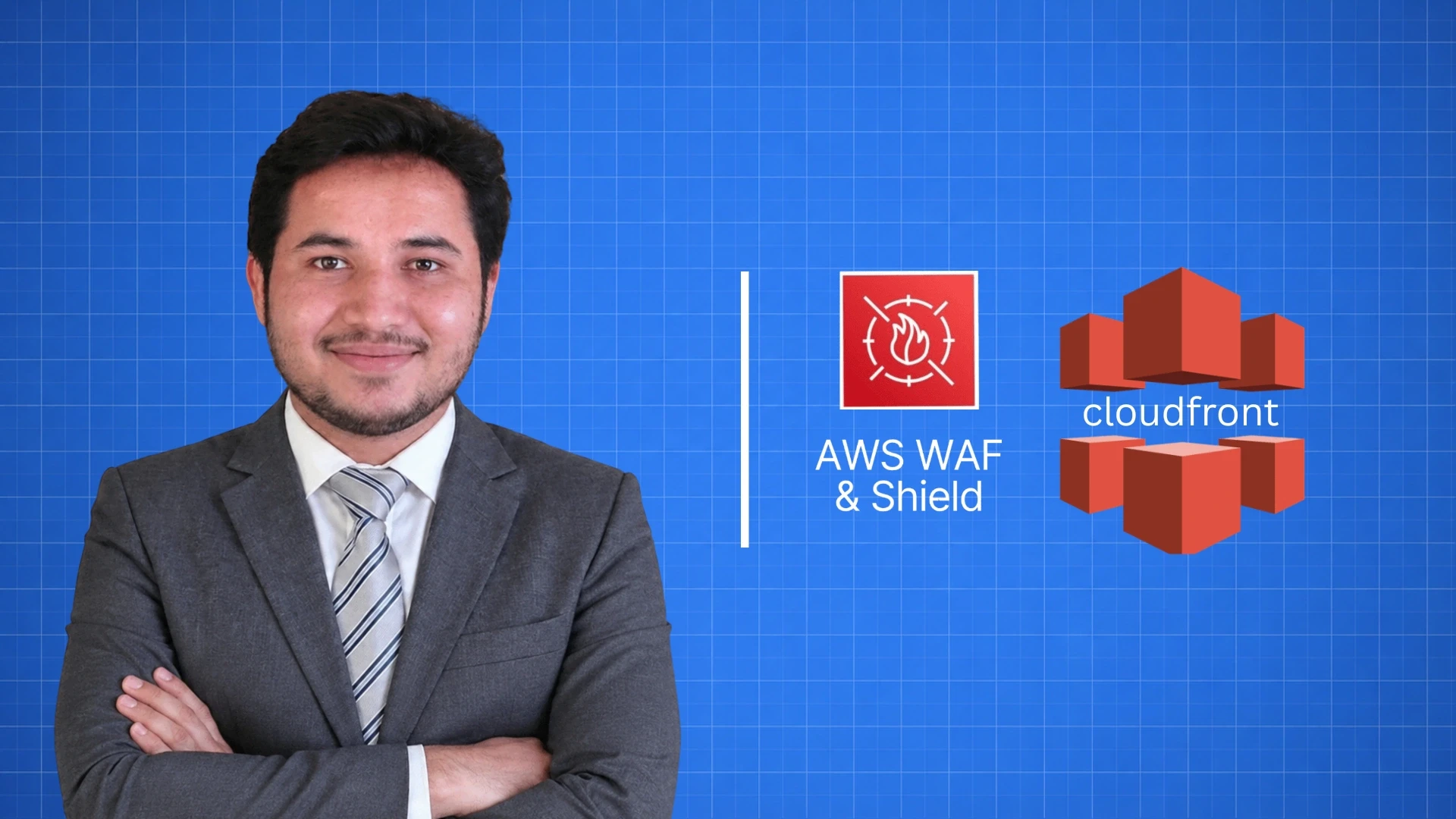
AWS WAF and CloudFront work together as a unit. A DevOps engineer configure the architecture so traffic flows through CloudFront before reaching the origin, with WAF rules inspecting and filtering at the edge.
The edge security architecture a DevOps engineer builds
1. CloudFront distribution with custom origin (ALB or API Gateway)
All HTTP/HTTPS traffic routes through CloudFront.
Origin is configured with an ALB. ALB is not publicly accessible (security group allows only CloudFront IP ranges).
2. AWS WAF WebACL associated with the CloudFront distribution
WAF rules are evaluated at the CloudFront edge location.
Traffic blocked by WAF never reaches the ALB or origin.
3. Rule group configuration (priority order matters)
Priority 1: IP Reputation List (block known malicious IPs)
Priority 2: Core Rule Group (OWASP Top 10)
Priority 3: Bot Control (challenge unverified bots)
Priority 4: Account Takeover Protection (login endpoint)
Priority 5: Rate-based rules (per-IP threshold)
Priority 6: Geographic restrictions (if applicable)
4. Logging and monitoring
WAF logs shipped to S3 (for compliance evidence) and CloudWatch.
Metrics monitored: blocked requests by rule, allowed requests, sampled requests.
Alert configured when blocked request rate exceeds baseline (may indicate active attack).
5. Origin access control
ALB security group updated to allow only CloudFront managed prefix list.
Direct ALB access bypassing CloudFront is blocked.
This is critical: WAF only protects if CloudFront is the only entry point.
For the EKS cluster that sits behind the CloudFront and WAF layer, the AWS EKS setup and management guide covers the Load Balancer Controller configuration that integrates with CloudFront as the origin.
Want AWS WAF and CloudFront Configured for Your SaaS? Acquaint Softtech Has Experienced Engineers.
Vetted DevOps engineers with AWS WAF and CloudFront security configuration experience for SaaS companies in the UK, Germany, Netherlands, and US. Tell us your current setup and threat concerns. Matched profile in 24 hours.
What It Costs: UK, Europe, and US Teams in 2026
.webp "What It Costs: UK, Europe, and US Teams in 2026")
AWS WAF has two cost components: the AWS service cost and the DevOps engineer time to configure it. Here are the honest 2026 number for both.
AWS WAF and CloudFront service cost (monthly)
AWS WAF WebACL: $5/month per WebACL
WAF rule groups (managed): $1/month per rule group (10 rules each)
Core Rule Group: $1/month
IP Reputation List: $1/month
Bot Control (Common): $10/month
Account Takeover Protection: $10/month
WAF request processing: $0.60 per million requests
CloudFront (1TB transfer/month): approx $85/month
Total typical monthly cost for a mid-size SaaS:
WAF rules: approx $22-25/month
WAF requests: approx $6-30/month (10M-50M requests)
CloudFront: approx $85-200/month
Total AWS cost: approx $113-255/month
Region / model | In-house DevOps | Eastern Europe agency | Acquaint Softtech ($22/hr) |
UK | GBP 80,000-110,000/yr | GBP 60-80/hr | $22/hour | $3,200/month |
Germany / DACH | EUR 90,000-120,000/yr | EUR 70-90/hr | $22/hour | $3,200/month |
Netherlands | EUR 85,000-115,000/yr | EUR 65-85/hr | $22/hour | $3,200/month |
US | $130,000-180,000/yr | $80-110/hr | $22/hour | $3,200/month |
WAF engagement scope | Cost at $22/hour | What is delivered |
WAF assessment (what is missing) | 1 to 2 days: $176 to $352 | Findings report: current edge security posture, missing rule groups, priority order recommendation |
Core rules + IP reputation (Priorities 1-2) | 1 to 2 days: $176 to $352 | WebACL creation, Core Rule Group, IP Reputation List, CloudFront association, ALB lockdown |
Bot Control + Account Takeover (Priorities 3-4) | 1 to 2 days: $176 to $352 | Bot Control common, Account Takeover Protection on login endpoint, CAPTCHA challenge flow |
Rate limiting + geo-blocking + logging (Priorities 5-6) | 1 to 2 days: $176 to $352 | Rate-based rules per endpoint, geographic restrictions, WAF logs to S3 and CloudWatch |
Full WAF + CloudFront security setup | 3 to 6 days: $528 to $1,056 | Complete edge security: all 6 rule categories, CloudFront-only origin access, logging, alerting |
Monthly retainer (WAF + broader security) | $3,200/month | Ongoing: WAF rule tuning, false positive management, new threat response, quarterly review |
Acquaint Softtech's hire DevOps developers service provides pre-vetted engineers with AWS WAF and CloudFront security configuration experience. Starting at $22/hour or $3,200/month.
For the full DevOps rate comparison across the UK, Europe, and US, the DevOps engineer cost guide covers what each price tier delivers for each market.
For the production security incident types that AWS WAF prevents, the production security incident guide covers credential stuffing and bot-driven attacks alongside the other 5 incident types.
Individual DevOps engineer on a monthly retainer through our staff augmentation model. Starting at $22/hour or $3,200/month. Available in 48 hours.
For teams building their first cloud product and wanting edge security from day one, Acquaint Softtech's software product development service covers the full product team including DevOps and security.
Ready to Add AWS WAF and CloudFront Security to Your SaaS? Start This Sprint.
Pre-vetted DevOps engineers with AWS WAF configuration experience. UK, European, and US clients. Full edge security setup in 3 to 6 days. Starting at $22/hour or $3,200/month. Matched profile in 24 hours.
Frequently Asked Questions
-
What does AWS WAF protect against?
AWS WAF protects against 6 categories of threats: OWASP Top 10 web exploits (SQL injection, XSS, SSRF, command injection), known malicious IP addresses (IP Reputation List), automated bot traffic and credential stuffing (Bot Control and Account Takeover Protection), volumetric attacks (rate-based rules), and geographic threats (geo-blocking). Each category is addressed by a separate rule group with its own monthly cost.
-
How does a DevOps engineer configure AWS WAF?
A DevOps engineer creates a WebACL (Web Access Control List), adds rule groups in priority order, associates the WebACL with a CloudFront distribution, locks down the Application Load Balancer to accept traffic only from CloudFront, and configures WAF logging to S3 and CloudWatch. Initial configuration takes 3 to 6 days including testing and false positive management.
-
What is the difference between AWS WAF and a security group?
AWS security groups are network-level firewall rules that control which IP addresses and ports can reach an EC2 instance or load balancer. AWS WAF is an application-layer (Layer 7) firewall that inspects the content of HTTP requests. Security groups block traffic by source IP and port. WAF blocks traffic by request content (SQL patterns, XSS signatures, bot signatures, and request rate).
-
How much does AWS WAF cost per month?
AWS WAF costs $5/month per WebACL plus $1/month per standard rule group (Core Rules, IP Reputation). Bot Control costs $10/month and Account Takeover Protection costs $10/month. Request processing costs $0.60 per million requests. For a mid-size SaaS platform, total WAF cost is typically $22 to $55/month plus CloudFront costs of $85 to $200/month.
-
What is CloudFront's role in AWS WAF security?
CloudFront is the CDN that sits in front of the origin (Application Load Balancer). When WAF is associated with a CloudFront distribution, malicious traffic is blocked at the nearest AWS edge location before it travels to the origin. CloudFront also caches static content, reducing origin load. The combination of CloudFront and WAF provides both performance and security benefits.
-
How much does it cost to configure AWS WAF at Acquaint Softtech?
A full AWS WAF and CloudFront security setup (all 6 rule categories, CloudFront-only origin access, logging, alerting) takes 3 to 6 days at $22/hour, costing $528 to $1,056. This is typically part of the broader security sprint in a $3,200/month monthly retainer. UK and European teams saving GBP 80,000+ per year versus in-house engineers typically see this cost recovered within the first month.
-
What is Account Takeover Protection in AWS WAF?
AWS WAF Fraud Control - Account Takeover Prevention monitors the login endpoint for credential stuffing signals: high request volume, high ratio of failed login responses, and requests matching compromised credential patterns. When credential stuffing is detected, suspicious requests are blocked or served a CAPTCHA challenge. This protects SaaS users whose credentials have been exposed in third-party data breaches.
Taukir Katava is a DevOps Engineer at Acquaint Softtech with 4+ years of experience across AWS, Azure, and GCP. He specialises in Kubernetes cluster administration, CI/CD pipeline automation, and cloud infrastructure design for high-traffic platforms. Taukir writes about the practical side of production DevOps: what infrastructure decisions cost and what they actually deliver.
Table of Contents
Get Started with Acquaint Softtech
- 13+ Years Delivering Software Excellence
- 1300+ Projects Delivered With Precision
- Official Laravel & Laravel News Partner
- Official Statamic Partner
Related Reading
DevOps Engineer for SaaS Startup: What to Budget and What to Expect in the First 90 Days
A SaaS startup's first DevOps engagement costs $3,200/month. Here is exactly what gets built in each of the first 90 days, what to budget, and what to expect from a DevOps engineer at each stage.

Mukesh Ram
June 3, 2026
Cloud Infrastructure Cost Optimisation: What a DevOps Engineer Saves You in the First 90 Days
Cloud infrastructure waste accumulates silently across 8 categories. Here is what a DevOps engineer audits, what they fix first, and what savings look like across a 90-day engagement in 2026.
Taukir katava
May 19, 2026-what-a-devops-engineer-delivers-in-2026.webp "Multi-Environment Kubernetes Setup (Dev/Stage/Prod): What a DevOps Engineer Delivers in 2026")
Multi-Environment Kubernetes Setup (Dev/Stage/Prod): What a DevOps Engineer Delivers in 2026
Dev, staging, and production Kubernetes environments need more than separate namespaces. Here is the full multi-environment setup a DevOps engineer builds and what it costs in 2026.
Taukir katava
June 16, 2026India (Head Office)
203/204, Shapath-II, Near Silver Leaf Hotel, Opp. Rajpath Club, SG Highway, Ahmedabad-380054, Gujarat
USA
7838 Camino Cielo St, Highland, CA 92346
UK
The Powerhouse, 21 Woodthorpe Road, Ashford, England, TW15 2RP
New Zealand
42 Exler Place, Avondale, Auckland 0600, New Zealand
Canada
141 Skyview Bay NE , Calgary, Alberta, T3N 2K6