

Building a Project Management SaaS: Tasks, Gantt Charts, and Team Collaboration
A project management SaaS helps teams plan, assign, track, and complete work in one platform. It combines task management, scheduling, real-time collaboration, and integrations, with features like multi-tenancy, user roles, and fast syncing for scalable performance.

Acquaint Softtech
Why Project Management SaaS Is Harder to Build Than It Looks. A project management tool looks simple from the outside: tasks, a board, a timeline. Then you start building and discover the hard parts hiding underneath: task dependencies that ripple across a schedule, a Gantt chart that must stay fast with thousands of tasks, and real-time updates so two people editing the same project never overwrite each other. Acquaint Softtech's software product development teams see founders underestimate this complexity again and again.

- You are planning to build a project management or work-management SaaS.
- You need to know what features a competitive PM tool actually requires.
- You are unsure how to build Gantt charts with task dependencies.
- You need real-time collaboration, so teams see each other's changes live.
- You are choosing a tech stack for a collaborative, real-time product.
- You want to know the real cost and timeline of a project management SaaS.
The market is crowded with Asana, Trello, Monday, and ClickUp, so a weak clone goes nowhere, while the real engineering challenges quietly blow up timelines and budgets. The fix is to treat a project management SaaS as four distinct systems: tasks, scheduling, collaboration, and the platform layer, and build each deliberately. Teams that hire MERN stack developers for the real-time parts get engineers who have solved live collaboration before.
This guide walks through those four pillars and how they fit together. The guide Laravel vs MERN Stack: What Should Startups Choose? explains why real-time collaboration tools often lean toward MERN, which is directly relevant to this kind of product.
What a Project Management SaaS Actually Is
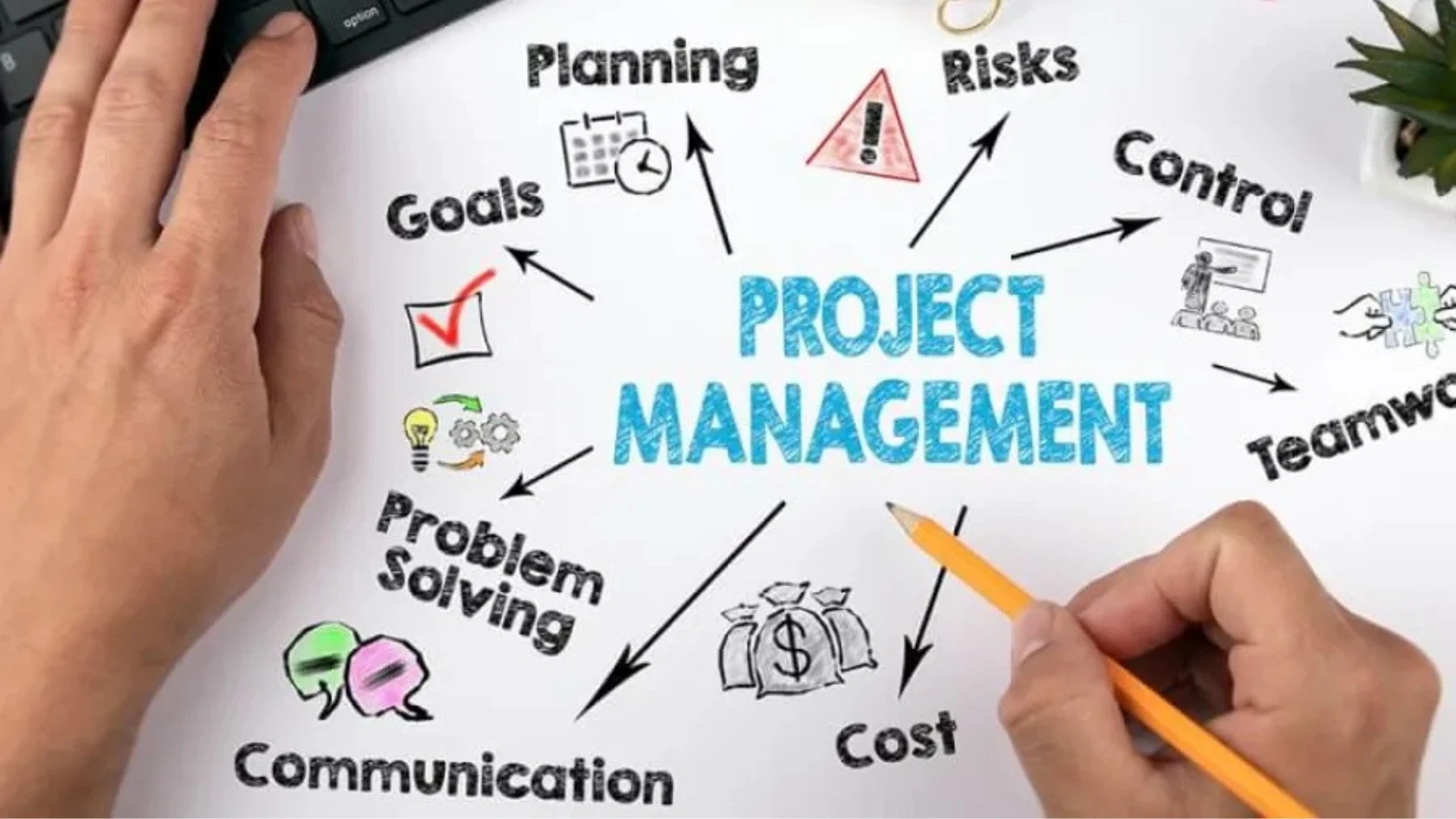
What does a project management SaaS do?
A project management SaaS is cloud software that helps teams plan, assign, track, and complete work together in one shared place. It replaces scattered spreadsheets, email threads, and chat messages with a single source of truth for who is doing what, by when, and how it is progressing. Understanding project management SaaS explained at this level keeps the focus on the real job: giving a team clarity and coordination, not just a list of tasks.
The category spans simple task tools like Trello through to full work platforms like Asana and ClickUp, but they share a spine: tasks that can be assigned and tracked, a way to schedule and sequence work, and collaboration so the team stays aligned.
Why do teams pay for project management software?
The project management SaaS benefits are concrete: less time lost to status meetings and chasing updates, fewer missed deadlines because dependencies are visible, and a clear record of progress for everyone from the individual contributor to the executive. A good tool turns a chaotic project into a visible, manageable one.
For the business building it, this is a large and durable market, because every team needs to coordinate work and switching costs are high once a team adopts a tool. Acquaint Softtech's dedicated software development teams build these products around a clear job-to-be-done for a specific kind of team, which is what makes a new entrant viable against the incumbents.
The project management SaaS trends 2026 point toward AI-assisted planning, deeper automation of routine updates, and tighter integration with the other tools a team already uses. The guide Why Businesses Choose Laravel for Scalable Applications notes that products whose business logic is the product, exactly like a PM tool, benefit from a structured, scalable foundation.
Teams that hire dedicated developers with work-management experience understand these patterns before they start, which avoids rebuilding the core once real teams start using it.
Pillar 1: The Task Management Engine
What makes a good task management system?
Tasks are the atomic unit of a project management SaaS, and the task engine is the foundation everything else builds on. A task is more than a to-do: it carries an assignee, a due date, a status, a priority, attachments, comments, and often subtasks and custom fields. Getting this data model right early is critical, because every other feature reads from it.
The defining feature of modern task management is multiple views of the same tasks. The same underlying data is shown as a list, a Kanban board, a calendar, and a timeline, and users switch between them depending on the job. This is one of the project management SaaS features users now expect as standard rather than as a premium extra.
Why are multiple views harder than they look?
Multiple views are deceptively complex, because each view must reflect the same live data and any change in one must instantly appear in the others. Dragging a card to a new column on the board must update its status everywhere, which means the views are projections of one shared state, not separate features.
This is where a clean architecture pays off, separating the task data from how it is displayed so new views can be added without touching the core. Acquaint Softtech's software development outsourcing teams model tasks as a single source of truth with view layers on top, so list, board, and calendar always agree.
The guide Best MERN Project Structure for Large-Scale SaaS reinforces keeping logic, UI, and data flow independent so a change in one layer does not break the others, which is exactly what multi-view task management demands.
Teams that hire React developers build the interactive board and drag-and-drop interfaces that make task management feel fast and natural rather than clunky.
Building a Project Management Tool? Start With the Right Architecture.
Acquaint Softtech builds task engines, Gantt charts, and real-time collaboration for work-management SaaS. 1,300+ projects delivered. Teams deployed within 48 hours of brief.
Pillar 2: Gantt Charts, Dependencies, and the Critical Path
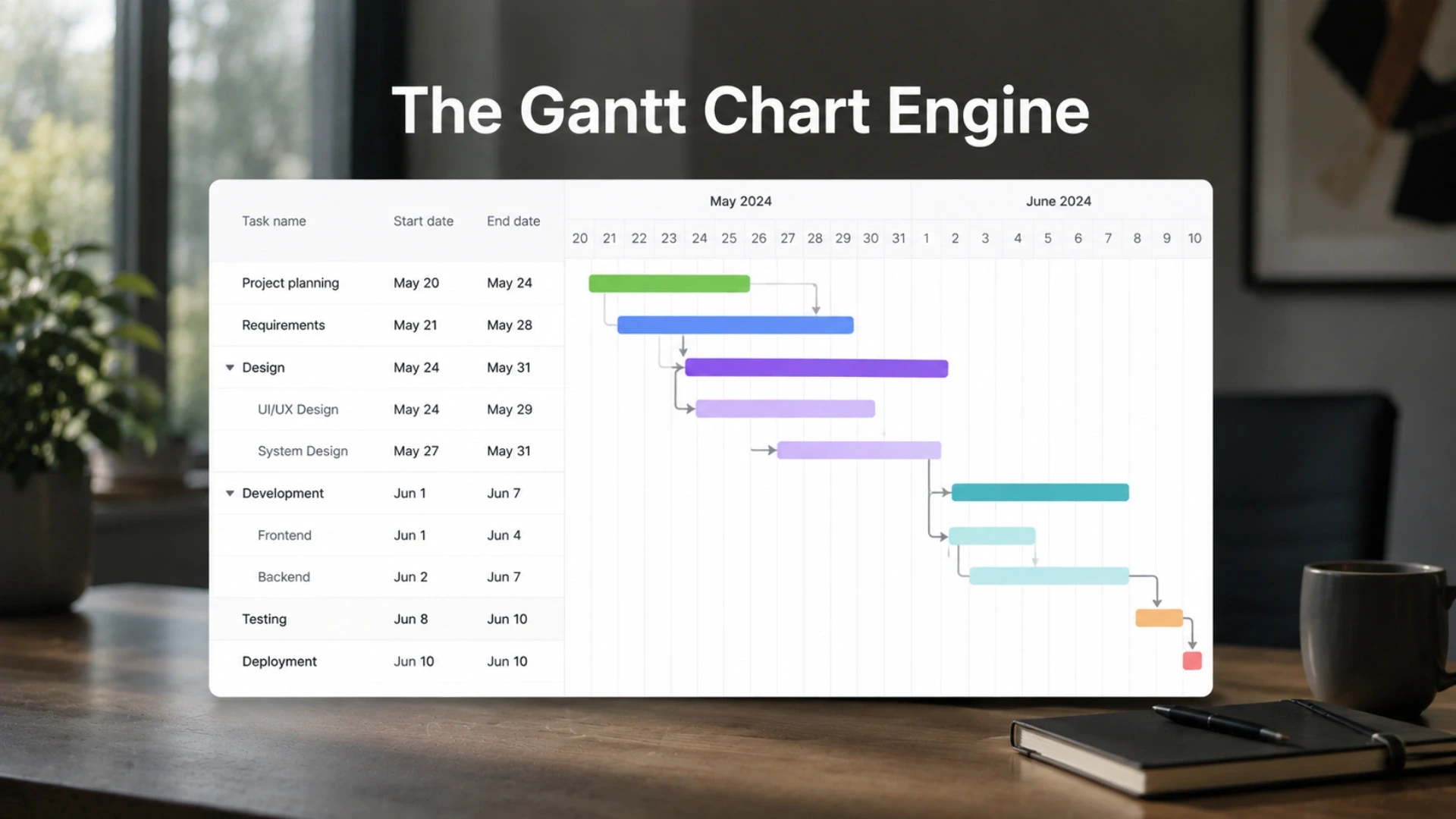
What is a Gantt chart and why does it matter?
A Gantt chart is a horizontal timeline that shows each task as a bar, with its length representing its duration, so the whole project's schedule is visible at a glance. Gantt charts have been used since 1910 because they communicate a schedule visually in a way a task list cannot, showing what runs when and what overlaps. For any PM tool serving real projects, the Gantt view is a defining feature.
The real power of a Gantt chart is task dependencies: links that say one task cannot start until another finishes. Dependencies are what turn a list of dates into a genuine schedule, and they are also the hardest part to build correctly.
Why are task dependencies so hard to build?
Dependencies are hard because changing one task must ripple through everything that depends on it. If a task slips by two days, every dependent task should shift automatically, and the system must detect impossible loops where two tasks depend on each other. This cascade logic is where most homegrown Gantt charts break.
Dependencies also enable the critical path: the longest chain of dependent tasks that determines the project's minimum duration. Identifying it tells a manager which delays actually matter. Acquaint Softtech's software product engineering teams build dependency and critical-path logic as a tested scheduling engine rather than ad-hoc date maths, because this is the part that quietly corrupts data when done carelessly.
The guide How to Build a Scalable Laravel App covers the performance techniques, caching, and efficient queries that keep a Gantt chart with thousands of tasks rendering fast. Teams that hire frontend developers build the interactive Gantt interface, drag to reschedule, draw a dependency, and zoom the timeline, which makes the schedule feel alive rather than static.
Pillar 3: Real-Time Team Collaboration

Why does collaboration have to be real-time?
A project management SaaS is used by teams at the same time, so collaboration must be real-time: when one person moves a task or leaves a comment, everyone else should see it instantly without refreshing. Without this, two people work from stale information and overwrite each other, which destroys trust in the tool. Real-time sync is what makes the product feel like a shared, live workspace.
The core collaboration features are live updates to tasks and boards, comments and mentions on tasks, notifications that tell people when something needs them, and presence so you can see who else is viewing a project.
How is real-time collaboration actually built?
Real-time features are built with WebSockets, a persistent connection between the user's browser and the server that pushes changes instantly, rather than the browser repeatedly asking for updates. When one user changes something, the server broadcasts that change to everyone else viewing the same project.
This is one of the project management SaaS best practices that most affects perceived quality, and it is also where the technical difficulty concentrates. Acquaint Softtech hires MERN stack developers to build live collaboration with WebSockets and real-time event broadcasting, the same pattern behind live chat and collaborative editing, so the workspace updates the instant anyone acts.
The guide Laravel 12 for SaaS, Fintech, and Regulated Industry Apps describes using Redis pub/sub and broadcasting for real-time notifications and collaborative functionality, which is exactly the backbone a PM tool needs. Teams that hire Node.js developers build the WebSocket server and event layer that keeps every user's view in sync without overloading the backend.
Build Real-Time Collaboration That Teams Trust
Acquaint Softtech builds live updates, comments, and presence with WebSockets so your users always see the same thing. Up to 40% lower cost than Western agencies. Deployed within 48 hours of brief.
Pillar 4: The Platform Layer (Tenancy, Roles, Integrations)
.webp "Pillar 4: The Platform Layer (Tenancy, Roles, Integrations)")
Why does a PM tool need a platform layer?
Underneath tasks, schedules, and collaboration sits the platform layer that makes the product a real multi-team SaaS rather than a single shared board. Each customer organisation needs its data isolated from every other, its own users and permissions, and connections to the other tools its team already uses. This layer is invisible to users when it works and catastrophic when it does not.
Multi-tenancy is the foundation: every organisation's projects, tasks, and files must be strictly separated so no customer can ever see another's data. This is the same isolation guarantee that defines any serious SaaS, applied to project data.
What roles and integrations does a PM SaaS need?
Roles and permissions matter intensely in a PM tool, because teams have admins, managers, members, and guests who should see and do different things. Poor permission logic is where security and collaboration both fall apart, so role-based access control must be built in from the start, not bolted on later.
Integrations are equally important, because a PM tool lives alongside chat, calendars, file storage, and code tools, and users expect it to connect to them. Acquaint Softtech's dedicated development team implements granular role-based access with mature permission packages and builds the integration layer that connects the product to the tools teams already use.
The guide Laravel SaaS Development Services covers the multi-tenancy models and isolation strategies that keep each customer's project data secure and separate. Teams that hire backend developers build the tenancy, permissions, and integration APIs that turn a collaboration feature set into a sellable multi-team platform.
The Architecture That Ties the Four Pillars Together
How do the four pillars fit into one system?
The four pillars are not separate apps; they share one data model and one real-time backbone. Tasks are the core entity, the Gantt chart is a scheduled view of those tasks, collaboration broadcasts changes to those same tasks, and the platform layer scopes them to a tenant and a set of permissions. A clean architecture keeps these concerns separated but connected.
The guiding principle is to keep logic, data, and presentation independent, so a change to the board view does not break the Gantt chart and a new integration does not touch the task engine. This modularity is what lets a PM tool keep adding features without collapsing under its own weight. If you are building this kind of scalable architecture, you can hire experienced MEAN stack developers from Acquaint Softtech.
What architecture decisions matter most?
The decisions that matter most are a single source of truth for task data, a real-time event layer that every view subscribes to, and tenant-scoped queries enforced centrally so isolation is never left to individual features. Get these three right and the product scales; get them wrong and every new feature adds risk.
Performance also depends on them, because a project management SaaS must stay responsive as projects grow to thousands of tasks and many concurrent users. Acquaint Softtech's custom SaaS development teams design this shared core first, then build the four pillars on top, which is what keeps the product fast and maintainable as it grows.
The guide How to Scale Your Laravel SaaS App covers the caching, queue, and architecture techniques that keep a collaborative SaaS responsive past ten thousand users. Teams that hire software architects design this shared foundation correctly avoid the rebuild that catches products that grew feature by feature without a plan.
How to Compete in a Crowded Market With a Niche Focus
Can a new project management SaaS still win?
The honest answer is that a generic Asana clone will not win, but a focused tool for a specific kind of team absolutely can. The incumbents are broad by necessity, which leaves them generic for any particular industry, and that gap is where new entrants succeed. Winning means going narrow, not broad.
A project management SaaS built specifically for construction, for creative agencies, for legal teams, or for software teams can speak their language, match their workflow, and include the fields and views they actually need, which a general tool never will.
How do you make a niche PM tool defensible?
Defensibility comes from depth in the niche: workflows, terminology, integrations, and reports tailored so precisely that switching to a generic tool would feel like a downgrade. The narrower the focus, the deeper you can go and the harder you are to displace. This is the practical answer for anyone weighing a custom project management SaaS solution.
Pricing and positioning follow the same logic, charging for the specific value delivered to that vertical rather than competing on the incumbents' broad feature checklist. Acquaint Softtech's product strategy consulting helps founders find the niche where a focused PM tool can win rather than fighting the giants head-on.
The guide Monetization Strategies for SaaS Products covers how to price and package a focused product for the audience it serves. Teams weighing a project management SaaS development company India for the build should choose a partner who has shipped collaborative products and can hire dedicated developers who understand both the engineering and the vertical.
Cost, Timeline, and Tech Stack for a Project Management SaaS

How long does a project management SaaS take to build?
Timeline depends on how many of the four pillars you build and how deep each goes. A focused MVP for a niche, tasks, one or two views, and basic collaboration ships far faster than a full Asana competitor.
Build Scope | Typical Timeline | Relative Cost |
Niche MVP (tasks + board + basic collab) | 10 to 16 weeks | Lowest |
Full PM tool + Gantt + real-time | 20 to 32 weeks | Moderate |
Enterprise platform + integrations + scale | 32 to 52 weeks | Highest |
How much does a project management SaaS cost to build?
A niche MVP with tasks, a board view, and basic collaboration typically costs $30,000 to $70,000 with an offshore partner. A full tool adding Gantt charts, dependencies, and real-time collaboration runs roughly $70,000 to $150,000. An enterprise platform with deep integrations, advanced permissions, and scale runs well beyond that.
The cost drivers are the Gantt scheduling engine and real-time collaboration, not the task list. Teams weighing a project management SaaS development cost or whether to hire developers for project management SaaS work should price those two systems carefully. Acquaint Softtech delivers these builds at up to 40% lower cost than equivalent USA or UK agency rates.
What tech stack is best for a project management SaaS?
Because real-time collaboration is central, the MERN stack, MongoDB, Express, React, and Node.js, is a strong choice, since it handles real-time events naturally and React excels at the interactive boards and Gantt charts these tools need. Laravel is an equally strong backend choice when you want a structured, batteries-included framework, using Laravel Echo and Pusher for real-time features and Redis for pub/sub broadcasting. For senior engineers on demand, Acquaint Softtech offers staff augmentation to add them within days, or a full custom software development engagement for the complete build.
Case Study: A Work-Management SaaS Delivered by Acquaint Softtech
CASE STUDY: Niche Work-Management SaaS, Europe
Client: A European founder building a project management SaaS focused on a specific vertical, creative and production agencies, who needed tasks, scheduling, and real-time collaboration tailored to how those teams actually work.
Situation: The founder had tried to build the product with a general team and hit the hard parts: the Gantt chart corrupted schedules when tasks were rescheduled, two users editing the same project overwrote each other, and the app slowed badly once a project had a few hundred tasks. They needed a team that had solved these problems before.
Diagnosis: Acquaint Softtech's review found three root issues: the Gantt logic was ad-hoc date maths with no real dependency engine, there was no real-time layer so the app relied on refreshing, and task data and views were tangled together so every change risked breaking another view. The core needed rebuilding around a clean shared model.
What Acquaint Softtech Built:
A single task data model serving list, board, calendar, and Gantt views, so every view stayed in sync automatically.
A real scheduling engine with task dependencies, automatic cascade when dates changed, circular-dependency detection, and critical-path calculation.
Real-time collaboration over WebSockets with live updates, comments, mentions, and presence, so teams always saw the same state.
Multi-tenant architecture with granular role-based permissions for admins, managers, members, and agency clients as guests.
Performance work, caching, and efficient queries, so projects with thousands of tasks stayed fast.
Outcome: The rebuilt product handled large projects without slowing down, and the Gantt chart became a selling point rather than a liability once schedules updated correctly. Real-time collaboration eliminated the overwrite problem, and agencies adopted the tool because it matched their workflow in ways general tools did not. The vertical focus let the founder win deals against far larger incumbents, because the product spoke the customer's language. The clean shared architecture meant new views and integrations shipped without breaking the core.
Team and Timeline: One solutions architect, two full-stack engineers, one frontend specialist, one QA engineer. Deployed within 48 hours of brief. The core rebuild and launch took 22 weeks.
Teams can also hire full-stack developers with real-time collaboration experience to run a comparable build on their own product.
Join 200+ Companies Who Built Better Products With Acquaint Softtech
From a niche MVP to a full project management platform with Gantt charts and real-time collaboration, Acquaint Softtech ships work-management SaaS that teams rely on. 4.9/5 on Clutch. 50+ verified reviews. Premier Verified.
Frequently Asked Questions
-
What is a project management SaaS?
A project management SaaS is cloud software that helps teams plan, assign, track, and complete work in one shared place. It combines task management, scheduling with Gantt charts, and real-time collaboration, replacing scattered spreadsheets and chat with a single source of truth for who is doing what and when.
-
How do you build a project management SaaS?
Build four systems on a shared data model: a task engine with list, board, and calendar views; a scheduling engine with Gantt charts, dependencies, and critical path; real-time collaboration over WebSockets; and a platform layer with multi-tenancy, roles, and integrations. The task data is the single source of truth that every view and feature reads from.
-
What features does a project management SaaS need?
The essentials are tasks with assignees, due dates, and statuses; multiple views such as list, board, calendar, and Gantt; task dependencies and critical path; real-time collaboration with comments, mentions, and notifications; and a platform layer with roles, permissions, and integrations. Multiple views and real-time sync are now expected as standard.
-
Why are Gantt charts hard to build?
Because they are a scheduling engine, not just a bar chart. Task dependencies mean that one date change must cascade through every dependent task; the system must detect circular dependencies and recompute the critical path, all while staying fast with thousands of tasks. Done as ad-hoc date maths, this is where most homegrown Gantt charts break.
-
How much does a project management SaaS cost to build?
Region
Cost Range (MVP → Full Product)
UK
$40,000 – $170,000+
USA
$50,000 – $200,000+
EU
$35,000 – $160,000+
-
How long does project management SaaS development take?
A niche MVP takes 10 to 16 weeks. A full PM tool with Gantt charts and real-time collaboration takes 20 to 32 weeks. An enterprise platform with deep integrations and scale takes 32 to 52 weeks. The scheduling engine and real-time layer are the parts that extend timelines most.
-
What tech stack is best for a project management SaaS?
The MERN stack suits these tools well because it handles real-time events naturally and React excels at interactive boards and Gantt charts. Laravel is a strong backend alternative, using Echo, Pusher, and Redis for real-time features. WebSockets power live updates, and PostgreSQL or MongoDB stores the data.
-
Can a new project management tool compete with Asana or Trello?
Not as a generic clone, but yes as a focused tool for a specific vertical. Incumbents are broad and therefore generic for any one industry. A PM SaaS built for construction, agencies, legal, or another niche can match that workflow so precisely that a general tool feels like a downgrade, which is how new entrants win.
We’re Acquaint Softtech, your technology growth partner. Whether you're building a SaaS product, modernizing enterprise software, or hiring vetted remote developers, we’re built for flexibility and speed. Our official partnerships with Laravel, Statamic, and Bagisto reflect our commitment to excellence, not limitation. We work across stacks, time zones, and industries to bring your tech vision to life.
Table of Contents
Get Started with Acquaint Softtech
- 13+ Years Delivering Software Excellence
- 1300+ Projects Delivered With Precision
- Official Laravel & Laravel News Partner
- Official Statamic Partner
Related Blog
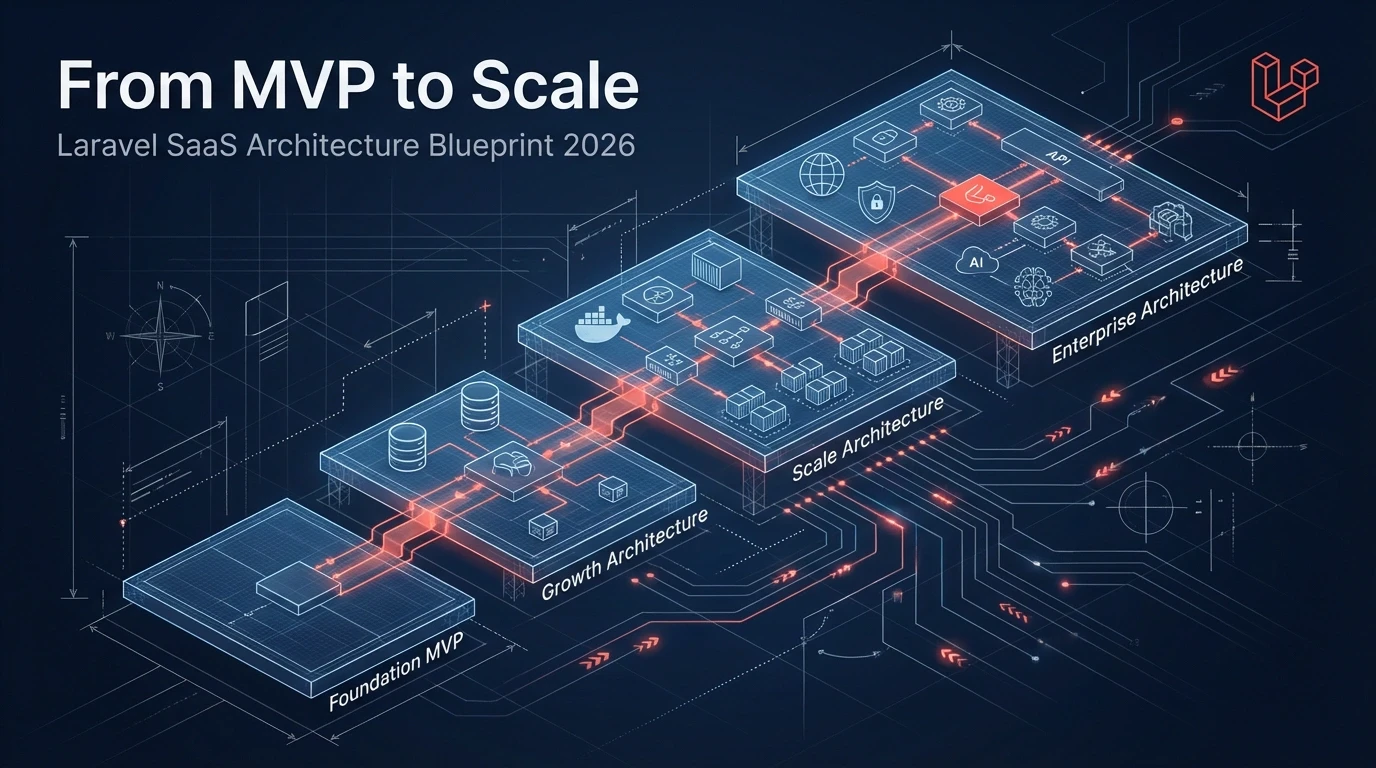
From MVP to Scale: The Laravel SaaS Architecture Blueprint for 2026
From MVP to 100K users, the architecture decisions that felt small at month one become expensive at month twelve. Here is the Laravel SaaS blueprint we use across 200+ Laravel projects.
Acquaint Softtech
March 10, 2026
How to Outsource SaaS Product Development Without Losing Control
The fear of losing control is the main reason founders delay outsourcing SaaS development by 6 to 12 months. Here are the 6 mechanisms that keep you in charge of product direction while a vendor manages delivery.

Mukesh Ram
April 20, 2026
10 Laravel 13 Features Every Developer Should Know
Laravel 13 introduces 10 game-changing features like PHP Attributes, AI SDK, Cache::touch(), and semantic search—perfect for developers building scalable apps.

Chirag Daxini
March 25, 2026India (Head Office)
203/204, Shapath-II, Near Silver Leaf Hotel, Opp. Rajpath Club, SG Highway, Ahmedabad-380054, Gujarat
USA
7838 Camino Cielo St, Highland, CA 92346
UK
The Powerhouse, 21 Woodthorpe Road, Ashford, England, TW15 2RP
New Zealand
42 Exler Place, Avondale, Auckland 0600, New Zealand
Canada
141 Skyview Bay NE , Calgary, Alberta, T3N 2K6