

How to Scale Laravel SaaS to 10k+ Users Without Breaking Everything
A step-by-step Laravel scaling guide with real examples, tools, and action plans. Perfect for CTOs and Laravel dev teams preparing for 10k+ users.

Acquaint Softtech
Introduction
Scaling a Laravel SaaS app beyond 10,000 users is not just about throwing more servers at the problem. It’s about planning, architecture, and real-world trade-offs. Many startups hit a growth ceiling because their codebase, database, or queue system wasn’t designed for scale from the beginning or was patched reactively without a long-term roadmap.
This guide is for product owners, engineering leads, and Laravel developers who are either preparing for growth or already feeling the strain of user load. You’ll find a practical, no-fluff checklist covering modular architecture, advanced caching, queue optimization, microservices, deployment, cost control, and monitoring.
Every section comes with actionable insights, real examples, and hands-on exercises. This isn’t theory. It’s a complete playbook built from scaling real Laravel SaaS platforms.
Written by an Official Laravel Partner, this guide reflects what actually works — and what breaks — in real scaling projects.
If you want your product to grow without crashing, lagging, or ballooning costs, read on. This is your roadmap.
Understanding the Need for Scalability
Before you start changing architecture or migrating to microservices, you need to understand what “scaling” really means for a Laravel SaaS application.
What is Scalability in SaaS?
Scalability is the system’s ability to handle growth in user load, data, and functionality without a drop in performance, reliability, or cost-efficiency. It’s not just about adding power. It’s about doing more with better planning, smarter architecture, and elastic systems.
There are two main types of scalability:
Vertical Scaling (Scale Up): Increasing the power of your existing server or database — more CPU, RAM, or disk space.
Horizontal Scaling (Scale Out): Adding more servers, nodes, or containers that work together — spreading out the load.
For Laravel applications, smart scaling usually involves a hybrid of both, with horizontal strategies playing a bigger role as you approach high concurrency and data growth.
Key Indicators Your SaaS Needs to Scale
If your product is showing any of these signs, you’re likely hitting a scalability wall:
Increased response times during peak traffic
Queue jobs taking longer to process
Higher error rates or failed API requests
Users reporting lag or timeout issues
Server resource usage spiking beyond safe thresholds
Database locks or slow queries during concurrent writes
These symptoms are often early warnings that your current infrastructure or codebase will not support the next growth milestone.
Benefits of Proactive Scaling
Waiting until things break will cost you more than acting early. Here’s what proactive scaling gives you:
Better User Experience: Your app remains responsive, even under high load.
Lower Churn: Users don’t leave because of poor performance.
Predictable Costs: You avoid emergency fixes, sudden server upgrades, or unplanned engineering effort.
Faster Feature Delivery: A well-scaled system is easier to build on.
Investor & Client Confidence: Scalability is a critical marker of product maturity.
🧩 DIY Exercise: Run a Quick Stress Audit on Your Laravel SaaS
Before you move to more advanced architecture changes, do this short self-audit. It will help you spot common performance stress signals early — using built-in Laravel tools and a few commands.
Step 1: Set Up Basic Monitoring Tools
These tools are safe to run in dev or staging. They help you watch performance without deep setup.
Install Laravel Telescope
composer require laravel/telescope

php artisan telescope:install

php artisan migrate

php artisan serve
Visit /telescope in your browser to explore request logs, slow queries, job status, etc.
Enable Laravel Horizon (if using queues)
composer require laravel/horizon

php artisan horizon:install

php artisan migrate

php artisan horizon
This lets you monitor queue delays, job failures, and more.
Step 2: Observe and Note Key Stress Points
Use Telescope, Horizon, or Debugbar (for local) to find:
Requests taking longer than 300ms
Jobs staying in the queue too long
Concurrent DB writes causing lockups or deadlocks
Spikes in CPU/memory on Forge, Vapor, or your own server
Step 3: Match Symptoms With Root Causes
Use this table to identify common signs your app is struggling — and what to do first.
Symptom | Possible Cause | Starting Fix |
Slow dashboard load | DB joins with no indexes | Add index on joined fields, use pagination |
Queues delayed or fail | All jobs in one queue | Use separate queues for emails, reports, etc. |
500 errors during spikes | Server overwhelmed | Set up load balancing or use Laravel Vapor autoscaling |
API routes slow | No caching or eager loading | Add Redis cache or optimize with with() queries |
Write conflicts in DB | Multiple concurrent writes | Use queue for write-heavy logic, DB transactions |
High memory usage | Large collections in views | Use pagination or chunking, avoid loading entire sets |
Bonus Tip: Test Caching Quickly
Try this simple Redis-backed cache test:
$users = Cache::remember('top_users', 300, function () {

    return User::orderBy('points', 'desc')->take(10)->get();

});
You’ll instantly reduce DB load on repeat requests.
Output
By completing this mini-audit, you now have:
A basic performance snapshot of your current Laravel SaaS
Actionable next steps before refactoring or scaling infrastructure
A deeper understanding of where your app bottlenecks are
Once you’ve identified these pressure points, the next step is to stop reacting and start planning. Let’s walk through how to build a smart, scalable foundation before traffic hits.
Planning for Scale: Laying the Foundation Before You Scale Anything

Scaling a Laravel SaaS application is not something you do after you hit 10,000 users. It is something you prepare for when you are at 1,000 or even 500. This section helps you lay a solid foundation strategically, technically, and financially so you can scale without surprises.
✅ Start With Clear Growth Objectives
Scaling is not just about more users. It is about being ready for:
High concurrency — multiple users hitting critical parts of the system at once
Large data operations — long-running reports, imports, or analytics
Complex user activity — real-time features, queues, emails, file processing
Increased writes — frequent form submissions, transactions, or API usage
Define exactly what kind of load your product will face as it grows. Different types of growth impact your architecture in different ways.
✅ Analyze Current Usage and Spot Patterns
Use real data to find where pressure is already building:
Which routes slow down under traffic?
What jobs take longer than expected?
Are errors clustered around specific times or features?
Which DB tables grow fastest?
✅ Use tools like:
Laravel Telescope to monitor requests, queries, and jobs
Forge or Vapor graphs to observe server resource usage over time
Google Analytics or Plausible to track usage trends
✅ Identify Bottlenecks Early
Even if your app runs fine today, ask:
What breaks first if traffic increases 10 times?
Are queues slowing down during spikes?
Is there enough database indexing?
Is everything coupled into one server or codebase?
You do not need to fix everything now, but you should know where and when you will need to act.
✅ Budget for Scaling Proactively
Do not just budget for new features. Include:
Infrastructure upgrades (servers, databases, CDNs)
Tooling costs (monitoring, profiling, CI/CD)
Developer time for refactoring
Testing environments for stress simulation
Many teams at this stage consult experienced Laravel Development Services to model realistic scale scenarios, plan budget thresholds, and avoid surprise architectural rewrites later.
Planning ahead avoids last-minute overwork, outages, and overspending.
🧩 DIY Exercise: Map and Audit Your Current Stack
Here’s a simple way to visualize your current system and expose weak links before traffic becomes a problem.
Step 1: Map Your App Flow
Create a quick sketch of your full stack:
Entry points (web app, API, mobile)
Business logic layers (controllers, services)
Queue workers and jobs
Database, file storage, cache
Third-party services (email, billing, push notifications)
Use tools like Whimsical, Excalidraw, or even paper and pen.
Step 2: Use These Tools to Collect Performance Clues
Tool | What It Helps You Identify |
Laravel Telescope | Slow queries, long request cycles, queue behavior |
Laravel Horizon | Delayed or failed jobs |
Laravel Debugbar | N+1 queries and inefficient local code |
Forge or Vapor dashboards | CPU spikes, memory usage, disk pressure |
Blackfire.io | Route-level performance bottlenecks |
Google Analytics or Plausible | User growth trends and session hotspots |
Use these tools to see what is happening under load, not just during local development.
Step 3: Fill the Planning Table
Start documenting specific weaknesses:
Symptom | Likely Cause | First Fix |
Slow checkout during flash sale | Unindexed queries | Add proper indexes and optimize joins |
Queued emails delayed | Single queue overwhelmed | Use separate queues with Laravel Horizon |
High server load at 11 AM | Traffic spike from timezone overlap | Add horizontal scaling via load balancer |
Timeout on dashboard | Loading too much data at once | Implement pagination and cache popular blocks |
🎯 What This Gives You
After doing this exercise, you will have:
A visual map of your current stack
Real performance insights from your own data
A prioritized list of fixes and upgrades to plan for
🚀 Up Next: Architecture That Actually Scales
Now that you have identified what you are scaling for, it is time to prepare the core of your Laravel app. In the next section, we will show how to structure your application’s architecture so it handles growth without turning into a tangled mess.
Not Sure Where to Start Scaling?
Planning the scale of a Laravel SaaS app involves infrastructure, team capability, and user demand forecasting. If you’re not fully confident about what breaks first in your stack, we can help you review your setup and build a roadmap.
Optimizing Laravel Architecture for Scale
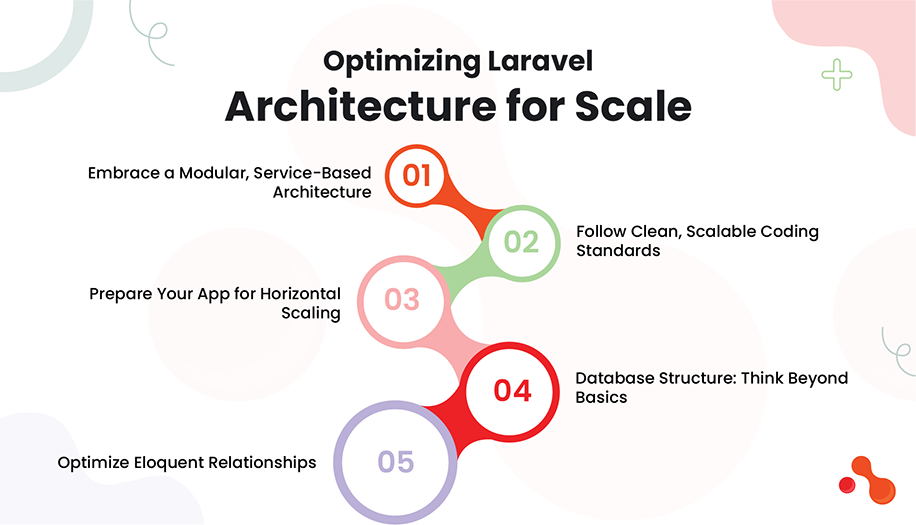
Your architecture determines how well your app handles growth. If it is not modular, loosely coupled, and performance-aware, no amount of queue tuning or caching will save you once you hit real load.
This section breaks down how to design or refactor your Laravel application architecture so it can scale predictably, cleanly, and without technical debt.
✅ Embrace a Modular, Service-Based Architecture
A monolithic codebase can work at small scale, but for 10k+ users and feature growth, you need to break your app into manageable, reusable modules.
Start with:
Service classes for core logic
Repository classes for database queries
Event-driven design for user-triggered actions
Form requests for validation layers
This structure improves:
Code readability
Testing and maintainability
Separation of business logic from controllers
✅ Follow Clean, Scalable Coding Standards
Structure your app to avoid logic duplication and tight coupling.
Use:
Laravel’s built-in Service Container for dependency injection
Custom Service Providers to isolate bootstrapping logic
Interface-based contracts for flexibility
Avoid:
Fat controllers
Direct model logic in views
Database queries inside loops
✅ Prepare Your App for Horizontal Scaling
As you grow, your app will likely need to run on multiple servers. For that, your app should be stateless and horizontally scalable.
Make sure:
Session handling uses Redis or the database (not file/session driver)
File uploads go to S3 or similar, not local storage
App secrets and config values use .env files or environment services
These changes make it possible to clone and distribute your app easily across servers or containers.
✅ Database Structure: Think Beyond Basics
Many SaaS apps hit limits because of how their database is structured.
Best practices:
Use indexes on columns used in WHERE, JOIN, and ORDER BY
Apply foreign key constraints with care — in some large setups, you may remove them for write-heavy tables
Normalize core models but denormalize reporting tables for performance
Archive old data (logs, activity) to reduce table size
For even more scale:
Consider read replicas
Use table partitioning for fast write/delete patterns
Offload reporting to separate DBs or services
✅ Optimize Eloquent Relationships
Poorly managed relationships cause serious performance problems at scale.
Fix it early:
Use with() to eager load relationships
Avoid lazy loading in loops
Cache heavy relationship results
Example:
// Bad: runs N+1 queries

foreach ($posts as $post) {

    echo $post->user->name;

}


// Good: one query for users

$posts = Post::with('user')->get();
🧩 DIY Exercise: Test and Prepare Your Laravel Architecture for Real Scale
Use this 3-part checklist to validate and improve your app’s architecture today — before scale starts breaking things.
Part 1: Refactor a Controller Into Services
Pick one controller with too many responsibilities (usually 100+ lines or more).
Steps:
Identify business logic that doesn’t belong in the controller.
Create a *Service class to handle that logic (e.g., UserReportService).
Inject dependencies using constructor injection.
Use Laravel Form Request classes for validation.
Keep the controller focused on routing and response only.
Use Laravel Telescope or Debugbar to benchmark performance before and after.
Part 2: Audit and Fix Database Indexing
Use Telescope to find your top 3 slowest queries.
Steps:
Copy each slow query and run it with EXPLAIN in your MySQL client.
Check if the query is using indexes.
If not, identify columns in WHERE, JOIN, or ORDER BY clauses and add indexes.
Example index migration:
Schema::table('users', function (Blueprint $table) {

    $table->index('email_verified_at');

});
Rerun the query and compare execution time.
Part 3: Validate Horizontal Scaling Readiness
Your app should not rely on local storage or sessions if you plan to scale across containers or servers.
Checklist:
Component | Best Practice |
Sessions | Use Redis or database, not file driver |
File uploads | Store in S3 or object storage |
App config | Use .env or cloud secret managers |
Caching | Centralized Redis cache |
Logs | External logging (e.g., Loggly, Stackdriver) |
If any of these rely on the local filesystem or assume a single instance, it will break under horizontal scale.
Closing & What’s Next
Your Laravel app now has a cleaner structure, a scalable database strategy, and readiness for horizontal growth. But architecture is only half the story.
Next, we’ll explore how to supercharge your app’s performance with smart caching strategies that reduce load and speed up response times for users at scale.
Code Structure Holding You Back?
Tightly coupled models, bloated controllers, or poor service boundaries? We’ve helped Laravel teams refactor messy monoliths into fast, scalable applications. A quick audit can reveal your biggest gains.
Caching for Maximum Performance
As your Laravel SaaS scales to thousands of users, database queries, API calls, and file generation will start to strain your system. Caching helps reduce that pressure by storing pre-processed data and avoiding unnecessary computation.
Done right, caching makes your app feel faster, more reliable, and far more scalable.
Laravel supports multiple caching drivers, but Redis is the go-to choice for high-concurrency SaaS workloads.
You can cache route responses, views, query results, external APIs, and even complex computations.
Use tagged caching to isolate specific tenant or user data. Plan your cache invalidation logic carefully — don’t just clear the entire cache on every update.
If your team lacks deep caching expertise, you can Hire Laravel Developer to help architect Redis-based strategies and fine-tune invalidation workflows for scalable performance.
Avoid caching directly in controllers. Instead, push caching logic into services, jobs, or helpers.
Why Caching Matters in Laravel SaaS
Every millisecond saved on repeated data fetches can dramatically reduce server load when traffic spikes. Without caching:
Your database handles the same queries over and over
Pages take longer to load under stress
APIs slow down due to redundant logic
Laravel gives you a clean abstraction for caching — but you need to use it strategically.
Types of Caching Laravel Supports (and When to Use Them)
Type | Use Case | Example |
Route Cache | Improve route loading speed | php artisan route:cache |
Config Cache | Boost app bootstrapping | php artisan config:cache |
Query Cache | Store DB results for repeated use | Cache::remember() |
View Cache | Speed up compiled Blade views | php artisan view:cache |
Response Cache | Cache entire HTTP response | Use packages like spatie/laravel-responsecache |
Custom Data Cache | Store computed values | e.g., stats, charts, top users |
Use Redis (or Memcached) as Your Cache Driver
Set Redis as your default cache driver in .env:
CACHE_DRIVER=redisRedis is fast, persistent, and plays well with Laravel queues and sessions — making it ideal for scalable Laravel SaaS.
Cache Tagging for Scoped Invalidation
Laravel supports tagging cache entries so you can clear related items easily.
Cache::tags(['users', 'dashboard'])->remember('active_users', 600, function () {

    return User::where('active', true)->get();

});
Later, you can invalidate all related cache:
Cache::tags('dashboard')->flush();Use this for admin panels, filtered data tables, and multi-tenant dashboards.
Cache Invalidation Best Practices
Most caching problems come from not knowing when to invalidate. Here’s a quick rule set:
Invalidate only when data changes
Use tags instead of clearing the whole cache
Set sensible TTLs (like 10 to 30 minutes for UI data)
Never cache sensitive or user-specific data unless encrypted
🧩 DIY Exercise: Apply Caching Where It Actually Matters
Instead of caching everything blindly, follow these focused steps to make your Laravel SaaS feel faster and run lighter.
Step 1: Implement and Benchmark Basic Data Caching
Identify one page or feature that loads slowly because of a heavy query or repeated logic.
Wrap the data logic inside Cache::remember() with a TTL (start with 600 seconds).
Use Laravel Telescope to compare request time before and after.
Log cache hit or miss using Cache::has() for local testing.
Example:
if (Cache::has('top_posts')) {

    logger('Serving from cache');

}


$topPosts = Cache::remember('top_posts', 600, function () {

    return Post::popular()->take(5)->get();

});
Step 2: Use Tag-Based Cache for Modular Invalidation
Apply cache tags to group related content (e.g., dashboard metrics or analytics).
Invalidate one section without clearing everything.
Cache::tags(['reports'])->remember('sales_data', 600, function () {

    return Sales::monthly()->summary();

});


// Later when new data is added

Cache::tags('reports')->flush();
This prevents accidental full-cache clearing and keeps only related data fresh.
Step 3: Validate Setup and Prepare for Scale
Use this quick checklist to ensure your caching setup will work under load:
Task | What to Do |
Set Redis as driver | .env => CACHE_DRIVER=redis |
Verify Redis is running | redis-cli ping should return PONG |
Use Telescope | Confirm cache hit/miss per request |
Flush cache in dev only | php artisan cache:clear — never in production |
Use TTLs wisely | Set shorter TTLs for fast-changing data |
Also consider:
Caching configuration and routes using artisan commands:
php artisan config:cache

php artisan route:cache

php artisan view:cache
Closing & What’s Next
With caching now handling repetitive queries and grouped data, your system can breathe — even under sudden load spikes. Next, we focus on queues — your key to offloading time-consuming tasks like email, invoices, and third-party API calls, so the user never feels a delay.
Still Relying on Raw Database Reads?
Poor caching is one of the biggest reasons SaaS apps slow down after 1k users. We can help you design Redis caching strategies that balance freshness, speed, and consistency.
Mastering Laravel Queues for Efficiency
In a Laravel SaaS platform, queues are not just a performance optimization — they’re essential for reliability and scale. Whether you’re sending invoices, processing reports, or syncing third-party APIs, queues help you move critical tasks off the main request cycle and run them in the background without blocking the user.
This section walks through how to structure, manage, and monitor queues that scale cleanly as your user base grows.
Why Queues Are Non-Negotiable at Scale
Without queues:
Users wait for slow actions (emails, invoices, file processing)
Your server processes everything in real time, blocking performance
Third-party API calls cause request lag or timeouts
With queues:
Time-intensive logic runs in the background
Your app stays responsive under load
Workload is distributed across multiple workers and priorities
Choosing the Right Queue Driver
Laravel supports multiple queue drivers. Here’s how to choose:
Driver | Use Case | Notes |
|---|---|---|
Redis | High concurrency apps | Fast, production-ready, supports Horizon |
Database | Lightweight workloads | Slower, better for small teams |
SQS / Beanstalkd | Distributed or cloud-native apps | Useful in AWS or containerized environments |
Sync | Local development only | Executes job immediately, not queued |
Set your driver in .env:
QUEUE_CONNECTION=redisUse Redis for horizontal scaling, multiple workers, and fast job handling.
Install Laravel Horizon for Monitoring
Laravel Horizon gives you full visibility into your queue system.
Install and run:
composer require laravel/horizon
php artisan horizon:install
php artisan migrate
php artisan horizon
Horizon gives you:
Job throughput graphs
Per-queue metrics
Failed job tracking
Worker performance stats
Access Horizon UI at /horizon.
Prioritize and Segment Queue
Not all jobs are equal. Split queues to avoid bottlenecks.
Examples:
SendInvoice::dispatch()->onQueue('billing');
SendNotification::dispatch()->onQueue('emails');
Start workers like this:
php artisan queue:work --queue=billing,emailsThis ensures important jobs like billing never wait behind lower-priority ones like email notifications.
Batch Jobs for High-Volume Tasks
If you need to process many jobs together (like sending invoices to 5000 users), use batch processing:
Bus::batch([
    new SendInvoiceJob($user1),
    new SendInvoiceJob($user2),
])->dispatch();
You can track and cancel entire batches using Laravel’s batch dashboard and event hooks.
Handle Failures Gracefully
Failures are inevitable — especially under high load. Plan recovery instead of reacting later.
Inside your Job class:
public function failed(Exception $e)
{
    Log::error('Job failed: ' . $e->getMessage());
}
Use retryUntil() for time-limited retries:
public function retryUntil()
{
    return now()->addMinutes(15);
}
Monitor failed jobs in Horizon, set up Slack alerts, or route failures to a custom webhook.
🧩 DIY Exercise: Build, Monitor, and Scale Your Queue Workflow
Follow this real-world sequence to implement queueing for any slow or high-volume task.
Step 1: Offload a Blocking Task
Identify a user-facing feature that causes noticeable delay. Example: invoice PDF generation.
Generate a job:
php artisan make:job GenerateInvoicePdfMove the business logic from controller to the job’s handle() method.
Dispatch it using:
GenerateInvoicePdf::dispatch()->onQueue('pdf');Step 2: Add Failure Handling
Inside the job class:
public function failed(Exception $e)
{
    Log::error('Invoice generation failed: ' . $e->getMessage());
}
If job is time-sensitive, add:
public function retryUntil()
{
    return now()->addMinutes(10);
}
Step 3: Use Batching for Bulk Actions (Optional)
Need to run multiple jobs for multiple users?
Bus::batch([
    new GenerateInvoicePdf($user1),
    new GenerateInvoicePdf($user2),
])->dispatch();
Use this for large campaigns, billing runs, or analytics exports.
Step 4: Monitor in Horizon
Once workers are running, visit /horizon to track:
Job success rate
Failed job alerts
Processing time per queue
Worker load balancing
Make sure slow queues are separated, and allocate more workers to critical queues.
Real-World Example: Blocked Billing Queue Fixed with Segmentation
One of our SaaS clients experienced regular slowdowns on Monday mornings. Turns out, billing PDFs and confirmation emails were using the same queue. The PDF jobs were blocking the emails from sending. We split the tasks into two queues — pdf and emails — then scaled up workers on the pdf queue using Laravel Horizon.
Result: Over 60 percent faster invoice processing and no delays in email delivery.
Closing & What’s Next
With queues now handling background processing efficiently, your Laravel SaaS is ready to serve more users without slowing down. In the next section, we’ll explore when and how to introduce microservices to break apart your growing system for even greater scale and flexibility.
Your Queues Deserve a Stress Test
Queues power SaaS performance — but only if configured correctly. Let our team help you detect job bottlenecks, improve retry logic, and monitor queue health at scale.
Microservices and Laravel: When and How
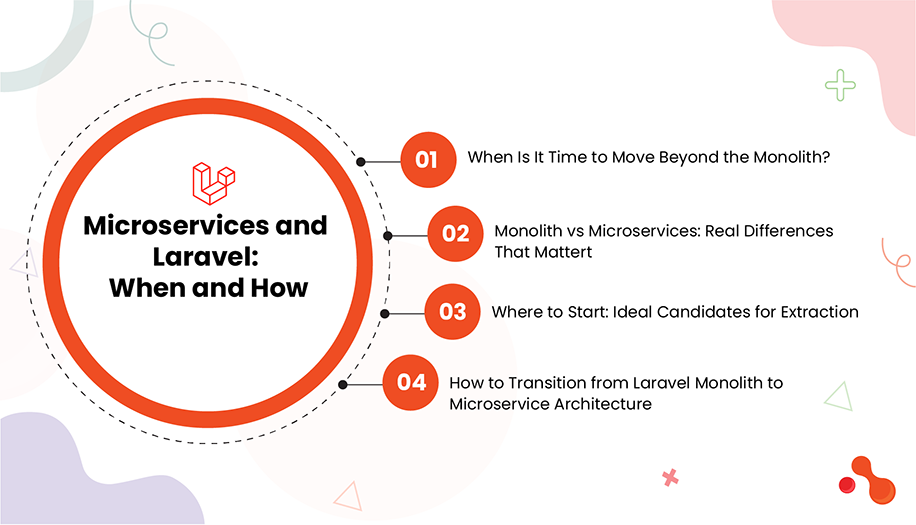
Laravel monoliths are ideal for getting products to market quickly. But as a SaaS product grows in user voluimageme, complexity, and team size, that same architecture often becomes a source of bottlenecks. Microservices give you the flexibility to isolate workloads, deploy independently, and scale each part of your system based on its real-world demands.
This section will help you determine when microservices are appropriate, how to approach decoupling safely, and what patterns work best when Laravel is the foundation.
When Is It Time to Move Beyond the Monolith?
You do not need microservices to scale. But there are signs that staying in a monolith is holding you back.
Key triggers to watch for:
A single module like reporting, analytics, or billing consistently consumes most of your server or database resources
Teams frequently block each other due to codebase entanglement
Deployment time is increasing, and rollback risk is higher
You are scaling the entire app just to handle one part
Bugs in isolated areas impact your entire system
Instead of forcing a large monolith to stretch further, isolate that pain point into a standalone component.
Monolith vs Microservices: Real Differences That Matter
Concern | Monolith | Microservices |
|---|---|---|
Codebase size | One large repository | Smaller, focused services |
Deployment | Everything together | Individual services independently |
Scaling | All modules scale together | Scale per-service based on demand |
Team velocity | Requires coordination across modules | Teams own and ship their own services |
Failure isolation | One bug may affect entire app | Fault is contained within the service |
You do not need to go “full microservices.” Start with one use case and build confidence gradually.
Where to Start: Ideal Candidates for Extraction
Begin with modules that meet the following conditions:
High CPU or memory usage
Fewer dependencies on other parts of your system
Frequent deployments or changes
Heavy background processing or async behavior
Examples:
Invoice generation
File or media processing
Reporting dashboards
Notification broadcasting
Subscription or payment workflows
These modules typically run independently and do not need tight coupling with core authentication or session layers.
How to Transition from Laravel Monolith to Microservice Architecture
You can extract a service incrementally without rewriting your app.
Step-by-step plan:
Isolate the logic
Move all business logic related to the module into a separate Laravel package or folder. Start by converting controllers, jobs, and services into standalone classes.
Create an internal API or queue-based interface
Expose the feature via HTTP API (using Laravel Sanctum or Passport) or consume events through Redis or Kafka.
Deploy as a separate Laravel app or Lumen service
Host the new service independently. It should have its own repository, database (if needed), and worker processes.
Redirect calls from the main app
Call the microservice via Laravel HTTP client or dispatch jobs into a shared queue consumed by the microservice.
Monitor, measure, and iterate
Set up separate observability for the new service using Telescope, Horizon, and request tracing tools.
Laravel Tooling That Makes Microservices Easier
Tool | Purpose |
|---|---|
Laravel Lumen | Lightweight microservice for APIs |
Laravel Octane | Handles high-concurrency workloads efficiently |
Laravel Vapor | Serverless deployments for multiple services |
Laravel Sanctum | Token-based API authentication |
Redis/Kafka | Queue and event stream communication |
Nginx or Traefik | Routing traffic between services |
Horizon + Telescope | Monitoring queues and requests across services |
All of these tools work well within a Laravel-based ecosystem without requiring a total stack change.
🧩 DIY Exercise: Extract and Connect a Feature as a Microservice
Follow this example workflow to safely move a feature into a microservice.
Step 1: Pick the Right Candidate
Choose a feature that already behaves independently:
Report generation
User activity logs
Webhook consumers
Image optimization
In-app notifications
Step 2: Turn It Into a Standalone Laravel App or Package
Create a new Laravel or Lumen project
Move only the related logic into this project
Set up your own .env, migrations, config, and routes
Step 3: Add a Secure API Endpoint
Expose only what is necessary:
Route::post('/generate-invoice', function (Request $request) {
    // Validate and process the invoice
});
Use Laravel Sanctum or Passport for token-based access between services.
Step 4: Call the Service from the Main App
$response = Http::withToken($token)->post('https://service.domain.com/generate-invoice', [
    'user_id' => $user->id,
    'total' => $invoice->total,
]);
You can also dispatch a job to a queue that the microservice listens to.
Step 5: Monitor Separately
Set up separate logs, queue dashboards, and request monitors. Use:
Laravel Telescope for local visibility
Horizon for job queue health
New Relic or Blackfire for performance tracking
This makes the service truly decoupled and observable.
Real Example: Scaling Notification Delivery
One of our projects involved sending over 200,000 notifications per hour during user onboarding campaigns. Originally, the logic was inside the Laravel monolith and frequently delayed dashboard load times. We extracted it into a lightweight Laravel Lumen app that listened to a dedicated Redis queue. It had its own deployment pipeline, rate limiter, and alert system.
After this change, we isolated failures, scaled it independently, and reduced dashboard load by 45 percent.
Closing and Next Step
You now have a framework to identify, isolate, and scale individual components of your Laravel SaaS with microservices. Up next, we move from code-level decisions to infrastructure. In the next section, we will walk through cloud hosting, CI/CD pipelines, containerization, and the right deployment strategies for growing SaaS applications.
Infrastructure and Deployment Strategies for Scalable Laravel SaaS
You can have a perfectly optimized Laravel app, but without the right infrastructure, your product will stall under pressure. Infrastructure is the foundation that allows everything else — code, features, teams — to grow without friction.
This section covers the core systems that support Laravel SaaS scalability: from hosting environments and cloud services to CI/CD pipelines, containerization, and monitoring. By the end, you will have a full blueprint for launching and scaling Laravel products with confidence.
If your in-house team lacks DevOps expertise, working with a Laravel Development Company experienced in SaaS infrastructure can help you set up scalable, cost-efficient systems from day one.
Hosting Choices: Pick Based on Current and Future Needs
Your hosting approach must evolve with your product’s complexity. There’s no one-size-fits-all. Here are the main options:
Hosting Type | Use Case | Pros | Limitations |
|---|---|---|---|
Shared Hosting / cPanel | MVPs, early experiments | Cheap, simple | Not scalable or configurable |
VPS (e.g., DigitalOcean, Hetzner) | Small teams, predictable loads | Full control, affordable | Manual scaling, more ops responsibility |
Managed Laravel Hosting (Forge, Ploi) | Laravel-specific teams | Fast setup, deploy-ready | Still tied to VPS limits |
Cloud Providers (AWS, GCP, Azure) | Mid-to-large SaaS apps | Scalable, flexible, global | Requires cloud expertise |
Serverless (Laravel Vapor) | High-performance SaaS | Zero server maintenance, automatic scaling | Cost control, cold start awareness |
Use managed hosting to start fast, but migrate to scalable cloud or serverless once you approach 10k+ users or require high availability.
Deployment Pipeline: Automate Everything You Can
Manual deployments lead to errors and downtime. Your Laravel SaaS should deploy reliably, without guesswork.
Key components of a safe and scalable deployment pipeline:
Version control: Use Git (GitHub, GitLab, Bitbucket)
CI/CD triggers: Deploy on push to main or release branches
Zero-downtime deployment: Use tools like Envoyer or Laravel Deployer
Rollback support: Ability to revert fast if something breaks
Environment separation: Use staging, QA, and production environments
Sample CI/CD Stack for Laravel SaaS
Stage | Tool | Purpose |
|---|---|---|
Build | GitHub Actions / GitLab CI | Test code, run PHPUnit, validate linting |
Deploy | Laravel Forge, Envoyer, Deployer | Push code to target server |
Monitor | Sentry, Bugsnag, custom Slack alerts | Detect failed builds or deploy errors |
Example GitHub Actions workflow:
name: Deploy to Production

on:
  push:
    branches:
      - main

jobs:
  build:
    runs-on: ubuntu-latest
    steps:
      - uses: actions/checkout@v2
      - run: composer install --no-dev
      - run: php artisan migrate --force
      - run: curl -X POST ${{ secrets.DEPLOY_WEBHOOK }}
Scaling Tactics for Laravel SaaS Infrastructure
Once your infrastructure is stable, you’ll need to scale services independently. Here’s how to do it cleanly:
Scale horizontally when:
You see CPU or memory saturation during user spikes
Queue jobs begin to backlog
Requests per second exceed safe server thresholds
Tactics to apply:
Use a load balancer (NGINX, AWS ALB) to distribute web requests
Deploy queue workers on separate servers or containers
Use managed DB solutions like Amazon RDS for high read/write throughput
Set up Redis clusters for session, cache, and queues
Add autoscaling rules on your cloud instance group or Lambda config (if using Vapor)
Monitoring and Logging: Stay Ahead of Failures
Performance and uptime are meaningless if you’re not monitoring them. Laravel offers several built-in tools, but you’ll need additional observability layers at scale.
What to monitor:
CPU, memory, disk usage
Queue job failures or delays
API error rates and slow endpoints
Database query load
Tools to use:
Laravel Telescope for app-level insight
Laravel Horizon for queue health
Blackfire for performance profiling
Sentry or Bugsnag for real-time error tracking
CloudWatch, Grafana, or Datadog for system-level metrics
Set up alerts for failure conditions and performance thresholds to catch issues before users do.
🧩 DIY Exercise: Set Up a Basic Scalable Deployment Architecture
This walkthrough will help you upgrade from manual deployment to a modern CI/CD pipeline and staging-ready environment.
Step 1: Prepare Git + CI/CD Pipeline
Create a private Git repository
Connect it to GitHub Actions, GitLab CI, or Bitbucket Pipelines
Add a CI workflow to run tests and trigger deployment
Step 2: Use Laravel Forge or Deployer
Set up your production server using Forge or Deployer
Configure zero-downtime deployment script
Enable queue workers and scheduler as background processes
Step 3: Set Up Staging and Production Environments
Create a .env.staging and .env.production
Set different databases, caching rules, and services per environment
Deploy first to staging, run final QA, then release to production
Step 4: Add Monitoring and Recovery
Install Telescope for local/staging monitoring
Enable Horizon and scale workers per queue
Connect Sentry or Bugsnag for real-time error alerting
Set up backup strategies and automated rollback hooks
Now your infrastructure supports agile deployments, recovery, and real-time visibility.
🔍 Real Example: Zero-Downtime CI/CD for a 50k+ User SaaS
One client was pushing code manually and facing 10–15 minutes of downtime per release. We set up GitHub Actions with Laravel Envoyer, automated rollback on failed tests, and used staging previews for approvals.
They now deploy daily with zero downtime, have full alerting for failed jobs, and queue processing scaled 2x via dedicated workers.
Closing and What Comes Next
You now have the infrastructure playbook for scaling a Laravel SaaS platform across environments, teams, and user demand. Up next, we will look at Security and Compliance — the often neglected layer that becomes critical once your system starts handling real data, payments, and enterprise clients.
Is Your Infrastructure Ready for 10k+ Users?
Choosing between Forge, Vapor, or AWS directly can change your cost and scalability profile. We help teams pick the right stack and set up CI/CD flows that prevent outages.
Security, Compliance, and Disaster Recovery

As your Laravel SaaS platform grows, the stakes rise. A single vulnerability can expose customer data. A missed compliance requirement can block enterprise deals. A failed backup can take down your platform for days.
Security, compliance, and recovery are not side features — they are core scaling pillars. This section covers the practices and strategies that keep growing Laravel platforms resilient, trustworthy, and legally sound.
Laravel Security Foundations: What Every App Must Have
Laravel offers strong security features out of the box, but they only work if used correctly. At scale, these practices become non-negotiable.
Must-have Laravel security implementations:
HTTPS enforcement: Redirect all traffic to HTTPS using middleware and web server rules
CSRF protection: Enabled by default via VerifyCsrfToken middleware
Input validation: Always use Laravel Form Request validation with sanitization
Hash passwords properly: Laravel uses bcrypt by default, consider argon2 for high security
Rate limiting: Use ThrottleRequests middleware to prevent abuse of login and API endpoints
Signed URLs and email verification: Use signedRoute() and mustVerifyEmail for user-related actions
Session protection: Use Redis or database driver for secure, scalable sessions
API Security for SaaS Products
API security often gets overlooked, but is critical for multi-tenant SaaS platforms and mobile clients.
What to implement:
Laravel Sanctum or Passport: Use token-based auth for APIs
Access scopes and guards: Define who can do what via middleware and policies
Audit trails: Log all sensitive actions, including updates and logins
Prevent replay attacks: Use nonces or timestamp-based validation in high-security operations
Rate limit per user/token: Not just per IP
Also implement brute force protection using Laravel’s RateLimiter class and limit login retries per account.
Compliance: What to Prepare as You Scale
Even if you are not required to be compliant today, you need to prepare the structure so you are not blocked later.
Standard | Applies When | What It Requires |
|---|---|---|
GDPR | Users in EU | Data export, deletion, consent tracking |
HIPAA | Healthcare data | Encryption, audit logs, BAA agreements |
SOC 2 | Enterprise clients | Security controls, change tracking, access policies |
PCI-DSS | Handling credit cards | No card storage on server, tokenization, third-party processors |
Laravel tips for compliance:
Use Laravel Events to create audit logs for user actions
Build per-tenant encryption and access control if using multi-tenancy
Use Stripe or Braintree for PCI compliance to avoid storing card data
Disaster Recovery and Backup Strategy
You will have outages. The difference is whether your system can recover in minutes or collapse for hours.
Core recovery layers:
Database backups: Use mysqldump, Forge snapshots, or managed DB auto-backups
File storage backups: If using S3, use versioning and replication
Queue persistence: Use Redis-backed queues with Horizon and retry strategies
Environment duplication: Have a script to spin up a replica of production in staging for hot swap or testing
Laravel tools to use:
Spatie Laravel Backup: Create automatic backups and notifications
Laravel Envoyer: Supports instant rollback on failed deploys
Horizon with retryUntil: Prevent job loss during downtime
🧩 DIY Exercise: Secure, Comply, and Prepare for Outages
Use this checklist to bring your Laravel SaaS into a secure, audit-ready, and resilient state.
Step 1: Enable Laravel’s Security Middleware Stack
Check your middleware list includes:
EncryptCookies
VerifyCsrfToken
Authenticate
ThrottleRequests
RedirectIfAuthenticated
EnsureEmailIsVerified
In AppServiceProvider, enforce HTTPS:
if (App::environment('production')) {
    URL::forceScheme('https');
}
Step 2: Set Up Backup and Recovery
Install Spatie’s backup package:
composer require spatie/laravel-backup
php artisan vendor:publish --provider="Spatie\Backup\BackupServiceProvider"
Schedule daily backups in App\Console\Kernel.php:
$schedule->command('backup:run')->daily()->at('03:00');Ensure backups are stored off-site (S3, Backblaze, Dropbox) and tested monthly.
Step 3: Prepare for Compliance Needs
Use Laravel events to log updates and deletes
Store logs in a tamper-proof, write-once system if handling medical or financial data
Create a system to export user data on request (for GDPR or CCPA)
Do not store card numbers directly. Integrate with Stripe using Laravel Cashier
🔍 Real Example: SOC 2 Readiness for a Fintech SaaS
A fintech client needed SOC 2 readiness to close enterprise deals. We helped them implement audit logging for all financial actions, removed in-app card storage by shifting to Stripe, and set up CI/CD with rollback tracking. With minimal code rewrites, they passed their pre-cert audit and secured three enterprise contracts within 90 days.
Closing and What Comes Next
Your Laravel SaaS is now equipped to handle security threats, meet compliance expectations, and recover from infrastructure failures. In the next section, we will look at Monitoring, Logging, and Observability — the operational layer that keeps your platform visible, predictable, and fast under pressure.
Monitoring, Logging, and Observability for Laravel at Scale
When you pass 10k users, invisible bugs turn into public issues. Monitoring and observability are not optional at this stage. You need full visibility into what your Laravel app is doing, how it’s performing, and where it’s starting to break — before users tell you.
If you don’t yet have a production-grade monitoring setup, this is where you should consider hiring a Laravel expert to architect an observability workflow tailored to your SaaS stack.
This section walks you through the tools, logs, metrics, and patterns you should implement for a production-grade SaaS platform built in Laravel.
What Should You Monitor?
You need visibility at three levels: infrastructure, application, and business events.
Layer | What to Track |
|---|---|
Infrastructure | CPU, memory, disk, network usage, container health |
Application | Queue failures, slow queries, job times, route response time |
Business Logic | Signups, transactions, cancellations, failed logins |
Monitoring these signals helps you debug, improve user experience, and optimize resource costs.
Laravel Monitoring Stack: What to Set Up
Tool | Use Case |
|---|---|
Laravel Telescope | Local and staging debugging (DB queries, jobs, requests) |
Laravel Horizon | Queue monitoring, job tracking, retry counts |
Bugsnag / Sentry | Error monitoring and crash analytics |
Blackfire.io | Performance profiling (CPU, memory, queries) |
Loggly / Papertrail / Logtail | Centralized log storage and alerting |
Grafana + Prometheus | Time-series metrics dashboard for infrastructure |
Use Telescope for feature debugging, Horizon for queue health, and a third-party tool for production errors and metrics.
Logging Best Practices in Laravel
Logs are your first line of defense. Configure logging properly to support observability.
Use daily or error channel in config/logging.php
Send logs to external services (e.g., Papertrail, Logtail)
Log at appropriate levels: info, warning, error, critical
Avoid logging sensitive data like passwords or API keys
Use structured JSON logs for better parsing in log dashboards
Example log channel config:
'papertrail' => [
    'driver' => 'monolog',
    'level' => 'debug',
    'handler' => SyslogUdpHandler::class,
    'handler_with' => [
        'host' => env('PAPERTRAIL_URL'),
        'port' => env('PAPERTRAIL_PORT'),
    ],
],
Real-Time Alerting: Stop Issues Before Users Complain
Set alerts on the following thresholds:
5xx error rates > 1 percent
Queue job failures exceed expected threshold
CPU usage > 80 percent for 5+ minutes
Payment webhook failures
Unusual signup or churn spikes
Send alerts to Slack, Opsgenie, or PagerDuty depending on your team size and support model.
🧩 DIY Exercise: Set Up Full-Stack Monitoring in Your Laravel SaaS
This exercise helps you implement a reliable observability system step by step.
Step 1: Configure Telescope for Local and Staging
Install Telescope:
composer require laravel/telescope
php artisan telescope:install
php artisan migrate
In AppServiceProvider, only enable in non-production environments:
if (! app()->isProduction()) {
    Telescope::start();
}
Step 2: Enable Horizon for Queues
composer require laravel/horizon
php artisan horizon:install
php artisan migrate
Run workers using:
php artisan horizonAdd Horizon dashboard route to view job performance and failure metrics.
Step 3: Connect Error Tracking Service
Install Bugsnag or Sentry:
composer require bugsnag/bugsnag-laravel
php artisan vendor:publish --provider="Bugsnag\BugsnagLaravel\BugsnagServiceProvider"
Configure it with your API key in .env:
BUGSNAG_API_KEY=your-key-hereStep 4: Enable External Log Shipping
Pick a centralized logging service like Papertrail or Logtail.
Update config/logging.php with your log driver. Ship Laravel logs using Monolog.
Step 5: Set Up Grafana Dashboards
Use Grafana with Prometheus or your cloud provider’s monitoring stack (e.g., CloudWatch, Azure Monitor).
Track:
HTTP request volume and latency
DB query execution time
Cache hit rate
Queue job runtime
Auth success/failure ratios
🔍 Real Example: Avoiding a Multi-Hour Outage with Log Monitoring
One client had background jobs failing silently due to a Redis misconfiguration. We added Horizon alerts for failed job spikes and integrated Papertrail log search. Within 30 minutes of the next issue, the engineering team was alerted and fixed it before user complaints began.
This prevented more than 3 hours of downtime and saved thousands in SLA penalties.
Closing and What Comes Next
At this stage, you’re no longer just writing code — you are operating a live system. With proper monitoring and observability in place, you can detect issues early, recover quickly, and keep your team informed.
In the next section, we’ll explore Database Scaling and Optimization — where slow queries, write-heavy tables, and growing datasets need architectural attention.
Database Scaling and Optimization: Keeping Performance Sharp as You Grow
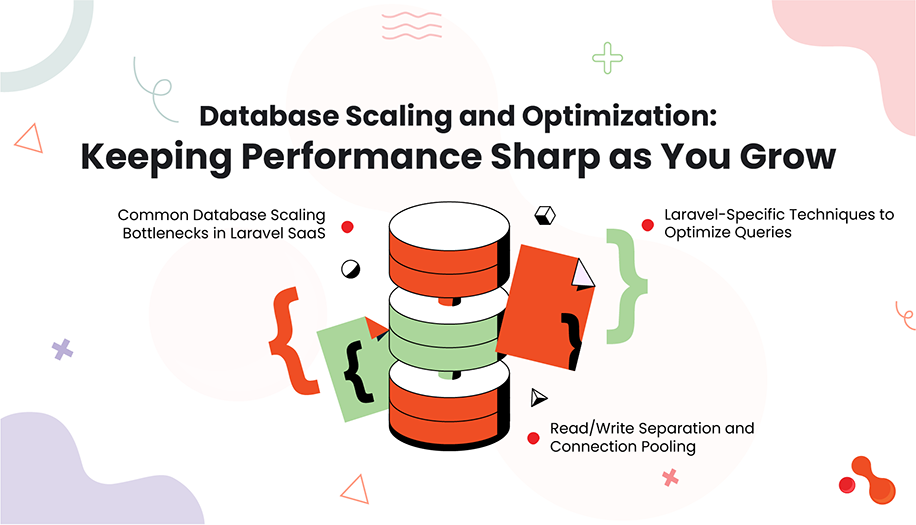
As your Laravel SaaS app scales, the database becomes one of the first pain points. Poorly optimized queries, unindexed columns, bloated schemas, or write-heavy tables can bring the system to a crawl — even if the code is well written.
In this section, we’ll explore everything you need to keep your database fast, available, and scalable as your user base grows beyond 10k. From query optimization to replication and partitioning, you’ll get a full playbook for long-term database health.
Common Database Scaling Bottlenecks in Laravel SaaS
Problem | Symptom | Example |
|---|---|---|
Missing indexes | Slow response time on reads | User list pagination takes 3+ seconds |
Large unoptimized joins | High CPU usage, long query times | Reporting dashboard timing out |
Write locks on shared tables | User save requests queue up | High churn on same model (e.g., orders) |
No read/write separation | Read overload on primary DB | Spike during analytics queries |
Growing datasets | High disk usage, table scans | Activity log over 10 million rows |
Laravel-Specific Techniques to Optimize Queries
Use Eager Loading Properly
Avoid N+1 query issues with:
User::with('subscriptions')->get();Use ::withCount() when only counts are needed.
Use Query Builder Caching Where Applicable
$results = Cache::remember('top_users', 300, function () {
    return DB::table('users')->orderBy('score', 'desc')->take(100)->get();
});
Use Chunking for Large Data Processing
User::chunk(500, function ($users) {
    foreach ($users as $user) {
        // process user
    }
});
Avoid loading massive datasets into memory.
Indexing and Schema Design
When to Add Indexes
Columns used in WHERE, JOIN, or ORDER BY
Foreign keys
Unique fields (email, username)
How to Add Indexes in Laravel
$table->index('user_id');
$table->unique(['email']);
$table->foreign('plan_id')->references('id')->on('plans');
Use EXPLAIN in raw SQL or DB::listen() in Laravel to identify slow queries.
Avoid These Schema Mistakes
Using text where string(191) would suffice (no index on text)
Storing enums as strings (prefer integers with mappings)
Creating overly wide tables with too many columns
Read/Write Separation and Connection Pooling
Split reads and writes to reduce load on the master DB.
In config/database.php:
'mysql' => [
    'read' => [
        'host' => ['read-db1', 'read-db2'],
    ],
    'write' => [
        'host' => ['master-db'],
    ],
    'sticky' => true,
    // other config...
],
Use sticky: true to read from master after a write operation.
Use a load balancer (like ProxySQL or HAProxy) to handle DB node distribution.
Horizontal Scaling with Replication and Sharding
Replication
Set up a master-slave model where:
Writes go to the master
Reads are distributed across multiple replicas
Laravel config supports this by default. Ensure your infrastructure automates failover and keeps replica lag low.
Sharding
Split large tables across databases. Useful for:
Multi-tenant SaaS
Logs or activity feeds
Analytics
Examples:
Shard by user_id % 4
Route tenant_id to a different DB connection
You’ll need to manage DB routing logic in Laravel’s DB manager or a custom service provider.
Partitioning for Massive Tables
Use table partitioning when row count exceeds tens of millions.
Examples:
Partition by created_at (monthly)
Partition by user_id for multi-tenant logs
Use MySQL’s native partitioning or split tables manually using suffixes like logs_2025_07.
Backup and Recovery Should Scale Too
Use Amazon RDS snapshot schedules or Forge backups
Run mysqldump nightly for small DBs
Compress and rotate backups
Test recovery monthly in a staging clone environment
🧩 DIY Exercise: Diagnose and Improve Your Laravel DB Performance
A structured way to test and tune your DB.
Step 1: Log and Review All Slow Queries
In AppServiceProvider:
DB::listen(function ($query) {
    if ($query->time > 500) {
        Log::info('Slow query detected: '.$query->sql);
    }
});
Check logs and list the top 5 slow queries.
Step 2: Run EXPLAIN on Each
Use TablePlus or raw SQL:
sql
EXPLAIN SELECT * FROM users WHERE email = 'example@test.com'
Check for:
Table scans
Missing indexes
Unused WHERE clauses
Step 3: Add Indexes and Re-run
Update migrations or use php artisan make:migration to add missing indexes.
Test impact using Laravel Debugbar or Telescope to compare time before and after.
Step 4: Test Read/Write Split Locally
Set up a read replica locally using Docker and configure Laravel to route reads to it.
Simulate a read-heavy workload and confirm separation is working using query logs.
🔍 Real Example: Scaling from 10GB to 200GB DB with Read Replicas
A growing SaaS client had 10GB of daily traffic logs stored in a single table. Daily reads during dashboard use were clogging the master DB. We introduced a read replica using AWS RDS, routed reads using Laravel’s native config, and moved historical data into monthly partitioned tables. This reduced master DB load by 55 percent and brought average dashboard response time from 7 seconds to under 2 seconds.
Closing and What Comes Next
At this point, your Laravel SaaS has a database layer built for serious scale. You’ve learned how to spot bottlenecks, write optimized queries, separate workloads, and implement replication. Up next, we’ll explore Multitenancy in Laravel SaaS — how to structure your platform to serve multiple tenants without compromising performance, security, or maintainability.
Cost Management and ROI Analysis: Scaling Smart Without Breaking the Bank
As your Laravel SaaS platform scales beyond 10k users, your cloud bill grows with it. More traffic means higher compute costs, more storage, larger databases, third-party tools, and a bigger DevOps footprint. Without clear tracking and cost-control strategy, it’s easy to scale performance but kill profitability.
This section walks you through a 360-degree approach to cost visibility, infrastructure ROI decisions, and actionable ways to optimize Laravel SaaS expenses — without sacrificing user experience.
Why Cost Management Becomes Critical at Scale
At early stages, you can get away with over-provisioning or flat-rate tools. But at scale, even minor inefficiencies multiply:
Area | Small-Scale Cost | Large-Scale Cost |
|---|---|---|
Redis Instance | $6/month | $300/month |
Queue Workers | 1 VPS | Cluster of containers |
DB Backups | Local cron job | Multi-region storage costs |
3rd-Party APIs | Free tier | Paid tier with usage billing |
CI/CD Builds | Few per week | Dozens daily with build queues |
Without proactive planning, growth leads to waste — and that waste hurts both revenue and performance.
Core Cost Drivers in a Laravel SaaS App
Here’s where the biggest cost drivers typically hide:
Hosting Infrastructure: VPS, cloud VMs, serverless (Vapor), load balancers
Databases: RDS, managed PostgreSQL, backups, storage IOPS
CDN & Storage: Assets on S3, Cloudflare, bandwidth usage
Queues & Caching: Redis clusters, managed queues
Monitoring & Logs: Papertrail, Sentry, DataDog, CloudWatch
DevOps & CI/CD: GitHub Actions, GitLab Runners, Laravel Envoyer
3rd-Party Tools: Payment APIs (Stripe), email (Postmark), SMS (Twilio)
Support Infrastructure: Helpdesk, uptime monitoring, analytics
ROI Analysis: When to Scale vs When to Optimize
Optimization means using what you have better. Scaling means adding more resources.
Ask these questions to guide decisions:
Question | Optimize | Scale |
|---|---|---|
Is performance degrading without more traffic? | ✅ Yes | ❌ No |
Are users waiting on background jobs? | ✅ Refactor or split jobs | ✅ Add workers |
Is CPU consistently >70% under normal load? | ❌ Scale server | ✅ Horizontal scale |
Is DB slow due to bad queries? | ✅ Indexing, caching | ❌ Don’t scale yet |
Example: Instead of upgrading to a larger DB instance immediately, you might solve 80 percent of the slowdown by indexing your orders.created_at column or caching queries.
Cost Planning by Infrastructure Type
Let’s look at real-world cost breakdowns for Laravel SaaS infrastructure across different scaling setups:
Component | Forge + VPS (DigitalOcean) | Laravel Vapor | AWS EC2 + Custom Setup |
|---|---|---|---|
App Hosting | $24–48/month per server | $0.000208/req + Lambda cost | $70+/month per EC2 |
Database | $15–60/month | Aurora Serverless (auto-scaled) | RDS or PostgreSQL at $100+ |
Redis | $15–30/month | Elasticache (usage-based) | $50+ for managed |
Storage | $0.023/GB (S3) | Included in Vapor | Same as S3 or EFS |
CI/CD | GitHub free tier to $10/user | Built-in | Separate (e.g., CodePipeline) |
Monitoring | $10–50/month | External | External |
Total (Starting) | ~$150–300/month | ~$200–600/month | $300–1000+ depending on use |
📌 Note: These numbers are estimates and vary based on usage, location, and vendor. Always benchmark based on your region and expected request volume.
Cost Optimization Techniques for Laravel SaaS
Use Serverless Wisely
Serverless (like Laravel Vapor) works well when traffic is spiky.
But for steady traffic, a well-optimized VPS or EC2 setup may be cheaper.
Cache More, Query Less
Cache expensive queries, route responses, and even rendered views.
Use rememberForever() for infrequent updates.
Optimize Queue Workers
Run workers only when needed.
Batch jobs intelligently to reduce overhead.
Tune Database Before Scaling
Use query analysis tools like Telescope, Blackfire, or MySQL’s EXPLAIN.
Clean up unused indexes and archive old data.
Move Static Assets to CDN
Offload JS/CSS/images to S3 + CloudFront or Cloudflare.
Reduces load and saves bandwidth costs.
Audit Unused SaaS Tools
Monthly audit of tools: Are you using that uptime monitor or dashboard platform?
Cut or downgrade based on team size and current need.
Use Reserved Instances (for steady-state apps)
AWS EC2 Reserved Instances or DigitalOcean Reserved Droplets can save up to 40% compared to on-demand.
🧩 DIY Exercise: Calculate the Cost of Your Laravel SaaS Hosting Plan
Follow this simple exercise to estimate where your money goes — and where you can save.
Step 1: List Your Infrastructure
Create a table with:
Service | Provider | Monthly Cost | Notes |
|---|---|---|---|
App Server | Forge + DigitalOcean | $40 | 2GB RAM VPS |
DB | RDS PostgreSQL | $100 | Daily backups |
Redis | Upstash | $15 | Used for cache + queues |
Storage | S3 | $25 | 100GB assets |
CI/CD | GitHub Actions | $10 | Team of 3 |
Uptime Tool | Pingdom | $15 | For 3 services |
Step 2: Map Cost to Features
Identify the biggest cost centers and ask:
Can we cache instead of querying?
Are we overpaying for unused bandwidth?
Could we consolidate tools?
Step 3: Compare with Alternatives
Try simulating a similar setup in:
Laravel Vapor
DigitalOcean with Forge
AWS EC2 + Docker + GitHub Actions
Use their pricing calculators:
You’ll often find that for predictable traffic, Forge + VPS wins on cost, while Vapor wins on developer speed and autoscaling.
🔍 Real Example: Saving $800/Month by Switching from Vapor to Forge
One team was running a steady SaaS workload on Laravel Vapor. Costs reached $1,200/month by month six. We benchmarked and helped them shift to Forge with a load-balanced EC2 setup and Redis offload. Performance stayed stable, but costs dropped to $400/month. The team now reinvests that budget into feature velocity.
Closing and What Comes Next
Cost management is not about cutting corners — it’s about choosing smart trade-offs. With proper cost visibility, workload-aware scaling, and tool audits, you can serve 10k+ users profitably while keeping your team lean and fast.
Up next, we’ll cover real-world case studies of teams who scaled Laravel SaaS apps successfully — and those who hit roadblocks. These examples will reinforce what to do, what to avoid, and how to apply it to your own scaling journey.
Multitenancy in Laravel SaaS: Models, Strategies, and Real Implementation

Multitenancy is the foundation of any scalable SaaS product. It allows you to serve multiple clients or organizations from the same application — while isolating their data, performance, and sometimes even features.
But choosing the wrong multitenancy approach early on can create scaling bottlenecks, security risks, and migration nightmares. In this section, we’ll break down the three core tenancy models, compare them, and show you how to implement each in Laravel.
What Is Multitenancy in SaaS?
Multitenancy is the practice of hosting multiple customers (tenants) in a single instance of your application. Each tenant should feel like they have their own environment — separate data, configurations, branding, and possibly infrastructure — even though they are sharing your platform.
3 Laravel-Friendly Multitenancy Models: Choose Based on Scale and Complexity
Model | Description | Use Case | Pros | Cons |
|---|---|---|---|---|
Single DB, Shared Tables | All tenants in same DB, same tables | Lightweight apps, MVP | Easy to set up, low infra cost | Harder to isolate, risk of data leaks |
Single DB, Tenant-Specific Tables | Tables are prefixed or namespaced per tenant | Mid-scale, custom schemas | Better data isolation | Complicated migrations |
Multiple Databases | Each tenant gets its own DB | Enterprise SaaS, strict isolation | Full isolation, better scaling | More infra cost, harder backups |
Laravel supports all three approaches through its DB config, service providers, and dynamic connection switching.
Laravel Packages That Help With Multitenancy
Package | Purpose |
|---|---|
tenancy/tenancy | Full multitenancy toolkit (formerly hyn/multi-tenant) |
stancl/tenancy | Modern, flexible package with DB and route-based tenant resolution |
spatie/multitenancy | Lightweight tenancy switching based on domain or session |
Among these, stancl/tenancy is the most active and beginner-friendly for 2025.
How to Identify Tenants
By subdomain (e.g., company1.app.com, company2.app.com)
By domain (custom domains like company1.com)
By session or login (if all tenants share one app interface)
Use middleware or a route service provider to identify the tenant on each request.
Example with subdomain in RouteServiceProvider:
Route::domain('{tenant}.yourapp.com')->group(function () {
    // tenant routes
});
Tenant-Aware Architecture in Laravel
Make sure your app routes all sensitive actions through a tenant context.
Use Tenant middleware to load tenant context before request logic
Isolate tenant resources (files, DB entries, configs)
Cache tenant configs using cache()->store('tenant')
Wrap DB queries with tenant filters (e.g., where('tenant_id', Tenant::id()))
Queue and Cache Isolation
Queues and cache must respect tenancy. Don’t let one tenant’s job block others.
Laravel solution:
Use tenant-specific queue names like tenant-123-default
Set dynamic cache prefixes:
'prefix' => 'tenant_'.Tenant::id().'_cache',With stancl/tenancy, much of this happens automatically.
🧩 DIY Exercise: Set Up Domain-Based Tenancy Using stancl/tenancy
This will walk you through building a fully working multi-tenant Laravel app using separate databases.
Step 1: Install Package
composer require stancl/tenancy
php artisan tenancy:install
php artisan migrate
Step 2: Register Tenants with Domains
Tenant::create([
    'id' => 'acme',
    'domain' => 'acme.yoursaas.com',
]);
Step 3: Enable Automatic Tenant Resolution
In tenancy.php config:
'tenant_identification' => [
    Stancl\Tenancy\Middleware\InitializeTenancyByDomain::class,
],
Now Laravel will resolve the tenant automatically from the request domain.
Step 4: Separate Tenants by Database
Tenants will each get their own database, created automatically when you run:
php artisan tenants:migrateYou can now store data per tenant without collision.
Step 5: Protect Routes and Resources
Use tenancy-aware middleware:
Route::middleware(['web', 'tenant'])->group(function () {
    Route::get('/dashboard', function () {
        return view('dashboard');
    });
});
Tenant is now fully isolated at runtime.
🔍 Real Example: Migrating a Monolith to Tenant-Based Laravel
One client started with shared tables using a tenant_id column. By the time they reached 200 clients, performance degraded and data visibility issues arose. We helped them migrate to database-per-tenant using stancl/tenancy, preserving data and minimizing downtime. Their support tickets dropped by 60 percent, and scaling became effortless as each tenant’s data could be moved to its own server.
Closing and What Comes Next
Now your Laravel SaaS has a clean, maintainable multitenancy setup. You’ve learned how to choose the right tenancy model, implement isolation in Laravel, and prepare your system to grow client-by-client.
In the next section, we’ll focus on Testing and Quality Assurance at Scale — how to ensure stability, detect regressions early, and maintain development velocity even as your product grows.
Let me know when you’re ready to proceed.
Multitenancy Gets Messy. Let’s Simplify It.
Whether you’re running one database for all tenants or a separate DB per client, we’ve handled both — and hybrid. We’ll help you choose and implement the right multitenancy model for long-term scale.
Real-World Case Studies: Scaling Success and Hard-Earned Lessons
Reading technical theory is helpful. But nothing compares to real-life stories of teams who’ve faced the 10k-user scaling cliff — and made it through. In this section, we’ll walk you through two contrasting case studies:
A startup that scaled smoothly using Laravel best practices
A company that struggled due to poor architectural decisions
Both stories include timelines, architectures, decisions made, and measurable outcomes.
Case Study 1: Scaling Smoothly from MVP to 50k Users Without Downtime
Company Profile:
Industry: LegalTech SaaS
Team Size: 6 devs
Stack: Laravel 9, Vue 3, Redis, Horizon, MySQL, Forge
Users: Grew from 200 → 50,000 over 18 months
Challenge
The MVP was built fast and worked fine under 500 users. But by 3,000 users:
Queues were backlogged
Search performance dropped
Login times spiked during peak hours
They needed to scale quickly but without rewriting the product from scratch.
🧩 Actions Taken (Guided by the Checklist You’re Reading)
Area | Action |
|---|---|
Architecture | Refactored business logic into services for decoupling |
Database | Added indexes for key queries, partitioned large log tables |
Caching | Cached dashboard metrics and config data using Redis |
Queues | Offloaded email + reporting to Horizon-managed queues |
Monitoring | Introduced Telescope, Sentry, and Slack alerts |
Infrastructure | Shifted to Forge + load balancer setup across 2 regions |
Multitenancy | Migrated from shared tables to database-per-client using stancl/tenancy |
📈 Result
Uptime improved to 99.99%
Page load time dropped from 3.8s to 1.2s
Support tickets related to speed dropped by 80%
Monthly AWS bill stayed under $600 despite tripled user base
Developers delivered new features faster due to clear architecture
Case Study 2: Scaling Failure Due to Tight Coupling and Manual Ops
Company Profile:
Industry: B2B CRM SaaS
Team Size: 4 devs
Stack: Laravel 8, jQuery, MySQL, no queues, shared hosting
Users: Reached 12,000 before issues forced downtime
⚠ The Mistakes
Area | Pain Point |
|---|---|
No Queues | All emails, reports, and notifications sent synchronously |
Tight Coupling | Monolithic controllers with database logic inside methods |
No Caching | Expensive queries repeated on every page load |
Zero Monitoring | No logs, alerts, or error visibility |
Shared Hosting | One server for everything — DB, app, assets, logs |
📉 What Happened
A product launch email sent to 10,000 users crashed the server
API response times exceeded 7 seconds
Clients left due to outages and data delay
Developer morale dropped due to daily firefighting
They lost 30 percent of their user base before refactoring
🛠 How They Recovered (Eventually)
Migrated to Laravel Forge + Redis + RDS
Modularized codebase using services and repositories
Introduced Redis caching and job queues
Adopted Sentry and daily DB snapshots
Moved to separate staging and production pipelines
But the cost was:
2 months of slow recovery
$15,000 lost in refunds and discounts
Negative reviews that still impact SEO today
📌 Lessons Learned from These Two Cases
Lesson | Why It Matters |
|---|---|
Plan scaling early | Retrofitting architecture later is painful and expensive |
Separate concerns | Decoupled code enables faster fixes and better testing |
Monitor everything | You can’t fix what you can’t see |
Use queues wisely | Never block users with backend delays |
Automate deployment | Manual deployment = human error under pressure |
Don’t over-rely on shared infra | Separate workloads and services based on growth |
🧩 DIY Exercise: Review and Document Your Own Case Study
Take 15 minutes with your team and fill this table:
Area | Current Setup | Scaling Issue | What You’re Doing About It |
|---|---|---|---|
Queues | Example: Only used for emails | Job delays during campaigns | Adding job batching and priority queues |
Monitoring | Telescope only | No alerts or downtime tracking | Adding Sentry and Slack alerts |
DB | MySQL on shared VPS | Slow queries under load | Reviewing indexes and caching views |
This reflection often uncovers low-hanging optimizations you can fix in a sprint or two.
Closing and What’s Next
Real scaling happens in the field — not on whiteboards. These case studies are a reminder that the right architecture, automation, and visibility can make or break your growth.
Up next, we’ll summarize all the key takeaways into a one-page scaling checklist — ideal for printing or sharing with your Laravel team.
Your Laravel SaaS Scaling Blueprint: The Ultimate Checklist

Scaling Laravel SaaS apps to 10k+ users — and beyond — is no longer a mystery when you have the right systems, decisions, and checklists in place. This section condenses everything covered so far into a one-page, no-fluff action sheet you can reference or share with your team.
Use this as a quick-start checklist and post-sprint retrospective guide to ensure nothing falls through the cracks.
Scaling Strategy Checklist by Area
📦 Architecture & Code Design
Refactor tight controller logic into service classes
Separate domain logic using DDD principles
Adopt modular folder structure for long-term maintainability
Use dependency injection and SOLID principles across services
🧩 Caching
Use Redis or Memcached for data caching
Tag related cache entries and plan invalidation rules
Cache route and config with php artisan optimize
Benchmark key API endpoints with and without cache
🚀 Queues and Async Processing
Use Laravel queues for email, reports, external APIs
Monitor jobs with Horizon
Set retryUntil logic and fallback failure handling
Batch related jobs where appropriate
🔃 Microservices Readiness
Identify tightly coupled domains in your monolith
Map out potential boundaries for future services
Explore REST vs GraphQL APIs
Use fractal or resource classes to separate data presentation
🧱 Infrastructure & Deployment
Use CI/CD for reliable staging and prod deployments
Choose hosting based on traffic patterns (VPS, EC2, Vapor)
Automate backups and DB migrations
Use Docker or Vapor for repeatable infrastructure setups
🔐 Security & Compliance
Validate all user input server-side
Encrypt sensitive user data at rest and in transit
Set up 2FA for internal dashboards and logins
Perform regular vulnerability scans
Implement GDPR/HIPAA audit logs and policies where needed
🧠 Monitoring & Logging
Use Laravel Telescope for request, query, and job insights
Add Sentry for real-time error tracking
Set up Slack/Email alerts for anomalies or failed jobs
Track DB slow queries and fix or cache them
🗃️ Database Optimization
Index high-read columns (e.g., created_at, user_id)
Consider table partitioning for large datasets
Offload reporting workloads to replicas if needed
Use EXPLAIN to analyze complex query performance
💰 Cost Control & ROI
Compare Vapor, Forge, and EC2 costs quarterly
Turn off idle workers or queues at low-traffic hours
Avoid premium tools you’re not actively using
Estimate cost per 1000 users and optimize from there
🧭 Multitenancy Choices
Pick the right model: shared DB, prefixed tables, or per-tenant DB
Use proven packages like stancl/tenancy
Isolate tenant queues and cache where scale requires
Set up tenant-aware logging and backup strategies
🔎 Post-Milestone Audits
After each +1000 user jump, recheck DB, cache, and infra stress points
Track load time, job completion time, and error rates over time
Document every major infra change and decision rationale
Add a feedback loop from support or customer success to dev team
🧩 Optional DIY Add-On: Print or Share the Checklist
You can take this entire checklist and turn it into:
A PDF one-pager
A shared Google Sheet for tracking over sprints
A Notion doc used in weekly dev reviews
If you want, we can prepare a downloadable version for you — just say the word.
Closing and What’s Next
With this checklist in your hands, you’re no longer scaling blindly. You’ve got structure, best practices, and real examples to guide your Laravel SaaS through rapid user growth.
In the next (and final) section, we’ll briefly show how Acquaint Softtech helps Laravel product teams like yours apply all of this at real scale — with guidance, implementation, and technical support from experts who’ve done it before.
Checked Every Box But Still Not Confident?
Scaling Laravel is more than code. It’s coordination, infrastructure, cost, and architecture working together. We can review your readiness and help you plan the next step confidently.
How Acquaint Softtech Helps You Scale Laravel SaaS

At Acquaint Softtech, we don’t just build Laravel applications — we scale them. For over a decade, our team has helped SaaS startups, enterprise platforms, and product-led companies prepare for user surges, complex infrastructure upgrades, and long-term maintainability.
If your Laravel SaaS is approaching 10k+ users, here’s how we can help you apply everything covered in this guide — from architecture to infrastructure to cost control.
Architectural Scaling Reviews
We begin by auditing your Laravel app and tech stack to identify performance bottlenecks before they turn into blockers. Our expert Laravel leads review:
Code structure and controller bloat
Query complexity and database health
Caching strategies and queue design
Current deployment and CI/CD pipeline gaps
You get a clear, actionable roadmap — not a generic audit PDF.
Microservices Refactoring (When You Need It)
When scaling requires breaking apart your monolith, we help you:
Identify logical service boundaries
Define contracts and APIs between services
Introduce Laravel-friendly tooling for microservice communication
Avoid pitfalls like duplicated logic and cross-service coupling
All while keeping feature velocity high for your dev team.
Performance Optimization with Redis, Queues, and Horizon
We fine-tune your Laravel queue setup and cache layers using:
Redis with custom TTL and tagging
Queue prioritization and job batching
Horizon dashboards and alerts
Background job retry and failure fallback logic
We reduce response times, eliminate job failures, and stabilize worker behavior across traffic spikes.
CI/CD Automation and Smart Deployments
Our DevOps team helps you:
Set up or optimize Laravel Forge, Vapor, or container pipelines
Implement zero-downtime deploys with proper health checks
Manage multiple environments with consistent sync
Automate rollbacks and migrations
Your deployments go from stressful events to routine steps.
Multitenancy at Scale
Serving multiple clients or tenants? We:
Help choose the right multitenancy model (shared, schema-based, DB-per-tenant)
Implement tenant-aware caching and logging
Isolate tenant failures while maintaining platform stability
Guide backup, seeding, and migration strategy per tenant
Compliance and High Availability
Scaling a SaaS in healthcare, fintech, or education? We handle:
Infrastructure that meets HIPAA, GDPR, or SOC2 requirements
Role-based access control
Data encryption, logging, and secure backups
Multi-region failover planning and automated disaster recovery
SaaS Cost Efficiency Framework
You don’t need a massive budget to scale.
We help you:
Benchmark infrastructure cost per 1000 users
Choose between Forge, Vapor, EC2, or hybrid setups
Offload unused resources
Forecast infra spend based on product roadmap
Build a budget-conscious scaling strategy that aligns with your growth stage
Ready to Scale Smart? Let’s Talk
Whether you’re preparing for launch or optimizing an already successful Laravel SaaS, we’re ready to step in as your backend scaling partner.
✅ Real Laravel engineers.
✅ Deep SaaS experience.
✅ Fast execution with CTO-level guidance.
Conclusion: Scaling Is a Process, Not a One-Time Fix
Scaling your Laravel SaaS to support 10k+ users is not just about handling traffic. It’s about building a system that performs consistently, recovers gracefully, and grows without rewriting your entire codebase every few months.
From planning infrastructure and designing clean architecture to optimizing databases, queues, and costs — you now have a real-world roadmap that works.
Each section in this guide was written with one goal: to help your team scale Laravel with clarity, speed, and confidence.
You don’t need to solve everything today. But with this checklist, you know:
What to look for
Where to improve
How to prepare for the next big milestone
And when you’re ready to move faster or need expert hands to implement — we’re here to help.
We’re Acquaint Softtech, your technology growth partner. Whether you're building a SaaS product, modernizing enterprise software, or hiring vetted remote developers, we’re built for flexibility and speed. Our official partnerships with Laravel, Statamic, and Bagisto reflect our commitment to excellence, not limitation. We work across stacks, time zones, and industries to bring your tech vision to life.
Table of Contents
Scaling Trouble Ahead? Let’s Fix It Fast
- Laravel app audit included
- Spot scaling weak points
- Get a clear growth plan