

How Laravel Deployment Turns Slow, Risky Releases Into 5-Minute Deploys
Laravel deployment improves scalability and team productivity through automated, zero-downtime pipelines on managed infrastructure like Laravel Cloud, cutting release time from 45 minutes to under 5 and freeing up 20–35 engineer hours monthly.

Kalpesh Rajora

- You run a growing Laravel app and dread release day.
- Only one or two people on your team can safely deploy.
- Your app shows a maintenance page or goes down during releases.
- Traffic spikes cause errors before anyone can react.
- You want to scale and ship faster without building a full DevOps team.
The real reason your Laravel app feels slow to ship
As a Project Manager at Acquaint Softtech, an Official Laravel Partner, I have watched the same thing happen to dozens of growing Laravel apps. The code is fine. The team is good. But every month, shipping a new feature takes a bit longer and feels a bit riskier. Release day becomes the most stressful day of the week. If that sounds familiar, here is the truth: the framework is not your problem. The way your code gets to your live server is.
Left unchecked, these small frictions add up fast: releases bottleneck on one senior engineer, users hit maintenance pages on every deploy, traffic spikes turn into outages, and new hires take weeks to ship their first feature. None of it feels urgent alone, but together it caps your growth right when you need to scale fastest. If you're a founder, CTO, or engineering lead watching your Laravel app outgrow its deployment setup, the good thing is this is a solved problem, and one that pays for itself within a couple of months.
Here is how the right Laravel developers help you. Working with a skilled Laravel development team, you replace slow, by-hand releases with an automated pipeline that tests every change, deploys in minutes with no downtime, and scales your servers on its own. You stop babysitting servers and get back to building product.
This is not just our opinion. The US National Institute of Standards and Technology, in its DevSecOps guidance (NIST SP 800-204C), explains that automated build-and-deploy pipelines (known as CI/CD) deliver faster, safer releases and bake quality in from the start. The same ideas apply directly to Laravel.
In this article, I will keep it plain: what the pipeline is, how it helps you scale, how it makes your team faster, which platform to pick, and what it costs. For context, Acquaint Softtech has delivered 1,300+ projects in 13+ years with 70+ in-house engineers, and most clients have their first dedicated engineer working within 48 hours.
EXPERT INSIGHT“The code is rarely what slows a Laravel team down. It is the deploy. The day shipping becomes a five-minute push any engineer can run, the whole team relaxes and starts releasing small changes every day instead of fearing one big release every two weeks.” Kalpesh Rajora, Project Manager, Acquaint Softtech |
The problem: why shipping gets slower as your app grows
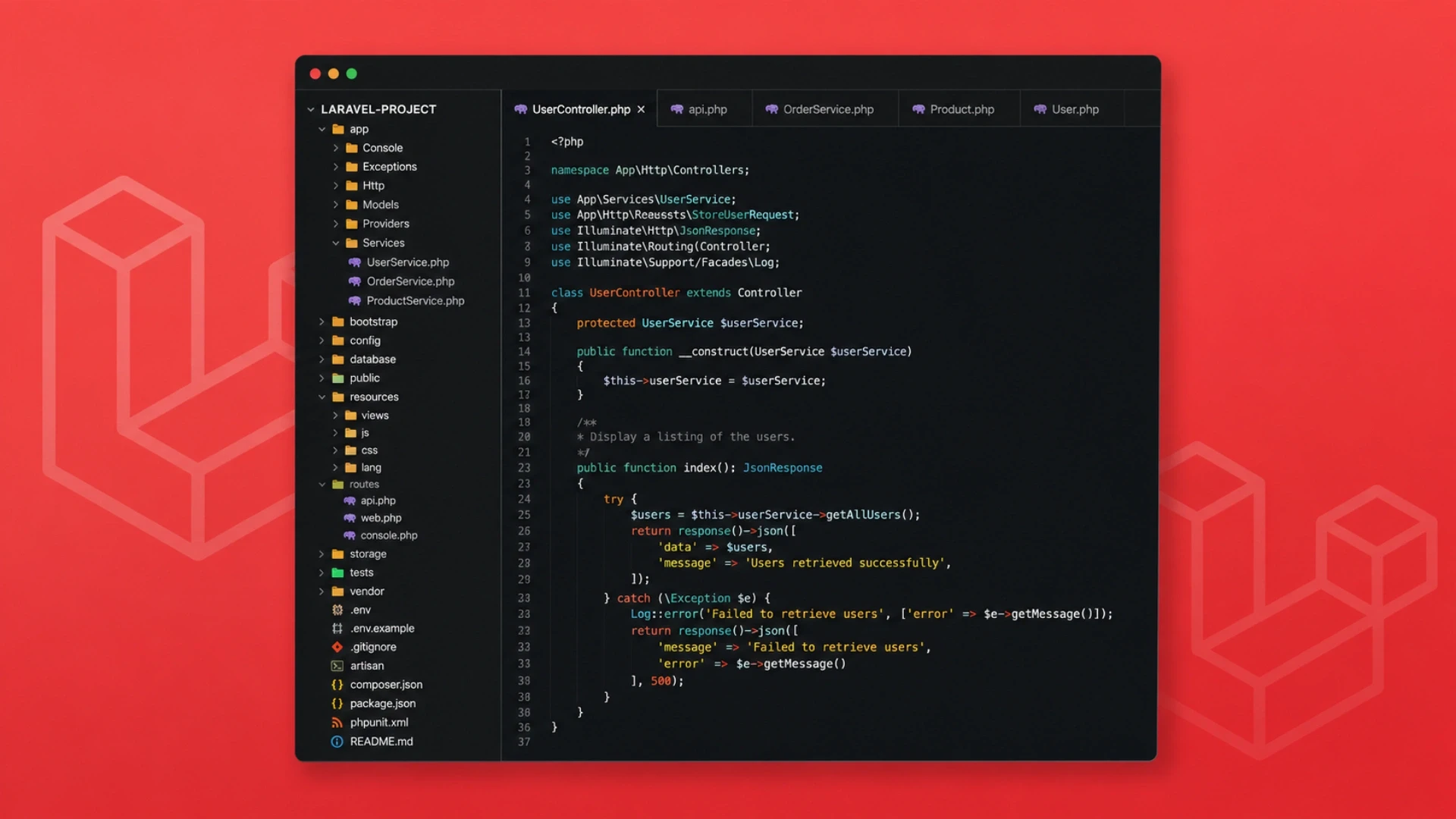
Most Laravel apps start simple. One server. Code copied over by hand. Basic monitoring. No automation. For a small early product, that is fine and cheap. The trouble starts when you succeed.
As you add users, developers, and features, that simple setup starts to break in the same ways every time:
Every release risks downtime, because the app pauses while files copy and the database updates.
Only one or two people know how to deploy safely, so releases wait on their schedule.
Your test setup and your live setup drift apart, so code that passed testing breaks in production.
Engineers spend more time on servers, queues, and certificates than on features.
A traffic spike means a rushed manual server resize, usually after users already saw errors.
Why do Laravel apps slow down as they grow?
Because the deployment process does not grow with the team. Every new developer and feature adds friction to a manual release, so the team ships less even as it gets bigger. More engineers will not fix that. Fixing the deployment will, and you only have to do it once.
If you do not have this skill in-house, this is exactly where it helps to hire Laravel Developers who have built this kind of pipeline many times. If you need senior direction on the plan itself, Virtual CTO Services gives you an experienced technology leader to guide it.
The fix: the deployment pipeline a Laravel team sets up
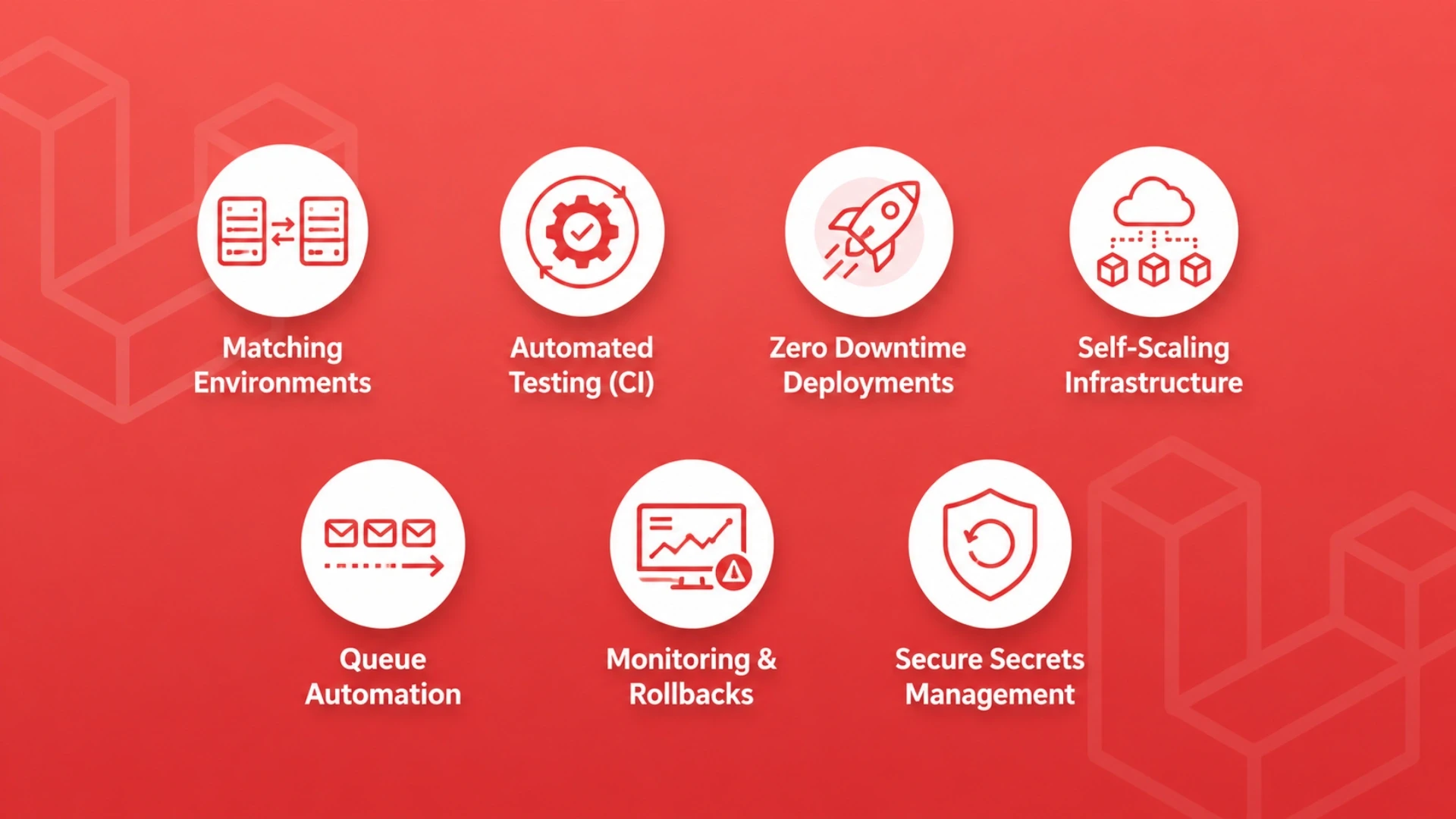
A solid Laravel deployment is built in seven steps. Each one removes a specific headache. Here they are in plain language, with what each step gets rid of.
Step | Benefit |
Matching Environments | Fewer environment-related bugs |
Automated Testing (CI) | Early bug detection |
Zero Downtime Deployments | No service interruptions |
Self-Scaling Infrastructure | Automatic traffic handling |
Queue Automation | Reliable background jobs |
Monitoring & Rollbacks | Faster issue resolution |
Secure Secrets Management | Better security for keys and passwords |
What is the best way to deploy a Laravel app?
The best way is an automated, zero-downtime pipeline. When an engineer merges code, tests run on their own, a fresh copy of the app is built, and the database is updated, and then traffic switches to the new version in one instant (a quick symlink swap, if you want the technical name). Background workers restart, and the old version stays ready in case you need to roll back. After this is set up, anyone on the team can ship safely in minutes. Building and running this pipeline is a specialist job, so most teams add it through Hire DevOps Engineers instead of pulling product developers off features.
Keeping the tests and release checks green over time is a good fit for Hire Automation Engineers. For the hands-on build, our CI/CD setup guide for Laravel walks through testing, zero-downtime deploys, and rollback.
How this helps you scale
Scaling is not only about handling more visitors. It is about growing everything, users, data, background jobs, and your team, without things breaking. An automated Laravel Cloud setup helps on three fronts, and all three are easy to picture.
First, your servers grow on their own. When traffic jumps, Laravel Cloud adds capacity automatically, so a busy launch day is handled without anyone touching a server. Second, background work scales separately, so heavy jobs like reports or syncs do not slow down your website. Third, your team scales, because any engineer can deploy safely. More people means more shipping, not more risk.
Does Laravel Cloud scale on its own?
Yes. Laravel Cloud adds and removes server capacity based on traffic for both your website and your background jobs, and it manages your database and cache for you. So your app handles spikes without manual server changes. Building for scale from day one is part of good software product development, where speed is planned in rather than fixed later.
When you need extra senior hands quickly for a growth phase, Hire Remote Developers puts vetted engineers on your team within 48 hours. Want to see how this behaves under real load? Our guide to scaling Laravel apps on Laravel Cloud shows it step by step.
How this makes your team more productive

This is where the change pays off fastest. Here is what happens for a typical 10-person Laravel team when it moves from manual deploys to an automated pipeline.
What you measure | By hand | Automated |
Time per release | 30 to 60 minutes | 3 to 5 minutes |
Downtime | Minutes each release | None |
Who can deploy | 1 or 2 people | Anyone on the team |
How often you ship | Every 1 to 2 weeks | Several times a day |
Server hours/month | 20 to 40 | 2 to 5 |
Fixing a bad release | 10 to 60 minutes | Seconds (one click) |
Getting back 20 to 35 hours a month is almost a full extra engineer, without hiring one. And because shipping is now quick and safe, your team releases small changes often. Small changes are easier to check and fix than big ones, and you hear from real users faster. That speed builds on itself.
How much developer time does this save?
For a typical 10-person team, automation drops monthly server work from 20 to 40 hours down to 2 to 5 hours, and lets the team ship several times a day instead of every couple of weeks. Staying on current, fast Laravel versions so productivity does not slip is handled through Version Upgrade Services.
Teams that want a steady unit owning the pipeline use Software Dedicated Teams so it always has clear owners. Background jobs hide a lot of lost time; our guide to scaling Laravel queues with Horizon keeps workers healthy through every deploy.
FREE CHECKLIST • JUST GETTING STARTED?Grade your Laravel deployment against the 7-step pipeline in 5 minutes Download our free Laravel Deployment Readiness Checklist. It turns the seven steps above into a simple scorecard, so in five minutes you can see which parts of your pipeline are solid and which are quietly costing you time and uptime. Tick the boxes, get your readiness score, and know what to fix first. The checklist covers: ✓ Environment parity (dev, test, and live kept identical) ✓ Automated testing on every change (CI) ✓ Zero-downtime release and one-click rollback ✓ Self-scaling servers and queue automation ✓ Monitoring, alerts, and secure secrets management Proof point: Teams that close the gaps on this checklist typically cut release time from 45 minutes to under 5 and recover the setup cost in under 2 months. 1,300+ projects • 70+ engineers • Official Laravel Partner • 4.9/5 Clutch (61 reviews) |
Laravel Cloud vs Laravel Forge vs a plain server
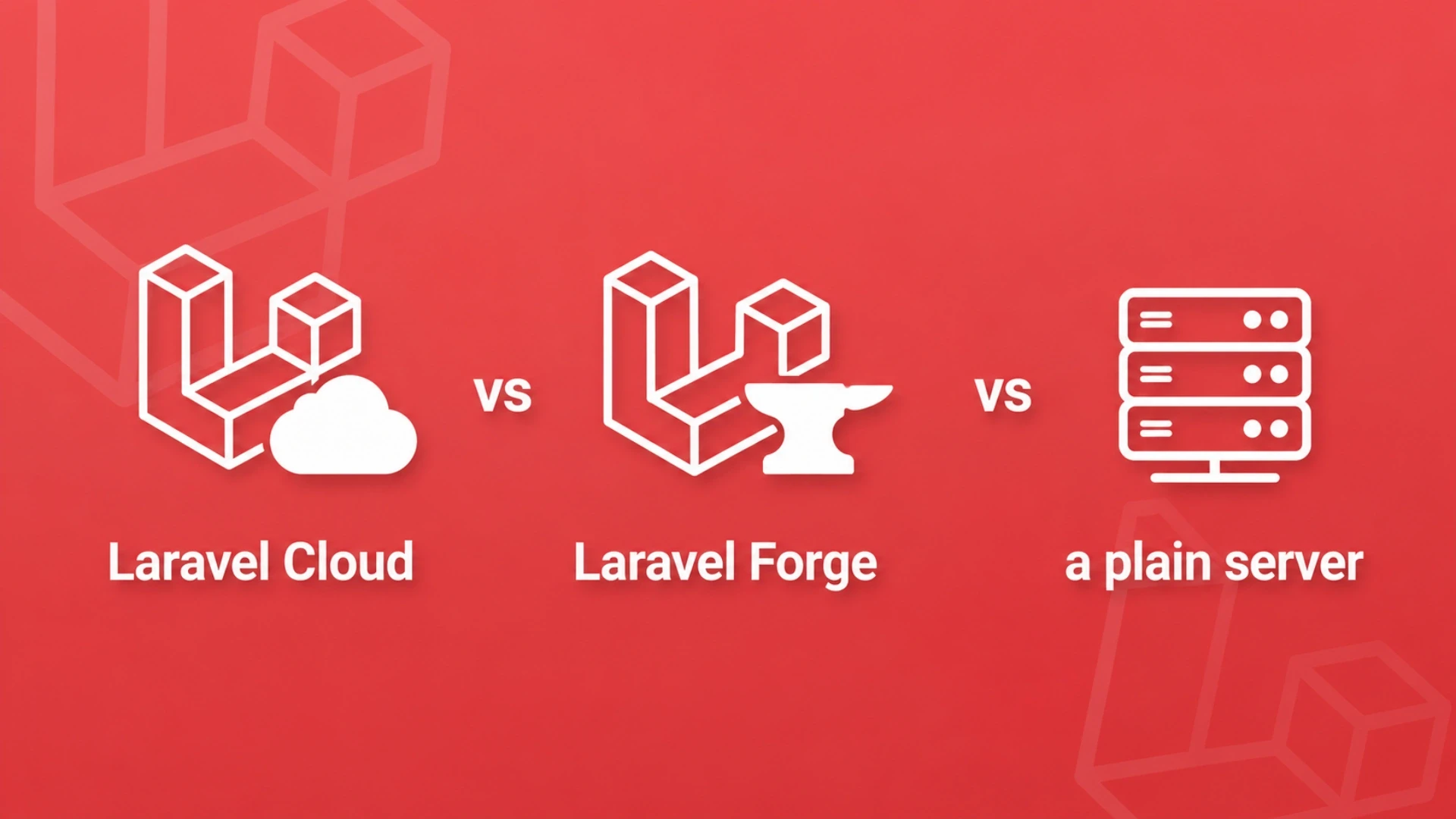
All three can run a Laravel app. The right choice comes down to how much server work you want to do yourself and how unpredictable your traffic is. Here it is at a glance.
Factor | Plain server (VPS) | Forge + server | Laravel Cloud |
Server work for you | A lot | Some | Very little |
Auto-scaling | Manual | Manual sizing | Automatic |
Zero-downtime deploys | Build it yourself | Included | Included |
Best for | Steady traffic, DevOps in-house | Own your servers, steady growth | Fast-growing or spiky apps |
Should I use Laravel Cloud, Forge, or a plain server?
Use Laravel Cloud if you want the least server work and automatic scaling. Use Forge plus your own server if you want help but still want to own your servers. Use a plain server only if you have DevOps people in-house and steady, predictable traffic.
For most growing apps, Laravel Cloud wins on the thing that matters most: your engineers spend their time on the product, not the servers. Not sure which fits you? A Discovery Workshop looks at your traffic, team, and rules, then recommends one with a clear plan.
Prefer to hand the whole build over? Software Development Outsourcing delivers the pipeline end to end against a fixed scope.
Why Acquaint Softtech recommends this approach
At Acquaint Softtech, we've seen across startups, SaaS, enterprises, and marketplaces that the biggest barrier to growth is rarely the code itself — it's the deployment and infrastructure strategy behind it. This is why we actively recommend Laravel Cloud and modern DevOps automation, prioritizing scalability, reliability, security, productivity, and maintainability.
Our proven pattern: a development environment for building, staging for QA and client review, and production optimized for stability and performance, all tied together with CI/CD automation for predictable, low-risk releases.
The right Laravel developers help turn this from theory into practice, setting up the pipeline, automating deployments, and configuring monitoring so your team scales confidently while focusing on the product, not the infrastructure.
Case study: building a scalable platform the right way
A useful way to see these principles in action is through one of our recent projects: a custom B2B and B2C eCommerce marketplace built on Laravel, similar in scope to a multi-vendor platform like Amazon.
The client needed a marketplace supporting 100+ vendors with independent storefronts, managed through a central admin dashboard. Key challenges were all deployment-related: zero-downtime SSL renewals, continuous API-based supplier data sync, automatic SEO sitemap updates, and maintaining speed as the catalog grew.
We solved each with automation, not manual work: scheduled SSL renewal every 3 months, real-time API data sync, auto-updating sitemaps, and a scalable theme system across vendors. The platform launched on time and now runs with 57 vendors and counting, with strong feedback from both vendors and customers.
This reflects the same principle behind Laravel Cloud and DevOps automation: build infrastructure that scales and heals itself, so the team focuses on the product, not firefighting deployments.
Cost, timeline, and when it pays for itself
A Laravel-experienced engineer usually sets up the full pipeline, environments, testing, zero-downtime deploys, queues, monitoring, and rollback, in 4 to 6 days. At Acquaint Softtech, dedicated Laravel and DevOps engineers start at $22 per hour or $3,200 per month, with a matched profile in 24 hours and an engineer ready in 48.
The math is simple. Getting back 26 engineer hours a month at around $25 an hour is roughly $650 a month back to your business. A 4-to-6 day setup pays for itself in under two months, and the savings keep going while your releases get faster and safer.
How long does it take to set up?
Usually 4 to 6 days for an experienced Laravel engineer. At Acquaint Softtech, the working pipeline ships in the first sprint. Once it is live, keeping it healthy month to month is covered by Support and Maintenance, so updates and incidents never sit unattended.
Need extra hands only for the build? Staff Augmentation lets you scale up and down without long-term overhead. For a full breakdown of what a Laravel project costs, see our Laravel development cost guide.
Frequently Asked Questions
-
How does fixing deployment help my Laravel app scale?
An automated Laravel Cloud setup adds server capacity on its own when traffic rises, so spikes are handled without a manual resize. Your app grows without anyone logging into a server.
-
How does it make my team more productive?
It removes 20 to 35 hours of monthly server work for a 10-person team and lets anyone ship safely in minutes. Smaller, more frequent releases also mean faster feedback and less time fixing big risky deploys.
-
Is zero-downtime deployment really possible with Laravel?
Yes. The new version is prepared in a fresh folder, then traffic switches to it in one instant, so users never see a maintenance page and the old version stays ready for an instant undo.
-
Laravel Cloud, Forge, or a plain server, which should I pick?
Laravel Cloud for the least server work and automatic scaling, Forge plus your own server for help while owning your servers, and a plain server only with DevOps in-house and steady traffic.
-
How long does setup take?
About 4 to 6 days for an experienced Laravel engineer to set up environments, testing, zero-downtime deploys, queues, monitoring, and rollback. At Acquaint Softtech, it ships in the first sprint.
-
What happens to background jobs during a deploy?
Workers restart automatically and load the new code, and Laravel Horizon keeps them running so a crashed worker recovers on its own. Jobs in progress finish and new ones pick up the latest version.
-
How fast can Acquaint Softtech give me a Laravel developer?
As an Official Laravel Partner, we match a vetted engineer within 24 hours, starting at $22 per hour or $3,200 per month, with the engineer ready in 48 hours.
I am Kalpesh Rajora, a Project Manager at Acquaint Softtech with 8+ years of experience leading Laravel and full-stack delivery teams. I specialise in sprint planning, client communication, and shipping complex software projects on time across distributed teams. I write about the delivery side of software: how projects are scoped, where timelines slip, and what keeps remote teams aligned.
Table of Contents
Get Started with Acquaint Softtech
- 13+ Years Delivering Software Excellence
- 1300+ Projects Delivered With Precision
- Official Laravel & Laravel News Partner
- Official Statamic Partner
Related Reading

DevOps and CI/CD Strategy in Laravel Development
Build a production-ready Laravel DevOps CI/CD pipeline with GitHub Actions, automated testing, zero-downtime deployment, secure environment management, and rollback strategies.

Chirag Daxini
March 16, 2026.webp "Why Laravel 13 Wins as a Backend Framework in 2026?")
Why Laravel 13 Wins as a Backend Framework in 2026?
How does Laravel 13 beat Node and Django in 2026? Discover where startups find ROI with AI-native features, rapid MVP cycles, and elite security protocols.

Acquaint Softtech
April 17, 2026.webp "Why Should You Pick Laravel For Web Development? (2026 Update)")
Why Should You Pick Laravel For Web Development? (2026 Update)
Laravel is widely chosen for web development because it drastically accelerates production timelines while providing robust, enterprise-grade security out of the box. It removes repetitive boilerplate so developers can focus on unique business logic. The primary reasons to build with Laravel are accelerated time-to-market, ironclad security and reliability, a maintainable and scalable MVC architecture, and a rich ecosystem that supports business growth.

Mukesh Ram
March 23, 2022India (Head Office)
203/204, Shapath-II, Near Silver Leaf Hotel, Opp. Rajpath Club, SG Highway, Ahmedabad-380054, Gujarat
USA
7838 Camino Cielo St, Highland, CA 92346
UK
The Powerhouse, 21 Woodthorpe Road, Ashford, England, TW15 2RP
New Zealand
42 Exler Place, Avondale, Auckland 0600, New Zealand
Canada
141 Skyview Bay NE , Calgary, Alberta, T3N 2K6