

Top 13 Useful Features to Add to A Stock Trading Application
The most important stock trading app features are secure user authentication, real-time stock quotes and market data, watchlists and portfolio management, order placement and execution, research tools, paper trading, secure payments, customer support, cross-platform support, regulatory compliance, social features, personalisation, and performance and scalability. Under the hood, a trading app connects to a brokerage backend through REST APIs for accounts and orders and WebSockets for live prices. A trading app typically costs 8,000 to 50,000 USD and up.

Mukesh Ram
Introduction
As the Founder and CEO at Acquaint Softtech, I have seen stock trading application development grow from a niche request into one of the most demanding and rewarding kinds of mobile app development we do. Building a trading app takes serious planning: it must comply with stock exchange rules and regulations, and it lives or dies on the right feature set and a rock-solid, real-time backend.
In this article, we walk through the 13 features that matter most in a mobile trading app, show what a typical stock-trading API integration looks like, and cover the cost, the build process, and a real project. Whether you searched for trading app features, essential features stock trading mobile app, or what are the key features to look for in a trading app, this is your map.

- You are planning a stock trading or investing app.
- You want the must-have features explained simply.
- You want to understand how the trading API integration works.
- You want honest cost, timeline, and compliance guidance.
- You are building across the USA, UK, Europe or Australia.
A well-designed app attracts more users and keeps them engaged. The result is a modern application stock traders trust for fast, informed decisions, whether they are beginners or professionals.
Below, we cover the 13 essential features, the API integration, cost, the build process, and an interesting case study. Do you know: the global online trading market is projected to grow at about 6.4% a year toward roughly 13.3 billion US dollars by 2026, according to Statista.
The 13 Essential Trading App Features
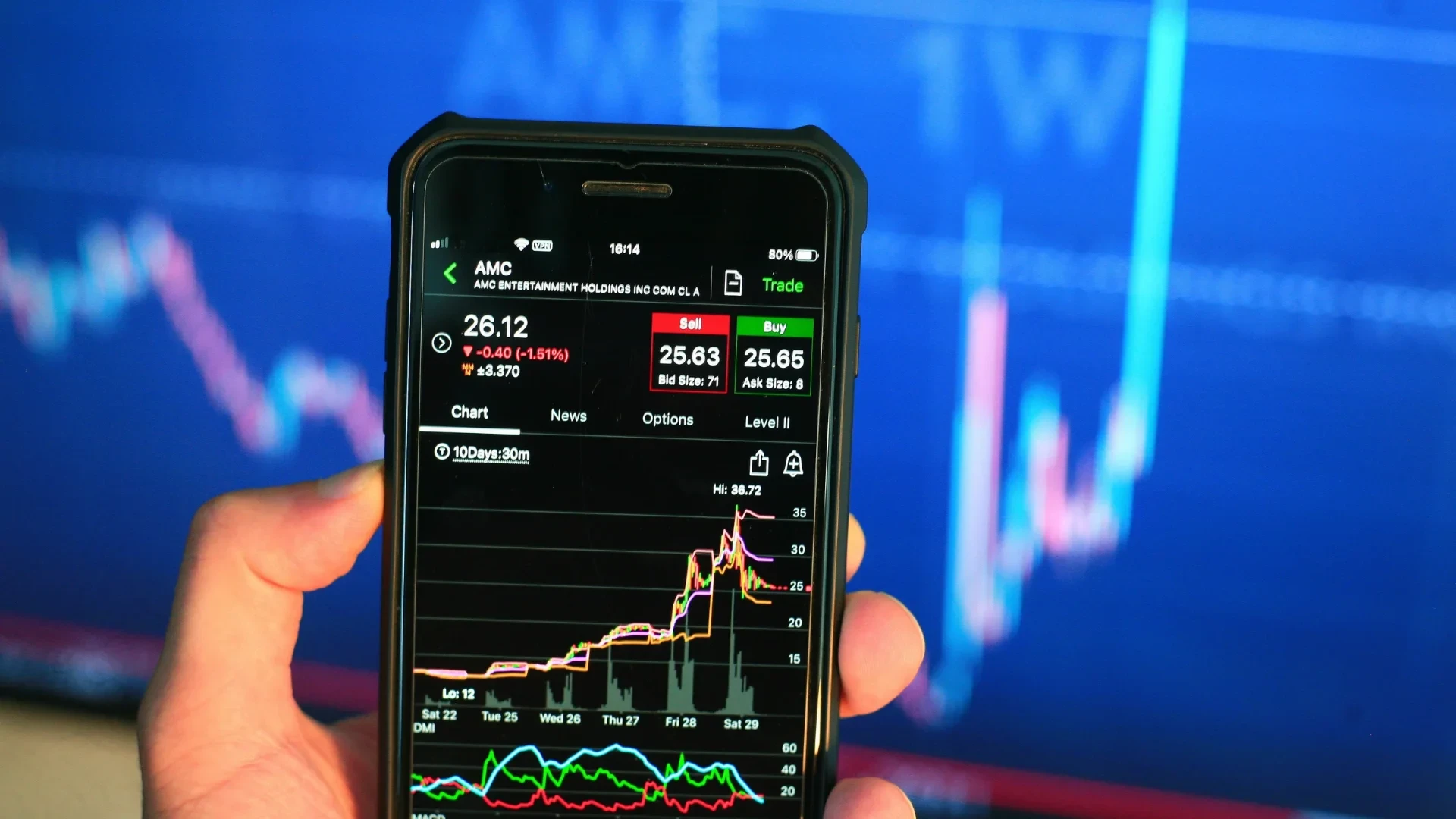
The 13 essential trading app features span security, real-time data, trading, research, payments, compliance and scale.
When developing a stock trading application, the right features are what create a comprehensive, efficient platform. The table groups the 13 essentials, with each explained below. Do you know: annual users of stock trading apps almost doubled from 2016 to 2021, per BusinessofApps.
Group | Features | Why it matters |
Access & data | Auth, real-time quotes | Security and live prices |
Trading | Watchlist, orders, research, paper | Core trading workflow |
Trust & scale | Payments, support, compliance, performance | Reliability and growth |
1. User registration and authentication
Registration and authentication verify a user's identity and grant access. For financial apps, this is critical: it safeguards sensitive financial data and protects against unauthorised access, giving investors a trustworthy, reliable trading environment.
2. Real-time stock quotes and market data
Real-time quotes and market data are essential, usually delivered through an API that streams live data from the exchange into your app. You can integrate a ready-made library or build a custom one, but confirm it supports every feature your app needs first.
3. Watchlist and portfolio management
A watchlist lets users track chosen stocks, added manually or from a company page, showing name, symbol, price, 24-hour change, volume and market cap, plus whether each stock sits in a portfolio.
4. Order placement and execution
Order placement and execution is a core feature. Users can place orders through the app or automate them, with market and limit orders sent to the broker for execution.
5. Research and analysis tools
Good decisions need good tools. Fundamental analysis reviews a company's financial health (balance sheet, cash flow, profitability ratios), while technical analysis studies past price movements using indicators like moving averages, Bollinger Bands, MACD and RSI.
6. Paper trading (virtual trading)
Paper trading simulates real trading without risking money, ideal for testing strategies, checking performance, and catching bugs before they affect real trades. Automated tools handle simulated buys and sells by predefined rules.
7. Secure payment integration
The payment gateway is central to any financial app. Gateways connect users and your platform, process secure transactions through an API or SDK, and provide reporting. Compare fees, transaction limits and support before choosing.
8. Customer support and help center
A support page with email, phone, and chat lets users get help without leaving the app. Popular trading apps such as Zerodha, Angel One and Trade Bulls are known for strong support.
9. Compatibility and cross-platform support
Your app should work across iOS and Android, screen sizes and OS versions. You can build separate native apps or a single cross-platform codebase, for which React Native app development is a strong choice. You can also use Kotlin with frameworks like Laravel; new to Kotlin? Read What is Kotlin? to learn more.
10. Regulatory compliance
Compliance protects investors and market integrity, and rules differ by country. Requirements depend on your app type, audience and any industry-specific laws, so understand exactly how they apply to your situation.
11. Social and community features
Social features deepen engagement. These can include newsfeeds, user comments and reviews that build a community around your app.
12. Personalisation and customization
Offer customization so users can adjust the look and feel to fit their preferences and your brand, both at launch and after deployment.
13. Performance and scalability
Performance testing ensures your app handles small and large traffic and surfaces bottlenecks early. Scalability testing shows how the app behaves under increasing load, predicting real-world production performance you cannot easily simulate on a dev machine.
Worried about the API and compliance side?
Share your target markets, and I will map the brokerage APIs, data feeds, and compliance you'll need, with an honest cost, free, within 48 hours.
How the API Integration Works

A typical trading API connects your app to a brokerage backend using REST for accounts and orders, and WebSockets for live prices.
So what does a typical API integration look like for a stock trading feature in a fintech app? In short, your app connects to a brokerage backend (such as Alpaca or DriveWealth) using REST endpoints for account setup and order placement, paired with WebSockets that stream real-time market data to the interface. The core components:
User authentication: OAuth 2.0 or API keys link the app user to a brokerage account.
Account onboarding: endpoints collect KYC data, tax IDs, and agreements.
Market data feeds: WebSockets stream live bid, ask and trade prices to the UI.
Order execution: REST requests send market or limit buy and sell orders to the broker.
Portfolio tracking: endpoints fetch cash balances, holdings, and past trades.
A typical flow runs like this:
Step | Action | How it works |
Sign-up | Create sub-account | App calls the broker API |
Funding | Link bank, deposit | Via a transfer partner |
Live data | Stream prices | WebSocket connection |
Trade | Place order | REST order payload to broker |
Confirm | Update portfolio | Broker returns execution status |
Getting this right needs a secure, real-time backend, which is where strong Node.js development and Laravel development make the difference.
Cost to Build a Trading App

A stock trading app typically costs 8,000 to 50,000 USD and up, depending on features, integrations, and compliance.
Cost depends on the feature set, data and broker integrations, security, compliance, and the team's location. The table shows directional 2026 ranges.
App type | Timeline | Cost (USD) |
MVP | 2 – 4 months | 8,000 – 20,000 |
Standard app | 4 – 8 months | 20,000 – 40,000 |
Advanced / regulated | 8 – 12 months | 40,000 – 50,000+ |
To build cost-effectively, you can add specialists through IT staff augmentation services, and plan ongoing support and maintenance for security patches and market-data reliability.
How to Build a Trading App: Step-by-Step
Building a trading app follows a clear sequence from planning and compliance to API integration, testing and launch.
Plan and validate: define users, markets, features and the compliance requirements that apply.
Design the UX: clear, fast, trustworthy screens for watchlists, orders and portfolios.
Build the backend and APIs: brokerage integration, REST endpoints and WebSocket data feeds.
Add core features: auth, payments, research tools and cross-platform support.
Test thoroughly: security, performance, scalability and paper-trading validation.
Launch and iterate: release, monitor, and improve from real user data.
Client Case Study
Acquaint Softtech built a secure, real-time native mobile app across iOS and Android, the same engineering a trading app demands.
Project at a glance
• Client: A client needing a high-performance, real-time mobile application.
• Sector: Real-time native mobile app with secure in-app purchases (directly comparable to a trading app's core stack).
• Challenge: Deliver a secure, responsive app on both iOS and Android, on a tight deadline.
What Acquaint Softtech delivered
• Native iOS and Android apps built for speed and reliability.
• Real-time messaging and live data handling.
• Secure in-app purchases and a robust admin panel.
Outcome
A secure, real-time, cross-platform app delivered before the deadline, proving the exact engineering a stock trading app relies on.
Proof: Verified 5-star reviews on Clutch.
This reflects a standard seen across a 5-star Clutch rating over 60+ reviews, 1,293+ clients on Upwork with a 98% success rate, and 1,300+ projects delivered by 70+ in-house engineers over 13+ years. We have also built a cross-platform stock-forecasting app (Tradvysor); if you would prefer to feature that, Acquaint Softtech can swap it in. Explore more in our case studies.
Creating a Prototype (MVP)

An MVP launches your trading app with core features first, so you can validate with real users before scaling.
A minimum viable product is a version of your app released with fewer, essential features so you can monitor performance and gather user feedback before adding the full range.
If funds are limited or you are unsure where to start, MVP development is an excellent way to collect insights and build without exceeding your budget. Acquaint Softtech can deliver both an MVP and a full-fledged stock market app.
Why Work With Acquaint Softtech
Acquaint Softtech is an experienced, Official Laravel Partner that builds secure, real-time, compliant fintech and trading apps.
Acquaint Softtech has delivered a wide range of mobile apps, including fintech and real-time platforms, with a dedicated QA team and deep expertise in secure, scalable architecture.
As an Official Laravel Partner, we build robust trading apps, and you can hire dedicated Laravel developers or hire remote developers to build with Acquaint Softtech across the USA, UK, Europe, and Australia.
To Wrap Up
If you have a stock trading app idea, you can turn it into reality, but the process is not easy and needs careful planning to land the right features. This guide covers the 13 essentials, how the API integration works, the cost, and the build process. Not every app needs every feature, so consulting experts pays off. If you want help, Acquaint Softtech can build your trading app across the USA, UK, Europe, and Australia.
Let's turn your trading-app idea into reality.
Book a free 30-minute call with our experts. We will scope the features, API integration, timeline, and an honest cost, and you leave with a plan you can act on, even if you build it elsewhere.
Frequently Asked Questions
-
What are the key features to look for in a trading app?
Look for secure login, real-time market data, fast order execution, portfolio tracking, research tools, alerts, paper trading, customer support, and regulatory compliance.
-
What features matter most in a mobile trading app?
The most important features are real-time prices, quick trade execution, easy portfolio management, strong security, and smooth app performance.
-
What features should I look for in a free stock trading app?
Choose a free app that offers low or zero commissions, real-time quotes, watchlists, secure authentication, basic research tools, and paper trading.
-
What does a typical API integration look like for a stock trading feature in a fintech app?
A trading API integration usually includes user authentication, KYC onboarding, live market data, order placement, trade execution, and portfolio tracking using REST APIs and WebSockets.
-
Is there an API for the stock market?
Yes. Stock market APIs provide live prices, historical data, and trading functions, while brokerage APIs allow apps to place real buy and sell orders.
-
What is the best API for stocks?
The best API depends on your needs. Polygon, IEX Cloud, and Finnhub are popular for market data, while Alpaca and DriveWealth are commonly used for trading.
-
What are APIs in fintech, and what role do they play?
Fintech APIs connect apps with banks, brokerages, payment gateways, and market-data providers. They enable secure payments, KYC verification, data sharing, and trading features.
-
How much does it cost to build a trading app?
A basic MVP trading app may cost $8,000–$20,000, a standard app around $20,000–$40,000, and an advanced regulated platform $40,000+, depending on features and compliance requirements.
I love to make a difference. Thus, I started Acquaint Softtech with the vision of making developers easily accessible and affordable to all. Me and my beloved team have been fulfilling this vision for over 15 years now and will continue to get even bigger and better.
Table of Contents
Get Started with Acquaint Softtech
- 13+ Years Delivering Software Excellence
- 1300+ Projects Delivered With Precision
- Official Laravel & Laravel News Partner
- Official Statamic Partner
Related Blog
10 Must Follow Steps of Mobile App Development Process
The mobile app development process is a structured set of 10 steps that moves an idea from concept to a published app: ideation, target audience and monetization, choosing the platform, UI/UX design, picking tools, choosing the right partner, fast development, testing and deployment, marketing, and post-launch maintenance. Following the steps in order, rather than rushing to publish, is what separates apps that get downloads from the ones that get ignored.
Mukesh Ram
July 29, 2019
MVP Chapter #6: How to Build an MVP?
To build an MVP, identify a core user problem, isolate your riskiest assumption, and build only the essential features needed to test it. Focus on speed with simple tools or no-code platforms, launch quickly to real users, and gather data to iterate. In short: define the problem and user, cut scope to the must-haves, then build and launch fast to learn.
Mukesh Ram
August 31, 2022
Rome Was Not Built in a Day: The Journey to Developing a Unicorn SaaS
Building a unicorn SaaS company is a marathon, not a sprint. Just like Rome, great products aren’t built overnight. From refining your MVP to scaling for growth.
Mukesh Ram
September 26, 2024India (Head Office)
203/204, Shapath-II, Near Silver Leaf Hotel, Opp. Rajpath Club, SG Highway, Ahmedabad-380054, Gujarat
USA
7838 Camino Cielo St, Highland, CA 92346
UK
The Powerhouse, 21 Woodthorpe Road, Ashford, England, TW15 2RP
New Zealand
42 Exler Place, Avondale, Auckland 0600, New Zealand
Canada
141 Skyview Bay NE , Calgary, Alberta, T3N 2K6