

Building a Virtual Classroom Platform: Video, Whiteboard, Breakout Rooms, and Attendance Tracking
A virtual classroom is not a Zoom call with a class roster. It is a purpose-built live learning environment where video, whiteboard, breakout rooms, session recording, and attendance verification are engineered to work together as a single platform. Teams that build each feature independently spend 8 to 14 months in integration loops. Teams that design the architecture correctly from the start ship in 4 to 6 months. This guide shows you how.

Manish Patel
As Head of Tech and Client Success at Acquaint Softtech, a software profduct development company for online learning platforms with over 1,300 projects delivered across 13 years, I have reviewed more than 60 virtual classroom builds, and the ones that failed all made the same mistake: they assembled a video call, a shared document, and a chat widget and called it a virtual classroom, instead of building a structured virtual classroom platform with integrated video, whiteboard, breakout rooms, and attendance tracking. The result is a platform that works with 20 concurrent users and fragments at 200. Institutions report a 40 to 60 percent attendance drop after two live session failures. That drop does not recover.
The teams that built correctly planned the architecture before the first API call. They decided on the video infrastructure, the whiteboard sync protocol, the breakout room assignment logic, and the attendance verification method as a connected system, not as four separate integrations.

- Founders and CTOs building scalable live online learning platforms.
- Product teams choosing between WebRTC, Zoom SDK, or managed video APIs.
- University digital learning leaders evaluating custom virtual classroom vs LMS integration.
- Developers and engineers building live session features like whiteboards and breakout rooms.
This article explains exactly how each module is engineered, what the infrastructure options cost, and how to decide what to build versus what to integrate. For the full EdTech platform context, see our complete guide to EdTech software development in 2026.
The platform you build in the next 12 months will either support live learning at scale or strain under it. The architecture decision happens once. Get it right by understanding how these systems actually work.
The Problem → Agitation → Solution
Problem: EdTech teams building live class platforms bolt a video call onto an LMS and call it a virtual classroom. The learner experience is fragmented, the instructor controls are inadequate, and the platform collapses at 200 concurrent sessions.
Agitation: When the platform fails mid-session, the learner's trust is gone. Institutions report a 40 to 60 percent drop in live session attendance after two technical failures. The engineering cost of rebuilding on the wrong architecture is 3 to 4 times the cost of getting it right in the first sprint.
Solution: This guide maps the four core modules of a production-grade virtual classroom platform, compares the video infrastructure options, and shows the cost and timeline for each architecture path.
Why Virtual Classroom Platforms Fail, And What the Architecture Must Prevent
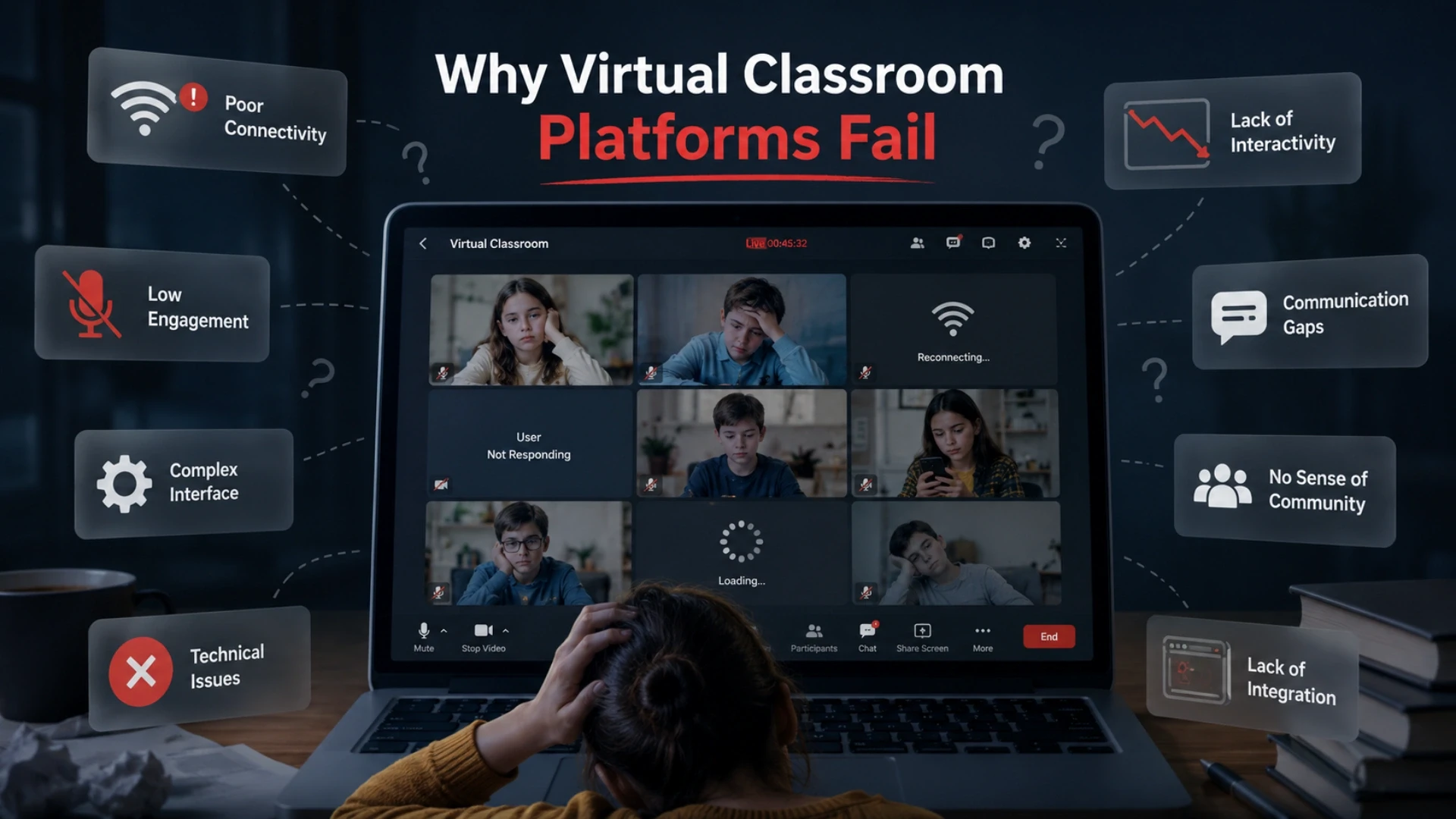
Most virtual classroom failures are not caused by bad video quality or an ugly interface. They are caused by four structural mistakes made before a single line of code is written. Understanding these failure modes is the fastest way to understand what the architecture needs to do.
Failure Mode 1: Video is treated as a widget, not an infrastructure layer
Teams embed a Zoom SDK or paste a WebRTC demo and assume video is solved. It is not. Video under concurrent educational load has different requirements from a sales call or a team standup. You need: adaptive bitrate streaming matched to learner bandwidth, fallback protocols when WebRTC fails, bandwidth-aware quality management, and recording pipelines that do not interrupt the live session. None of these come out of the box from a Zoom embed.
Failure Mode 2: The whiteboard and video are not synchronized
A whiteboard that lags the instructor's annotations by 1.5 seconds makes live teaching impossible. The whiteboard sync layer must share clock state with the video stream. A separate WebSocket connection for whiteboard events, disconnected from the media server, produces the lag that kills the teaching experience. Correct architecture puts the whiteboard event stream and the media server on a shared timing reference.
Failure Mode 3: Breakout rooms are treated as separate sessions
Teams provision a new video room for each breakout group and then discover that the host cannot monitor or rejoin groups without leaving the main session. Correct breakout room architecture maintains a parent session object that contains child room objects. The host has elevated permissions that span all child rooms. The timer, the rejoin event, and the group assignment all propagate through the parent session, not through separate room APIs.
Failure Mode 4: Attendance is measured by session join, not by presence
A learner who joins a session and then browses another tab for 45 minutes is not in attendance. An attendance system that records only the join timestamp and the leave timestamp has no signal about actual engagement. Production attendance tracking uses heartbeat signals from the learner's browser or app, plus optional engagement indicators (camera on/off events, whiteboard interaction timestamps, poll response times) to produce a presence score, not a binary present/absent flag.
The Architecture Principle
A virtual classroom does not have four features. It is one real-time system where video, whiteboard, breakout rooms, attendance, and session recording share a single timing reference, a single session state object, and a single event bus. Architect it as a system, not as an assembly of features
The Four Core Modules of a Virtual Classroom Platform
Every production virtual classroom platform needs these four modules built as a connected system. Teams that build only two or three, or that build them without a shared session state, produce the failure modes described in Section 1. This section maps each module precisely.
Media Server and Video Streaming Layer
What it does: Handles video and audio capture, encoding, transmission, and playback for all session participants simultaneously. This is the most infrastructure-intensive module.
How it works: The media server receives WebRTC streams from all participants, mixes or selectively forwards them (SFU architecture for scalability), and distributes the combined stream to each recipient. Adaptive bitrate encoding adjusts video quality per participant based on their current network conditions. The recording pipeline captures the session in parallel without impacting live quality.
Key constraint: At 500+ concurrent sessions, a self-hosted WebRTC SFU (Selective Forwarding Unit) like mediasoup or Janus is required. Managed services (Daily.co, Agora, Vonage) handle infrastructure but add per-minute cost that becomes significant at scale
Collaborative Whiteboard and Screen Sharing
What it does: Provides the instructor (and optionally learners) with a shared canvas for real-time drawing, annotation, diagram creation, and screen sharing, synchronized across all session participants.
How it works: Whiteboard events (pen strokes, shape draws, text adds, erases) are transmitted over a dedicated WebSocket channel as small JSON event objects. The client renders each event locally with optimistic updates and reconciles with the server state on reconnect. The whiteboard state is checkpointed every 30 seconds, so a learner who disconnects can rejoin and see the current board state, not a blank canvas.
Key constraint: The whiteboard event stream must share clock synchronization with the video stream. A separate timing reference for each produces visible desynchronization during playback of recorded sessions.
Breakout Room Assignment and Management
What it does: Allows the session host to divide participants into smaller groups (automatically or manually), run parallel sessions in those groups, and reconvene all groups back to the main session with configurable timers.
How it works: The platform maintains a parent session object with child room references. When the host triggers breakout assignment, the server creates child room objects, assigns participant IDs to each child room, and notifies each participant's client to switch media server channels. The host client retains elevated permissions on all child rooms and can silently observe, join with audio, or broadcast a message to all groups without disrupting their sessions. Timers run on the server, not the client, so they remain accurate regardless of client-side interruptions.
Key constraint: Manual group re-assignment (moving one participant from Group A to Group B mid-session) requires the participant's client to gracefully leave one channel and join another without dropping their audio/video stream. This is a non-trivial edge case that must be tested explicitly before production launch.
Attendance Tracking and Session Analytics
What it does: Records and verifies each learner's presence, engagement level, and interaction history during a live session, producing both real-time instructor visibility and post-session reporting.
How it works: Attendance is measured through three signals: join/leave events (from the media server participant API), heartbeat signals (a 30-second ping from the client that confirms the browser tab is active and the device has not gone idle), and optional engagement events (camera state changes, poll responses, whiteboard interactions, chat messages). The attendance engine combines these signals into a presence score per learner per session. Post-session, the analytics module aggregates presence scores, interaction counts, and duration data into the instructor's reporting dashboard.
Key constraint: Learners who close the browser without formally leaving the session (browser crash, power loss, network drop) must be detected through heartbeat timeout, not through an explicit leave event. The heartbeat timeout window should be 90 seconds to avoid false absences on brief network interruptions.
Want to See How This Architecture Works for Your Platform?
Acquaint Softtech has built an online live class learning infrastructure for EdTech platforms across the US, UK, and Australia. We review your current spec or platform and return a team structure, architecture diagram, and cost estimate within 48 hours. You interview the engineers before the engagement starts.
Video Infrastructure: WebRTC, Zoom SDK, and Managed Services Compared
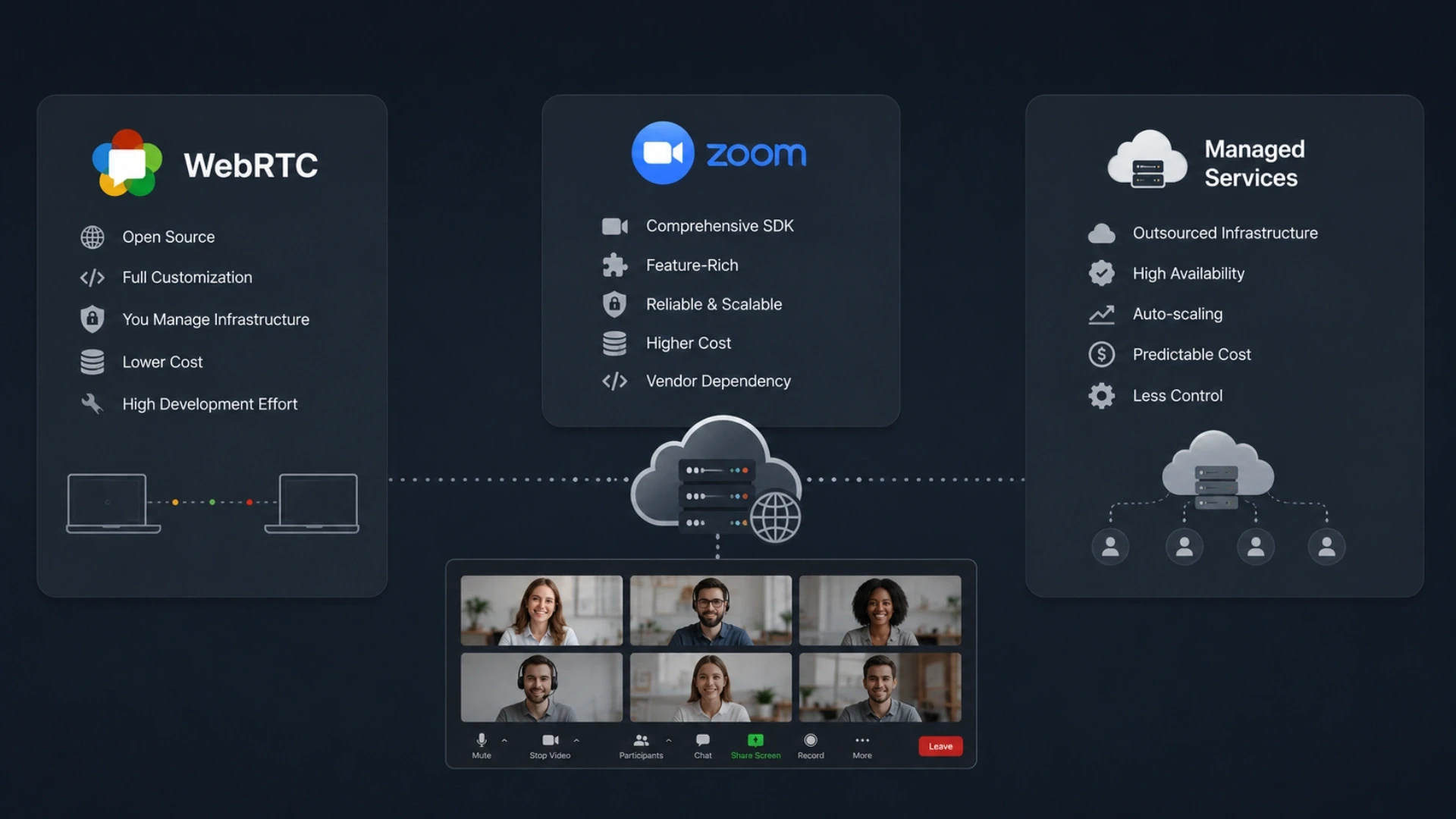
The video infrastructure decision is the most critical choice in a virtual classroom build, impacting cost, scalability, and flexibility. The three main options are self-hosted WebRTC, Zoom Video SDK, and managed WebRTC services, each with different trade-offs.
Teams using scalable frameworks like Laravel can integrate and extend these video solutions more efficiently. Self-hosted WebRTC offers maximum control and lower long-term cost but needs heavy upfront engineering; Zoom Video SDK is fastest to launch but comes with pricing and feature limits; managed WebRTC sits in between with balanced speed, flexibility, and cost up to mid-scale usage.
Dimension | Self-Hosted WebRTC (LiveKit / mediasoup) | Zoom Video SDK | Managed WebRTC (Daily.co / Agora) |
Build time | 10 to 16 weeks (infrastructure included) | 2 to 4 weeks (SDK integration only) | 3 to 6 weeks (API integration) |
Feature control | Full: any feature the platform needs | Zoom's feature set is limited to customization | High: API-driven, most features configurable |
Cost at 10K sessions/month | $800 to $1,800 server costs (self-managed) | $1,500 to $6,000 per-host licensing | $900 to $2,500 per-minute billing |
Cost at 100K sessions/month | $3,000 to $9,000 server costs | $15,000+ licensing; often negotiated enterprise | $9,000 to $25,000 per-minute billing |
Recording | Custom pipeline; full control | Zoom cloud recording with Zoom storage | API-triggered; storage on the provider's infrastructure |
Breakout rooms | Custom architecture; full design control | Zoom breakout room model only | Configurable via API; depends on provider |
Whiteboard sync | Custom WebSocket layer; integrates cleanly | Zoom whiteboard only; limited third-party sync | Custom WebSocket layer alongside video API |
DevOps overhead | High: server scaling, TURN servers, monitoring | Low: no media infrastructure to manage | Low to medium: provider manages media servers |
Vendor lock-in risk | None: open-source stack | High: deep Zoom dependency | Medium: API abstraction possible |
Architecture Decision Rule
If your platform targets fewer than 5,000 monthly session-hours at launch, a managed WebRTC service is the fastest path to production. If you project 50,000+ monthly session-hours within 18 months, self-hosted WebRTC is the correct long-term infrastructure choice. Zoom SDK is appropriate only when Zoom's exact feature set matches your product requirements, and vendor dependency is acceptable.
For platforms integrating with existing LMS infrastructure, the video layer must expose webhook events (session started, participant joined, recording completed) that the LMS can consume. This is straightforward with managed services and self-hosted WebRTC; it requires additional work with Zoom SDK because Zoom's webhook model is designed for the full Zoom application, not for embedded SDK use. Our team of MERN stack developers for a real-time virtual classroom handles this integration layer as part of every live learning build.
Interactive Whiteboard, Breakout Rooms, and Collaborative Tools: Engineering Detail
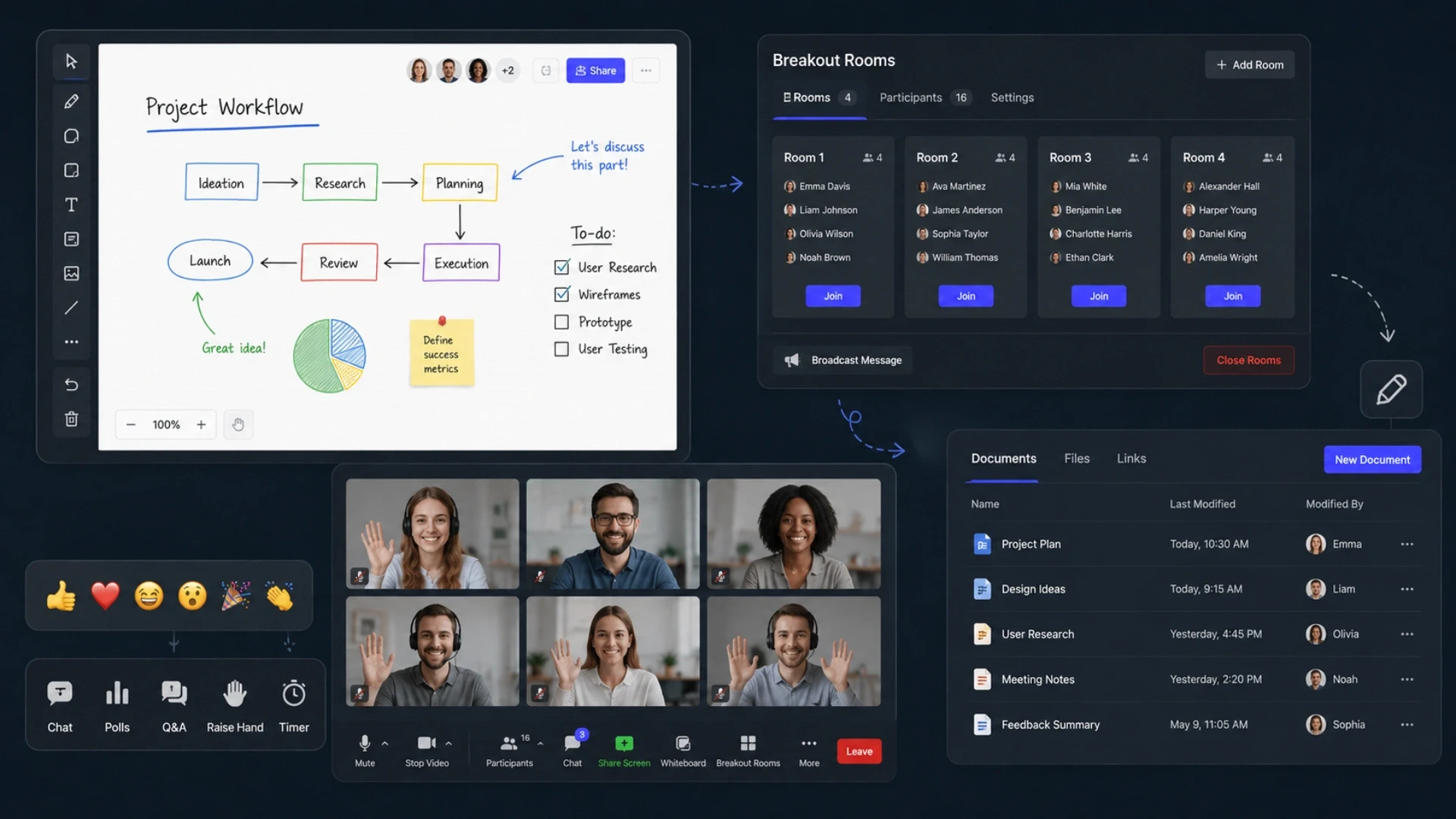
This section covers the engineering decisions inside the whiteboard and breakout room modules that most architecture guides skip. These are the decisions that determine whether the features work under real classroom conditions or only in a demo environment.
Whiteboard: The Event Model
A collaborative whiteboard is a real-time collaborative document where the unit of change is a drawing event, not a document state. The data model has two layers: the event log (every drawing action as an ordered list of event objects with timestamps and author IDs) and the derived canvas state (the rendered output of applying the event log in sequence).
Concurrent editing works through Operational Transformation (OT) or Conflict-free Replicated Data Type (CRDT) algorithms. For educational whiteboards where the instructor dominates, and learner input is sporadic, OT is sufficient and simpler to implement. For collaborative peer-learning whiteboards with simultaneous multi-user editing, CRDT produces fewer conflicts. The choice matters most when two users draw simultaneously in the same canvas area.
Permission layers on the whiteboard: the instructor has full write access at all times. Learners have write access only when the instructor enables it (annotation permission toggle). Observer-only learners receive the event stream read-only. The permission layer must be enforced server-side; client-side permission checks are trivially bypassed.
Breakout Rooms: The Session State Model
The correct data model for breakout rooms is a hierarchical session object: a ParentSession contains N ChildRoom objects. Each ChildRoom has its own participant list, its own media channel, its own chat thread, and optionally its own whiteboard state. The host object maintains references to all ChildRoom objects and has elevated API permissions that span the hierarchy.
Group assignment strategies: random assignment (fastest to implement, appropriate for open-ended discussions), manual drag-and-drop assignment (requires a UI for the host to move participants between groups before launch), and algorithm-based assignment (assign by pre-set criteria such as learner level, previous group history, or random with no repeat from last session). The platform should support all three without requiring the host to use a different interface for each.
The rejoin-after-breakout event is where most implementations fail. When the timer expires or the host ends the breakout, each ChildRoom participant must leave their child media channel and reconnect to the ParentSession channel. This transition must happen in under 3 seconds for all participants simultaneously. Achieving this requires the server to broadcast the rejoin signal to all child rooms at the same timestamp and for each client to handle the channel switch as a priority operation, not a queued one.
Live Polls, Q&A, and Chat as Engagement Infrastructure
Live polls, Q&A queues, and chat are not decorative features. They are the engagement infrastructure that keeps learners active when they are not speaking or drawing. The poll module requires: question creation by the instructor (multiple choice, rating scale, open text), anonymous or attributed response submission, real-time results rendering visible only to the instructor until the instructor reveals them, and post-session export of response data.
The Q&A queue allows learners to submit questions without interrupting the session. The instructor sees questions ordered by upvote count (other learners can upvote questions they also want answered) and can dismiss, answer, or archive each question. The chat thread is a separate channel from Q&A to prevent the two streams from mixing.
All three features require their own WebSocket channels. Mixing them into a single channel creates ordering and priority conflicts. The engineering rule: one WebSocket connection per feature category, multiplexed over a single physical connection where the client library supports it.
Attendance Tracking and Session Analytics: The Data Architecture
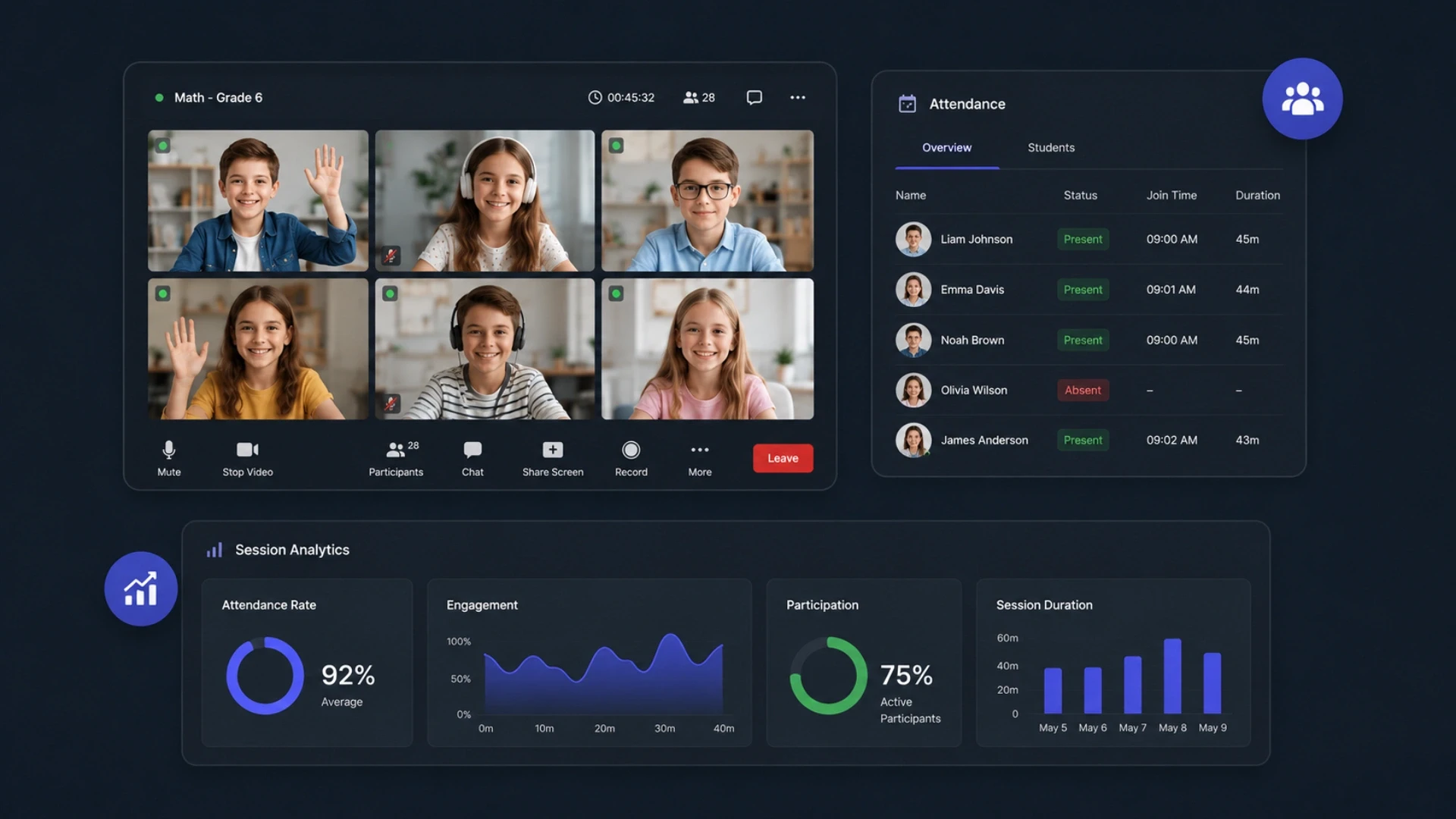
Attendance tracking is a compliance function in regulated educational contexts (FERPA-governed US institutions, GDPR-governed EU institutions) and a quality signal in corporate training contexts. The data architecture must be precise enough to satisfy both.
The Three-Signal Attendance Model
A production attendance system uses three independent signal categories and combines them into a presence score rather than a binary flag.
Connection signals: join timestamp, leave timestamp, and total connected duration. These come from the media server participant API and are accurate to the second.
Heartbeat signals: a 30-second ping from the client confirming browser tab active state and device non-idle status. Heartbeat dropout for 90+ seconds triggers a presence gap event. A gap does not mark the learner absent; it marks a specific time interval as unverified.
Engagement signals: camera on/off events, microphone on/off events, poll response submissions, whiteboard interaction timestamps, chat messages sent, and Q&A question submissions. These are optional signals weighted positively in the presence score.
The presence score formula is configurable by the institution. A university might weight connection duration at 70 percent, engagement signals at 30 percent, and disregard heartbeat gaps under 3 minutes. A compliance training provider might require 90 percent connection duration and at least one engagement signal per 10-minute block.
Post-Session Analytics for Instructors
The instructor analytics dashboard shows, per session: total registered vs attended, median presence score, engagement timeline (a heatmap of engagement signal density across the session duration), top questions from Q&A, poll results, and individual learner presence records for download.
For the platform administrator, the cross-session analytics layer shows attendance trends over time, cohort comparison across sessions, instructor engagement ratings, and session quality metrics (video drop events per session, average reconnect count, peak concurrent participants vs declared capacity).
All analytics data must be stored in an append-only audit log. FERPA and COPPA require that learner attendance records be preserved and accessible to authorized parties for defined periods. Deleting or overwriting attendance records is a compliance violation. The database optimization services for high-volume learner data must account for this append-only requirement from the initial schema design.
Building Live Learning Infrastructure? Here Is What the Engagement Looks Like.
Acquaint Softtech provides a dedicated development team for live EdTech builds covering WebRTC infrastructure, whiteboard engineering, breakout room architecture, and attendance analytics. Team profiles and a cost estimate are returned within 48 hours. Every engineer is interviewable before the engagement starts. No commitment until you are confident.
What Does Building a Virtual Classroom Platform Cost in 2026?
Cost is determined by three variables: the video infrastructure choice (managed service versus self-hosted), the scope of collaborative features (whiteboard only versus whiteboard plus breakout plus polls plus recording), and the scale target (hundreds versus tens of thousands of concurrent sessions). The table below maps cost across three engagement sizes based on Acquaint Softtech's delivery data.
Engagement Size | Monthly Rate (Acquaint) | Equivalent In-House Cost | Annual Saving | Team Composition |
Small: up to 500 concurrent sessions, managed video service, basic whiteboard, and attendance | $9,000 to $14,000 | $28,000 to $40,000 | $228,000 to $312,000 | 3 to 4 engineers |
Mid-scale: up to 5,000 concurrent sessions, self-hosted WebRTC or managed, full whiteboard, breakout rooms, polls, recording | $15,000 to $24,000 | $50,000 to $75,000 | $420,000 to $612,000 | 5 to 7 engineers |
Large: 10,000+ concurrent sessions, self-hosted WebRTC SFU, adaptive bitrate, multi-region infrastructure, full analytics, and LMS integration | $24,000 to $38,000 | $90,000 to $130,000 | $792,000 to $1,104,000 | 8 to 12 engineers |
What the monthly rate includes at Acquaint Softtech:
Media server infrastructure setup and management (self-hosted) or managed service API integration
WebRTC client library implementation for web and React Native mobile
Whiteboard engine: event model, OT/CRDT sync layer, permission system, session state persistence
Breakout room architecture: parent/child session model, assignment logic, timer management, rejoin protocol
Attendance tracking: three-signal model, heartbeat system, presence score engine, FERPA-compliant audit log
Post-session analytics dashboard for instructors and platform administrators
Sprint-based delivery with weekly demos; QA on every release, including real concurrency load testing
NDA and IP assignment to the client from day one
Hidden Cost: Concurrency Load Testing
The most common hidden cost in virtual classroom builds is concurrency testing. A platform that works at 50 simultaneous sessions may fail at 500. Load testing a live video platform requires specialized tooling and cloud infrastructure to simulate thousands of concurrent WebRTC streams. Budget $3,000 to $8,000 for a proper concurrency test before production launch. Teams that skip this discover the failure at the worst possible moment: a live institutional launch.
For platforms considering the React Native app development for a cross-platform EdTech app, the mobile virtual classroom layer adds 6 to 10 weeks of engineering to any of the three tiers above. Mobile-specific requirements include: adaptive quality on cellular connections, background audio when the app is not in focus, push notification re-entry for session rejoins, and offline recording playback.
The 5 Questions That Tell You What to Build vs Buy
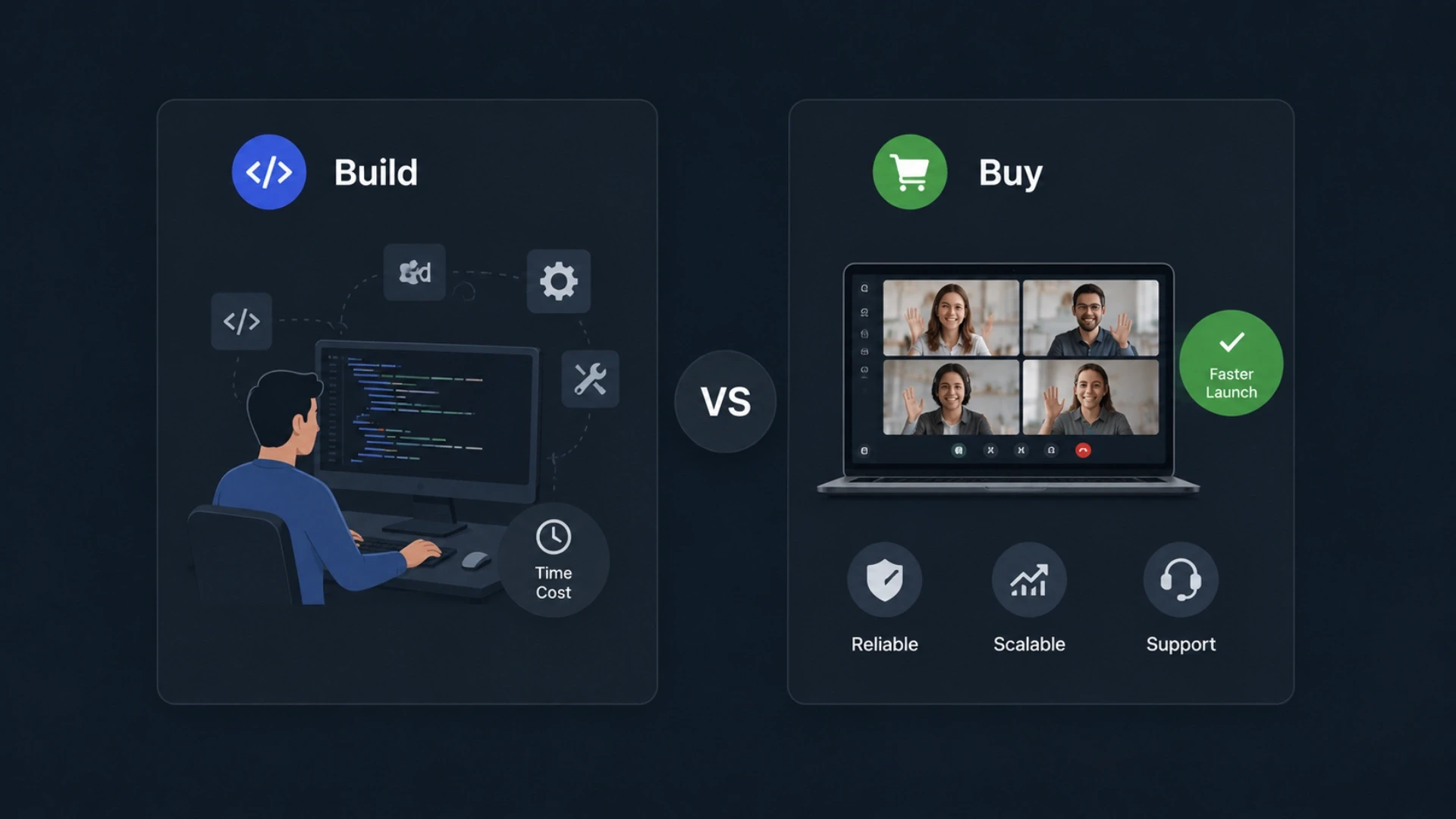
Not every EdTech platform needs a custom virtual classroom. Zoom for Education, Google Meet for Education, and Microsoft Teams for remote education serve many institutional use cases without custom engineering. The decision to build custom is justified when these five questions reveal requirements that off-the-shelf tools cannot meet through configuration.
Question 1: Do you need the virtual classroom to share learner data with your LMS in real time?
Yes: Build custom or deeply integrate via API. Off-the-shelf tools treat the session as isolated. A custom platform can write attendance, engagement, and assessment events directly into the learner's LMS record during the session.
No: A Zoom or Google Meet integration that syncs post-session data is likely sufficient.
Question 2: Do you need breakout rooms that the host can monitor without the groups knowing?
Yes: Build custom. Zoom breakout rooms notify participants when the host enters. Custom architecture allows a silent observation mode with no participant notification.
No: Zoom breakout rooms with standard host controls are sufficient for most transparent group work scenarios.
Question 3: Does your learner base include users on slow or unreliable connections (rural areas, developing markets)?
Yes: Build custom with a self-hosted WebRTC SFU that supports aggressive adaptive bitrate and audio-only fallback modes. Managed services optimize for average-quality connections. Low-bandwidth learners drop out on managed services at 30 to 50 percent higher rates.
No: A managed service handles bandwidth adaptation adequately for learners on standard broadband or 4G connections.
Question 4: Does your compliance framework require a complete audit log of session attendance, specific to each learner?
Yes: Build custom. FERPA, COPPA, and institutional accreditation bodies require attendance records that the institution fully controls. SaaS tools store attendance data on vendor infrastructure with limited export and retention control.
No: If attendance records are for internal quality purposes only, a SaaS tool with a data export API is likely sufficient.
Question 5: Will you white-label the virtual classroom for other institutions or resell it as a platform component?
Yes: Build custom. White-labeling a Zoom or Google Meet integration is against those platforms' terms of service. A custom platform can be white-labeled, resold, and multi-tenanted.
No: If the platform is for single-institution use, a licensed integration avoids the engineering overhead.
The Build Decision Threshold
If you answered Yes to three or more of these five questions, a custom virtual classroom architecture is the right investment. If you answered Yes to fewer than two, configure an existing tool first and plan a custom build for the point where the tool's limitations start costing learner engagement or institutional trust.
For EdTech startups building a custom platform for the first time, the MVP development services for an EdTech startup model allow you to validate the live learning feature with 200 to 500 learners before committing to the full self-hosted WebRTC infrastructure. The MVP uses a managed video service to compress time to launch, with the architecture designed from the start to allow a managed-to-self-hosted migration without rewriting the application layer.
Build This vs Avoid This: Architecture Decisions That Determine Success
BUILD THIS | AVOID THIS |
A self-hosted WebRTC SFU (LiveKit, mediasoup) for platforms targeting 5,000+ monthly session-hours, with a managed service during the validation phase. | Embedding a full Zoom application inside an iframe and calling it a virtual classroom. This exposes your platform to Zoom's feature changes, pricing changes, and terms of service without giving you any architectural control. |
A shared timing reference between the video stream and the whiteboard event bus, synchronized at the media server level. | A whiteboard WebSocket connection that runs on an independent timing reference from the video stream. The desynchronization in recording playback is visible and destroys the educational value of recorded sessions. |
A parent/child session architecture for breakout rooms with host permissions spanning the hierarchy and a server-side timer. | Separate video rooms for each breakout group with no shared parent session object. Host monitoring becomes impossible and the rejoin event requires learners to manually navigate back to the main room. |
A three-signal attendance model (connection + heartbeat + engagement) stored in an append-only audit log with configurable presence score weights. | Recording attendance as a binary joined/did-not-join flag based on the session join event. This data is legally insufficient for FERPA compliance and educationally useless for engagement analysis. |
Answered Yes to Three or More Questions? Let Us Scope the Build.
Acquaint Softtech has delivered virtual classroom platforms and live learning infrastructure for EdTech clients across the US, UK, Australia, and the UAE. We return a team structure, architecture outline, and cost estimate within 48 hours. You interview every engineer before commitment.
Frequently Asked Questions
-
How is a virtual classroom platform different from a Zoom call with a class roster?
A virtual classroom is a purpose-built learning system with video, whiteboard, attendance, and analytics in one platform. A Zoom call is a general communication tool with added classroom use. Virtual classrooms capture structured learning data like attendance and engagement in real time. Zoom does not provide deep education-specific tracking or control.
-
What is the difference between WebRTC and Zoom SDK for building a virtual classroom?
WebRTC is an open protocol that gives full control over video infrastructure and customization. Zoom SDK is a ready-made solution that is faster to integrate, but it depends on Zoom’s system and pricing. WebRTC is better for large-scale or custom feature platforms. Zoom SDK is better for quick MVPs and validation.
-
How does interactive whiteboard synchronization work in a live class?
Whiteboard sync uses WebSockets to send drawing actions between users in real time. The server resolves conflicts using CRDT or Operational Transformation methods. All changes are stored and checkpointed regularly for recovery and replay. This keeps all users’ screens perfectly synchronized during live classes.
-
How does breakout room architecture work technically?
The server creates separate child rooms from a main session and assigns participants to each. Each room has its own video channel, chat, and optional whiteboard. Users reconnect to their assigned room via updated WebRTC channels. The host can move between rooms and later bring everyone back to the main session.
-
How much does it cost to build a virtual classroom platform in India in 2026?
A virtual classroom platform in India typically costs between $9,000 and $38,000 per month, depending on scope and team size. A basic version with video, whiteboard, and attendance takes around 12–20 weeks with 3–5 engineers. A full-featured platform with WebRTC, breakout rooms, and analytics takes 20–32 weeks with 6–10 engineers. The cost includes engineering, QA, DevOps, and project management with no extra overhead.
-
How is FERPA compliance handled in a custom virtual classroom?
FERPA compliance requires all student data to be stored on infrastructure controlled by the institution. A custom platform hosts data on the client’s cloud, like AWS, GCP, or Azure, instead of vendor systems. Access is strictly controlled at the database level with audit logs for every action. Students must also be able to request and export their own data.
-
What tech stack is best for a virtual classroom platform in 2026?
A modern virtual classroom stack uses LiveKit or mediasoup for video and WebRTC, with Node.js or Laravel for backend services. React with Y.js powers the real-time whiteboard and UI interactions. PostgreSQL and Redis manage session data and real-time state handling. React Native is used for mobile apps sharing the same backend APIs.
-
What happens to session recordings and learner attendance data if the development engagement ends?
All recordings and attendance data remain on the client’s own cloud infrastructure. The client receives full ownership of code, databases, and cloud credentials from the start. No data is stored on the vendor’s systems after delivery. The client can continue using or modifying the platform independently at any time.
I lead technology and client success at Acquaint Softtech with one goal in mind. Deliver work that feels personal, reliable, and worthy of long term trust. I stay close to both our clients and our developers to make sure every project moves with clarity, quality, and accountability.
Table of Contents
Get Started with Acquaint Softtech
- 13+ Years Delivering Software Excellence
- 1300+ Projects Delivered With Precision
- Official Laravel & Laravel News Partner
- Official Statamic Partner
Related Blog
The Complete Guide to EdTech Software Development in 2026
Complete guide to EdTech software development in 2026. LMS architecture, virtual classroom tech stack, AI tutoring system design, MVP timeline, and cost.

Acquaint Softtech
May 4, 2026
How Learning Management Systems Work
An LMS is not a video library with a login screen. It is a structured system that owns enrollment, progress, assessment, and certification in one traceable architecture. Teams that treat it as a file folder spend 12 months rebuilding what should have been designed correctly in week one. This guide shows exactly how each layer works, and what it actually costs to build.
Manish Patel
May 13, 2026
Python for EdTech How We Delivered a Full Web Platform for an E-Learning Company
How we built a full Python web platform for an e-learning company. Real architecture, multi-role workflows, video delivery, and the lessons that translate.