

How to Create a QR Code for an App With an Online QR Code Generator (2026 Guide)
To create a QR code for an app, copy your app store landing page link (or a smart link that sends iPhone users to the Apple App Store and Android users to Google Play), paste it into a free QR code generator such as Canva, Adobe Express, or QR Code Monkey, then customize and download it as a PNG or SVG. Google Chrome and most generators are free, with no sign-up needed.

Mukesh Ram
As the Founder and CEO of Acquaint Softtech, I have spent 15+ years leading mobile app development services that ship QR features into live products for founders and enterprises across the US, UK, Europe, Australia, and New Zealand. In that time, I have generated thousands of QR codes and reviewed as many that were built badly, so I can give you a straight answer to the question most of my clients open with.
To create a QR code for an app, copy your App Store or Google Play link (or one smart link that sends each visitor to the right store), paste it into a free generator like Canva, Adobe Express, or Google Chrome, then customize and download it as a PNG or SVG.
That takes about two minutes and costs nothing. The harder question, and the one worth your time as a decision-maker, is when a free code is enough and when QR becomes a product feature you should build and own. This article answers both, from real delivery rather than theory.

- You are a CEO, CTO, or COO weighing a free QR tool against a custom, ownable build.
- You are a technical founder in the US, UK, Europe, Australia, or New Zealand planning app-download or payment QR flows.
- You run an agency and need a QR scanner or generator built for a client, on time and on brand.
- You want to create a QR code for an app on iPhone or Android today and share or print it.
- You are deciding whether to hire QR code developers or handle the build in-house.
Here is the honest answer I give every client. I have seen a two-minute free code work flawlessly on a poster, and I have watched an expensive printed campaign quietly fail because the link could not be tracked or changed after it went to print.
That gap, between a quick code and a real product feature, is what this guide is about. Whether you just need an app QR code today or you are scoping a custom QR code scanner you will own, I will show you the fast browser route, the free tools worth trusting, and the point where a proper build earns its cost.
Everything below comes from real delivery, not theory. Acquaint Softtech has built native iOS and Android apps with camera scanning, in-app purchases, and admin dashboards for clients across those same markets.
You can see the shipped work in our case studies. The wider body of design and build work sits in our portfolio. And if you want the client view before you read on, our testimonials carry verified reviews. Throughout, I will point out exactly where a free tool is enough and where a custom build earns its cost.
How to Create a QR Code for an App in Four Steps
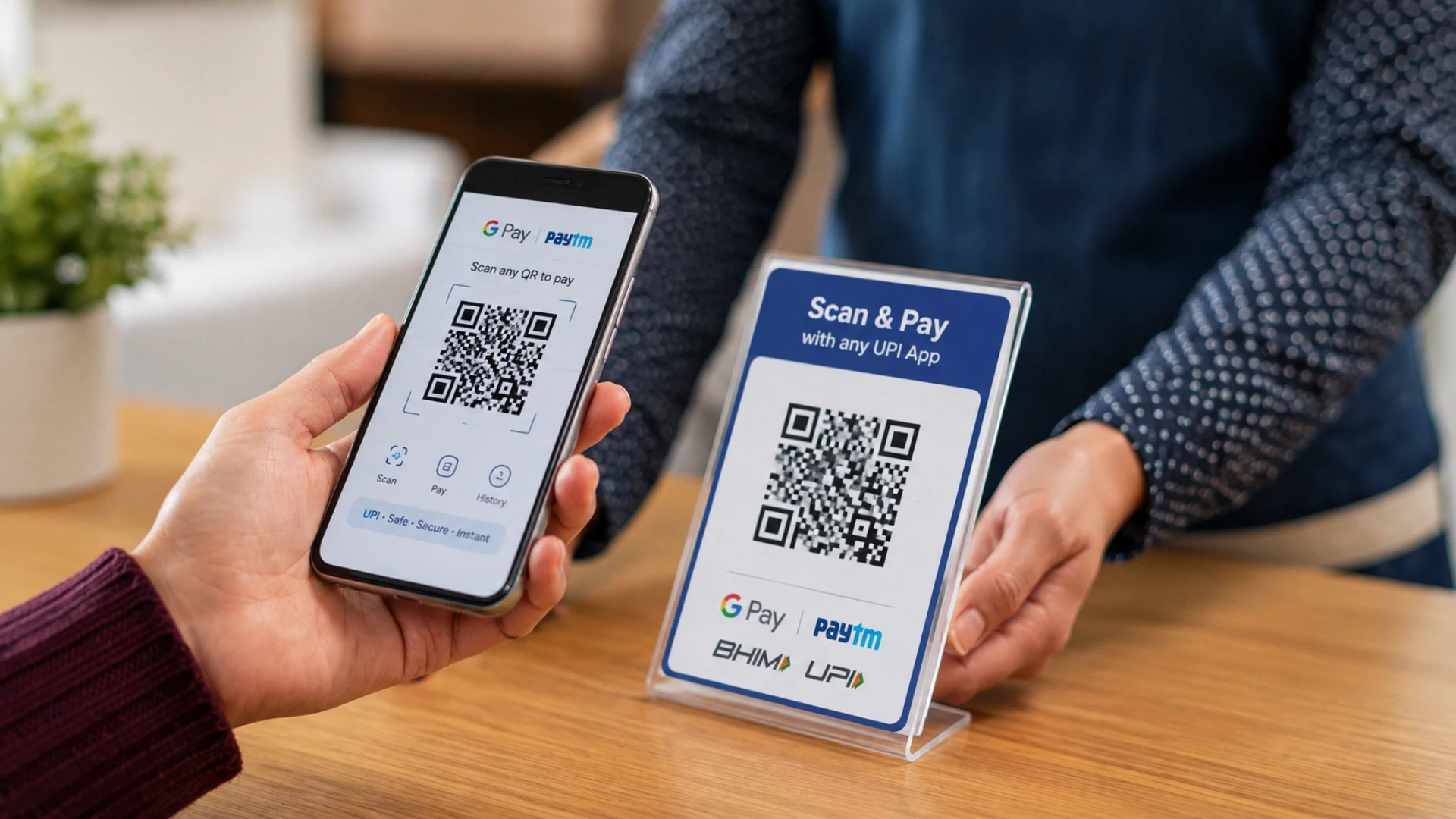
The whole trick is starting with the right link. Instead of a plain web address, use a smart URL or app store landing page link, such as a smart app banner, a Firebase Dynamic Link, or a direct link that combines both the Apple App Store and Google Play Store. That one smart link routes iPhone users to the App Store and Android users to Google Play, so a single printed code works for everyone.
Here is the exact process:
Get the correct link. Copy your app's landing page URL, or use an app-linking service so each device opens the right store.
Choose a generator. Open a free tool like Canva, Adobe Express, or the built-in generator in Google Chrome.
Paste the link. Enter your app store URL into the website or URL field.
Design and download. Adjust colors or add a small logo, then download the image as a PNG or SVG to print or share.
The fastest route of all is your browser. Google Chrome can turn any open page into a QR code straight from the address bar or the Share menu, which is ideal for a one-off app link. Once the code is printed, anyone can open it with a QR code scanner, or on most phones today, simply the built-in camera.
Your Top QR Code Questions, Answered
Before building anything, most people search the same handful of questions. Here are direct answers to each:
Creating a QR code for an app on iPhone: paste your App Store link into any generator; the iPhone camera scans the result natively, with no extra app.
Creating one on Android: paste your Google Play link; most Android cameras and Google Lens read it by default.
Free QR code generator: Canva, Adobe Express, QR Code Monkey, and Google Chrome all make static codes at no cost.
Google QR code generator: open a page in Chrome, click the address bar icon or Share, then choose Create QR Code.
QR code scanner: built into the camera on iPhone (iOS 11 and later) and most modern Android phones; older devices can use a free QR code scanner App.
Adding your logo: use a generator that supports logos and keep the logo under about 30 percent of the code so it still scans.
The last common question is who should build it when a static image is not enough. For a trackable, branded scanner or generator, decision-makers usually hire remote developers who already know camera APIs and analytics.
If the goal is a full product rather than a one-off feature, our software product development team takes it from idea to launch. I will cover exactly what that build involves later in this guide.
What a QR code is and how it works

A QR code, short for Quick Response code, is a two-dimensional barcode that stores data in a square grid of black and white modules. Because it holds information both horizontally and vertically, it packs far more data than a traditional one-dimensional barcode and can be read from any angle.
A QR code connects the physical world to digital space. With a scanner, usually the phone camera, a user can open a web page, view contact details, join a Wi-Fi network, or complete a payment without typing anything.
The camera reads the unique pattern, decodes it, and triggers the linked action. A useful bonus is built-in error correction, so a code still scans even when up to 7 to 30 percent of it is damaged or covered, which is exactly why logos can sit inside a code.
QR code vs barcode: the difference
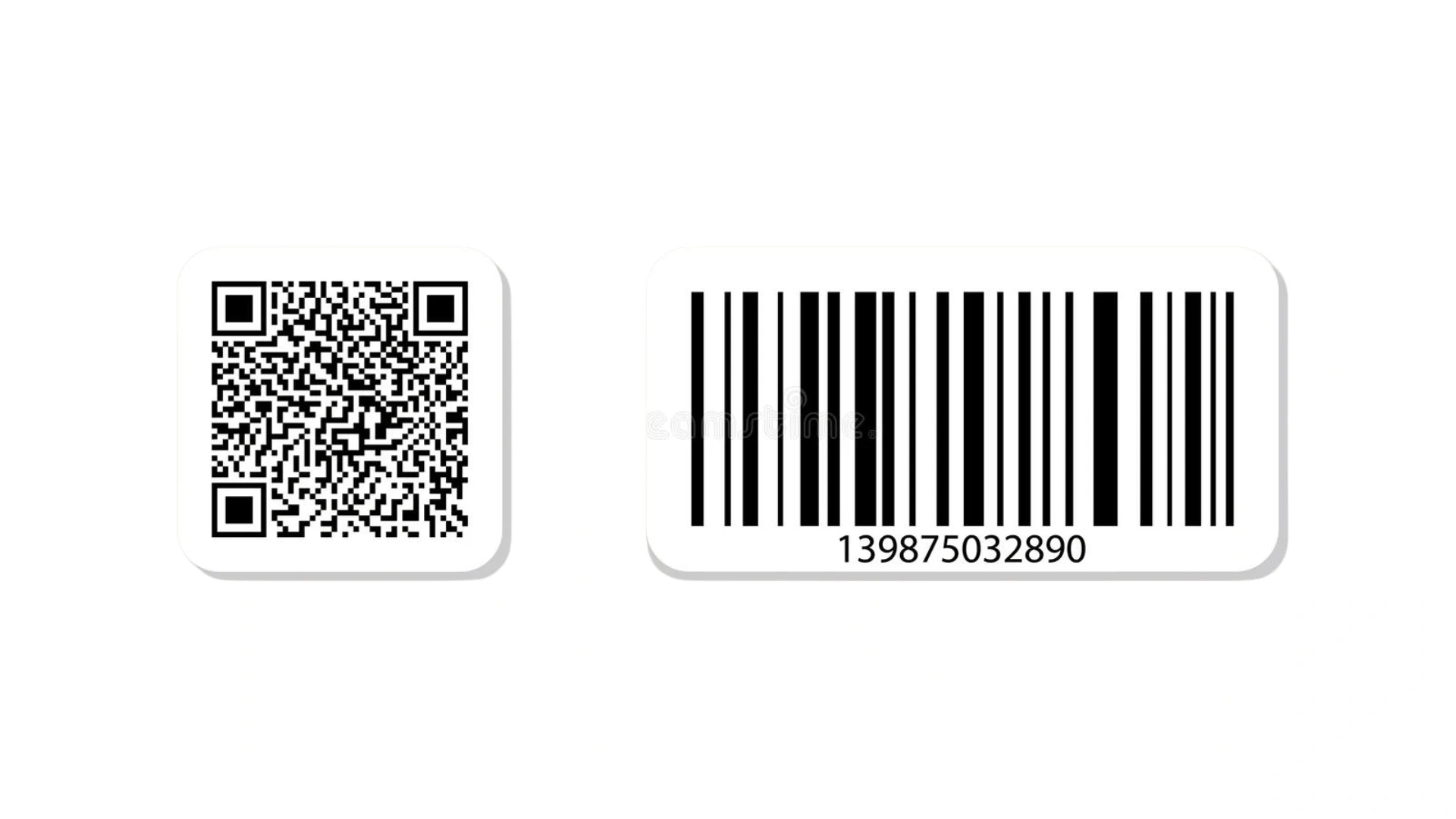
A QR code is actually a type of barcode, but the two differ in capacity, shape, and how they are read. The table below sums up what matters when you choose between them.
Feature | QR code | Barcode |
Data direction | Two-dimensional (grid) | One-dimensional (lines) |
Capacity | Thousands of characters | Around 20 to 25 characters |
Scan angle | Readable from any angle | Needs correct alignment |
Damage tolerance | 7 to 30 percent error correction | Little to none |
Common use | URLs, payments, app links | Retail product IDs |
In short, a barcode is great for a fixed product ID at checkout, while a QR code is built for rich, flexible links like sending someone to your app. That flexibility is why QR codes dominate marketing and payments today.
Why businesses build a QR code scanner app
Most people already have a scanner in their pocket, so why build one? Because a custom QR code scanner or generator app gives a business control, branding, and data that free tools cannot. When QR codes are core to your product, whether for payments, loyalty, ticketing, or asset tracking, owning the experience matters.
Branding: a scanning flow inside your own app, not a generic camera.
Tracking: first-party analytics on scans, locations, and conversions for campaigns.
Dynamic codes: change the destination of a printed code without reprinting it.
Security: validate codes, block malicious links, and support in-app payments safely.
Bulk generation: create and manage thousands of unique codes for products or events.
When a business decides the experience is worth owning, the next step is finding the right people to build it. Some teams hire remote developers to run the project end to end. Others prefer IT staff augmentation to slot a specialist into an existing squad for a few sprints.
Thinking past a free code to a real QR product?
Bring your scanning flow, dynamic codes, and tracking goals to a mobile engineer and walk away with a clear build plan, timeline, and cost, before you spend a rupee or a dollar.
How to create a QR code with an online generator
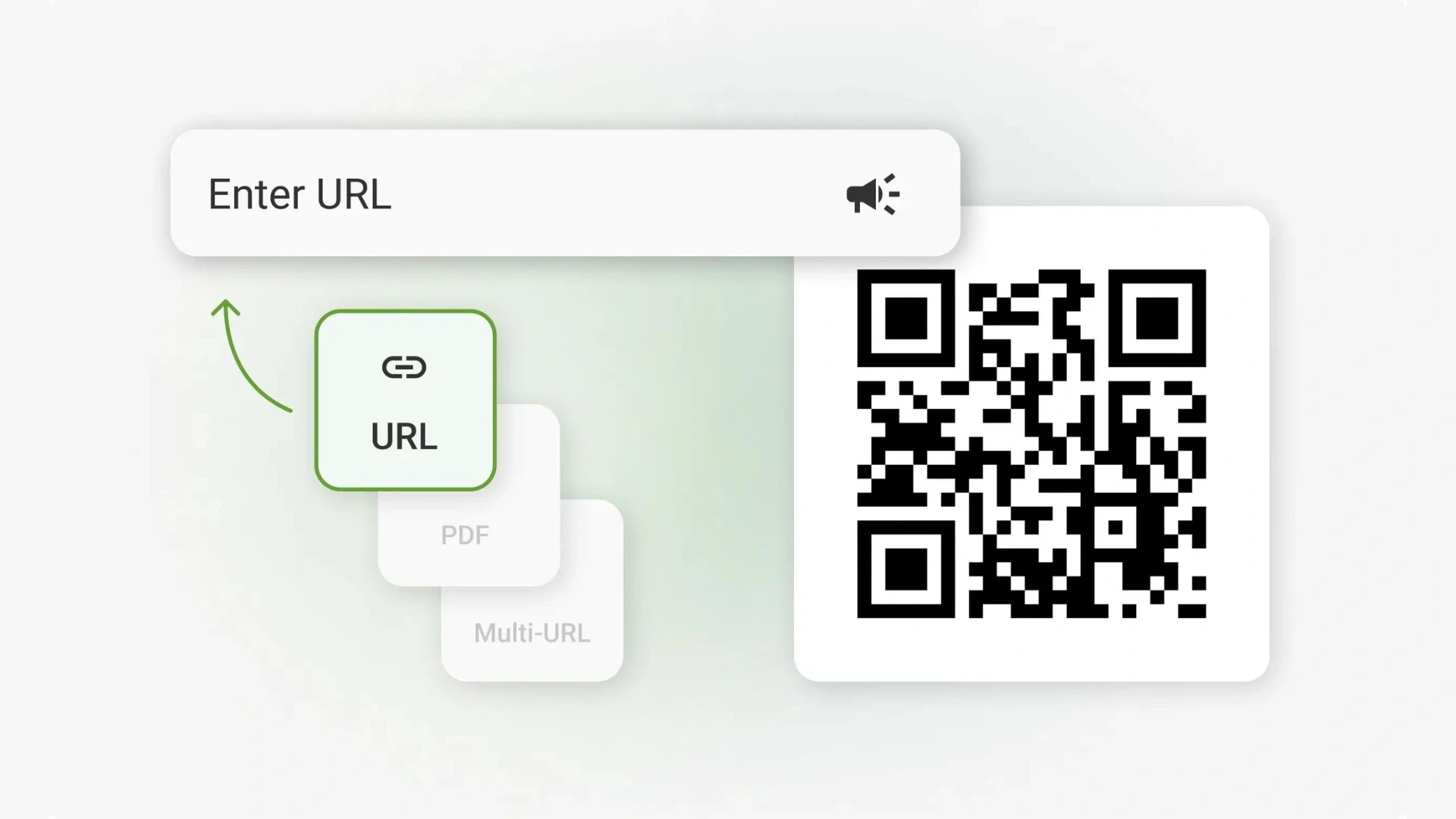
For most links, an online QR code generator is all you need, and the better ones are free with no registration. The workflow is the same across tools: paste your link, pick a type, customize, and download. Below are reliable options for different needs.
Canva and Adobe Express
Both Canva and Adobe Express offer free QR code generators built into their design tools. They are ideal when you want the code to match a poster or social post, since you can style it and export a high-resolution PNG or SVG in one place.
QR Code Monkey and QRScanner.net
QR Code Monkey is a popular free generator known for heavy customization: colors, shapes, frames, and a center logo, with high-resolution output and no usage limits. Another underrated free option is the QR code generator by QRScanner.net, which supports URL, vCard, text, email, SMS, Wi-Fi, phone, location, and event codes, plus frame, shape, color, and logo controls. Both are strong picks when you want a branded static code without paying for a subscription.
Google Chrome (Google QR code generator)
Google Chrome includes a built-in QR generator on both desktop and mobile. Open any page, click the icon in the address bar or use Share, then choose Create QR Code and download the image. It is free, instant, and handy for turning any URL, including your app store page, into a code. Chrome and most phone cameras also scan QR codes without a separate app.
Free QR code generators compared
Tool | Best for | Free |
Google Chrome | Fast one-off codes from any page | Yes |
Canva / Adobe Express | Design-matched, styled codes | Yes |
QR Code Monkey | Logos, colors, custom shapes | Yes |
Custom app (build) | Tracking, dynamic codes, bulk | No, but you own it |
These static codes are perfect for a single, unchanging link. The moment you need to edit destinations after printing, track scans, or generate codes in bulk, you have outgrown free tools and should look at a dynamic system or a custom app.
QR code with a logo and visual QR codes
A QR code with a logo tends to earn more trust and scans than a plain one, because people recognize the brand. Thanks to error correction, you can place a logo over roughly the center 30 percent of the code, and it will still scan reliably. Keep good contrast, test on several phones, and avoid shrinking the code too small for print.
Visual QR codes go further, blending the code into artwork or brand colors. Global brands have used styled codes in campaigns to make them feel less mechanical. A dedicated QR code generator with logo, like QR TIGER, makes it easy to design branded codes with custom logos, colors, and frames while keeping them reliably scannable. Tools like QR Code Monkey and Adobe Express also handle logos well, while a fully custom, animated, or programmatically generated code is where an app-based approach pays off.
Building a custom QR scanner app (iOS and Android)
.webp "Building a custom QR scanner app (iOS and Android)")
A custom QR scanner or generator app is a focused, well-understood mobile build. On iOS, the camera and scanning are handled through native frameworks; on Android, through Google's ML Kit barcode scanning; and cross-platform teams often use React Native or Flutter to ship one codebase for both stores. The open-source ZXing library that powered many early apps has largely given way to these modern, faster options.
A reliable Hire React Native Developers process typically involves five simple and well-defined steps:
Define scope: scanning, generation, dynamic codes, payments, or analytics, and the platforms you need.
Design the flow: a fast, permission-friendly camera experience and a clear result screen.
Build the core: camera scanning, code generation, and a backend for dynamic codes and tracking.
Test across devices: many phone cameras, low light, damaged codes, and edge cases.
Launch and iterate: ship to the App Store and Google Play, then improve using scan analytics.
The front end is only half the story, because a trackable, dynamic QR system needs a solid backend. For that layer, many teams hire Laravel developers to handle code generation, analytics, and secure links. Others hire Python developers when the data and matching logic get heavier.
Delivery capacity is the other question. When an in-house team is stretched, this focused build is commonly handled through software development outsourcing.
DIY generator vs custom app: which to choose
Approach | Best for | Trade-off |
Free online generator | One-off links, small campaigns | No tracking or dynamic edits |
Dynamic QR platform | Marketers needing scan analytics | Recurring subscription cost |
Custom app build | QR as a core product feature | Upfront build, but you own it |
Buy a tool, subscribe, or build your own? Decide with data.
Tell us what your QR codes must do and get an honest recommendation for a free tool, a paid platform, or a custom build, with a realistic cost range for each. No obligation, no pressure.
Real case study: a mobile app built by Acquaint Softtech
A QR scanner is one type of camera-driven, transaction-ready mobile app, and the engineering behind it looks a lot like other real-time apps. This example, drawn from a verified review on the Acquaint Softtech Clutch profile, shows that pattern in practice.
Acquaint Softtech built native iOS and Android apps for a live chat platform, connecting users with providers through instant messaging, in-app purchases, and a reliable admin panel.
Per the client's Clutch review, the team delivered ahead of the deadline and produced work that surpassed expectations, with communication described as fantastic. The table maps what the build required to what a QR scanner app needs.
What the app needed | In the live chat app | For a QR scanner app |
Device access | Real-time messaging | Camera and scanning |
Transactions | In-app purchases | In-app payments or actions |
Control panel | Admin dashboard | Code management and analytics |
Two platforms | iOS and Android | iOS and Android |
The takeaway is that the hard parts of a QR app, reliable device access, secure transactions, and a solid admin backend, are the same capabilities behind other production mobile apps. That is why judging a partner on shipped, reviewed work matters more than on demos.
Ready to turn QR codes into a product feature you own?
Share what your codes should do, scan, generate, pay, or track, and get a clear scope, timeline, and cost from an engineer, not a salesperson. We work with founders and teams across the US, UK, Europe, Australia, and New Zealand.
Frequently asked questions
-
Can I create a QR code for an app?
Yes. Copy your app's App Store or Google Play link, or a smart link that routes each user to the right store, and paste it into a free generator like Canva, Adobe Express, or Chrome. Download the image and print or share it. iPhone and most Android cameras scan it with no extra app.
-
Can I generate a QR code for free?
Yes. Static QR codes are free from Google Chrome, Canva, Adobe Express, and QR Code Monkey, with no sign-up and no scan limits. You only pay when you need dynamic codes that can be edited after printing or that track scans, which usually means a paid platform or a custom app.
-
What is the easiest way to generate a QR code?
The fastest way is Google Chrome. Open the page you want to link, click the QR icon in the address bar or use the Share menu, choose Create QR Code, and download it. It takes seconds and works for any URL, including your app store page.
-
Is Google QR code free?
Yes. Google Chrome's built-in QR code generator is completely free, needs no account, and has no limits on how many codes you create. Chrome and most modern phone cameras also scan QR codes for free, so both creating and reading codes cost nothing.
-
How do I scan a QR code in my browser or on my phone?
On iPhone (iOS 11 and later) and most modern Android phones, just open the default Camera app and point it at the code, then tap the link that appears. In a browser, Chrome on Android and iOS can scan codes from the search widget or app shortcut. No separate scanner app is required for everyday use.
-
How to create a QR code for an app on iPhone or Android?
The steps are the same on both. Use your App Store link for iPhone users and your Google Play link for Android, or one smart link that detects the device, then paste it into any generator and download. For a branded, trackable experience, a custom app is the better long-term route.
-
Are QR codes and barcodes the same?
No. A QR code is a two-dimensional type of barcode. Traditional barcodes store a little data in one direction and need careful alignment, while QR codes store far more data, scan from any angle, and keep working even when partly damaged, which is why they suit URLs, payments, and app links.
I love to make a difference. Thus, I started Acquaint Softtech with the vision of making developers easily accessible and affordable to all. Me and my beloved team have been fulfilling this vision for over 15 years now and will continue to get even bigger and better.
Table of Contents
Get Started with Acquaint Softtech
- 13+ Years Delivering Software Excellence
- 1300+ Projects Delivered With Precision
- Official Laravel & Laravel News Partner
- Official Statamic Partner
India (Head Office)
203/204, Shapath-II, Near Silver Leaf Hotel, Opp. Rajpath Club, SG Highway, Ahmedabad-380054, Gujarat
USA
7838 Camino Cielo St, Highland, CA 92346
UK
The Powerhouse, 21 Woodthorpe Road, Ashford, England, TW15 2RP
New Zealand
42 Exler Place, Avondale, Auckland 0600, New Zealand
Canada
141 Skyview Bay NE , Calgary, Alberta, T3N 2K6