

SaaS CI/CD Pipeline: From Commit to Production in 10 Minutes
A SaaS CI/CD pipeline automates code integration, testing, and deployment from commit to production. It uses four key stages: static analysis, automated testing, build and deployment, and health checks. This ensures faster releases, zero downtime, early bug detection, and quick rollback when needed.

Manish Patel
Why Manual Deployment Is Quietly Costing You: On release day, a developer pushes code to the server by hand, and the site goes down for ten or fifteen minutes. Something breaks, a customer emails, and the team scrambles. Because every release is this stressful, they deploy as rarely as possible, which makes each release bigger and riskier. Acquaint Softtech's software product development teams see this cycle constantly in SaaS products built without automation.

- You still deploy manually, and every release feels risky.
- Your deployments cause downtime that your customers notice.
- Bugs reach production because there is no automated testing gate.
- A bad deploy means a slow, stressful scramble to roll back.
- You want to ship features daily instead of in nervous monthly batches.
- You want to know the real cost and timeline of a production CI/CD pipeline.
The cost is real: downtime customers notice, bugs that reach production because nothing tested the change, and features that ship late because nobody wants to risk a deploy. The fix is a CI/CD pipeline that takes code from commit to live production automatically, tests every change, deploys with zero downtime, and rolls back instantly if something fails. Teams that hire DevOps developers for this work bring engineers who already know the failure modes.
This guide walks through that pipeline stage by stage, from commit to production in under ten minutes. The guide DevOps and CI/CD for Laravel: Complete Pipeline Strategy outlines the exact four-stage structure this article is built around.
What a SaaS CI/CD Pipeline Actually Is
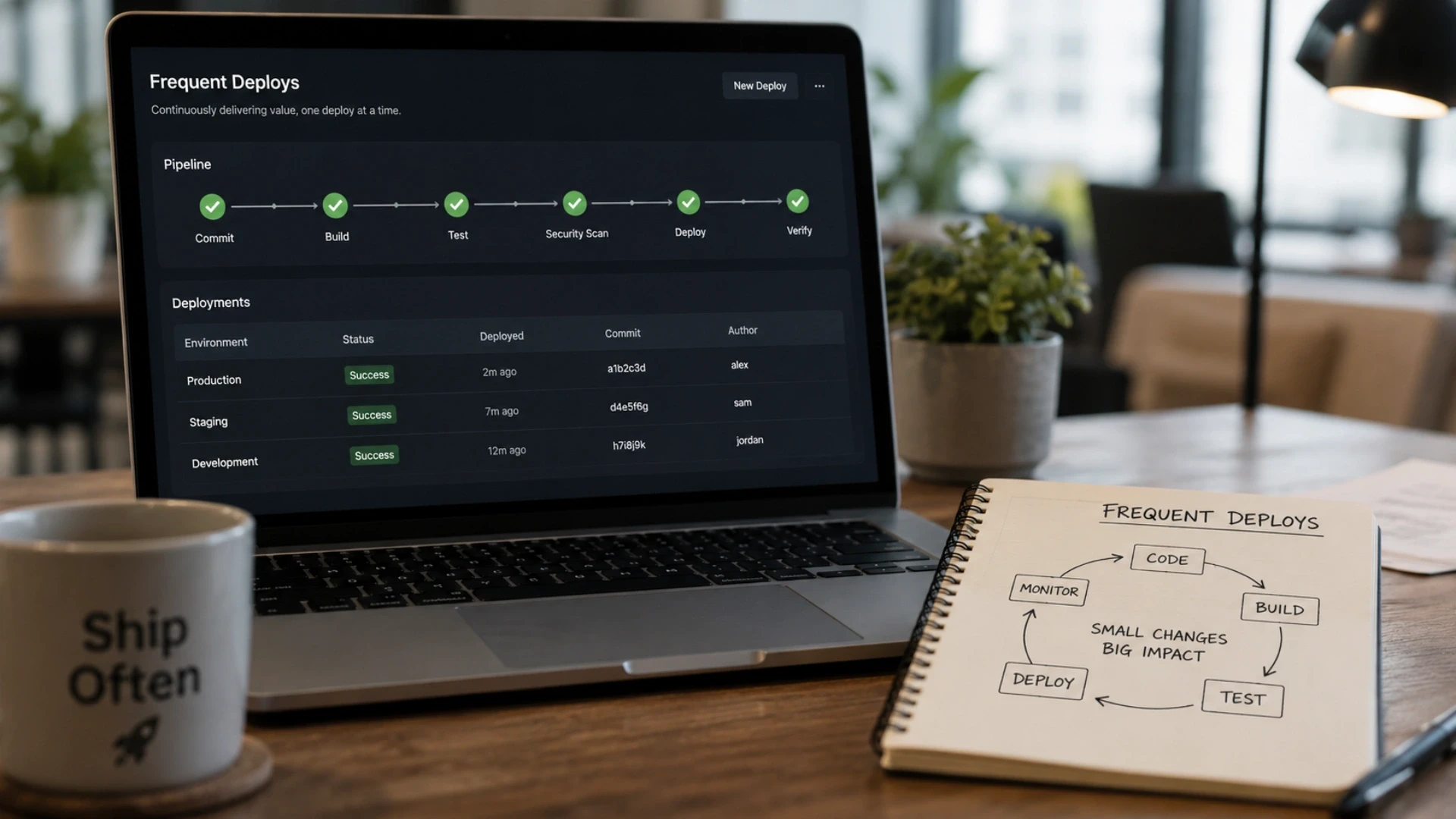
What do CI and CD each mean in practice?
A SaaS CI/CD pipeline is an automated workflow that takes code changes from a developer's commit, validates them, and ships them to production without manual intervention. CI, continuous integration, is the practice of automatically building and testing every code change as it is committed, so problems are caught immediately rather than days later.
CD, continuous deployment, extends that by automatically deploying every change that passes the tests to production. Understanding SaaS CI/CD explained at this level matters because the two halves solve different problems: CI protects code quality, and CD removes the manual, error-prone deployment step.
Why is automation the whole point?
The core idea is to replace human steps with automated ones. Instead of a developer manually running tests, copying files, and clearing caches, a pipeline does all of it the same way every time, with no forgotten steps and no human error. This consistency is where the SaaS CI/CD benefits come from: fewer bugs in production because every change is automatically tested, faster releases because deployment is push-button, and better collaboration because developers, QA, and operations all work through one trusted, automated process rather than passing work over walls. The pipeline becomes a conveyor belt where every change is rigorously checked before it reaches users.
How does CI/CD change how a SaaS team works?
The stronger effect is cultural and economic. When deployment is automated and safe, teams deploy far more often, daily or many times a day. Each release becomes small, low-risk, and easy to diagnose if something goes wrong.
This is the opposite of the manual-deployment trap where big, scary releases ship rarely. The SaaS CI/CD trends 2026 point firmly toward smaller, more frequent deployments, automated rollback, and pipelines that complete in minutes.
Acquaint Softtech's dedicated software development teams build pipelines designed for this fast cadence, because deploying daily without fear is worth far more than automating an occasional release. The guide How to Scale Your Laravel SaaS App shows how moving to automated CI/CD turned one client's stressful releases into confident daily deploys.
Teams that hire backend developers with strong testing discipline make the pipeline trustworthy, because automation is only as good as the tests behind it.
The 10-Minute Journey: Commit to Production, Stage by Stage
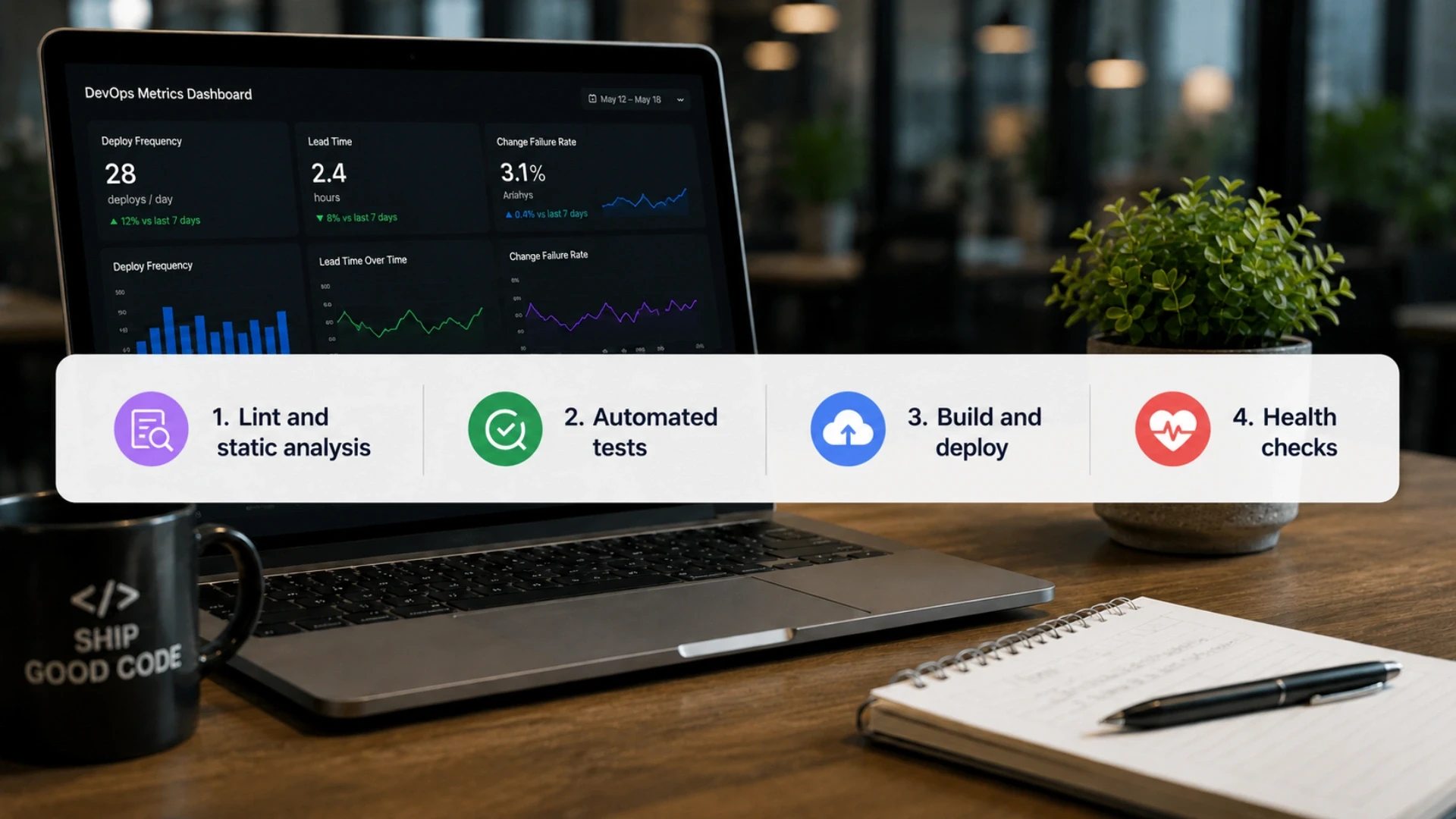
What happens between commit and live in a fast pipeline?
A production CI/CD pipeline runs four sequential stages, and the entire journey from a developer pressing commit to the change being live for users completes in under ten minutes when the pipeline is built well.
Each stage is a gate: if it fails, the pipeline stops, the change does not advance, and the developer is told immediately what went wrong. This is what makes the pipeline trustworthy: nothing reaches production that has not passed every gate.
Stage | What It Does | Typical Time |
1. Lint and static analysis | Check code style and catch obvious errors | Under 1 minute |
2. Automated tests | Run unit, feature, and integration tests | 2 to 5 minutes |
3. Build and deploy | Build artifacts and deploy with zero downtime | 2 to 4 minutes |
4. Health checks | Verify the new version is healthy, roll back if not | Under 1 minute |
Why does the order of the stages matter?
The stages run in this order deliberately, with the cheapest and fastest checks first. Linting takes seconds and catches trivial mistakes before wasting time on a full test run.
Tests run next because they are the real quality gate. Only code that passes both gets built and deployed, and only a successful deployment triggers the health checks. Ordering the gates from fast to slow gives developers feedback on simple mistakes in seconds.
Acquaint Softtech's software development outsourcing teams structure pipelines so the fastest-failing checks run first, which keeps developer feedback loops tight. The guide GitHub Actions vs Jenkins vs GitLab CI compares the platforms that orchestrate these stages. Teams that hire cloud engineers build the stage orchestration and parallelisation that keep the whole pipeline under ten minutes even as the test suite grows.
Still Deploying by Hand? Let's Automate It.
Acquaint Softtech builds CI/CD pipelines that ship from commit to production in minutes, with zero downtime and instant rollback. 1,300+ projects delivered. Teams deployed within 48 hours.
Stage 1: Commit, Lint, and Static Analysis
What triggers the pipeline?
The journey begins the moment a developer pushes a commit to the repository. The pipeline is triggered automatically by that push, typically on the main branch or a release branch, with no human action required. This is the first principle of how to build SaaS CI/CD correctly: the developer's normal workflow, committing code, is the only trigger needed. Everything after that happens on its own.
What do linting and static analysis catch?
The first gate is the cheapest and fastest: linting and static analysis. Linting checks that the code follows the team's style rules, while static analysis inspects the code for likely bugs, type errors, and security issues without running it.
These checks take seconds and catch a surprising number of mistakes before any time is spent on the heavier test stage. Because they are so fast, they give developers near-instant feedback on trivial problems. Acquaint Softtech hires DevOps developers to configure linting as the first gate so obvious issues never consume test-suite time, and code quality standards are enforced automatically rather than by reviewers.
How does this stage protect the codebase over time?
Beyond catching individual mistakes, the static analysis gate enforces consistency across the whole team and over time. When every commit passes the same automated standards, the codebase stays uniform regardless of who wrote the change. This is one of the SaaS CI/CD features that pays off most as a product matures. Teams that hire backend developers set up the linting rules and static analysis configuration that codify the team's standards into the pipeline itself.
Stage 2: The Automated Test Suite That Makes It Trustworthy
Why is the test suite the heart of the pipeline?
The automated test suite is what makes the entire pipeline trustworthy. A pipeline that deploys automatically is only safe if it deploys code you can trust, and the tests are what earn that trust. Without a strong test suite, automated deployment just means shipping bugs to production faster. With one, every change is proven to work before it advances, which is what lets the team deploy with confidence rather than anxiety.
What kinds of tests should the pipeline run?
A trustworthy suite combines several layers. Unit tests check individual functions in isolation and run fast. Feature or integration tests check whole workflows end to end, such as a user signing up or a payment processing. For critical journeys, browser tests verify the actual interface works.
The mix matters: too few tests and bugs slip through, too many slow ones and the pipeline crawls. The right balance gives broad coverage while keeping the test stage to a few minutes.
Acquaint Softtech's dedicated development team builds suites weighted toward fast unit tests with targeted feature tests for the workflows that matter most.
The guide How to Scale Your Laravel SaaS App describes automated rollback on failed tests as a core part of a safe pipeline. Teams that hire QA engineers design the test strategy that makes automated deployment genuinely safe rather than just fast.
How do you keep the test stage fast as the suite grows?
As a product grows, its test suite grows too, and a slow test stage undermines the whole ten-minute goal. The solution is parallelisation, running independent tests simultaneously across multiple workers, plus test optimisation so the suite stays fast even as it covers more.
Running database-dependent tests against a disposable test database, and caching dependencies between runs, cuts time significantly. Acquaint Softtech's hire woocommerce developers configure parallel test execution and dependency caching so the test gate stays within a few minutes even for large suites.
Stage 3: Build, Secrets, and Zero-Downtime Deployment
What does the build stage produce?
Once a change has passed linting and tests, the pipeline builds the deployable artifact: it installs dependencies, compiles assets, and packages the application into a consistent, reproducible form, often a container image. Building in the pipeline rather than on the production server means the same artifact that passed testing is what gets deployed, eliminating the works-on-my-machine problem where code behaves differently in production than in testing.
How are secrets handled safely during deployment?
Secrets, the database passwords, API keys, and tokens the application needs- must never be stored in the repository or left on the server long-term. The correct approach is a secrets manager such as AWS Secrets Manager, Vault, or Doppler that injects them at deployment time.
This is both a security requirement and a SaaS CI/CD best practice, because a secret committed to a repository is a breach waiting to happen.
Acquaint Softtech hires automation engineers to integrate a secrets manager into the deployment stage so credentials are injected securely at deploy time and never persist in the codebase. The guide AWS CodePipeline vs GitHub Actions for SaaS covers the deployment and secrets patterns for cloud-native SaaS pipelines. Teams that hire software engineers wire the Secrets Manager into the application's configuration so environment management is automatic and safe across every environment.
How does zero-downtime deployment work?
Zero-downtime deployment eliminates the dreaded release-day outage. Instead of taking the application offline, the pipeline brings up the new version alongside the old one, switches traffic only once it is confirmed healthy, and then retires the old version. Users never experience an interruption.
Database migrations are handled carefully so the old and new versions can both run during the brief transition. This is the difference between a ten-to-fifteen-minute outage and a release users never even notice.
Acquaint Softtech's software product engineering teams implement zero-downtime deployment with health-gated traffic switching so releases are invisible to users and safe to run at any time of day.
Deploy With Zero Downtime, Every Time
Acquaint Softtech builds zero-downtime deployment with secure secrets management and automated rollback into your pipeline. Up to 40% lower cost than Western agencies. Deployed within 48 hours of brief.
Stage 4: Health Checks and Instant Rollback
Why is the deployment not finished when the code is live?
A deployment is not done the moment the new code is live; it is done when the new code is confirmed healthy. The final pipeline stage runs post-deployment health checks: automated probes that verify the new version is responding correctly, that key endpoints work, and that error rates have not spiked.
Only when these checks pass is the deployment considered successful. This stage is what catches the problems that tests cannot, the issues that only appear with real production configuration, data, or traffic.
How does instant rollback protect users?
The real power of the health-check stage is what happens when it fails. If the new version is unhealthy, the pipeline rolls back automatically and instantly, switching traffic back to the previous known-good version before most users ever notice.
This automated rollback is the safety net that makes confident deployment possible. Even if a bad change slips through every earlier gate, its impact on users is measured in seconds, not the hours of a manual emergency fix.
Acquaint Softtech's support and maintenance services teams build automated rollback on failed health checks so a problematic deploy reverts itself without a human diagnosing it under pressure. Teams that hire site reliability engineers configure the health probes and rollback triggers that turn a risky deploy into a self-correcting one.
What about monitoring after the pipeline finishes?
Beyond the immediate health check, a mature pipeline feeds into ongoing monitoring and alerting, so the team is notified of any problem that emerges minutes or hours after deployment, not just at the moment of release. Error tracking, performance monitoring, and alerting on failed background jobs give the visibility needed to catch issues that slip past the health check.
This observability layer is what turns a pipeline from a deployment tool into a reliability system. Teams that hire platform engineers set up the monitoring and alerting that watches production continuously after each deploy, closing the loop between shipping and knowing it worked.
Choosing Your CI/CD Tool: GitHub Actions, GitLab, or Jenkins
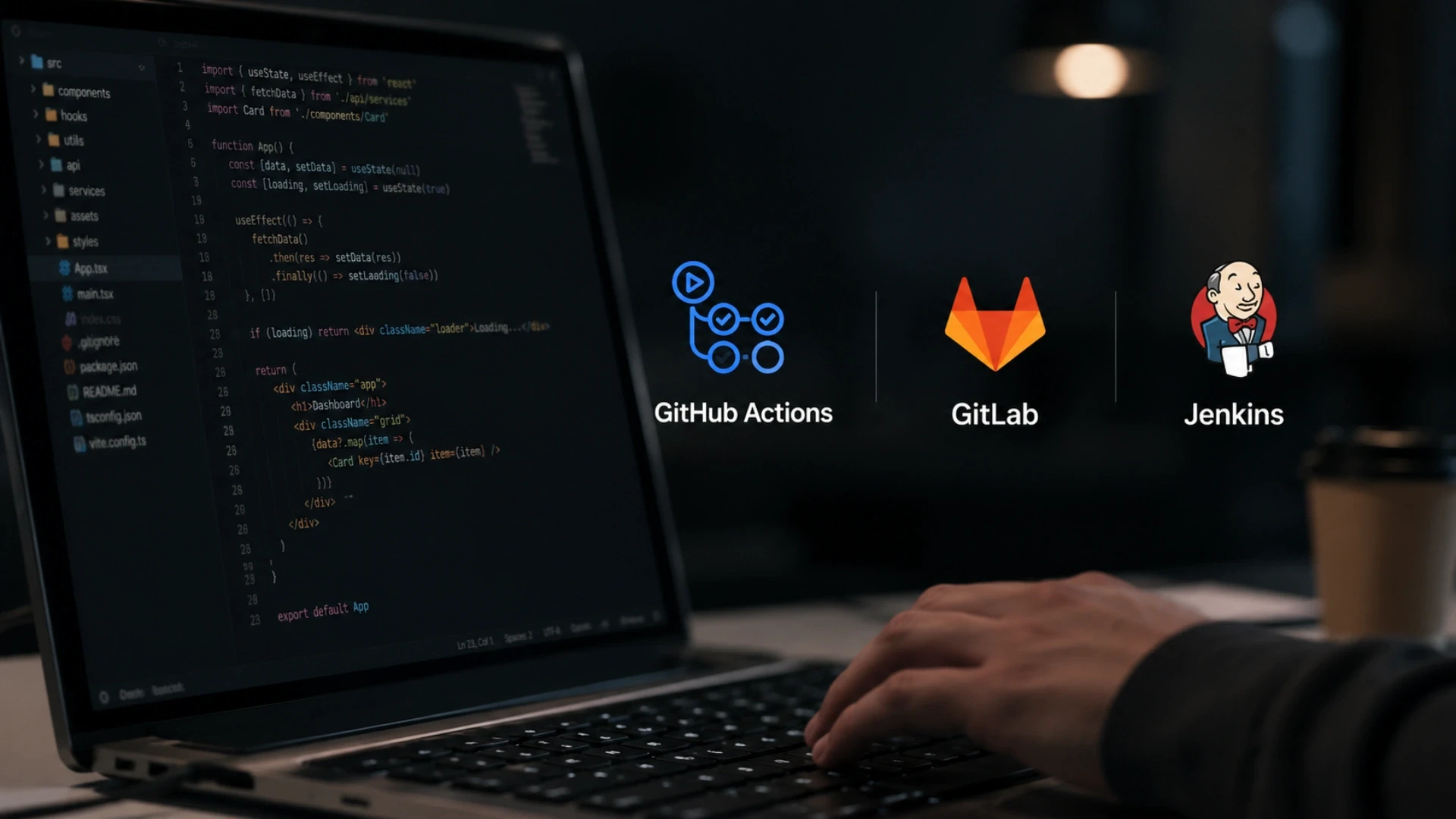
Which CI/CD platform should a SaaS team use?
The platform that orchestrates your pipeline is a real decision, and the three dominant options each win in a different context. GitHub Actions is the default for most SaaS projects because it is built into GitHub, requires no separate infrastructure, and has a vast library of pre-built actions.
GitLab CI is the natural choice for teams already on GitLab, offering a tightly integrated experience. Jenkins is the most flexible and powerful but requires you to host and maintain it yourself, which suits large organisations with complex, custom needs and dedicated infrastructure teams.
Tool | Best For | Main Trade-Off |
GitHub Actions | Most SaaS teams; projects on GitHub | Billing can grow at very large scale |
GitLab CI | Teams already using GitLab | Tied to the GitLab ecosystem |
Jenkins | Large orgs with custom, complex needs | You host and maintain it yourself |
How do you decide between them without overthinking it?
For the great majority of SaaS teams in 2026, GitHub Actions is the right starting point. It is fast to set up, requires no infrastructure to maintain, and is more than capable of a complete production pipeline.
The honest guidance is to choose the tool that matches where your code already lives, and avoid migrating between platforms without a concrete reason. Teams weighing a custom SaaS CI/CD solution or a SaaS CI/CD development company in India should value real production experience over theoretical preferences. Acquaint Softtech's DevOps consulting services team has implemented GitHub Actions, Jenkins, and GitLab CI pipelines across SaaS, media, and gaming platforms, and helps clients choose based on their actual stack.
Deployment Strategies: Blue-Green vs Canary
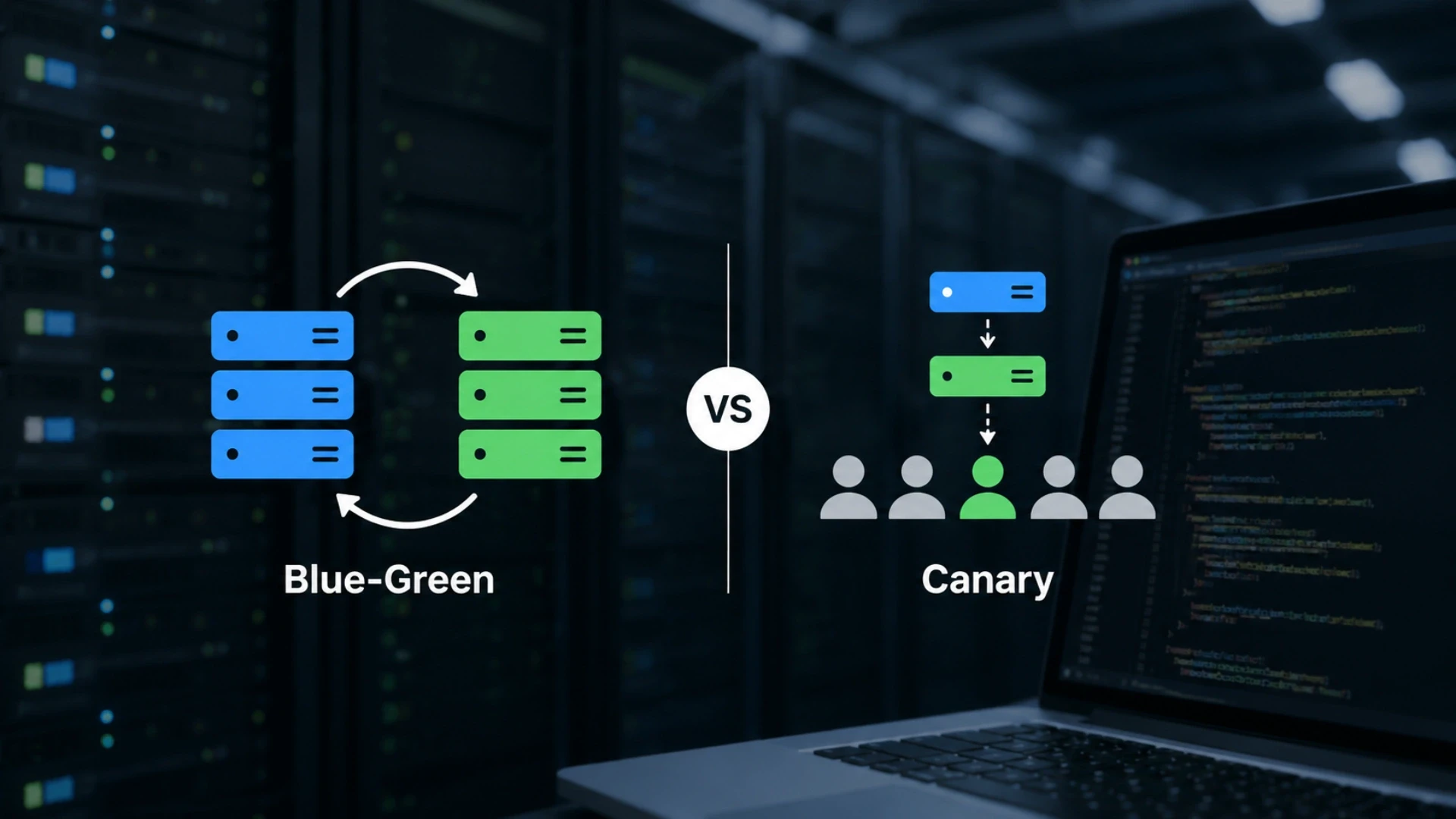
What is blue-green deployment?
Blue-green deployment runs two identical production environments, one live (blue) and one idle (green). You deploy the new version to the idle environment, test it, then switch all traffic to it at once. If anything goes wrong, you switch traffic back to the original environment instantly, which gives rollback in seconds. Blue-green is simple to reason about and provides the fastest possible rollback, at the cost of running two full environments.
What is canary deployment, and when is it better?
Canary deployment takes a more gradual approach. The new version is released to a small percentage of users first, often around five percent, while everyone else stays on the current version. If the canary group shows no problems, traffic is gradually shifted across.
Canary limits the blast radius of a bad deploy to a fraction of users, making it ideal for high-traffic platforms. The right choice between blue-green and canary depends on your platform's risk profile and traffic.
Acquaint Softtech's hire DevOps implement both strategies and choose based on how much risk a deploy carries for the specific product. Teams that hire infrastructure engineers build the traffic-shifting and monitoring infrastructure that makes blue-green and canary deployments safe to operate.
Cost, Timeline, and Tech Stack for a SaaS CI/CD Pipeline

How long does it take to build a CI/CD pipeline?
A basic CI/CD pipeline is faster to build than most teams expect. With GitHub Actions, a test suite, and a zero-downtime deployment script, a working pipeline can be running within a day on most projects.
The complexity is not in the tooling; it is in the decisions about pipeline stages, environment management, and rollback strategy that let you deploy with confidence. A production-grade pipeline with full testing, blue-green or canary deployment, secrets management, and monitoring takes longer to do properly.
Pipeline Scope | Typical Timeline | Relative Cost |
Basic CI/CD on GitHub Actions | 1 to 3 days | Lowest |
Production pipeline with rollback | 1 to 3 weeks | Moderate |
Full pipeline + canary + monitoring | 3 to 6 weeks | Highest |
How much does a SaaS CI/CD pipeline cost to build?
A basic pipeline with automated testing and zero-downtime deployment typically costs $3,000 to $10,000 with an offshore partner. A production pipeline with rollback automation, secrets management, and staging environments runs $10,000 to $30,000. A full setup with blue-green or canary deployment, comprehensive monitoring, and multi-environment promotion can run $30,000 to $60,000.
The main cost driver is the test suite and the deployment safety mechanisms, not the pipeline configuration itself. Teams weighing a SaaS CI/CD development cost estimate or deciding whether to hire developers for SaaS CI/CD work should price the testing and rollback work, since that is what makes the pipeline trustworthy. Acquaint Softtech delivers these builds at up to 40% lower cost than equivalent USA or UK agency rates.
What tech stack is best for a SaaS CI/CD pipeline?
The most common 2026 stack uses GitHub Actions as the orchestrator, Docker for consistent build artifacts, and a deployment target on AWS, GCP, or a managed platform. Secrets live in AWS Secrets Manager, Vault, or Doppler.
For Laravel SaaS, Laravel Envoyer or Vapor provide zero-downtime deployment out of the box; for containerised apps, Kubernetes handles rolling deployments and rollbacks. Monitoring uses error tracking such as Sentry plus infrastructure metrics. For teams wanting senior DevOps engineers on demand, Acquaint Softtech offers staff augmentation to add them within days. A virtual CTO service suits teams that want senior infrastructure strategy without a full-time hire.
Case Study: A CI/CD Pipeline Delivered by Acquaint Softtech
The following case study reflects Acquaint Softtech's delivery history. Full project details are available.
CASE STUDY: SaaS Platform Deployment Overhaul Client: Growth-stage SaaS platform serving business customers across the UK and Europe, with a small engineering team shipping features but struggling with releases.
Situation: The team was pushing code to production manually and facing ten to fifteen minutes of downtime on every release. Deployments were stressful, so they happened infrequently, which made each release a large batch of changes and therefore even riskier. There was no automated testing gate, so bugs regularly reached production, and when a deploy went wrong, there was no quick way to roll back.
Diagnosis: Acquaint Softtech's review found the root problem was the absence of any automation: no CI to test changes, no CD to deploy them safely, and no rollback path. The fix was a complete pipeline, not a patch to the manual process. The priority was a trustworthy test gate first, then zero-downtime deployment, then automated rollback.
What Acquaint Softtech Built:
Outcome: The team moved from infrequent, stressful manual releases to deploying daily with zero downtime. Release-day outages disappeared entirely. Bugs reaching production dropped sharply because every change now passed an automated test gate before deploying. When a problem did occur, automated rollback reverted it in seconds rather than the previous slow manual scramble. Queue processing scaled to twice its previous throughput through dedicated workers added during the same engagement. The engineering team's velocity increased because shipping a feature no longer carried the dread it once did.
Team and Timeline: One DevOps engineer and one backend engineer. Deployed within 48 hours of the brief. The pipeline was live within the first week, with refinement and monitoring completed over the following two weeks.
|
For SaaS teams stuck with manual, risky deployments, the guide How to Outsource SaaS Product Development Without Losing Control explains the engagement model that kept this client in full control throughout. Teams can also hire Laravel developers with CI/CD experience to run a comparable pipeline build on their own product.
Join 200+ Companies Who Ship Faster With Acquaint Softtech
From a first GitHub Actions pipeline to full blue-green deployment with automated rollback, Acquaint Softtech builds CI/CD that lets you deploy daily without fear. 4.9/5 on Clutch. 50+ verified reviews. Premier Verified.
Frequently Asked Questions
-
What is a SaaS CI/CD pipeline?
A SaaS CI/CD pipeline is an automated workflow that takes code from commit to live production without manual steps. It tests every change, deploys with zero downtime, and rolls back instantly if something fails, usually in under ten minutes.
-
What is the difference between CI and CD?
CI (continuous integration) automatically builds and tests every code change. CD (continuous deployment) automatically deploys the changes that pass. CI protects quality; CD removes the manual deployment step.
-
How do you build a SaaS CI/CD pipeline?
Set up a platform like GitHub Actions triggered on every commit, then build four stages: lint, automated tests, zero-downtime deploy, and health checks with rollback. Start with a strong test suite, since the pipeline is only as safe as its tests.
-
What are the four stages of a CI/CD pipeline?
The four stages are: lint and static analysis, automated tests, build and zero-downtime deployment, and post-deployment health checks with rollback. They run fast-to-slow so developers get feedback on simple mistakes in seconds.
-
How much does a SaaS CI/CD pipeline cost to build?
A basic pipeline costs $3,000 to $10,000 with an offshore partner, a production pipeline with rollback $10,000 to $30,000, and a full blue-green or canary setup $30,000 to $60,000. Acquaint Softtech delivers at up to 40% lower cost than Western rates.
-
How long does it take to set up CI/CD?
A basic pipeline can run within a day. A production pipeline with rollback and staging takes one to three weeks. A full blue-green or canary setup with monitoring takes three to six weeks.
-
What tech stack is best for a SaaS CI/CD pipeline?
GitHub Actions is the default orchestrator, with Docker for build artifacts and deployment to AWS or GCP. Secrets live in a secrets manager like Vault. Laravel uses Envoyer or Vapor; containerised apps use Kubernetes.
-
What is the difference between blue-green and canary deployment?
Blue-green runs two identical environments and switches all traffic at once, giving rollback in seconds. Canary releases to a small percentage of users first, then shifts the rest if no problems appear. Blue-green is fastest to roll back; canary is safer for high traffic.
I lead technology and client success at Acquaint Softtech with one goal in mind. Deliver work that feels personal, reliable, and worthy of long term trust. I stay close to both our clients and our developers to make sure every project moves with clarity, quality, and accountability.
Table of Contents
Get Started with Acquaint Softtech
- 13+ Years Delivering Software Excellence
- 1300+ Projects Delivered With Precision
- Official Laravel & Laravel News Partner
- Official Statamic Partner
Related Blog
DevOps and CI/CD Strategy in Laravel Development
Build a production-ready Laravel DevOps CI/CD pipeline with GitHub Actions, automated testing, zero-downtime deployment, secure environment management, and rollback strategies.

Chirag Daxini
March 16, 2026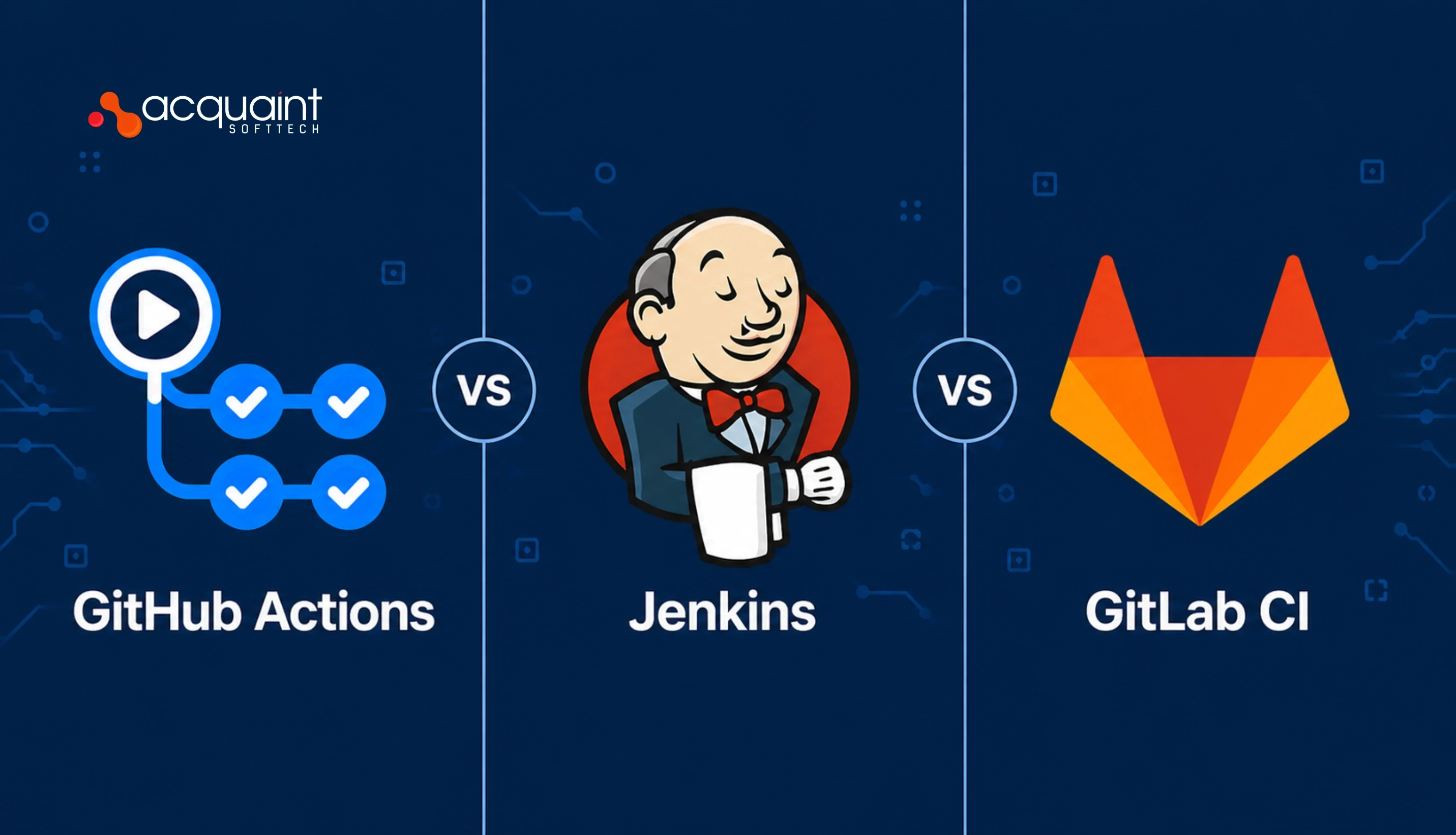
GitHub Actions vs Jenkins vs GitLab CI: Which CI/CD Tool Should You Hire a DevOps Engineer to Implement?
GitHub Actions, Jenkins, and GitLab CI each win in a different context. Here is the honest comparison from a DevOps engineer who has implemented all three in production, with the 5-question decision framework.

Taukir katava
May 5, 2026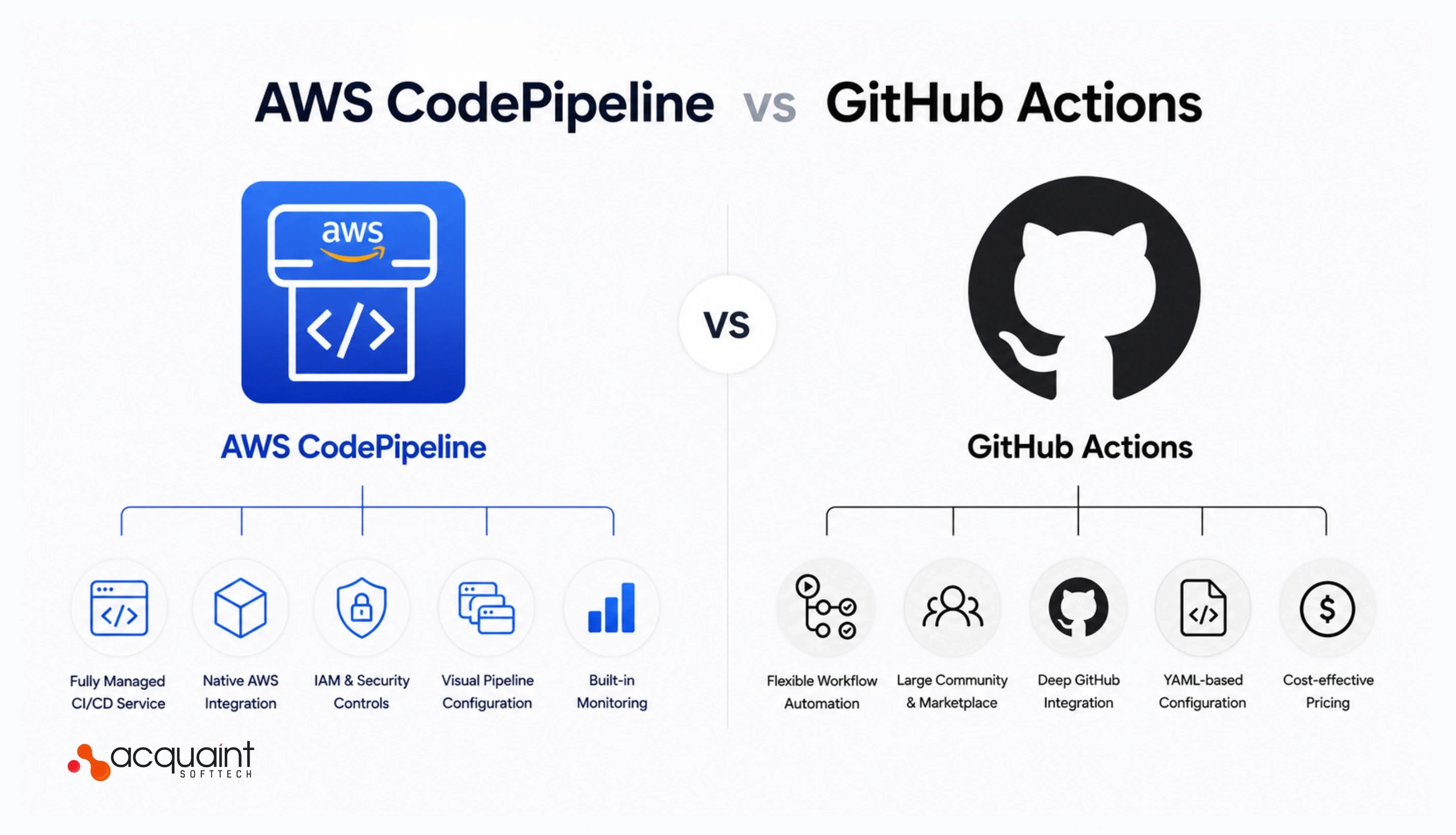
AWS CodePipeline vs GitHub Actions for SaaS: What a DevOps Engineer Recommends and Why
AWS CodePipeline and GitHub Actions both work on AWS. But they solve different problems. Here is the honest comparison and what a DevOps engineer recommends for SaaS startups in 2026.
Taukir katava
May 12, 2026India (Head Office)
203/204, Shapath-II, Near Silver Leaf Hotel, Opp. Rajpath Club, SG Highway, Ahmedabad-380054, Gujarat
USA
7838 Camino Cielo St, Highland, CA 92346
UK
The Powerhouse, 21 Woodthorpe Road, Ashford, England, TW15 2RP
New Zealand
42 Exler Place, Avondale, Auckland 0600, New Zealand
Canada
141 Skyview Bay NE , Calgary, Alberta, T3N 2K6