

Self-Managed vs Managed Hosting: Which Is Better in 2026?
Choose managed hosting unless you employ someone whose job includes servers. Self-managed hosting is cheaper on the invoice and more expensive in engineering hours, because you inherit operating system patching, backups, certificate renewal, scaling and incident response. The real question is not price but responsibility: work out which failures become your problem at 2 am, then decide whether you have anyone to answer them.

Mukesh Ram
As the Founder and CEO at Acquaint Softtech, I should set expectations honestly: we are not a hosting company. We build and operate the applications that run on hosting, which means when a server decision goes wrong, we are usually the people called in to unpick it. That gives me a particular view of this question, because I rarely see the hosting bill and almost always see the engineering hours, and those are the numbers that decide whether a choice was right. Teams that hire DevOps engineers early tend to make this decision once; teams that do not tend to make it three times.
The framing most articles use, cheap self-managed against expensive managed, is the wrong axis. Hosting is a transfer of responsibility. Every pound you do not spend on management is a task you have quietly agreed to perform yourself: patching the operating system, renewing certificates, testing restores, watching for intrusion, and being awake when something fails at three in the morning on a public holiday. The bill is visible. The obligation is not.

- You are choosing where to run a new website or application.
- Your current server was set up by someone who has since left.
- You are paying for managed hosting and wondering whether it is worth it.
- Nobody in your company can say who would respond to an outage tonight.
- You need EU or UK data residency and are unsure whether your host provides it.
The original version of this article made one argument that has aged well: self-managed hosting is a heavier commitment than people expect, and the saving is smaller than it appears. That is still true, and it is still the thing most buyers underestimate.
What it got wrong was the premise that self-managed means free, and the assumption that there are only two options. Neither holds. This update replaces the binary with the five tiers that actually exist, puts real numbers against each, and gives you a matrix showing exactly which tasks you inherit at each level.
Find Your Situation and Get the Hosting Model

Hosting choice follows your team, not your traffic. Find the row that describes you honestly, including the uncomfortable ones.
Your situation | The right model | Why |
No technical staff at all | Managed platform | Someone must own patching |
Small marketing website | Managed WordPress hosting | Cheap, and updates handled |
Developers, but no ops person | Managed platform or PaaS | Developers should not be on call |
In-house DevOps team | Cloud IaaS | You get control you can actually use |
Store taking live payments | Managed, with an SLA | Downtime has a direct price |
Strict EU or UK data rules | Region-locked managed | Residency must be contractual |
Server set up by someone who left | Audit before anything | You do not know what you have |
Spending nights fixing servers | Move up a tier | You are paying in hours, not fees |
The last two rows are where most of the pain we get called into lives. An inherited server nobody documented is a liability rather than an asset, and the first sensible step is an audit rather than a migration, which is normally how a discovery workshop services engagement on an existing platform begins.
The Five Hosting Tiers, Not Two

Hosting is a spectrum of five tiers, and each one moves the line between what the provider does and what you do. Knowing which tier you are on answers most of the questions people ask about hosting.
Shared hosting
Your site sits on a server with hundreds of others. Cheapest, least control, and performance depends on your neighbor's. Fine for a brochure site, unsuitable for anything transactional or growing.
Managed application hosting
The provider runs the server and the runtime, and often the application updates too. Managed WordPress hosting is the familiar example; modern platform services for Laravel, Node and containerized apps work the same way. You give up some configuration freedom and get back your evenings.
Virtual private server (VPS)
You rent a slice of a machine and get root access. This is where most self-managed setups live, and where most of the hidden work appears. The server is yours in every sense, including the security updates.
Cloud infrastructure (IaaS)
AWS, Azure and Google Cloud give you almost unlimited control and an operational surface to match. Powerful and worth it if you have people who know it. Expensive and dangerous if you do not, because cloud bills grow quietly and misconfigured storage is one of the most common causes of data exposure.
Fully managed by a partner
A team takes responsibility for infrastructure, deployments, monitoring and incidents, usually alongside the application itself. This is what most businesses mean when they say pro-managed, and it is the model behind our support and maintenance services, where the same engineers who know the application also own its uptime.
The Responsibility Matrix: Who Owns What

Every hosting arrangement is a shared responsibility model, and the arguments happen where the boundary is unclear. Amazon publishes the clearest version of this idea in its shared responsibility model, which draws the line between security of the cloud and security in the cloud. The same logic applies at every tier below.
Task | Self-managed VPS | Managed platform |
Operating system patches | You | Provider |
Runtime and language updates | You | Provider, usually |
Application code updates | You | You |
Backups and restore testing | You | Provider, verify it |
TLS certificate renewal | You | Provider |
Firewall and access rules | You | Shared |
Uptime monitoring | You | Provider |
Incident response at 2 am | You | Provider |
Scaling under load | You | Provider or automatic |
Security of your own code | You | You |
The two rows nobody can outsource
Application code updates and the security of your own code stay with you at every tier, and they are where most breaches actually originate. The vulnerability classes catalogued in the OWASP Top Ten are application-level problems that no hosting plan prevents. Managed hosting protects the floor; it does not protect what you build on it, which is why hosting and application maintenance are two separate budget lines rather than one.
The row people skip
Backups are not the same as restore testing. Almost every business we audit has backups. A meaningful minority have never restored one, and discovering a backup is corrupt during an outage is a materially worse day than not having backups at all. Test a restore quarterly, into a scratch environment, and write down how long it took.
Do you know who would fix your site tonight?
Send me your hosting setup, and I will map exactly which tasks you are responsible for, which are unowned, and what a failure would cost you, with findings back in 48 hours.
What Hosting Actually Costs You

The invoice is the smallest part of hosting cost; engineering time is the largest. A twenty-dollar server that consumes four engineer-hours a month is not a twenty-dollar server, and this is the calculation the original version of this article gestured at without ever running.
Model | Monthly fee (USD) | Engineering hours per month |
Shared hosting | 5 to 30 | Under 1 |
Managed WordPress | 25 to 200 | 1 to 2 |
Managed platform (PaaS) | 50 to 500 | 1 to 3 |
Self-managed VPS | 20 to 200 | 4 to 12 |
Cloud IaaS, self-run | 200 to 3,000+ | 10 to 40 |
Fully managed by a partner | Included in retainer | Effectively zero |
Multiply the hours column by your local engineering rate and the picture inverts quickly. Six hours a month of senior time is roughly USD 700 in New York, GBP 500 in London, EUR 560 in the EU, and AUD 900 in Sydney, against USD 200 through an offshore team. In every one of those markets, the self-managed VPS is the more expensive option once you count honestly.
Region | Senior engineering rate | 6 hours per month costs |
New York, USA | USD 110 to 200 / hour | USD 660 to 1,200 |
United States (national) | USD 90 to 170 / hour | USD 540 to 1,020 |
Australia | AUD 110 to 200 / hour | AUD 660 to 1,200 |
United Kingdom | GBP 65 to 130 / hour | GBP 390 to 780 |
Europe (EU) | EUR 70 to 140 / hour | EUR 420 to 840 |
India (Acquaint Softtech) | USD 25 to 49 / hour | USD 150 to 294 |
There is a second cost the invoice never shows: the opportunity cost of a developer doing operations work. An engineer spending a day on server maintenance is a day of product work you did not get, and that trade is rarely made deliberately.
Where the constraint is capacity rather than skill, adding operational cover through IT staff augmentation is usually cheaper than the feature backlog it protects. For how hosting sits inside a full project budget, our guide to web application development cost covers the surrounding line items.
The Four Questions That Decide It
Answer these four honestly, and the decision makes itself. Most disagreements about hosting are really disagreements about one of these answers.
1. What does one hour of downtime cost you?
Work out the number. For a brochure site it may be nothing. For a store taking payments, it is revenue plus support load plus refunds. Once you know the figure, the price of an uptime guarantee stops being abstract and becomes a straightforward comparison.
2. Who is on call tonight?
Name the person. If the name is a developer who has never agreed to be on call, or a founder who will be on a flight, you do not have an answer; you have an assumption. Unstaffed on-call is the most common single point of failure we find.
3. Can you restore from backup, and how long does it take?
If nobody has tested it in the last quarter, treat the answer as no. Then measure the time it takes, because a twelve-hour restore and a twenty-minute restore are different businesses during an incident.
4. Where must your data legally live?
For EU and UK operations, this is a contractual requirement rather than a preference, and it eliminates otherwise reasonable providers. It is covered in the next section, and it is the question most often discovered late.
If those four answers point in different directions, that is usually an architecture question rather than a hosting question, and an independent view through virtual CTO services is cheaper than picking wrong and migrating twice.
Data Residency and Compliance
Where your data physically sits is now a legal constraint in the EU and UK, not a technical preference. This did not feature in hosting decisions in 2018, and it frequently decides them now.
Under the GDPR, personal data belonging to EU residents carries obligations that follow the data wherever it is processed, including transfers outside the EU. In practice, this means three things when choosing a host: you need to know which region your servers and backups are in, you need a data processing agreement in place, and you need that region guaranteed in writing rather than assumed from a marketing page.
What to check before you sign
The specific region for both live data and backups, named in the contract.
A signed data processing agreement, and sub-processor disclosure.
Breach notification timelines that meet your own regulatory obligations.
Whether support staff outside the region can access production data.
That last point catches people out regularly, because data can be stored compliantly and still be viewed from anywhere by a support team. For regulated clients, we treat access control as part of the hosting decision rather than a separate matter, and it shapes how the application itself is built through software product development rather than being bolted on afterwards.
Migrating Without Downtime
Most hosting migrations can be done with no visible downtime, and the ones that go wrong skip the same three steps. The sequence matters more than the destination.
The sequence that works
Build the new environment fully and run it in parallel. Copy data and test a real restore into it. Lower DNS time-to-live at least a day in advance so the switch propagates in minutes rather than hours. Move during your lowest-traffic window, keep the old environment running for a week, and monitor error rates rather than assuming silence means success.
What people forget
Cron jobs, scheduled tasks, transactional email configuration, third-party API allowlists and TLS certificates all live outside the codebase, and all break quietly. On older applications, the migration is also the moment when unsupported runtime versions surface, which is why hosting moves and version upgrade services are usually scoped together rather than sequentially.
On PHP applications, the runtime version is the most common blocker, and teams typically hire Laravel developers to handle the framework and dependency work in the same window as the infrastructure move, which turns two projects into one.
Get off the server nobody wants to touch
Book a free 30-minute call, and I will assess your current hosting, tell you which tier you actually need, and lay out a migration plan with no visible downtime.
Frequently Asked Questions
-
Is managed hosting worth the extra cost?
Almost always, unless you employ someone whose job includes servers. The fee replaces engineering hours that cost more. Compare total cost, not the invoice.
-
What is the difference between self-managed and managed hosting?
Self-managed means you handle patching, backups, certificates, monitoring and incidents. Managed means the provider does. Your application code stays your responsibility either way.
-
Is self-hosting free?
No. You pay for the server, and you pay far more in engineering time. A cheap VPS that needs six hours a month is one of the most expensive options available.
-
What is a shared responsibility model?
It defines which security and maintenance tasks belong to the provider and which belong to you. Amazon publishes the best-known version. Disputes happen where the boundary is unclear.
-
How many hours a month does a self-managed server need?
Typically four to twelve for a VPS, and considerably more for self-run cloud infrastructure. Multiply that by your engineering rate before deciding.
-
Does managed hosting protect me from being hacked?
Partly. It secures the server layer, not your application code. Most breaches originate in the application, which no hosting plan can prevent.
-
How often should I test my backups?
Quarterly, by restoring into a scratch environment. Untested backups fail exactly when you need them. Record how long the restore took.
-
Where does my data need to be stored?
For EU and UK operations, in a region that satisfies your obligations, named in the contract. Check backups and support access too, not just the live database.
-
Can I migrate hosting without downtime?
Yes, in most cases. Run both environments in parallel, lower DNS time-to-live a day ahead, and switch during a quiet window. Keep the old one for a week.
-
Should I use AWS or a managed platform?
Use cloud infrastructure if you have people who know it. A managed platform gives most of the benefit with a fraction of the operational load for everyone else.
I love to make a difference. Thus, I started Acquaint Softtech with the vision of making developers easily accessible and affordable to all. Me and my beloved team have been fulfilling this vision for over 15 years now and will continue to get even bigger and better.
Table of Contents
Get Started with Acquaint Softtech
- 13+ Years Delivering Software Excellence
- 1300+ Projects Delivered With Precision
- Official Laravel & Laravel News Partner
- Official Statamic Partner
Related Blog

Mobile Commerce Development: Native Apps, React Native, and PWAs for E-Commerce
Mobile commerce development is the practice of building shopping experiences for mobile devices through native apps, cross-platform React Native apps, or Progressive Web Apps. Native apps offer the highest performance and retention, React Native delivers both platforms from one codebase at 40 to 60 percent lower cost, and PWAs give app-like speed in the browser with zero install friction.

Manish Patel
June 26, 2026
How the Laravel AI SDK Enhances Modern Web Apps
The Laravel AI SDK is Laravel's official first-party package that enables developers to build AI-powered web applications using a single, unified API.

Chirag Daxini
April 15, 2026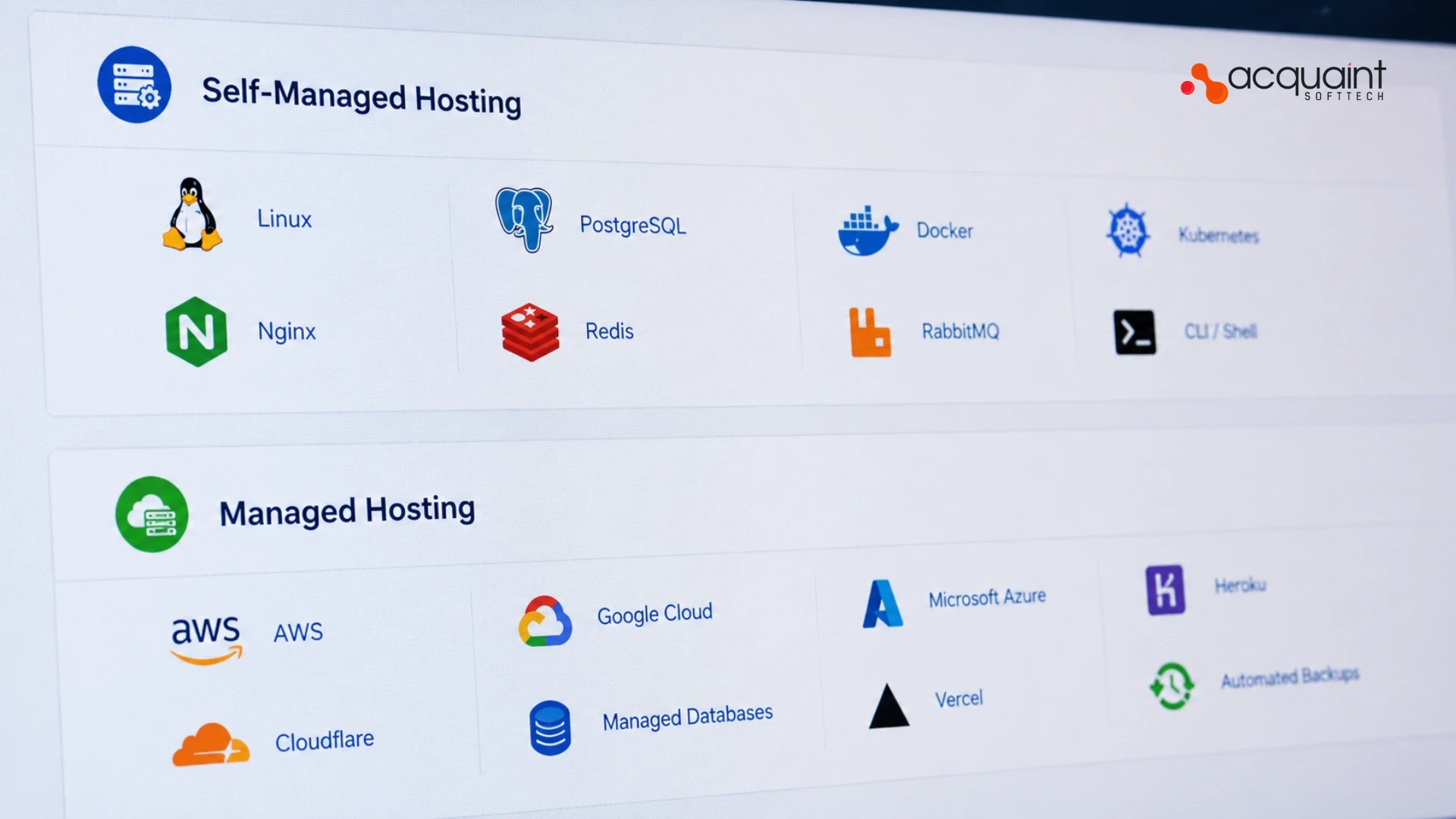
Self-Managed vs Managed Hosting: Which Is Better in 2026?
Choose managed hosting unless you employ someone whose job includes servers. Self-managed hosting is cheaper on the invoice and more expensive in engineering hours, because you inherit operating system patching, backups, certificate renewal, scaling and incident response. The real question is not price but responsibility: work out which failures become your problem at 2 am, then decide whether you have anyone to answer them.
Mukesh Ram
April 27, 2018India (Head Office)
203/204, Shapath-II, Near Silver Leaf Hotel, Opp. Rajpath Club, SG Highway, Ahmedabad-380054, Gujarat
USA
7838 Camino Cielo St, Highland, CA 92346
UK
The Powerhouse, 21 Woodthorpe Road, Ashford, England, TW15 2RP
New Zealand
42 Exler Place, Avondale, Auckland 0600, New Zealand
Canada
141 Skyview Bay NE , Calgary, Alberta, T3N 2K6