

Top 10 Reasons Why Mobile Apps Fail in 2026 (and How to Avoid Them)
Mobile apps fail primarily due to a lack of real market need, poor user experience (UX), technical bugs and instability, weak testing, and thin marketing. To avoid failure, validate a real user problem through research, launch a simple MVP with core features first, prioritize clean design, test extensively across devices, and plan continuous post-launch updates. Most failures trace back to skipped planning, not bad code.

Mukesh Ram
The app stores are overloaded with millions of apps, and most new ones fail. The dependency on mobile applications pushes many stakeholders to build, some on a fresh idea, some for business identity. But most mobile apps fail due to improper planning, because newbie app owners are in a hurry to build castles in the air.
As the Founder and CEO at Acquaint Softtech, a leading mobile app development company, I have seen the real reasons behind app failure up close and helped founders across the USA, UK, Europe, Australia, and New Zealand avoid them.

- You are a CEO, CTO, COO, or founder who does not want your app to become another failed app.
- You run an agency and want a clear checklist of why apps fail and how to avoid it.
- You want to know why mobile apps fail on both Android and iOS.
- You are worried about mobile application issues like crashes, bugs, or poor UX.
- You need honest, experience-based advice, not generic tips.
- You want a proven partner to build it right the first time.
Too often, clients cry over spilled milk and discuss past mistakes only after launch. So we wrote this guide to describe the top 10 reasons mobile apps fail and how to avoid them.
It covers app category, resources, ASO, UI design, market research, testing, and much more, because the right testing and feedback can turn an ordinary app into a winner.
Why Do Mobile Apps Fail?

Mobile apps fail mainly because of no real market need, poor UX, performance and stability issues, inadequate testing, weak marketing, and ignoring user feedback. Understanding these six root causes is the fastest way to protect your app. Here they are at a glance.
No real market need: building an app that does not solve a meaningful or painful problem.
Poor user experience (UX): complicated navigation, cluttered interfaces, or difficult sign-up flows.
Performance and stability issues: frequent crashes, long loading delays, and excessive battery drain.
Inadequate testing: launching with critical bugs and compatibility issues across devices.
Weak launch and marketing: failing to promote the app or acquire users effectively after release.
Ignoring user feedback: neglecting to update features or fix problems reported by active users.
The 10 Reasons Mobile Apps Fail and How to Avoid Them
Below are the ten reasons we see most often. The wording and lessons come straight from years of real projects, each with a direct fix you can apply.
1. Unaware of Market Research
The most common cause of mobile app failure is skipping market research. Most newbie app owners are in a hurry to jump on the bandwagon. Preparation before development is a crucial factor — if the ideation is crafted well, the output will attract users. Market research means identifying the real need for the app and targeting the right audience.
Many apps fail because several popular apps already solve the same problem. Instead of wasting time, work on the right idea with the right resources, then build for a specific audience with personalized, better features than what exists.
Validating the need before you build is exactly what our discovery workshop services are designed for, turning a rough idea into a tested, de-risked plan.
2. Improper Ideation
A great idea alone does not guarantee success; proper ideation does. Most startups, and most apps, fail due to badly shaped ideas. Every successful app once had a half-baked idea that was narrated in the right way. Apps that resolve a real problem stay popular, so find a relevant problem your audience faces.
Research on Google to test your idea and gauge competition, then choose the right app category. Keep asking the "Wh" questions: why will people download your app, and what are its elementary features?
3. Creating a Bloated Application
Overloading an app with needless features is not a mistake; it is a crime. It is natural to dream of a premium app with many features, but constantly adding needless ones inflates development time and cost. Free themes, builders, and plugins tempt non-coders to keep experimenting, which leads to a complex, overloaded app.
Too many features also increase app size and load time, and heavier apps get fewer downloads. Build only the features needed for the basic version, and introduce the rest in updates; active updates keep users engaged and waiting for more.
To keep the build lean and expert-led, our software product development services focus on shipping a focused MVP first, then scaling features with real usage data.
4. Forgetting the Vision & Audience
An app with great design still fails if it targets the wrong audience. It is the worst feeling when an app has an attractive design and the right features but still cannot get downloads, usually because it reached the wrong audience.
If you build a shopping app for women but market to men, imagine its future. Identify the right audience first, then keep crafting features for them. Owners often drift from their original vision while experimenting, so keep asking why you chose to build this app and how you can do better with your resources.
5. Not Familiar With ASO
If your app stumbles despite fixing everything else, App Store Optimization (ASO) is often the missing piece. Many owners are unfamiliar with ASO, which improves an app's rank in the store, the same way SEO works for websites. ASO can be the deciding factor for download numbers, so every owner should know the basics. From our experience at Acquaint Softtech, a few ASO tips go a long way.
Add a catchy keyword in the title and keywords in the description.
Use attractive, appealing screenshots and an informative preview video.
Identify your audience with App Store analytics.
Encourage positive reviews and design a strong brand identity (icon, color).
6. Boring & Complex User Interface
A confusing UI is one of the fastest ways to lose users. The user interface decides how long people stay with your app, yet many owners ignore it. UI/UX creates the first impression, so a better interface can become your USP.
Use prototyping and wireframing to organize features and see the real output before you build. Create an attractive home screen, or users will uninstall without a second thought. Design for all smartphone sizes, and add engaging touches like gestures to keep users interacting.
Strong UI/UX and clean architecture are core to our mobile app development services, where design and engineering work together from the first wireframe.
7. Not Built for All Screen Sizes
Ignoring the range of modern screen sizes is a costly developer mistake. Smartphones keep updating their features and screen sizes, including foldables, so your app must adapt to all of them. Staying current is how you stay in the market. In practice, this is about responsive UI and UX; every successful app follows solid UI/UX principles so it looks and works well on any device, from a compact phone to a large foldable.
8. Just Another Mobile Application
In a sea of apps, being generic is the same as being invisible. Crafting a unique app is tough, but there is a sea of applications, and yours must stand out to be found. Every category is packed, so serve something unique or clearly better.
Choose the right category; according to Statista, games have long led the Apple App Store, followed by business and education. Highlight your best features so users understand why you are different, and, above all, solve a real problem for your target audience.
9. Skipping QA and Bug-Fixing
Skipping QA testing to save time or money is a direct path to failure. QA testing can take longer than expected, and many owners with fixed budgets skip it, a serious risk. Even if your app becomes a hit, bugs will drive users to uninstall instantly.
At Acquaint Softtech, we test applications in every possible way, and our QA team works to fix all bugs so the app stands out. A smart, underrated tactic is to circulate a demo to your circle and gather feedback before launch, which helps you ship a bug-free, lovable app.
For teams that need consistent QA and engineering muscle, our dedicated software development teams own testing and delivery end-to-end, so quality never gets cut to hit a deadline.
10. Hiring an Unfit App Development Company
Choosing the wrong development partner can sink even a strong idea. Just as you would choose a restaurant wisely for a good dinner, you must choose your development company carefully. Many stakeholders rely entirely on the first Google result, but Google only shows relevant results, not the perfect fit.
Finding the right partner is a process: research the technology, examine portfolios and client reviews, and discuss requirements and deadlines. Take your time rather than landing in the wrong place.
If you would rather skip the guesswork, you can hire dedicated app developers from Acquaint Softtech — vetted, in-house, and onboarded within 48 hours.
Why Apps Fail on Android vs iOS
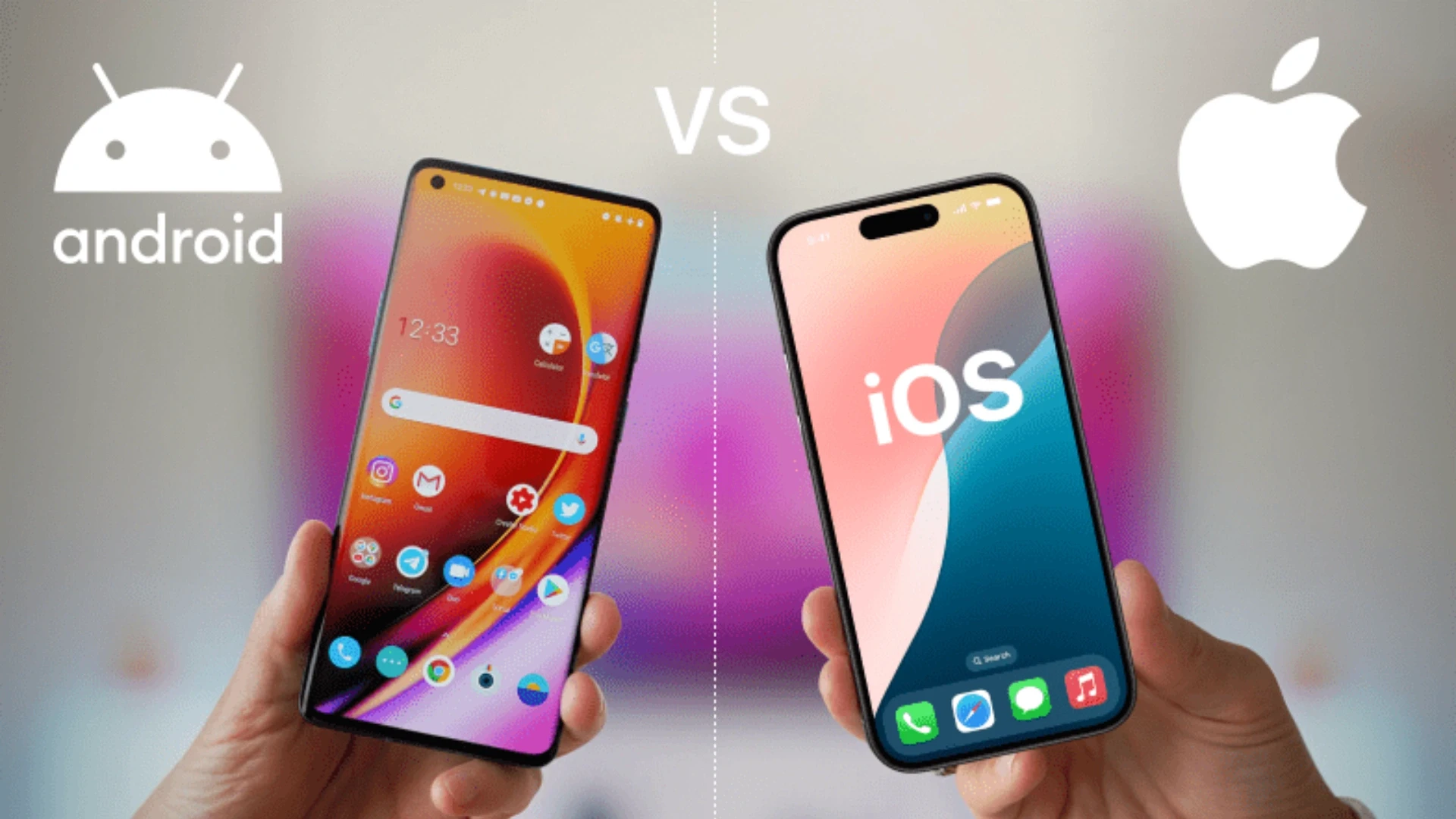
Apps fail on both Android and iOS for the same core reasons, but the technical triggers differ. Knowing why mobile apps fail on Android versus iOS helps you test for the right risks on each platform.
Failure Area | On Android | On iOS |
Device fragmentation | Thousands of devices and OS versions | Fewer devices, still multiple sizes |
Common crash cause | Memory and background limits | Strict lifecycle and API rules |
Store rejection | Policy and security flags | Stricter App Store review |
Fix | Test on many real devices | Test against latest iOS + guidelines |
On Android, fragmentation across thousands of devices and OS versions is the biggest failure trigger, so testing on many real devices matters most. On iOS, Apple's stricter review process and lifecycle rules cause more rejections and crashes if guidelines are not followed. Either way, thorough cross-device testing is the fix, which is why QA is non-negotiable in every build.
If your in-house team is stretched thin during testing, our IT staff augmentation services let you add vetted QA and mobile engineers within 48 hours to cover both platforms.
How to Avoid App Failure: A 5-Step Framework
To avoid app failure, validate the idea, focus on core features, prioritize usability, test thoroughly, and plan post-launch support. These five steps map directly to the reasons above. Follow them in order.
Validate the idea early: talk directly to your target audience and confirm they want a solution before writing code.
Focus on core features first: launch a minimal viable product (MVP) with essential functions, then add more later.
Prioritize usability design: keep onboarding clean, fast, and simple for everyone.
Test thoroughly: run deep QA checks across multiple devices and operating systems.
Plan post-launch support: monitor performance, fix bugs quickly, and listen to user reviews.
Keeping an app healthy after launch is exactly what our support and maintenance services are built for, with monitoring, fast bug fixes, and ongoing updates.
Want an expert to pressure-test your app before you build?
Tell Acquaint Softtech your idea and target platforms, and we will map the failure risks, a lean MVP scope, a QA plan, and a realistic cost, within 48 hours.
Common Questions About App Crashes and Failure
Why are some apps not working on mobile?
Apps stop working for a few common reasons: an outdated app or OS version, low storage or memory, a poor network connection, or a bug in the app itself. Updating the app, restarting the device, clearing the cache, or reinstalling usually fixes it. If it keeps failing, the problem is likely in the app's code or server.
How do I get my apps to stop crashing?
Update the app and your operating system, free up storage, close background apps, and clear the app's cache. If crashes continue, reinstall the app. For app owners, repeated crashes point to memory issues, unhandled errors, or weak testing, which a proper QA process prevents.
What causes apps to malfunction?
Apps malfunction due to code bugs, memory leaks, device or OS incompatibility, server or API failures, and poor error handling. Most of these trace back to inadequate testing before launch. Thorough cross-device QA and good post-launch monitoring are the reliable cure.
What are the worst apps to have on your phone?
The riskiest apps are ones that drain battery, demand excessive permissions, run constantly in the background, or come from untrusted sources. From a builder's view, the lesson is the opposite: a good app is lightweight, asks only for the permissions it needs, and respects the user's device and privacy.
Case Study: Avoiding Failure With Disciplined Delivery
The best proof that a process prevents failure is a high-stakes build that could not afford to break. Acquaint Softtech built an AI-powered document-intelligence platform for a US client that reads invoices and statements, structures the data, and flags inconsistencies, a project where bugs could impact financial reconciliation. This account is drawn from the client's verified Clutch review.
Client | A US company automating financial document processing. |
Failure risk | Strict accuracy needs; small errors could jeopardize a family's long-term care budget. |
What we built | A custom AI engine that structures unstructured data, plus a human-in-the-loop dashboard for expert review of flagged cases. |
How failure was avoided | Careful planning, strong architecture, and heavy QA, exactly the anti-failure steps in this guide. |
Delivery | A dedicated team with transparent, responsive project management from start to finish. |
Company-wide proof: Acquaint Softtech has delivered 1,293+ projects over 13+ years with 70+ in-house engineers and a 5-star Clutch rating across 60+ reviews, as an Official Laravel Partner.
You can explore more fintech, healthcare, and SaaS builds on the Acquaint Softtech case studies page.
Why Choose Acquaint Softtech to Build an App That Lasts

Choose a partner with public proof, an in-house team, and a testing-first process; Acquaint Softtech offers all three. Most clients save 60–75% versus hiring equivalent talent in the US, UK, or Australia, without cutting quality.
Verified trust: 5-star Clutch rating across 60+ reviews and 1,293+ delivered projects.
In-house talent: 70+ full-time engineers, deployable within 48 hours, not a freelancer marketplace.
Global reach: serving founders across the USA, UK, Europe, Australia, and New Zealand.
Testing-first delivery: mandatory QA and code review before every release, so bugs do not reach users.
To Sum Up
Most apps fail for reasons that are entirely avoidable: no market research, weak ideation, bloated features, the wrong audience, missing ASO, poor UI, ignored screen sizes, sameness, skipped QA, and the wrong development partner. Fix these, and you remove the biggest risks before they ever reach your users.
If you want to build an app that avoids these traps and actually lasts, that is exactly the kind of project the team at Acquaint Softtech enjoys. Share your idea, and we will help you scope and build it well.
Don't let your app become another failure statistic.
Talk directly with Acquaint Softtech's founder in a free 30-minute session. You will leave with a clear scope, a risk checklist, a QA plan, and honest advice on what will make your app succeed.
Frequently Asked Questions
-
Why do mobile apps fail?
Most apps fail from a lack of real market need, poor UX, crashes and instability, inadequate testing, and weak marketing. Nearly all of these trace back to skipped planning rather than bad code. Validating the idea and testing thoroughly prevents the majority of failures.
-
Why do mobile apps fail on Android and iOS?
On Android, device fragmentation across thousands of devices is the biggest trigger. On iOS, stricter App Store review and lifecycle rules cause more rejections and crashes. Both are solved by thorough cross-device testing before launch.
-
How do I get my apps to stop crashing?
Update the app and OS, free up storage, close background apps, and clear the cache; reinstall if needed. For app owners, repeated crashes signal memory issues or weak testing that a proper QA process prevents.
-
What causes apps to malfunction?
Code bugs, memory leaks, device or OS incompatibility, server or API failures, and poor error handling. Most trace back to inadequate testing, which cross-device QA and post-launch monitoring can fix.
-
What are the worst apps to have on your phone?
Apps that drain battery, demand excessive permissions, run constantly in the background, or come from untrusted sources. A well-built app is lightweight, minimal on permissions, and respectful of privacy.
-
How can I stop my app from failing after launch?
Launch a lean MVP, test across devices, and plan post-launch support: monitor analytics, fix bugs fast, and act on user reviews. Continuous updates keep users engaged and prevent slow decline.
I love to make a difference. Thus, I started Acquaint Softtech with the vision of making developers easily accessible and affordable to all. Me and my beloved team have been fulfilling this vision for over 15 years now and will continue to get even bigger and better.
Table of Contents
Get Started with Acquaint Softtech
- 13+ Years Delivering Software Excellence
- 1300+ Projects Delivered With Precision
- Official Laravel & Laravel News Partner
- Official Statamic Partner
Related Blog
10 Must Follow Steps of Mobile App Development Process
The mobile app development process is a structured set of 10 steps that moves an idea from concept to a published app: ideation, target audience and monetization, choosing the platform, UI/UX design, picking tools, choosing the right partner, fast development, testing and deployment, marketing, and post-launch maintenance. Following the steps in order, rather than rushing to publish, is what separates apps that get downloads from the ones that get ignored.
Mukesh Ram
July 29, 2019
The Best Flutter App Development Company For Your Dream Project
The best Flutter app development company depends on your project goals, but the top-rated partners all share three traits: a real portfolio of published Flutter apps, clean state management (BLoC, Provider, or Riverpod), and full lifecycle support from UI design to backend sync and CI/CD. In 2026, Flutter holds roughly 46% of the cross-platform developer market, so choosing a proven team, not the first Google result, is what protects your budget and timeline.
Mukesh Ram
July 5, 2019
Mobile App Development: A Step-by-Step Guide for 2026
To develop a mobile app, you turn an idea into a working product through research, strategy, UI/UX design, development, testing and launch, then maintain it. Choose an app type (native, cross-platform or web), define your features and monetisation model, and build an MVP first to reach the market fast and reduce risk.
Mukesh Ram
February 13, 2023India (Head Office)
203/204, Shapath-II, Near Silver Leaf Hotel, Opp. Rajpath Club, SG Highway, Ahmedabad-380054, Gujarat
USA
7838 Camino Cielo St, Highland, CA 92346
UK
The Powerhouse, 21 Woodthorpe Road, Ashford, England, TW15 2RP
New Zealand
42 Exler Place, Avondale, Auckland 0600, New Zealand
Canada
141 Skyview Bay NE , Calgary, Alberta, T3N 2K6