

AWS Auto-Scaling: What a DevOps Engineer Configures for Traffic Spikes and What It Costs in 2026
AWS Auto Scaling prevents traffic spike crashes and eliminates idle compute costs. Here is exactly what a DevOps engineer configures, which policies they set, and what it costs in 2026.

Taukir katava
As a DevOps Engineer at Acquaint Softtech, a software development partner, auto-scaling configuration is one of the most impactful infrastructure changes I make in a new engagement. A platform running on fixed-size infrastructure pays for peak capacity 24 hours a day, crashes when real peaks exceed that capacity, and wastes compute during quiet periods. AWS Auto Scaling eliminates all three problems with the right configuration. This guide covers exactly what a DevOps engineer configures, which policies and thresholds matter, and what the implementation costs in 2026.

- SaaS CTOs whose application crashes or slows down during traffic spikes despite running on AWS
- Engineering leads paying for large EC2 instances that run at low utilisation most of the day
- Founders preparing to launch or scale whose infrastructure is not yet configured to handle variable traffic
- Teams hiring a DevOps engineer and wanting auto-scaling as part of the first sprint deliverables
Most AWS infrastructure without a DevOps engineer is either over-provisioned or under-provisioned. Over-provisioned infrastructure pays for capacity that sit idle 80% of the time. Under-provisioned infrastructure crashes when a product launch, press mention, or seasonal event sends real traffic at the application. AWS Auto Scaling solves both problems by matching compute capacity to actual demand automatically, without manual intervention.
For startups whose application currently crashes during traffic spikes, the traffic spike infrastructure guide covers all five infrastructure gaps that cause spike crashes. Auto-scaling is one of the five. This article covers the auto-scaling configuration specifically in full depth.
What AWS Auto Scaling Is: Plain English
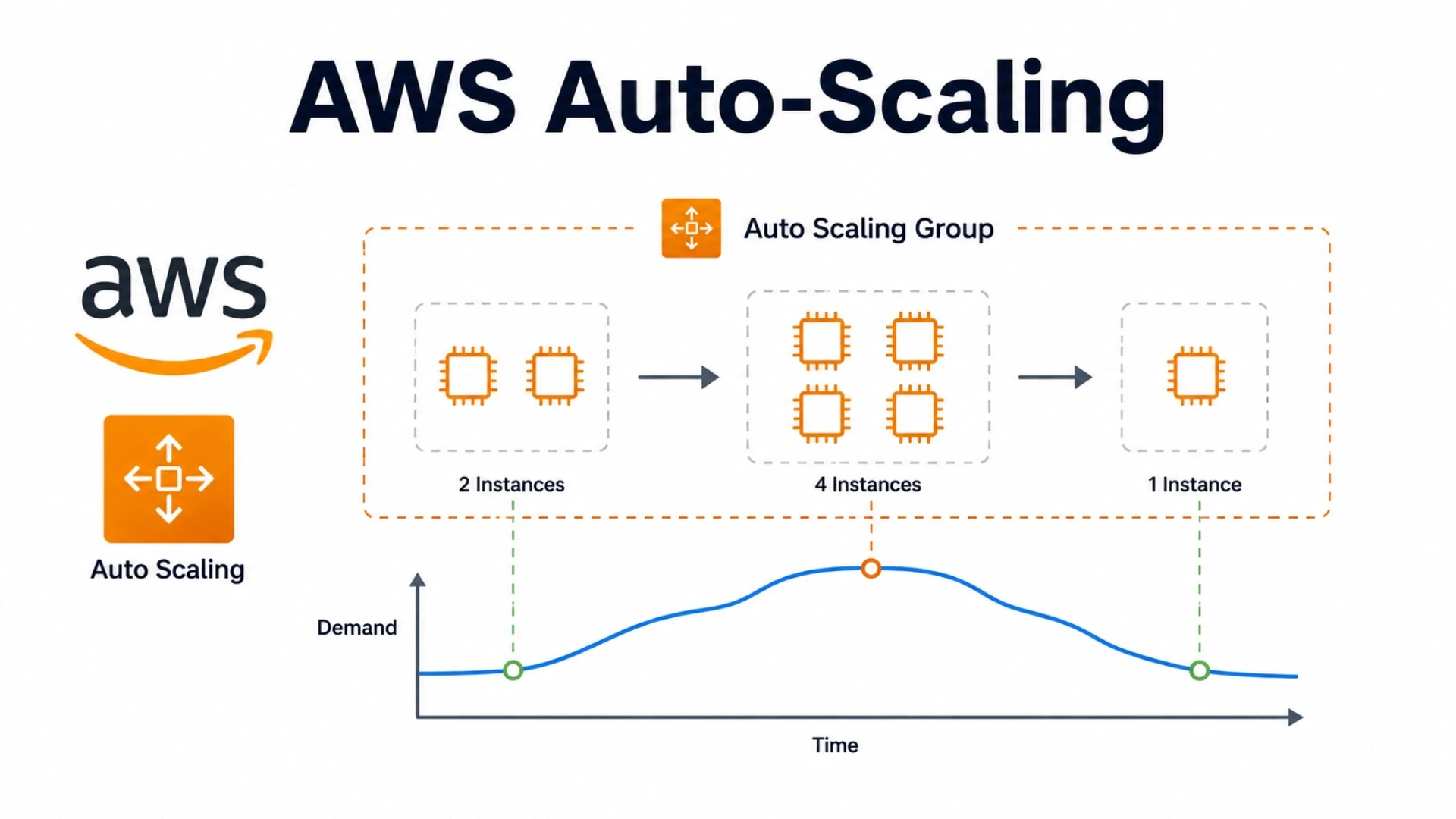
AWS Auto Scaling is a service that automatically adjusts the number of EC2 instances (or ECS tasks, or other compute resources) in response to demand. When traffic increases and CPU or request rate crosses a threshold, Auto Scaling launches new instances. When traffic drops, it terminates excess instances. The application always has enough capacity for current demand without paying for idle compute.
The 3 types of AWS Auto Scaling a DevOps engineer configures
1. Target Tracking Scaling (most common): You define a target metric value. Auto Scaling adjusts capacity to maintain it.
Example: keep average CPU at 60%. When CPU rises above 60%, new instances launch. When CPU drops below 60%, excess instances are terminated after the cooldown period.
Best for: most SaaS applications with predictable load patterns.
2. Step Scaling: Different scale-out actions for different alarm levels.
Example: CPU 60 to 70% = add 1 instance. CPU 70 to 85% = add 2 instances. CPU 85%+ = add 3.
Best for: applications with sudden, large traffic spikes where gradual scaling is too slow.
3. Scheduled Scaling: Pre-defined scale-out at specific times.
Example: scale to 4 instances every weekday at 8am, scale to 1 instance at 8pm.
Best for: applications with predictable traffic patterns (business-hours SaaS, weekly events).
What a DevOps Engineer Actually Configures: The 7 Components
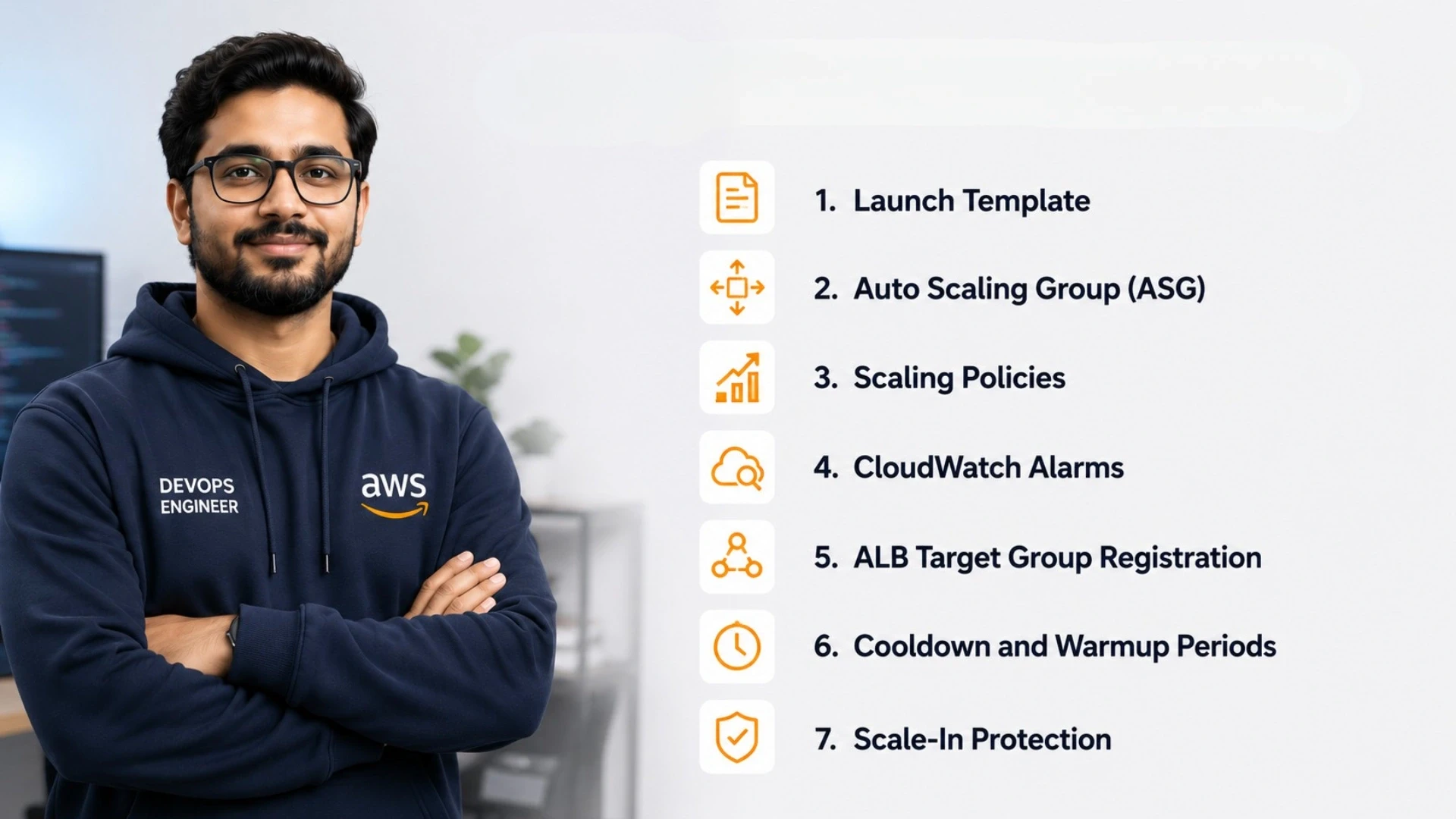
Auto-scaling is not a single on/off switch. It require configuring seven interdependent components correctly. A misconfigured scaling policy costs more or scales too slowly to prevent crashes.
1. Launch Template |
The Launch Template defines what each new EC2 instance looks like when Auto Scaling creates it: AMI (Amazon Machine Image), instance type, security groups, IAM instance profile, user data script (to install dependencies and start the application), and EBS volume configuration. The Launch Template is the blueprint. Auto Scaling uses it to create every new instance identically. |
2. Auto Scaling Group (ASG) |
The Auto Scaling Group defines the fleet: minimum instance count (never scale below this), maximum instance count (never scale above this), and desired capacity (starting count). The ASG spans multiple Availability Zones for high availability. Instance health checks are configured here: instances that fail health checks are terminated and replaced automatically. |
3. Scaling Policies |
The scaling policies define when to scale out (add instances) and scale in (remove instances). For Target Tracking: the target metric (CPU, ALB request count per target, or custom metric) and the target value. For Step Scaling: the CloudWatch alarm thresholds and the corresponding instance count changes. Scale-in protection is configured to prevent instances from being terminated while they are processing requests. |
4. CloudWatch Alarms |
CloudWatch alarms trigger the scaling policies. A DevOps engineer configures alarms for scale-out (CPU > 65% for 2 consecutive 1-minute periods) and scale-in (CPU < 35% for 5 consecutive 5-minute periods). The evaluation period and datapoints required prevent false alarms from brief spikes. |
5. ALB Target Group Registration |
New instances launched by Auto Scaling must register with the Application Load Balancer target group before they receive traffic. A DevOps engineer configures the registration delay and the health check path so instances are only added to the target group when they pass health checks. This prevents traffic from reaching instances that are still starting up. |
6. Cooldown and Warmup Periods |
The cooldown period prevents Auto Scaling from launching or terminating instances too rapidly. The instance warmup period tells Auto Scaling how long a new instance takes to be fully ready, so scaling metrics are not distorted by instances that are still starting up. Setting these incorrectly causes thrashing (launching and terminating instances repeatedly) or slow scale-out that does not prevent crashes. |
7. Scale-In Protection |
Scale-in protection prevents Auto Scaling from terminating instances that are actively processing requests. A DevOps engineer configures scale-in protection at the instance level for stateful workloads, or uses connection draining on the load balancer to allow in-flight requests to complete before an instance is terminated. |
For teams evaluating whether AWS is the right cloud for their SaaS infrastructure, the AWS vs Azure vs GCP comparison guide covers the platform decision before the auto-scaling configuration begins.
Application Crashing or Over-Provisioned on AWS? Get Auto-Scaling Configured This Sprint.
Tell Acquaint Softtech your current EC2 setup, your traffic patterns, and whether your application crashes under load or runs at low utilisation most of the day. A vetted DevOps engineer will design the right auto-scaling configuration for your setup and send a matched profile within 24 hours.
The Right Configuration Values: What a DevOps Engineer Sets
The configuration values are as important as the components. Here are the starting thresholds a DevOps engineer uses for a standard SaaS application and why each value is chosen.
Configuration parameter | Recommended starting value | Why this value |
Scale-out CPU threshold | 65% | Leaves headroom before performance degrades. Scaling takes 2 to 5 minutes to complete. |
Scale-in CPU threshold | 30% | Conservative: prevents unnecessary scale-in that triggers immediate scale-out again. |
Scale-out evaluation period | 2 consecutive 1-minute periods | Prevents scaling on brief spikes. 2 minutes confirms sustained load. |
Scale-in evaluation period | 5 consecutive 5-minute periods | Conservative: prevents premature scale-in during traffic lulls that may resume. |
Minimum instance count | 2 (in 2 AZs) | High availability: one instance per AZ. Never scale below 2. |
Maximum instance count | Set to 3x normal peak | Prevents runaway scaling from a bug causing infinite loops. |
Instance warmup | 90 to 120 seconds | Time for user data script to complete and app to pass health checks. |
Cooldown period | 300 seconds (5 minutes) | Prevents thrashing after a scale-out event. Adjust down if traffic spikes are very rapid. |
ALB deregistration delay | 30 seconds | Allows in-flight requests to complete. Default 300s is too long for most apps. |
For teams whose cloud bill has grown alongside their infrastructure, the cloud infrastructure cost optimisation guide covers how correctly configured auto-scaling is one of the eight waste categories that reduces cloud spend without reducing capacity.
What It Costs and What It Saves in 2026
Auto-scaling has two cost components: the DevOps engineer time to configure it, and the ongoing compute cost saving from not running idle instances. Here are the 2026 numbers at Acquaint Softtech rates.
Scenario | DevOps cost at $22/hour | Monthly compute saving |
Target tracking scaling on existing ASG | 1 to 2 days: $176 to $352 | 20 to 35% of EC2 compute spend |
Full ASG setup from scratch (Launch Template + policies + alarms) | 3 to 5 days: $528 to $880 | 20 to 35% of EC2 compute spend |
Scheduled + target tracking combined | 2 to 3 days: $352 to $528 | 30 to 50% for predictable-pattern apps |
Full auto-scaling stack (EC2 + RDS read scaling + ECS task scaling) | 5 to 8 days: $880 to $1,408 | 25 to 45% of total compute spend |
Monthly retainer (auto-scaling + ongoing infrastructure ownership) | $3,200/month | Continuous optimisation |
ROI example: SaaS platform spending $3,000/month on EC2
Current: 4x m5.large instances running 24/7 at fixed capacity.
Average utilisation: 25% during business hours, 8% overnight and weekends.
After auto-scaling configuration:
Business hours (Mon-Fri 8am-8pm): 3 to 4 instances.
Off-peak (evenings, weekends): 2 instances minimum.
Traffic spikes: auto-scales to 6 instances in 3 minutes.
EC2 cost after configuration: approx $1,950 to $2,100/month.
Monthly saving: $900 to $1,050.
Annual saving: $10,800 to $12,600.
Auto-scaling setup cost at $22/hour (3 to 5 days): $528 to $880.
Payback period: under 1 month.
Acquaint Softtech's hire DevOps engineers service provides pre-vetted engineers with AWS Auto Scaling configuration experience. Starting at $22/hour or $3,200/month.
For the full rate comparison, the DevOps engineer cost guide covers what each price tier delivers. Acquaint Softtech's starting rate is $22/hour.
Want to Stop Paying for Idle EC2 Instances and Prevent Traffic Spike Crashes at the Same Time?
Acquaint Softtech DevOps engineers have configured AWS Auto Scaling for gaming platforms, SaaS products, and sports media infrastructure. Tell us your current EC2 setup and traffic patterns. Matched profile in 24 hours.
Auto-Scaling Beyond EC2: ECS, RDS, and Lambda
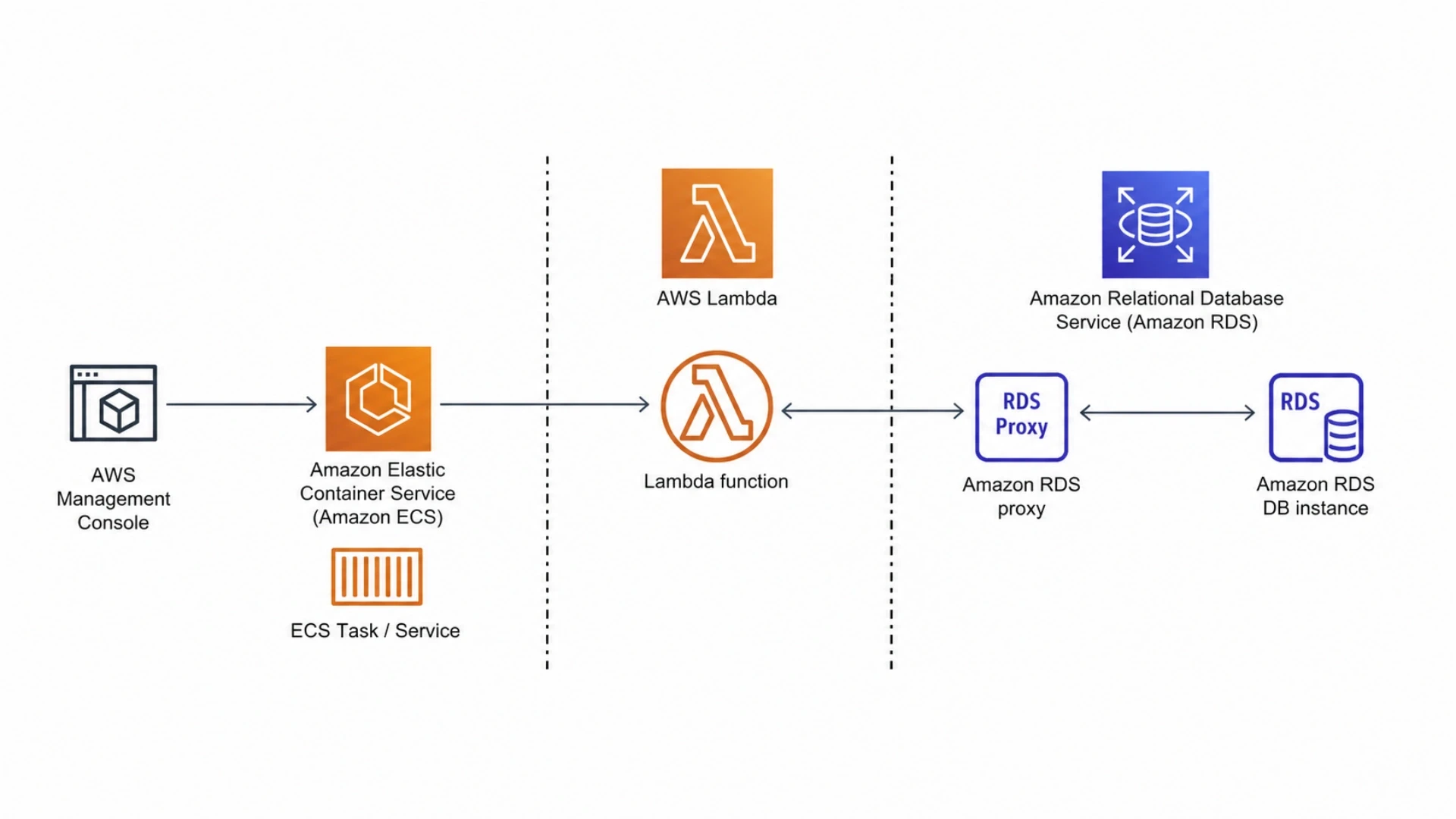
AWS Auto Scaling is not limited to EC2 instances. A DevOps engineer configures scaling for the full application stack.
ECS Service Auto Scaling | ECS tasks scale independently of the underlying EC2 instances. Application Auto Scaling manages ECS service desired count in response to CloudWatch metrics. A DevOps engineer configures target tracking on ECS CPU or ALB request count per target. Combined with EC2 Auto Scaling on the underlying cluster, the full stack scales automatically. |
RDS Read Replica Scaling | Amazon Aurora supports read replica auto scaling. As read query volume increases, new read replicas are added automatically. When query volume drops, replicas are removed. A DevOps engineer configures read replica auto scaling for Aurora databases where read traffic is the primary scaling bottleneck. |
Lambda Concurrency | AWS Lambda scales automatically by default, but without reserved concurrency configuration, a traffic spike can consume all available concurrency and throttle other Lambda functions in the account. A DevOps engineer configures reserved and provisioned concurrency to prevent Lambda throttling during traffic spikes. |
For individual DevOps capacity on a monthly retainer, Acquaint Softtech's staff augmentation model provides a dedicated engineer at $22/hour or $3,200/month. Available in 48 hours.
For a full DevOps team covering auto-scaling and broader infrastructure, our dedicated development teams covers the complete engagement.
For teams building their first product on AWS and wanting auto-scaling from day one, Acquaint Softtech's software product development service covers the full product team structure.
Ready to Configure AWS Auto-Scaling? Acquaint Softtech Has DevOps Engineers Available Now.
Pre-vetted DevOps engineers with AWS Auto Scaling experience across EC2, ECS, and RDS. Starting at $22/hour or $3,200/month. Matched profile in 24 hours. Engineer in your standup in 48 hours.
Frequently Asked Questions
-
How do you set up auto-scaling on AWS?
A DevOps engineer creates a Launch Template defining what each new instance looks like, creates an Auto Scaling Group spanning multiple AZs, configures scaling policies (Target Tracking or Step Scaling) with CloudWatch alarms, and registers the ASG with an Application Load Balancer target group. Health checks ensure only ready instances receive traffic.
-
What is Target Tracking Scaling on AWS?
Target Tracking Scaling automatically adjusts instance count to maintain a defined metric at a target value. Example: keep average EC2 CPU at 60%. When CPU rises above 60%, new instances are launched. When CPU drops below 60%, instances are terminated after the cooldown. The simplest and most common auto-scaling policy for SaaS applications.
-
How long does it take for AWS Auto Scaling to add a new instance?
A new EC2 instance typically takes 2 to 5 minutes to launch, pass health checks, and start receiving traffic. This is why scaling policies trigger early (at 65% CPU rather than 95%) - to have new capacity ready before performance degrades. Launch Templates with pre-built AMIs reduce launch time versus vanilla Amazon Linux images.
-
What is the difference between scale-out and scale-in?
Scale-out adds instances when demand increases. Scale-in removes instances when demand decreases. Scale-out is typically configured aggressively (trigger early, add instances quickly). Scale-in is configured conservatively (wait longer before removing) to prevent thrashing when load fluctuates.
-
How much does AWS Auto Scaling cost?
AWS Auto Scaling itself is free. You pay for the EC2 instances that Auto Scaling launches. The saving comes from terminating instances during low-traffic periods that you would otherwise pay for running continuously. Typical saving: 20 to 35% of EC2 compute spend.
-
What is a cooldown period in AWS Auto Scaling?
The cooldown period is the time Auto Scaling waits after a scale-out or scale-in action before taking another scaling action. It prevents the ASG from rapidly launching and terminating instances in response to metric fluctuations. Typical value: 300 seconds. Reduce to 60 to 120 seconds for applications with very rapid traffic spikes.
-
How much does it cost to configure AWS Auto Scaling at Acquaint Softtech?
A full Auto Scaling Group setup from scratch takes 3 to 5 days at $22/hour, costing $528 to $880. Adding scaling policies to an existing ASG takes 1 to 2 days, costing $176 to $352. Both are typically absorbed into the first sprint of a $3,200/month monthly retainer.
Taukir Katava is a DevOps Engineer at Acquaint Softtech with 4+ years of experience across AWS, Azure, and GCP. He specialises in Kubernetes cluster administration, CI/CD pipeline automation, and cloud infrastructure design for high-traffic platforms. Taukir writes about the practical side of production DevOps: what infrastructure decisions cost and what they actually deliver.
Table of Contents
Get Started with Acquaint Softtech
- 13+ Years Delivering Software Excellence
- 1300+ Projects Delivered With Precision
- Official Laravel & Laravel News Partner
- Official Statamic Partner
Related Reading
Moving Your Startup to the Cloud for the First Time: What a DevOps Engineer Sets Up and What to Budget in 2026
Moving a startup to the cloud for the first time is not a simple lift-and-shift. Here is what a DevOps engineer sets up, in what order, and what to budget in 2026.
Taukir katava
May 27, 2026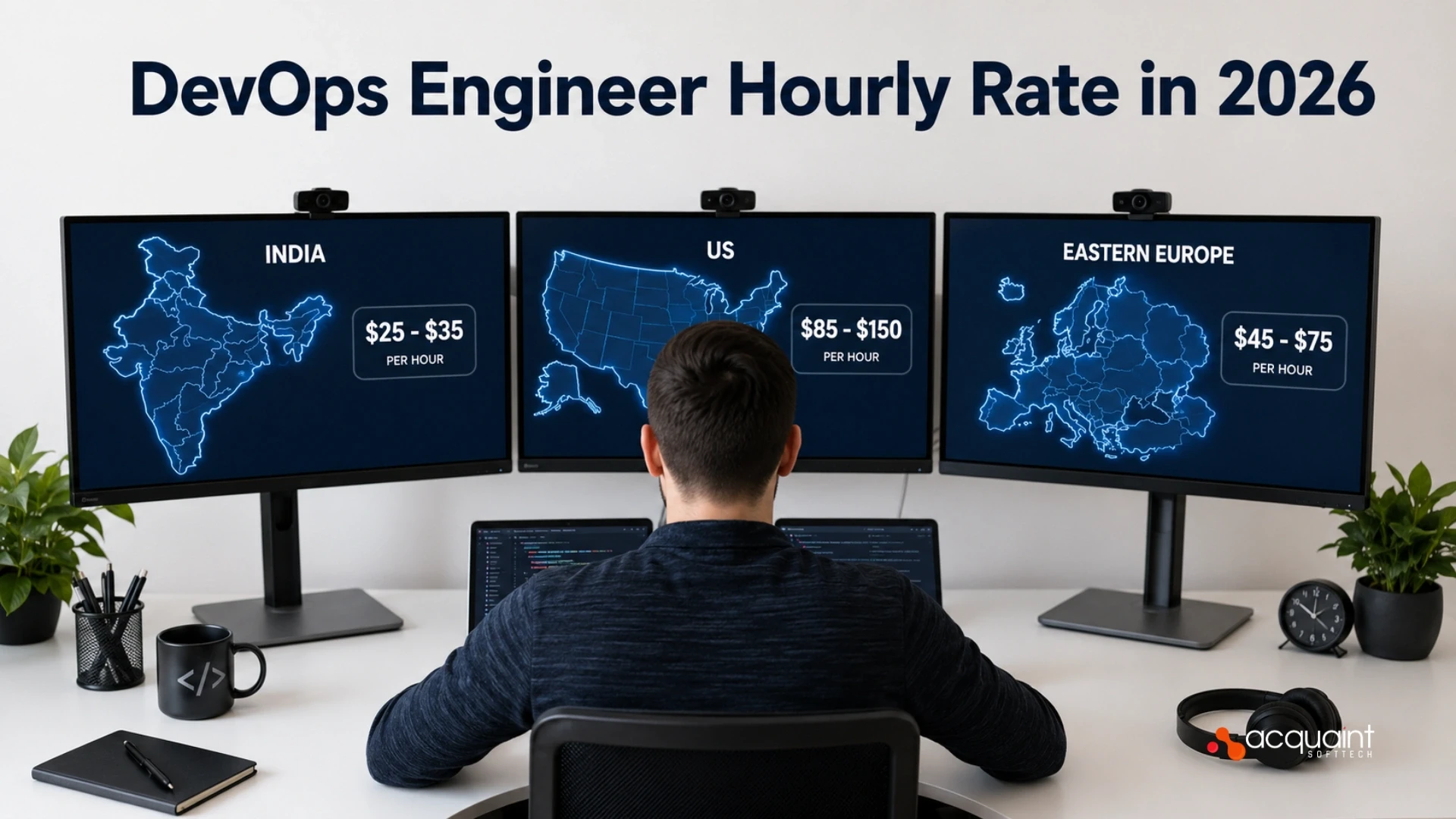
DevOps Engineer Hourly Rate in 2026: India vs US vs Eastern Europe - The Honest Rate Comparison
DevOps engineer rates in 2026 range from $22/hour in India to $100+ in the US for the same seniority level. Here is the honest regional rate comparison and what each price tier actually delivers.

Ahmed Ginani
May 21, 2026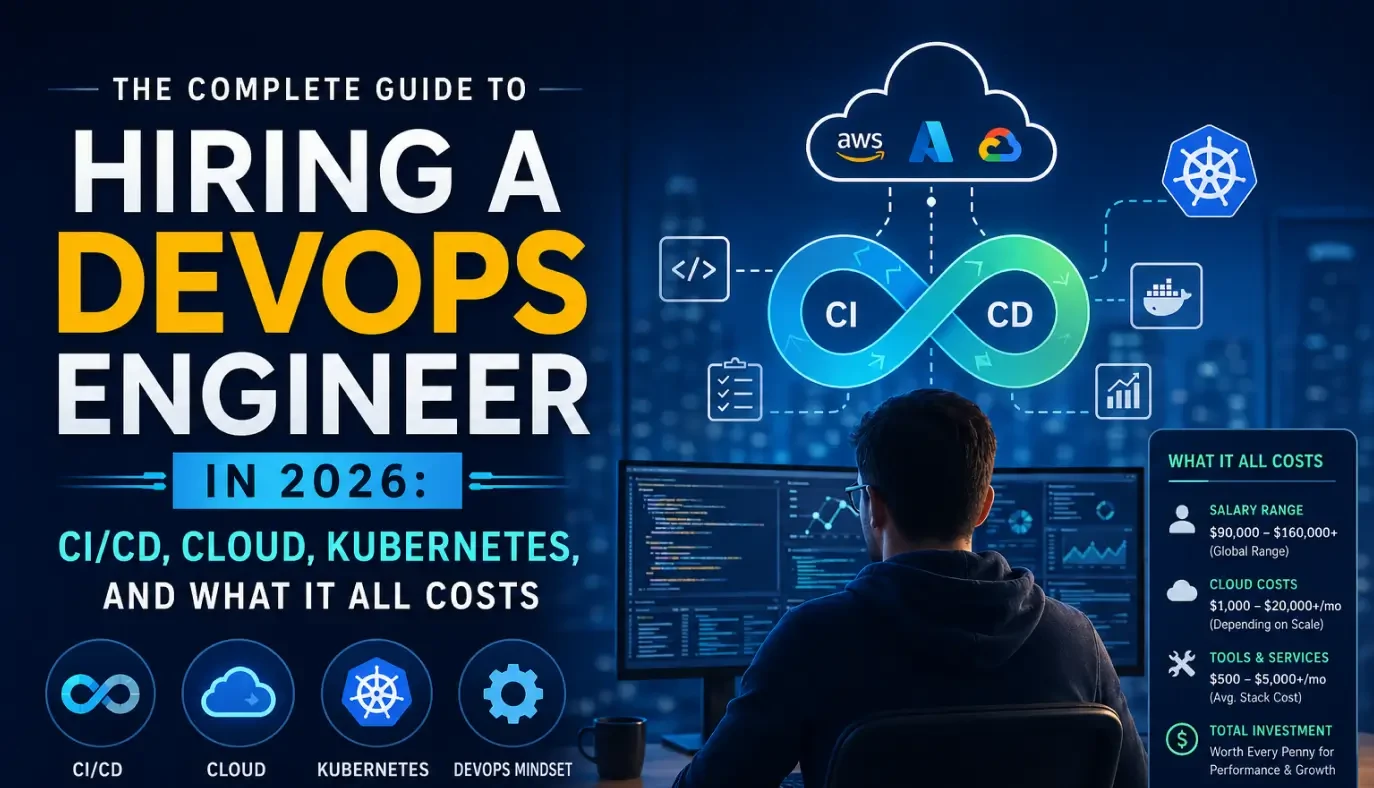
The Complete Guide to Hiring a DevOps Engineer in 2026: CI/CD, Cloud, Kubernetes, and What It All Costs
Everything you need before hiring a DevOps engineer in 2026. What the role covers, CI/CD to Kubernetes, what it costs in India vs the US, and how to start with a vetted engineer in 48 hours.

Acquaint Softtech
May 1, 2026India (Head Office)
203/204, Shapath-II, Near Silver Leaf Hotel, Opp. Rajpath Club, SG Highway, Ahmedabad-380054, Gujarat
USA
7838 Camino Cielo St, Highland, CA 92346
UK
The Powerhouse, 21 Woodthorpe Road, Ashford, England, TW15 2RP
New Zealand
42 Exler Place, Avondale, Auckland 0600, New Zealand
Canada
141 Skyview Bay NE , Calgary, Alberta, T3N 2K6