

How to Make a Construction Website
To make a construction website, choose a platform (Wix or WordPress for a quick start, or a custom build for full control), secure a professional domain, and build core pages: home, about, services, projects/portfolio, testimonials, and contact with a request-a-quote form. Feature high-resolution photos of completed jobs, keep the design clean and mobile-friendly, add lead-capture tools, and optimise for local SEO with a Google Business Profile. A construction website costs 3,000 to 20,000 USD depending on complexity.

Mukesh Ram
As the Founder and CEO of Acquaint Softtech, I have helped many trades and builders get online, and good website development is one of the best investments a construction firm can make. A great construction website educates clients, showcases your work, and turns visitors into project enquiries.
To build a successful site, you must offer something the competition does not. This guide is a blueprint for turning the basics into an attention-grabbing structure that attracts customers. Whether you searched for how to make a construction website, building contractor website, construction website portfolio, or website design construction, this is your map.

- You run a construction, contracting, or trades business.
- You want a clear, step-by-step way to build your site.
- You want the must-have pages and features explained simply.
- You want local SEO and lead-capture tips that win jobs.
- You are building across the USA, UK, Europe or Australia.
So let us dive in and unlock the secrets of building a winning construction website, from the first plan to a live, lead-generating site.
Construction Website vs Real Estate Website
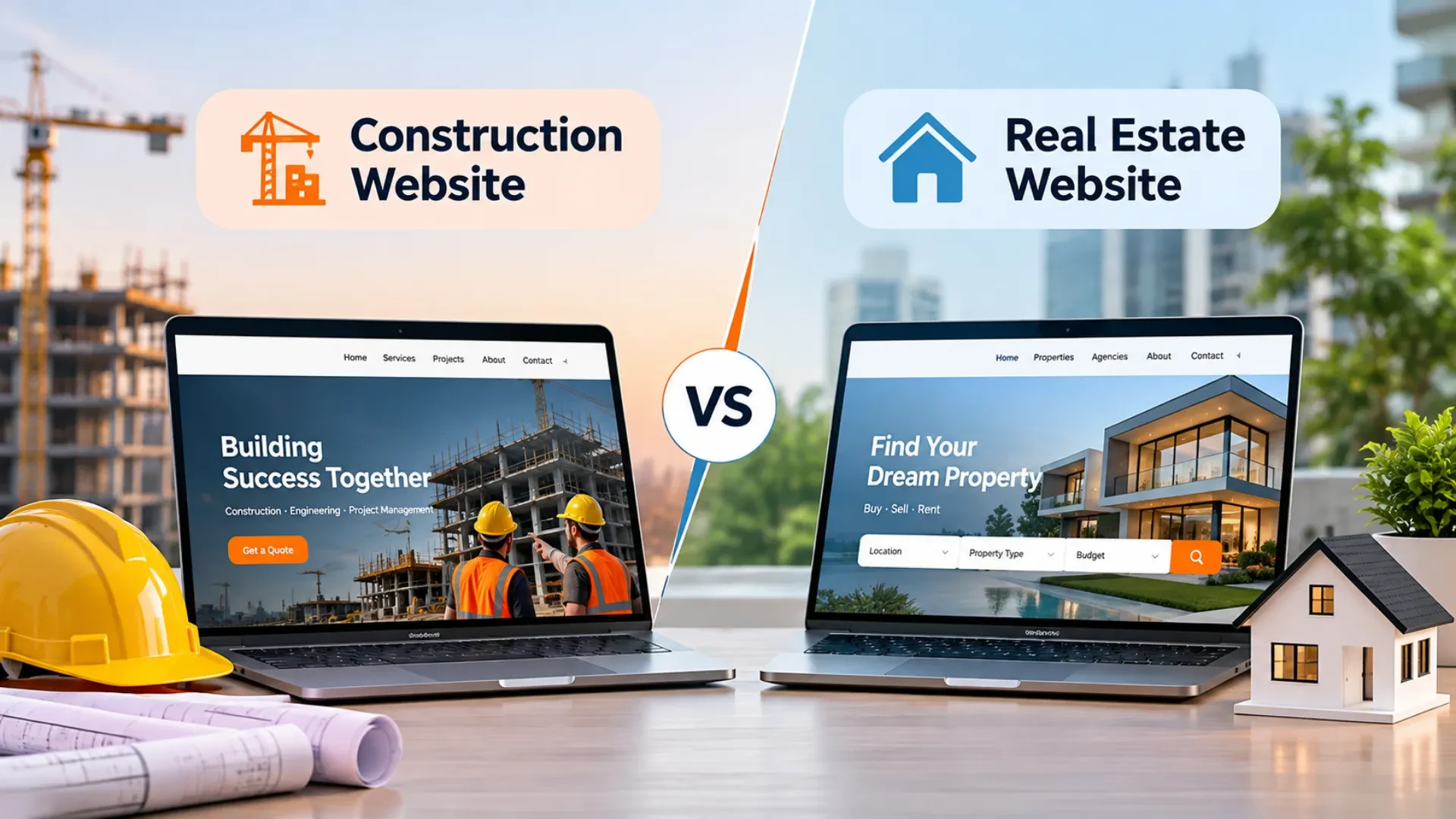
A construction website educates and builds trust; a real estate website is built to list and sell properties.
Construction and real estate websites differ in purpose. Real estate websites focus on selling a house, helping buyers spot listings quickly, with an emphasis on each property's features.
A construction website's primary goal is to educate potential clients about the construction process and showcase the company's expertise, with in-depth information on portfolio, services, past projects, and team, to build trust and attract projects. With that clarity, it is easier to hire remote developers and communicate what you need effectively.
How to Make a Construction Website: Step-by-Step
Making a construction website runs from platform and domain to core pages, project photos, lead tools, local SEO, and launch.
Here is how to create a construction website step by step. The same website construction process works whether you build it yourself or hire a team.
Pick a platform: drag-and-drop builders like Wix are great for a fast, even free start, while self-hosted WordPress with Elementor gives more control; a custom build gives the most.
Secure a domain: register a clear, professional domain that matches your company name.
Choose an industry template: pick a construction or contracting layout; many builders offer construction website templates for free to save time on styling.
Upload project photos: feature high-resolution galleries of completed jobs, framing and remodelling work.
Add lead-capture tools: a prominent contact form, a clickable phone number, and a Google Map for local visibility.
Publish and optimize: test mobile responsiveness, check local SEO settings, and launch.
Prefer a free route to start? Learning how to make a construction website for free is easy on a builder's free tier, then move to a custom build as you grow. Below, we go deeper into each part.
Identifying Goals and Target Audience
Define what visitors should do and who they are before you build anything.
Before you build, understand your project's goals: what do you want visitors to do? Who will visit and why: potential customers researching services, or potential employees wanting to know about working with you? Then spend time analysing competitor websites, researching and brainstorming so your site stands apart.
Planning Your Construction Website
Plan a sitemap and the core pages, then choose a design that reflects your brand.
Once your audience is defined, outline the key areas of the site and how they link together (a sitemap), then choose a design that reflects your brand and current trends. According to reports, the home page is the most visited, followed by the testimonials page, so make both striking with your best projects. The crucial pages to include:
• Home Page
• About Us
• Services
• Projects / Portfolio
• Testimonials
• Contact Us
• Request a Quote
These are the most important pages; feel free to add more based on your needs. A strong construction website portfolio page, in particular, is what convinces clients you can deliver.
Ready to build a construction website that wins jobs?
Tell me about your business and services, and within 48 hours I will map the pages, features, and a build plan tailored to you. No cost, no obligation.
Website Features by Construction Business Type
The smartest features depend on your niche, from general contracting to renovation, custom homes, and roofing.
Not every building contractor website needs the same features. This table maps common construction business types to the features that win the most leads.
Business type | Smart features | Goal |
General contractor | Project gallery, service-area map, quote form | Trust and reach |
Home renovation | Before-and-after sliders, tips blog, budget checklist | Educate and capture leads |
Custom home builder | Virtual tours, design gallery, testimonials | Showcase quality |
Commercial construction | Case studies, capability statement, RFP upload | Win bigger contracts |
Roofing/repair | Damage gallery, inspection booking, emergency banner | Fast enquiries |
Incorporating UX Best Practices
Great UX means a fully responsive site, intuitive navigation, and clear calls to action.
User experience can make or break a website. First, ensure your site is fully responsive, so it looks and works well on phones, tablets, and desktops.
Add an intuitive navigation system and pay attention to call-to-action buttons: visitors want to know exactly what you can do for them and what it costs, so CTAs tell them what to do next to get information or contact you. If you use multiple CTAs, make sure they all lead back to a clear next step.
Lead Capture and Local SEO
Capture leads with the right tools and wins local searches with a Google Business Profile and local keywords.
Your site should not just show work; it should capture leads and be found locally. A design enhancement here often lifts enquiries more than any other change.
Lead-capture tools
Request-a-quote or estimate form with budget and timeline fields.
Newsletter sign-up to nurture leads over time.
Appointment scheduler so clients can book a consultation directly.
Live chat or a chatbot for instant answers and captured details.
Local SEO for contractors
Claim and complete your Google Business Profile for Search and Maps.
Use local keywords like construction company in your city on each construction page.
List your business in local directories like Yelp and HomeAdvisor.
This kind of construction company website design enhancement, clear lead paths, plus local SEO, is where a strong frontend development and CMS development team pays for itself.
Not sure which features your niche needs?
Tell me your construction speciality, and I will map the exact pages and lead tools that win jobs, with an honest cost, free, within 48 hours.
Optimizing SEO for Construction Websites

Good SEO makes your site crawlable, content-rich, and backed by quality links.
A website is not complete without SEO. Make your site easy for search engines to crawl and index, with the help of a local SEO audit tool. Optimizing a construction site is like any other: an effective layout that matches user expectations, plenty of high-quality, relevant content (including images), and backlinks pointing to your domain.
For example, we offer many services but focus on ranking for Laravel development, using that keyword smartly on each page.
Integrating Contact and Inquiry Forms
An easy contact form, plus inquiry tracking, makes it simple for visitors to reach you.
A contact form makes it easy for visitors to reach you, and you should track inquiries so you can respond on time. Create an inquiry form that is easy to fill out and understand. You can also offer a digital business card that visitors save to their phones, making it easier to access your contact details, request a quote, or reconnect after leaving the site.
Showcasing Testimonials and Social Proof
Testimonials and social proof build the trust that turns visitors into clients.
Testimonials showcase what customers say about their experience and help establish trust, which increases conversions.
Social proof, examples of others who used your service and succeeded, boosts confidence before a client commits. Just as an IT company showcases its portfolio to build trust, a construction firm should showcase testimonials and completed projects prominently.
Enhancing Security and Privacy
SSL, HTTPS, and a secure host protect your visitors' data and your reputation.
Start with SSL encryption: an SSL certificate encrypts all data between client and server. Use HTTPS when transmitting sensitive information, as it uses strong cryptography and mutual authentication so no third party can eavesdrop.
Choose a host that meets industry security standards (such as PCI DSS compliance) so any stored payment data is encrypted before crossing public networks.
Cost to Build a Construction Website

A basic construction website costs 3,000 to 8,000 USD; a custom, feature-rich site runs 5,000 to 20,000 USD or more.
Cost depends on complexity, features, design, and development needs. The table shows directional 2027 ranges.
Website type | Timeline | Cost (USD) |
Basic | 3 – 6 weeks | 3,000 – 8,000 |
Custom / feature-rich | 6 – 12 weeks | 5,000 – 20,000 |
Large / multi-service | 3 – 5 months | 20,000 – 40,000+ |
To build cost-effectively, you can add specialists through IT staff augmentation services, and plan ongoing support and maintenance to keep the site fast and secure.
Client Case Study
Acquaint Softtech built a polished, gallery-driven website for an Australian tile and stone studio in the building trades.
Case study snapshot
Proof: See the interiors and tile website project, and verified reviews on Clutch. |
This reflects a standard seen across a 5-star Clutch rating over 60+ reviews, 1,293+ clients on Upwork with a 98% success rate, and 1,300+ projects delivered by 70+ in-house engineers over 13+ years, as an Official Laravel Partner. We have also built a construction website for a residential builder (Paragon, Pensacola); if you would prefer to feature that, Acquaint Softtech can swap it in. Explore more in our case studies.
Why Work With Acquaint Softtech

Acquaint Softtech is an experienced, Official Laravel Partner that builds fast, trust-building, lead-generating construction sites.
Acquaint Softtech has built websites across many industries, backed by a dedicated QA team. As an Official Laravel Partner, we deliver secure, high-performing construction websites end-to-end, and you can hire WordPress developers or use software development outsourcing to build with Acquaint Softtech across the USA, UK, Europe, and Australia. To learn our approach, see us why to use Laravel guide.
To Wrap Up
In this article, we have explored how to make a construction website, the components of a site, and how each affects your brand, plus tips to keep it easy to use so visitors return. Follow them, and you can create an impactful result. If you plan to build a website, Acquaint Softtech is happy to help across the USA, UK, Europe, and Australia. For a related walkthrough, read our guide on how to make an interior designer website.
Let's build your winning construction website.
Book a free 30-minute call with our experts. We will scope the pages, lead flow, timeline, and an honest cost, and you leave with a plan you can act on, even if you build it elsewhere.
Frequently Asked Questions
-
What essential information should I include on my construction website's homepage?
Your homepage should feature a compelling headline, a brief introduction to your construction services, a clear call-to-action, high-quality project images, contact details, and easy navigation to key sections like services, portfolio, and testimonials. It is the most visited page, so make a strong first impression.
-
What types of web pages should I add to a construction website?
The core pages are Home, About Us, Services, Projects or Portfolio, Testimonials, Contact Us, and Request a Quote. Depending on your niche, you might add before-and-after galleries, a blog with tips, a service-area map, or downloadable resources like a budgeting checklist to capture leads.
-
How to create a construction website?
To create a construction website, pick a platform (Wix or WordPress, or a custom build), secure a domain, choose a construction template, and build core pages with high-quality project photos and a request-a-quote form. Add lead-capture tools, optimise for local SEO with a Google Business Profile, test on mobile, and publish.
-
Can I build my own free website, and can ChatGPT create one?
Yes. Website builders like Wix and WordPress.com offer free tiers where you can build your own construction website, though free plans limit branding, domains, and features. AI tools, including ChatGPT-style assistants built into some builders, can generate a starter site from a prompt, but a professional, lead-focused build usually needs human refinement.
-
What are the 7 C's of website design?
The 7 C's are a common framework: Content, Context, Community, Customization, Communication, Connection and Commerce. For a construction site, that means clear service content, an intuitive layout, social proof, tailored calls to action, easy contact, links to your profiles, and simple ways to request a quote or book work.
-
How much does it cost to build a construction website?
It depends on complexity, features, design, and development needs. A basic construction website may cost 3,000 to 8,000 USD, while a comprehensive, customized site ranges from 5,000 to 20,000 USD or more. Send us your requirements and Acquaint Softtech will provide a detailed quote.
-
Should I hire a freelancer or a web development firm?
It depends on your project's complexity and budget. A freelancer suits simple projects with a small budget and quick turnaround. A web development firm suits complex projects that need diverse expertise and long-term support. Choose based on your specific needs, timeline, and how much ongoing help you expect to need.
I love to make a difference. Thus, I started Acquaint Softtech with the vision of making developers easily accessible and affordable to all. Me and my beloved team have been fulfilling this vision for over 15 years now and will continue to get even bigger and better.
Table of Contents
Get Started with Acquaint Softtech
- 13+ Years Delivering Software Excellence
- 1300+ Projects Delivered With Precision
- Official Laravel & Laravel News Partner
- Official Statamic Partner
Related Reading

How to Make a Website For Your Restaurant: A Complete Guide
To make a restaurant website, choose a platform (WordPress or a custom build), register a .com domain, add relevant content, and design a responsive, image-led site. Include the key pages (home, table reservation, contact, about, menu) and features like online booking, high-quality images, an availability calendar, and social integration. Use a stack such as Laravel with WordPress. A basic custom site costs 2,000 to 5,000 USD, and an advanced one 8,000 to 15,000 USD and up.
Mukesh Ram
May 11, 2023
A Guide to Building a Perfect Fishing Charter Website
To build a fishing charter website, create a clear, informative site with the key pages (home, about, boats, pricing, contact) and add online booking with a secure payment gateway so tourists can pre-book trips. Focus on strong content, high-quality photos, mobile-friendly design, trust signals, and local SEO. Cost depends on features and booking complexity. A well-built website helps a charter business stand out, reach tourists and grow bookings.
Mukesh Ram
April 5, 2023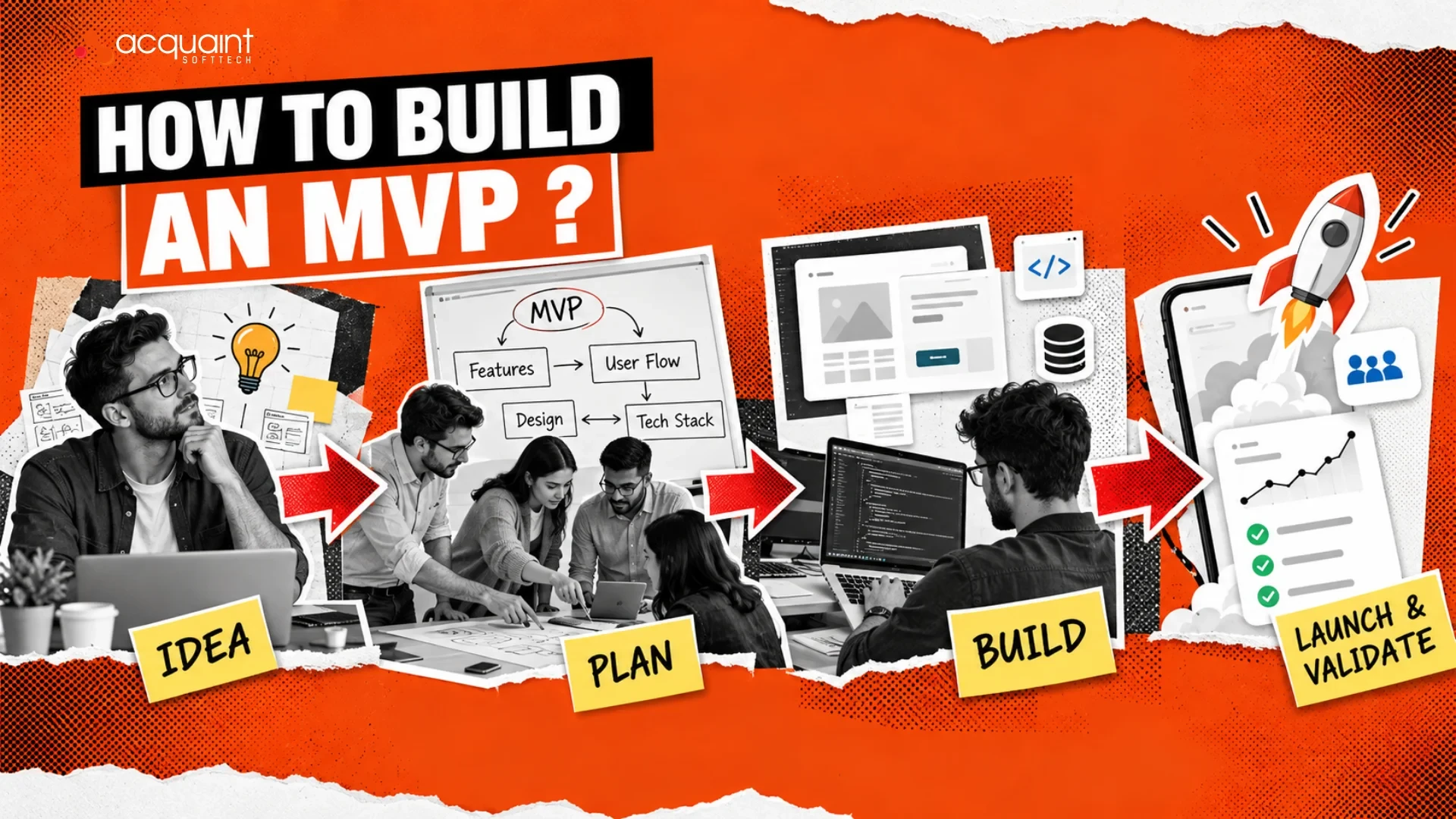
MVP Chapter #6: How to Build an MVP?
To build an MVP, identify a core user problem, isolate your riskiest assumption, and build only the essential features needed to test it. Focus on speed with simple tools or no-code platforms, launch quickly to real users, and gather data to iterate. In short: define the problem and user, cut scope to the must-haves, then build and launch fast to learn.
Mukesh Ram
August 31, 2022India (Head Office)
203/204, Shapath-II, Near Silver Leaf Hotel, Opp. Rajpath Club, SG Highway, Ahmedabad-380054, Gujarat
USA
7838 Camino Cielo St, Highland, CA 92346
UK
The Powerhouse, 21 Woodthorpe Road, Ashford, England, TW15 2RP
New Zealand
42 Exler Place, Avondale, Auckland 0600, New Zealand
Canada
141 Skyview Bay NE , Calgary, Alberta, T3N 2K6