

How to Convert a WordPress Website Into a PWA in 2026
To convert a WordPress site into a Progressive Web App, serve it over HTTPS, add a web app manifest and a service worker, then verify it with Lighthouse. The fastest route for most site owners is a PWA plugin; the more capable route is a custom build or a headless front end. Since iOS 16.4, iPhones support home-screen install and web push too, so a PWA now reaches almost every device without an app store.

Mukesh Ram
As the Founder and CEO at Acquaint Softtech, I still rate the Progressive Web App as one of the best-value moves a WordPress owner can make, and the reason is simple arithmetic. A PWA gives you much of what a native app offers: an icon on the home screen, offline access, push notifications, app-like speed, without building two native apps, paying app-store fees, or waiting on review queues.
For a content site or a store already running on WordPress, it turns the site you have into something that behaves like an app, which is a far cheaper path to a mobile presence than the native route most businesses assume they need. That is why we so often suggest it before anyone commits to mobile app development they may not require.

- You have a WordPress site and want app-like behaviour without building an app.
- You want offline access, a home-screen icon and push notifications.
- You are weighing a PWA against a native app and the cost that implies.
- You tried a PWA plugin, and it did not quite work on iPhone.
- You want to know whether a plugin is enough or you need a custom build.
What has changed since this was first written is worth knowing before you start. Apple now supports the key PWA features it once blocked, HTTPS has gone from a recommendation to an absolute requirement, and the tooling has matured to the point where the plugin route genuinely works for most sites.
This rewrite keeps the practical, get-it-done spirit of the original, corrects the parts that have dated, and adds the two things it lacked: an honest account of what a PWA does not do, and how to prove yours actually passes.
What a PWA Is, and What It Gets You
A Progressive Web App is a website that uses modern browser features to behave like an installed app. It loads from a home-screen icon, works offline or on a poor connection, can send push notifications, and feels fast because it caches its own assets.
The concept is documented thoroughly in the MDN guide to Progressive Web Apps, and the short version is that a PWA is not a separate product but your existing site enhanced. It matters to be honest about the limits too. A PWA cannot do everything a native app can; deep hardware access, some background processing, and certain platform integrations remain native-only, and it is not distributed through the app stores in the traditional sense.
For the large majority of content sites and stores, none of those limits bite, which is exactly why the PWA is such good value for a WordPress owner.
Is a PWA Right for Your Site?
A PWA is the right choice when you want app-like reach without app-like cost, and the wrong one when you genuinely need deep native capability. Match your situation to the row.
Your situation | PWA or native? | Why |
Content or news site | PWA | Offline reading, fast, no store needed |
WooCommerce store | PWA | App-like shopping, push for offers |
Booking or service site | PWA | Home-screen access, re-engagement |
Heavy hardware or sensor use | Native | PWAs cannot reach all device features |
Needs app-store discovery | Native or both | Stores remain a discovery channel |
Tight budget, mobile presence | PWA | Far cheaper than two native apps |
For most WordPress owners, the answer is a PWA, and often a PWA first with native considered later only if a real limitation appears. Deciding this honestly, rather than defaulting to native because it sounds more serious, is one of the first things we work through in a discovery workshop.
The Three Requirements Every PWA Needs
Every PWA needs exactly three things, and missing any one means it is not a PWA. The original treated one of these as optional, which is no longer true.
HTTPS, which is mandatory now
A service worker will not run except over a secure connection, so HTTPS is not a nice-to-have but a hard requirement. The original framed it as optional; it is not. Free, automatically renewing certificates make this trivial and cost nothing, so there is no reason any site should still be on plain HTTP, and setting it up reliably is routine work for whoever you hire DevOps engineers to handle hosting.
A web app manifest
A small JSON file that tells the browser your app's name, icons, colours and how it should launch. This is what makes the install prompt appear and what gives the installed app its icon and splash screen. It is straightforward to write, and every PWA plugin generates one for you.
A service worker
The script that runs in the background and does the real work: caching assets for speed, serving content offline, and handling push notifications. This is the heart of a PWA, and it is also where a plugin either serves you well or reaches its limits, depending on how much control you need over caching behaviour.
Not sure your WordPress site is ready to become a PWA?
Send me your site URL, and I will check HTTPS, speed and mobile behaviour, then tell you whether a plugin will do or you need a custom build.
Route 1: The Plugin Path
For most WordPress sites, a PWA plugin is the fastest and most sensible route, and it can have you live in an afternoon. This is the path the original recommended, and it remains the right default.
A good PWA plugin generates the manifest, registers a service worker, adds the install prompt, and handles basic offline caching, all from a settings screen rather than code. For a content site or a straightforward store, that is genuinely enough. The steps are simple: confirm your site is on HTTPS, install and activate a reputable PWA plugin, set your app name, icons and theme colour, configure what should be available offline, and then test the install on a real phone.
The limits appear when you need fine control. Complex offline behaviour, custom caching strategies, advanced push campaigns, or a highly tailored install experience are where plugins run out of room.
If your needs are ordinary, the plugin is not a compromise; it is the correct tool. If they are not, it is the point at which you move to route two, and teams often hire WordPress developers precisely to judge which side of that line they sit on.
Route 2: The Custom or Headless Path
When the stakes justify it, a custom service worker or a headless front end gives you control a plugin cannot. This route costs more and returns more, and it is worth it for high-traffic or revenue-critical sites.
A custom build lets you write exactly the caching and offline logic you want, tune performance precisely, and craft the install and notification experience to your brand. The most capable version is headless WordPress, where WordPress serves content through its API to a separate modern front end built as a PWA from the ground up.
That delivers the best possible speed and app-like feel, at the cost of a more involved build. For a WooCommerce store where every tenth of a second of load time affects revenue, that investment usually repays itself, which is why serious stores hire WooCommerce developers for a tuned build rather than accepting a plugin's defaults. Our guide to mobile commerce development covers the commerce side of that decision.
The iOS Situation, Corrected
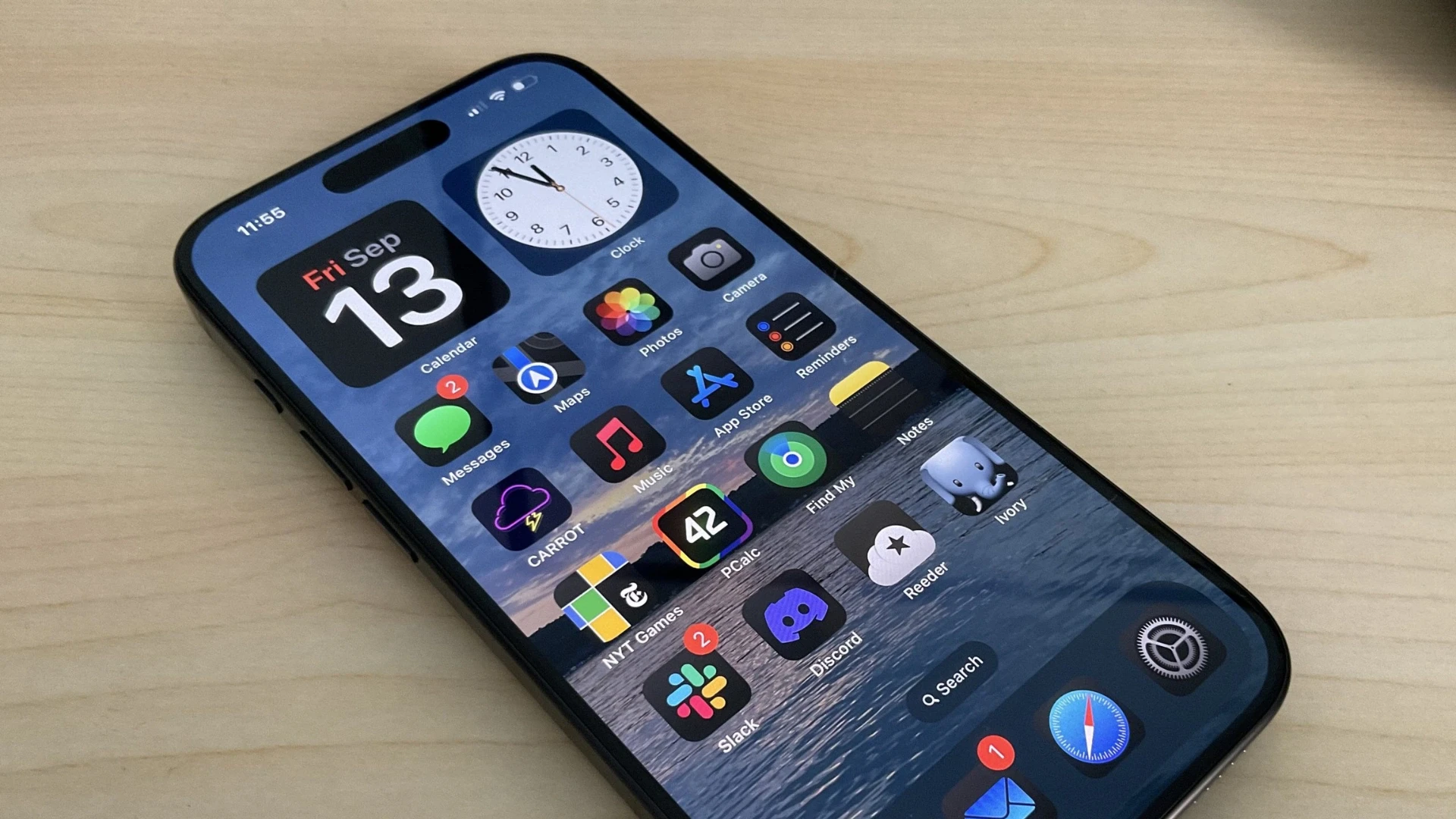
iPhones now support the PWA features Apple once withheld, which removes the biggest objection the original could not answer. For years, the honest caveat was that PWAs were second-class on iOS. That has changed.
Since iOS 16.4, Safari supports adding a PWA to the home screen and, importantly, web push notifications for installed PWAs, which was the feature whose absence used to push businesses toward native apps.
There are still some differences from Android, and the install flow on iOS is less obvious to users because it happens through the share menu rather than an automatic prompt, so it is worth telling your iPhone visitors how to install.
But the core capabilities now exist across both major platforms, which means a PWA today genuinely reaches almost everyone, and the old advice to build native purely for iOS reach no longer holds.
Test It With Lighthouse
A PWA is only real if it passes the checks, and Lighthouse is how you prove it. The original mentioned testing in passing; it is actually the gate that tells you whether you have a PWA at all.
Lighthouse, built into Chrome's developer tools and documented by Google's Lighthouse guide, audits your site for installability, offline capability, HTTPS and performance, and tells you exactly what is missing. Run it after setting up your PWA, fix whatever it flags, and run it again. It is the difference between believing you have a PWA and knowing you do.
Pay particular attention to the performance side, because a PWA that installs but loads slowly wastes the opportunity. Google's Core Web Vitals measure loading, responsiveness, and stability, and they affect both how the app feels and how the site ranks. A PWA is a chance to get speed right, not an excuse to ignore it, and keeping it fast as the site grows is part of ongoing support and maintenance services.
Proof: Fast, Installable, Owned
A PWA is worth building only if it is built to pass and to keep improving, so the relevant proof is a record of shipping web work that performs. Ours is verifiable.
Acquaint Softtech, verifiable delivery record 1,300+ delivered projects across 13+ years. 95% on-time sprint delivery. 4.9 out of 5 across verified Clutch reviews. NDA signed before work begins and 100% client ownership of everything produced. For a PWA, the ownership point is direct: you own the manifest, the service worker and the front end outright, and can keep tuning speed and offline behaviour rather than being limited by a plugin you rent. |
That matters because the value of a PWA compounds through optimisation. A page that installs and loads fast today can be made faster tomorrow, and the caching strategy that works now can be refined as traffic patterns change.
A build you own supports that indefinitely; a plugin supports it only as far as its settings allow. Our case studies and client testimonials cover the web engagements behind that record, and the on-time figure is what lets optimisation keep pace rather than stalling.
Want a PWA you own and can keep making faster?
Book a free 30-minute call, and I will scope your conversion, plugin or custom, with performance and offline behaviour built in from the start.
What a WordPress PWA Costs

The cost depends entirely on which route you need, and the right route depends on stakes, not preference. This table prices each path by what it unlocks.
Route | What it unlocks | Cost (USD) |
PWA plugin, self-configured | Install, basic offline, push | 0 to 500, plus setup |
Plugin, professionally configured | Reliable offline and iOS install | 1,000 to 4,000 |
Custom service worker | Tuned caching and performance | 4,000 to 15,000 |
Headless WordPress PWA | Best speed and app-like feel | 15,000 to 50,000+ |
Ongoing performance upkeep | Staying fast as you grow | Per year, 15 to 20% |
Match the spend to the stakes. A brochure or content site is well served by a configured plugin; a store whose revenue depends on speed earns back a custom or headless build quickly. Paying for a headless rebuild on a low-traffic site is overkill, and settling for a plugin on a high-revenue store leaves money on the table, so the judgement is worth making deliberately rather than by default.
Where the work is done | Senior rate | Relative cost |
New York, USA | USD 110 to 200 / hour | Highest |
United States (national) | USD 90 to 170 / hour | Very high |
Australia | AUD 110 to 200 / hour | High |
United Kingdom | GBP 65 to 130 / hour | High |
Europe (EU) | EUR 70 to 140 / hour | High |
India (Acquaint Softtech) | USD 25 to 49 / hour | Up to 40% lower |
Because a PWA conversion is a bounded, testable piece of work, with Lighthouse giving an objective pass mark, it suits offshore delivery well and costs a fraction of the onshore equivalent. Where you want it done alongside other improvements, adding capacity through IT staff augmentation is often quickest, and our guide to web application development cost sets out how this fits a wider budget.
Turn your WordPress site into an app people install
Book a free 30-minute call, and I will scope your PWA conversion with a fixed cost and timeline in your own currency.
Frequently Asked Questions
-
What is a Progressive Web App?
A website that uses modern browser features to behave like an installed app: home-screen icon, offline access, push notifications, and app-like speed, without an app store or native build.
-
How do I convert a WordPress site into a PWA?
Serve it over HTTPS, add a web app manifest and a service worker, then verify with Lighthouse. A PWA plugin does this from a settings screen for most sites; a custom build gives more control.
-
Do I need a plugin to make a WordPress PWA?
No, but a plugin is the fastest route for most sites. Custom or headless builds are worth it when you need tuned performance, complex offline behaviour, or a highly tailored experience.
-
Do PWAs work on iPhone now?
Yes. Since iOS 16.4, Safari supports home-screen install and web push for installed PWAs. The install flow is through the share menu, so it helps to guide iPhone users through it.
-
Is HTTPS required for a PWA?
Yes, absolutely. Service workers only run over a secure connection, so HTTPS is mandatory, not optional. Free auto-renewing certificates make it trivial to set up.
-
What is a service worker?
The background script that powers a PWA: it caches assets for speed, serves content offline, and handles push notifications. It is the core of what makes a PWA feel like an app.
-
PWA or native app, which should I choose?
A PWA for content sites, stores, and service sites that want app-like reach without app-like cost. Native when you need deep hardware access or app-store discovery is essential.
-
How do I test whether my PWA works?
Run Lighthouse in Chrome's developer tools. It audits installability, offline capability, HTTPS and performance, and lists exactly what to fix. Re-run it until it passes.
-
Does a PWA improve site speed?
It can, because caching assets through a service worker makes repeat visits faster. But a PWA still needs good Core Web Vitals; installing does not excuse a slow-loading page.
-
How much does a WordPress PWA cost?
A configured plugin runs about USD 1,000 to 4,000, a custom service worker USD 4,000 to 15,000, and a headless PWA from USD 15,000 upward, depending on stakes and traffic.
I love to make a difference. Thus, I started Acquaint Softtech with the vision of making developers easily accessible and affordable to all. Me and my beloved team have been fulfilling this vision for over 15 years now and will continue to get even bigger and better.
Table of Contents
Get Started with Acquaint Softtech
- 13+ Years Delivering Software Excellence
- 1300+ Projects Delivered With Precision
- Official Laravel & Laravel News Partner
- Official Statamic Partner
Related Blog
Bootstrap vs Material
Develop a state-of-the-art solution by picking the best technology after reading more about Bootstrap and Material UI

Shivang P
September 4, 2023
10 Must Follow Steps of Mobile App Development Process
The mobile app development process is a structured set of 10 steps that moves an idea from concept to a published app: ideation, target audience and monetization, choosing the platform, UI/UX design, picking tools, choosing the right partner, fast development, testing and deployment, marketing, and post-launch maintenance. Following the steps in order, rather than rushing to publish, is what separates apps that get downloads from the ones that get ignored.
Mukesh Ram
July 29, 2019
Rome Was Not Built in a Day: The Journey to Developing a Unicorn SaaS
Building a unicorn SaaS company is a marathon, not a sprint. Just like Rome, great products aren’t built overnight. From refining your MVP to scaling for growth.
Mukesh Ram
September 26, 2024India (Head Office)
203/204, Shapath-II, Near Silver Leaf Hotel, Opp. Rajpath Club, SG Highway, Ahmedabad-380054, Gujarat
USA
7838 Camino Cielo St, Highland, CA 92346
UK
The Powerhouse, 21 Woodthorpe Road, Ashford, England, TW15 2RP
New Zealand
42 Exler Place, Avondale, Auckland 0600, New Zealand
Canada
141 Skyview Bay NE , Calgary, Alberta, T3N 2K6