

Building a SaaS Reporting Engine: On-Demand Reports From Tenant Data
A SaaS reporting engine is the system that lets each tenant generate reports from their own data on demand, without one tenant's heavy report slowing the product for everyone else. To build one, you separate reporting queries from the live application database using read replicas or a dedicated analytics store, enforce tenant isolation on every query, run report generation as asynchronous background jobs, cache repeated results, and deliver output as on-screen dashboards or exportable files such as PDF and CSV. The hard part is not the charts; it is isolating tenant data and keeping heavy queries off the path that serves live users.

Sanjay Prajapati

- Your customers are asking for custom reports your product cannot yet generate.
- Heavy report queries are slowing down the live app for other tenants.
- You need tenants to export their own data as PDF, Excel, or CSV on demand.
- You are designing analytics into a multi-tenant SaaS and want to avoid data leakage.
- Your reports time out or fail on tenants with large data volumes.
- You want to estimate the cost and timeline of a real reporting engine.
Why Reporting Is Where SaaS Products Quietly Fall Over
It always starts with a simple request: “Can we get a report for this?” The product team adds reporting directly on top of the live database, and everything looks fine—until one large export runs and suddenly the entire system slows down. Dashboards freeze, queries pile up, and a reporting feature turns into a production outage.
This is the hidden challenge of SaaS reporting engines. Live traffic needs speed, while analytics workloads demand heavy data scans—mixing the two creates performance collapse. As customer expectations for self-serve analytics grow, SaaS platforms must isolate reporting workloads properly, or they risk choosing between slow reports, unstable systems, or dangerous data leakage. The solution is to design reporting as a separate data pipeline with its own database path, its own isolation guarantees, and its own asynchronous execution model, rather than bolting queries onto the live application. This guide walks through that pipeline stage by stage. The guidance draws on Acquaint Softtech's experience delivering software product development for data-heavy SaaS products where reporting has to be both fast and safe.
Acquaint Softtech has built reporting and analytics systems for SaaS platforms scaling from dozens of users to a hundred thousand active subscribers, and much of that work depends on the data-processing strengths of one language in particular. Teams that hire Python developers for reporting work get engineers with production experience in async data pipelines, Celery background processing, and analytical query design.
The guide Python Development in 2026: Architecture Patterns and Frameworks on acquaintsoft.com explains how a clean background-task architecture keeps data export and report generation off the live request path.
What a SaaS Reporting Engine Actually Is

A SaaS reporting engine is what transforms raw customer data into flexible, on-demand reports, without slowing down the live product or impacting other tenants. Unlike fixed dashboards, it allows users to slice, filter, group, and export their own data across custom time ranges, making it a powerful self-serve capability in modern SaaS.
The real distinction is simple: reporting shows what happened, analytics explains why it happened. A well-built reporting engine focuses on delivering accurate, isolated, and exportable insights while keeping heavy queries away from production workloads. By separating reporting traffic from live application traffic, SaaS platforms improve performance, reduce support load, and give customers the autonomy to answer their own data questions safely and at scale.
Acquaint Softtech's dedicated software development teams design this separation from the start, because retrofitting it after a reporting feature has already destabilised production is far harder than building it in.
The SaaS reporting engine trends 2026 reflect rising expectations: customers want real-time or near-real-time reporting, self-service report builders rather than fixed templates, and increasingly AI-assisted insights layered on top of the raw reports.
The guide Learn to Build Successful SaaS Applications with Case Studies examines how analytics platforms solved data fragmentation and delivered unified, real-time reporting, which is the bar modern SaaS buyers now expect. Teams that hire MERN stack developers for the front end build the interactive report builders and visualisations that make this self-service experience usable.
Stage 1: Separating Reporting Data From Your Live Database

The most critical decision in building a SaaS reporting engine is where your queries run. If reporting hits your primary database, heavy analytical workloads will slow down every live user. That is the fastest path to performance issues at scale. The common solution is separation through a read replica. It keeps a real-time copy of your production database and routes all reporting queries to it, isolating analytics from live traffic. This simple shift protects performance, improves stability, and allows reporting to scale without risking your core application.
Acquaint Softtech's hire DevOps developers configure read replicas and connection splitting so that the application automatically sends report queries to the replica and live queries to the primary, without developers having to remember which connection to use.
As data volumes grow and reporting needs become more complex, the next step is a dedicated analytics store: a separate database, often columnar, optimised specifically for the large aggregating queries that reporting demands. Data flows from the application database into the analytics store through a scheduled or streaming pipeline, transformed into shapes that make reporting queries fast.
This is more work to operate, but it gives reporting its own fully independent infrastructure that can be scaled and tuned without touching the live product. The guide Laravel SaaS Architecturerecommends exactly this pattern, adding read replicas for reporting and analytics queries while keeping writes on the primary, as a core scaling move.
The decision between a read replica and a dedicated analytics store comes down to data volume, query complexity, and how fresh the reporting data needs to be. A read replica gives near-real-time data with low effort; an analytics store gives the best query performance for very large datasets but adds pipeline latency.
For products that need both freshness and scale, a hybrid is common. Teams that hire backend developers experienced in data architecture make this call based on the actual reporting requirements rather than defaulting to the most complex option before it is needed.
Reporting Slowing Down Your Product? Let's Fix the Architecture.
Acquaint Softtech designs reporting pipelines that keep heavy queries off your live database and your tenants' data perfectly isolated. 1,300+ projects delivered. Teams deployed within 48 hours of brief.
Stage 2: Enforcing Tenant Isolation on Every Query
In a multi-tenant SaaS reporting engine, the most critical risk is data leakage between tenants. Because reporting queries scan and aggregate large datasets, even a single missing tenant filter can expose sensitive information across accounts. That makes tenant isolation not optional, but a structural rule.
The safest approach is to enforce isolation at the system level, either through database row-level security or a query layer that automatically injects tenant constraints into every report. This ensures no query can accidentally cross tenant boundaries. The same isolation model should also extend to the analytics store, keeping reporting data partitioned exactly like the application to eliminate leakage risks and maintain consistent security across the stack.
The guide Python Development in 2026 on acquaintsoft.com covers how multi-tenancy and background data processing interact, including the per-tenant isolation that reporting must preserve. Teams that hire MEAN stack developers for the data layer carry the tenant boundary consistently from the application through to the reporting store.
Testing is what turns isolation from an intention into a guarantee. Every reporting query path should have automated tests that verify a tenant can only ever retrieve their own data, including edge cases like exports, scheduled reports, and admin tools that might otherwise bypass the normal scoping. These are the SaaS reporting engine best practices that prevent the worst kind of incident. Acquaint Softtech's software development outsourcing teams build a tenant-isolation regression suite into the reporting engine so that isolation is continuously proven, not assumed.
Stage 3: Generating Reports Asynchronously Without Blocking Users
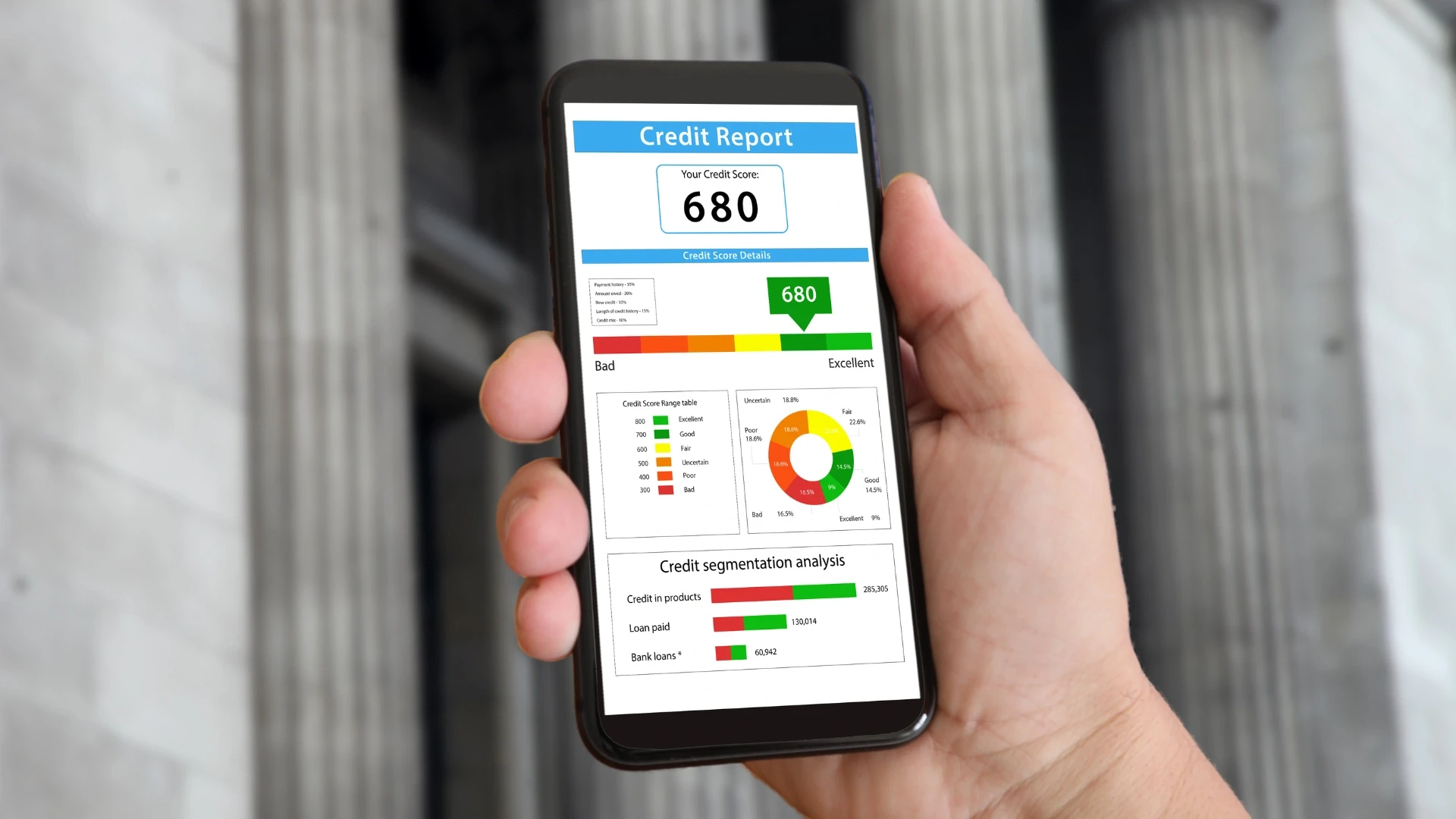
Even when reporting is moved to a replica or analytics store, large reports can still take too long to generate if they run inside a live web request. The result is slow responses, timeouts, and blocked server resources.
The fix is asynchronous report generation. Instead of making the user wait, the system immediately queues a background job, processes the report in a worker, and stores the output when ready. The user is notified once it is complete via email, in-app alerts, or push notifications. This approach keeps the application fast, improves scalability, and allows reporting workloads to grow independently of the core system.
Acquaint Softtech's hire data engineers build this using Celery with Redis for Python stacks, where background workers handle usage calculation, data export, and report generation without blocking web request handling, exactly the architecture the data-heavy SaaS products they have built rely on.
Asynchronous generation also makes reporting resilient. A background job can be retried automatically if it fails, its progress can be tracked and shown to the user, and very large reports can be processed in chunks rather than all at once. For products built on PHP, the same pattern applies using the framework's queue system. The guide Laravel SaaS Development Services describes implementing these workflows as chained, queued jobs with automatic failure handling, which is the same principle applied to report pipelines. Teams that hire backend developers experienced in queue architecture build the job orchestration, retry logic, and progress tracking that make async reporting reliable rather than fragile.
Stage 4: Caching, Scheduling, and On-Demand Delivery
Once reporting moves to asynchronous processing, the next major efficiency gain comes from caching. Many reports are run repeatedly with the same filters and parameters, and recalculating them every time wastes compute and slows down delivery.
A well-designed reporting engine stores results based on tenant, report type, and input parameters, so identical requests return instantly instead of triggering new queries. These cached outputs are refreshed when data changes or after a set time window, ensuring a balance between speed and accuracy. For frequently accessed dashboards, this means heavy queries run once and serve many users, making reporting feel fast even on large datasets.
Acquaint Softtech hires React developers to implement tenant-scoped caching layers with Redis so repeated reports are served from cache while still respecting strict tenant isolation. Scheduling extends the engine from on-demand to proactive. Many tenants want recurring reports, a weekly summary emailed every Monday, a monthly export delivered automatically, and a scheduling layer lets them define these once and have the engine generate and deliver them on a timetable. Scheduled reports run as background jobs on a timer, reusing the same generation pipeline as on-demand reports.
The guide Backend Architecture Lessons from Real Python Case Studies on acquaintsoft.com reinforces the principle that async background work and aggressive caching are the stable foundations of data-heavy systems. Teams that hire database engineers build the scheduler, delivery, and notification layers that turn a reporting engine into a proactive part of the product rather than a feature users have to remember to use.
Build Reporting That Stays Fast at Scale
Acquaint Softtech builds async report generation, tenant-scoped caching, and scheduled delivery that keep reporting instant as your data grows. Up to 40% lower cost than Western agencies. Deployed within 48 hours.
Stage 5: Export, Formatting, and the Developer Experience

A report is only truly useful when a tenant can take it outside the system. Export becomes essential because customers need data for accountants, external tools, and internal decision-making.
Modern reporting engines support multiple formats like PDF for polished presentations, and CSV or Excel for deeper analysis. Each format requires careful engineering: PDFs need layout and pagination handled in background jobs, while large CSV or Excel exports must use streaming to avoid memory overload. Combined with clean formatting, branding, and an intuitive report builder, exports turn reporting from a feature into a self-serve experience that customers actually rely on.
The guide Why Businesses Choose Laravel for Scalable Applications covers how data-heavy applications balance backend processing with a clean, responsive interface. Teams that hire frontend developers build the report builder and visualisation layer that makes the engine approachable for everyday business users.
For products that expose reporting programmatically, a reporting API lets tenants pull their report data directly into their own systems, which is increasingly expected by enterprise customers and by the AI tools they use. This connects reporting to the broader API surface of the product. Teams evaluating a custom SaaS reporting engine solution or comparing a SaaS reporting engine development company in India should confirm the partner has built export and streaming at scale, because naive exports are a frequent cause of production memory incidents. Acquaint Softtech's software product engineering teams design the export and API layers to scale with tenant data volume from the start.
Build vs Buy: Embedded BI Tools vs a Custom Engine
Not every SaaS product should build its reporting engine from scratch. A real decision exists between embedding a third-party business intelligence tool and building a custom engine, and the right answer depends on how central and how specific your reporting needs are. Choosing well saves months of engineering or avoids the limitations that make an off-the-shelf tool frustrating.
Option | Best For | Main Trade-Off |
Embedded BI tool | Standard dashboards, fast time-to-market | Less control, recurring cost, generic look |
Custom reporting engine | Reporting as a core differentiator | More engineering effort and ownership |
Hybrid (embed + custom) | Standard dashboards plus bespoke reports | Two systems to maintain |
Embedded BI tools give SaaS teams a fast way to ship dashboards by plugging in an existing analytics solution. They work best when reporting is not your core product, but a supporting feature you need quickly and reliably.
The trade-off is control. You gain speed but give up flexibility, branding consistency, and often incur ongoing licensing costs. For many early-stage SaaS products, this is a smart starting point. As reporting becomes more central to the product’s value, teams often evolve toward a custom reporting engine to gain full control over experience, performance, and cost at scale.
The guide Learn to Build Successful SaaS Applications with Case Studies examines how analytics platforms turned unified, real-time reporting into a core product strength. Teams that hire full-stack developers for a custom build get the control to make reporting a genuine differentiator rather than a generic add-on.
Cost, Timeline, and Tech Stack for a Reporting Engine

The cost and timeline of a SaaS reporting engine depend on the data volume, the freshness requirement, the number of report types, and whether you build custom or embed a tool. The figures below reflect Acquaint Softtech's delivery experience for a production-grade reporting capability.
Reporting Scope | Typical Timeline | Relative Cost |
Embedded BI + basic exports | 2 to 4 weeks | Lowest |
Custom engine on a read replica | 6 to 12 weeks | Moderate |
Analytics store + async + scheduling | 12 to 20 weeks | Highest |
How much does a SaaS reporting engine cost to build?
Embedding a BI tool with basic exports typically costs $8,000 to $20,000 with an offshore partner, plus the tool’s recurring licence. A custom reporting engine on a read replica with async generation and exports runs roughly $25,000 to $60,000. A full engine with a dedicated analytics store, scheduling, caching, and a self-service report builder can run $70,000 to $150,000. The main cost drivers are the data pipeline and isolation work, not the charts.
Teams weighing a SaaS reporting engine development cost estimate or deciding whether to hire developers for SaaS reporting engine work should price the architecture, not just the front end. For companies looking to hire skilled Laravel developers for SaaS reporting engine development. Acquaint Softtech delivers these builds at up to 40% lower cost than equivalent USA or UK agency rates.
What tech stack is best for a SaaS reporting engine?
Python is a leading choice for the reporting layer because of its data ecosystem: pandas for transformation, strong PostgreSQL support, and Celery with Redis for async background processing. PostgreSQL serves well as both the application database and a read-replica reporting source, with columnar stores or warehouses added for very large datasets. Redis handles caching and queue management, and the front end is commonly React for interactive report builders. For PHP-based products, Laravel's queue system and read or write connection splitting cover the same patterns.
The guide Backend Architecture Lessons from Real Python Case Studies on acquaintsoft.com confirms that boring, proven tech, async background work, and aggressive caching are what keep data systems stable.
For AI-assisted reporting, Acquaint Softtech's data analytics services add summarisation and natural-language querying on top, and teams needing data engineers on demand use staff augmentation to add them within days.
Case Study: A Reporting Engine Delivered by Acquaint Softtech
CASE STUDY: Multi-Tenant Operations SaaS, Europe
Client: Growth-stage operations management SaaS, Europe, serving logistics and field-service companies, with several hundred tenants and a rapidly growing volume of operational records per tenant.
Situation: The product had added reporting by querying the production database directly. As tenants accumulated data, large reports began locking the database, and the live application slowed for all tenants whenever a big report ran. Some reports timed out entirely on the largest tenants. The team had also had a near-miss where a report query was almost shipped without a tenant filter, which would have leaked data across tenants.
Diagnosis: Acquaint Softtech's review found three root problems: reporting queries ran on the primary database competing with live traffic, reports were generated synchronously inside web requests so they timed out, and tenant scoping on report queries was applied manually and inconsistently, creating leak risk. None could be solved by optimising individual queries; the reporting path needed to be re-architected as a separate pipeline.
What Acquaint Softtech Built:
A read replica dedicated to reporting, with connection splitting so report queries never touched the primary database.
A central tenant-scoping layer that injected the tenant filter into every report query automatically, enforced and tested.
Asynchronous report generation using a queue and background workers, with progress tracking and notify-on-ready.
Tenant-scoped Redis caching for repeated reports, plus a scheduler for recurring weekly and monthly reports.
Streaming PDF, Excel, and CSV exports that handled the largest tenants' data without exhausting server memory.
Outcome: Live application performance became fully insulated from reporting load; report queries no longer affected other tenants at all. Reports that previously timed out on large tenants now completed reliably in the background. Median time for a user to receive a standard report dropped sharply because cached results returned instantly. The tenant-scoping layer with its regression suite removed the data-leak risk entirely. Self-service reporting and scheduled exports became a feature the sales team used to win data-conscious enterprise accounts.
Team and Timeline: One senior data engineer, two backend engineers, one DevOps engineer. Deployed within 48 hours of brief. The reporting engine was delivered in 14 weeks with no disruption to the live product.
“Our reporting feature was quietly the most dangerous part of our product. Every time a big customer ran a report, everyone else slowed down, and we had almost leaked data across tenants once. Acquaint Softtech rebuilt reporting as its own pipeline, and the difference was immediate. Reports are fast, the live app is stable no matter what reports are running, and we now sell on our reporting instead of fearing it.” — Client Testimonial, Growth-stage Operations SaaS, Europe
For SaaS teams whose reporting feature is straining the live product, the guide How to Outsource SaaS Product Development explains the engagement model that kept this client in full control of their codebase and roadmap throughout the rebuild. Teams can also hire software engineers with data-architecture experience to run a comparable reporting project on their own product.
Join 200+ Companies Who Built Better Data Products With Acquaint Softtech
From a first export feature to a full reporting engine with read replicas, async generation, and scheduled delivery, Acquaint Softtech builds reporting that scales. 4.9/5 on Clutch. 50+ verified reviews. Premier Verified.
Frequently Asked Questions
-
What is SaaS?
SaaS (Software as a Service) is cloud-based software delivered over the internet on a subscription model. Users access it through a browser without installing anything locally. The provider handles updates, hosting, and maintenance.
-
What is a SaaS reporting engine?
A SaaS reporting engine allows tenants to generate reports from their own data without impacting other users or system performance. It separates heavy reporting workloads from live application traffic and ensures data isolation. Outputs are delivered through dashboards, PDFs, or exports.
-
What is SaaS reporting?
SaaS reporting is the process of collecting, analyzing, and visualizing data within a SaaS platform. It helps businesses track performance, revenue, and user behavior. It supports faster and more informed decision-making.
-
What is multi-tenant SaaS?
Multi-tenant SaaS is an architecture where a single application instance serves multiple customers. Each tenant’s data is isolated but stored within the same system. This reduces cost and improves scalability.
-
Why do reporting queries slow down SaaS applications?
Reporting queries scan large datasets, while live queries handle small, fast operations. When both run on the same database, reporting consumes heavy resources and slows performance. This impacts all users in the system.
-
How do you build a SaaS reporting engine?
A SaaS reporting engine is built by separating reporting data into a read replica or analytics store. Reports run asynchronously using background jobs instead of blocking live requests. Tenant isolation is enforced at the database or query level.
-
How do you ensure tenant data isolation in reporting?
Tenant isolation is enforced using row-level security or automatic query filters like tenant_id. Every report query is scoped so users only see their own data. Automated tests verify isolation across all reporting workflows.
-
How much does a SaaS reporting engine cost?
Basic BI integration costs $8,000–$20,000, while custom engines cost $25,000–$60,000. Full-scale reporting platforms cost $70,000–$150,000. Cost depends mainly on architecture and data complexity.
-
How long does SaaS reporting engine development take?
Basic BI setups take 2–4 weeks. Custom reporting engines take 6–12 weeks. Full analytics systems take 12–20 weeks depending on features and scale.
-
Should I build or buy a SaaS reporting engine?
Buy a BI tool if reporting is a secondary feature and speed matters. Build a custom engine if reporting is a core product differentiator. Many companies start with tools and later shift to custom systems when scaling.
I am Sanjay Parjapati, a developer at heart and a Head of business by work. My journey started with coding and helped me grow towards becoming a head of business which led me to focus on dual skills, i.e. technical know-hows and the business know-hows. My journey of 10+ years has helped me grow immensely from a professional viewpoint.
Table of Contents
Get Started with Acquaint Softtech
- 13+ Years Delivering Software Excellence
- 1300+ Projects Delivered With Precision
- Official Laravel & Laravel News Partner
- Official Statamic Partner
Related Blog

The Complete Guide to SaaS Product Development in 2026
SaaS product development in 2026 is five interlocking decisions: architecture, billing, compliance, AI, and team model, each with a costly alternative if made in the wrong order. This guide covers all five with specific cost ranges, comparison tables, and real delivery data from 1,300+ projects.

Acquaint Softtech
May 7, 2026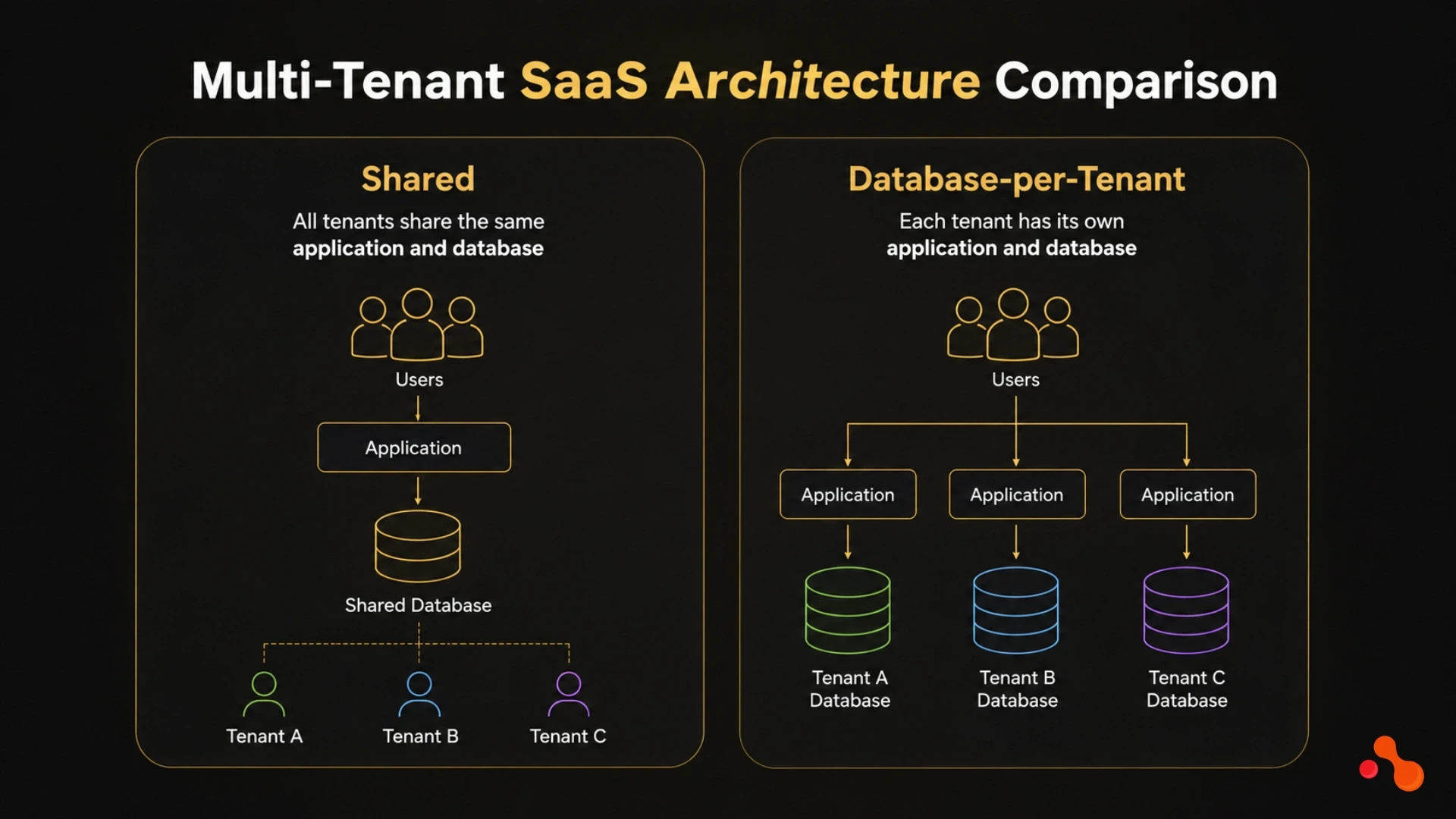
Multi-Tenant SaaS Architecture Comparison: Shared vs Database-per-Tenant
Multi-tenant SaaS architecture is not three flavours of the same idea. Shared database, schema-per-tenant, and database-per-tenant are three different operational contracts with your future self. This guide tells you which model fits each business condition, what each costs to run at 50, 500, and 5,000 tenants, and the 5-question decision framework Acquaint Softtech architects use before writing the first migration.

Ahmed Ginani
May 15, 2026
How to Build a Subscription Billing System: Plans & Invoicing
A subscription billing system is not just a Stripe integration. It is a revenue engine with plans, proration, taxes, dunning, invoicing, and ASC 606 revenue recognition built in. Get the architecture right at MVP, and you ship pricing changes in a day. Get it wrong, and every plan tweak takes a sprint. This guide is the operator's map.
Sanjay Prajapati
May 22, 2026India (Head Office)
203/204, Shapath-II, Near Silver Leaf Hotel, Opp. Rajpath Club, SG Highway, Ahmedabad-380054, Gujarat
USA
7838 Camino Cielo St, Highland, CA 92346
UK
The Powerhouse, 21 Woodthorpe Road, Ashford, England, TW15 2RP
New Zealand
42 Exler Place, Avondale, Auckland 0600, New Zealand
Canada
141 Skyview Bay NE , Calgary, Alberta, T3N 2K6