

8 Key Things to Consider When Building an Exceptional Nonprofit Website
Nonprofit website development focuses on clear, accessible, secure sites that drive donations, recruit volunteers, and communicate impact. The 8 key considerations are: define your purpose and audience, a strong content strategy, SEO, an appealing logo, an easy-to-remember domain, mobile-friendliness, clear calls to action, and secure donation payments. Pick a budget-friendly platform, meet WCAG accessibility standards, and keep navigation simple. A basic nonprofit website costs 2,000 to 5,000 USD; a custom site runs up to 15,000 USD or more.

Mukesh Ram
As the Founder and CEO at Acquaint Softtech, I have seen how much a great website matters to a cause. Good nonprofit website development helps a foundation promote awareness, educate its community, and generate donations or grants, and it all starts with a few key decisions made early.
In this blog, we discuss the top 8 factors that ensure your website builds a strong brand identity and online presence, and the benefits of hiring a remote developer.
Whether you searched for nonprofit website development, website development for nonprofits, building a nonprofit website, or how to build a website for a nonprofit organization, this guide is for you.

- You run or support a nonprofit, charity, or foundation.
- You want to create a nonprofit website that drives donations.
- You want the 8 key considerations explained simply.
- You are weighing a website builder against a custom build.
- You are building across the USA, UK, Europe or Australia.
Maybe you plan to build a website to help others but do not know where to start. This guide walks through every key point, so by the end you can brief a developer, or start yourself, with confidence.
Below, we define a nonprofit website, give a clear build process, cover all 8 considerations, list core pages and features, share a real case study, and give an honest cost range.
What Is a Nonprofit Website?
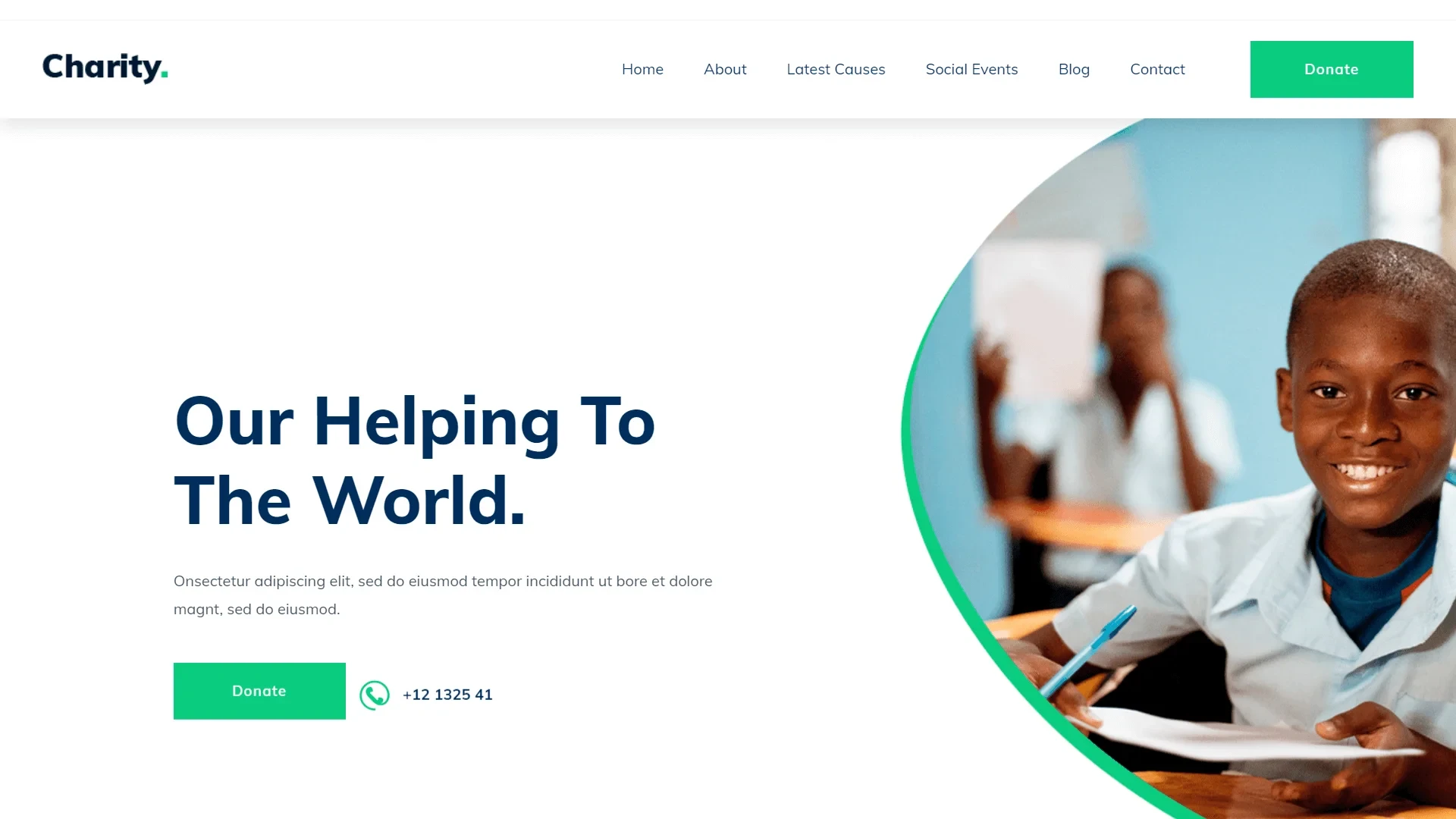
A nonprofit website is the digital hub of a not-for-profit organization, built to inform, engage, and raise donations.
A nonprofit website is designed and hosted by an organization that does not make a profit. It serves as the nonprofit's digital presence and information hub, sharing its mission, programs, events, and initiatives. The goal is to engage visitors, raise awareness about the cause, and encourage support and donations from the public.
How to Build a Nonprofit Website: Step-by-Step
Building a nonprofit website runs from mission and platform choice to core pages, a donation funnel, accessibility, and launch.
Website development for nonprofits is smoother with a clear sequence. Here is a practical process for creating a website for nonprofit organization teams, whether your goal is to create nonprofit website pages fast, build nonprofit website features step by step, or you are simply creating a nonprofit website for the first time. Nonprofit website development does not have to be complicated.
Define mission and audience: write a clear mission statement and decide who you serve- donors, volunteers, or beneficiaries.
Choose a platform: Wix or Squarespace for small charities, WordPress for larger organizations needing plugins and integrations, or a custom build for full control.
Build core pages: homepage, About Us, programs, a donation page, and Contact and Get Involved.
Add a frictionless donation funnel: a secure gateway with one-time and recurring gift options, and prominent Donate buttons.
Meet accessibility standards: follow WCAG, high color contrast, readable text and alt text, with simple two-click navigation.
Test and launch: check buttons, forms and donation checkout on mobile, then go live and keep improving.
The table compares the main platform options for building a website for a nonprofit organization.
Platform | Best for | Note |
Wix / Squarespace | Small-to-medium charities | Easy, nonprofit discounts |
WordPress | Larger organizations | Plugins and integrations |
Custom build | Complex needs, scale | Full control, higher cost |
Not sure how big to start? An MVP development with a homepage and donation page lets you launch fast, and a flexible route pairs well with solid CMS development.
Ready to build a website that grows your cause?
Tell me about your mission and goals, and within 48 hours I will map the pages, donation flow, and a build plan tailored to you. No cost, no obligation.
The Purpose of Your Website

Start by defining your website's purpose and who it serves: donors, volunteers, or supporters.
First, decide the main purpose of your site and who you want it to serve potential donors, volunteers, or others interested in helping. That answer shapes how much information each page needs and how easy it must be to find.
If most visitors are potential donors seeking donation or volunteering details, show contact information prominently on every page. If your audience is mostly volunteers, provide accessible sign-up forms they cannot easily find elsewhere.
Research the market to understand what other foundations are doing. With a clear purpose in mind, it is easy to brief your developer, and the right remote developer can build the website you dreamed of.
Do you know according to reports, Americans donated a staggering 499.33 billion US dollars to charitable causes in 2022, so a website that converts giving intent into donations really matters.
Content and Content Strategy
Content is the ruling factor: build a clear, user-centered pathway that guides every visitor.
Your website must revolve around your audience, offering a seamless experience. Craft a well-defined pathway that guides visitors to what they need, use language that resonates with them, and give each page a distinct purpose that adds value.
Aligning content with user intent improves navigation and satisfaction. For the technology behind a fast, scalable site, read our guide on why to use Laravel.
SEO Friendly

Make your nonprofit easy to find optimize for search so supporters can discover your cause.
Consider how visitors will find you: will someone searching for a nonprofit in a particular city reach your site? Starting, platforms like WordPress and social sharing establish a basic presence; as your brand grows, email marketing, blogging and even paid ads help. A LinkedIn email finder can make outreach to donors, partners and volunteers more targeted. Prioritizing visibility ensures your cause reaches the audience it serves.
Create an Appealing Logo
A well-designed logo is the face of your organization, building recognition and trust.
A memorable logo represents your values, mission and identity, leaves a lasting impression, and fosters brand recognition and trust. A professional logo also elevates the site's aesthetics, making it more appealing and helping attract visitors and extend your outreach and impact.
Use an Easy-to-Remember Domain
A short, memorable domain helps supporters recall and return to your site.
In a landscape of countless websites, a memorable domain stands out and builds a strong brand presence. A catchy, straightforward name means people can recall it after finding you via search or social media and are more likely to share and recommend it. A DNS lookup tool helps verify availability and correct configuration for a reliable, accessible presence.
Make It Mobile Friendly

A mobile-friendly, responsive design keeps donors and volunteers engaged on any device.
Many supporters will visit on a phone or tablet, so a site that is hard to navigate on mobile loses potential donors. Keep it simple for less tech-savvy visitors too, and test across laptops, tablets, and smartphones so no one hits a dead end. Working with a modern website design agency helps nonprofits build user-friendly, responsive sites that keep visitors engaged.
Create a Call to Action
Clear, well-placed CTAs turn visitors into donors, volunteers, and subscribers.
A call to action is a clear, concise button or link that drives conversions, like donating or subscribing to a newsletter. Place CTAs where they are easy to spot and use them throughout the site to guide visitors toward meaningful involvement with your cause.
Secure Donation Payments
Secure, flexible donation payments make giving easy and build donor trust.
A nonprofit website needs secure payment integration with multiple gateways to make contributions easy and convenient. The donation system should work with your donor database, support multiple donation types, and be flexible enough to add campaigns for specific events or causes.
Organizations can also integrate Embeddable online donation forms directly into their websites to simplify the giving process. These forms allow visitors to contribute without navigating away from the nonprofit website, creating a smoother donation experience. Features such as customizable donation fields, recurring gift options, mobile-friendly layouts, and multiple payment methods can help organizations make online fundraising more accessible and convenient for supporters.
Want a secure, high-converting donation flow?
Share your setup, and I will map the donation gateway, recurring gifts, and accessibility with an honest cost, free, within 48 hours.
Core Pages and Features
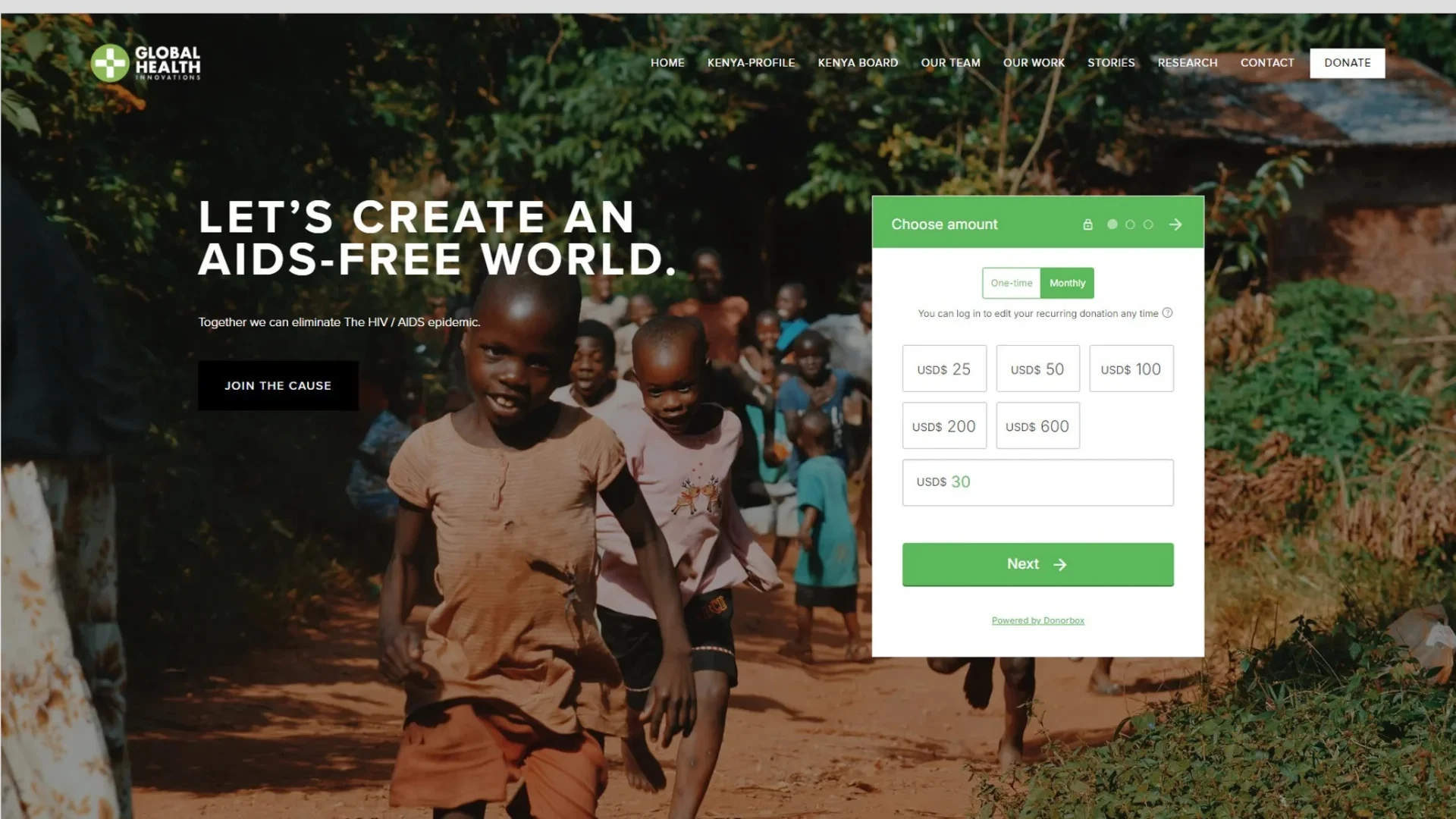
Every nonprofit website needs a few core pages and features to inform, engage, and convert.
Based on what works across successful nonprofit sites, these are the core pages and must-have features.
Core pages | Key features | Why it matters |
Homepage | Clear donate CTA | Immediate action |
About Us | Secure donation gateway | Builds trust, enables giving |
Programs / Services | Impact metrics and stories | Shows how funds are used |
Donation page | Mobile responsiveness | Reaches every visitor |
Contact / Get Involved | WCAG accessibility | Everyone can participate |
Keep navigation simple (information in two clicks or less), show real impact with stats and stories, and make sure the donation checkout works flawlessly on every device.
Client Case Study
Acquaint Softtech built a welcoming, donation-ready website for the Sacred Heart Foundation, a children's charity.
Case study snapshot
Proof: See the Sacred Heart Foundation project and verified reviews on Clutch. |
This reflects a standard seen across a 5-star Clutch rating over 80+ reviews, 1,293+ clients on Upwork with a 98% success rate, and 1,300+ projects delivered by 70+ in-house engineers over 13+ years, as an Official Laravel Partner. Explore more in our case studies.
Cost to Build a Nonprofit Website
A basic nonprofit website costs 2,000 to 5,000 USD; a custom, feature-rich site runs up to 15,000 USD or more.
Nonprofit web development cost depends on complexity, features, design, and the team's rates. The table shows directional 2027 ranges.
Website type | Timeline | Cost (USD) |
Basic | 3 – 6 weeks | 2,000 – 5,000 |
Custom / feature-rich | 6 – 12 weeks | 5,000 – 15,000 |
Large / multi-program | 3 – 6 months | 15,000 – 40,000+ |
Many builders offer nonprofit discounts, and you can also build cost-effectively by adding specialists through IT staff augmentation services, with ongoing support and maintenance to keep the site secure and current.
Why Work With Acquaint Softtech
Acquaint Softtech is an experienced, Official Laravel Partner that builds accessible, secure, donation-ready nonprofit sites.
Acquaint Softtech has built websites for nonprofits and mission-driven organisations, backed by a dedicated QA team.
As an Official Laravel Partner, we deliver secure, accessible sites end-to-end, and you can use software development outsourcing or hire dedicated Laravel developers to build with Acquaint Softtech across the USA, UK, Europe, and Australia. You can also hire remote developers for a flexible engagement.
To Wrap Up
A great nonprofit website starts with a clear purpose and audience, then builds on strong content, SEO, a memorable brand, mobile-friendliness, clear CTAs, and secure donations. Keep it accessible and simple, show real impact, and make giving effortless.
If you want expert help to create a nonprofit website that grows your cause, Acquaint Softtech can design and build it across the USA, UK, Europe, and Australia.
Let's build a website that amplifies your mission.
Book a free 30-minute call with our experts. We will scope the pages, donation flow, timeline, and an honest cost, and you leave with a plan you can act on, even if you build it elsewhere.
Frequently Asked Questions
-
What security measures should a nonprofit website have?
A secure nonprofit website should have SSL encryption, regular backups, strong password policies, secure donation payment integration, and up-to-date software. These safeguard donor and user data and protect against cyber threats, which is essential for maintaining the trust that donations depend on.
-
How do I create a website for my non-profit?
To create a website for your non-profit, define your mission and audience, choose a platform (Wix or Squarespace for small charities, WordPress for larger ones, or a custom build), add core pages like homepage, About, programs, donation, and contact, set up a secure donation gateway, meet accessibility standards, mobile test, and launch.
-
Is there a free website builder for nonprofits?
Yes. Several builders offer free or discounted nonprofit plans, including Wix, Google Sites, and dedicated tools like Zeffy for fundraising. Free tiers are great for getting started, but they can be limited in customisation, branding, and integrations. Larger or growing nonprofits often move to WordPress or a custom build for more control.
-
What to include in a nonprofit website?
Include a homepage with a clear donate call to action, an About Us page with your mission and registration details, program or service pages, a secure donation page with one-time and recurring options, and a Contact or Get Involved page with volunteer forms. Add impact metrics, accessibility, and a mobile-friendly design.
-
How much does a charity website cost?
It depends on complexity and features. A basic nonprofit website costs about 2,000 to 5,000 USD, while a more extensive, customised site can reach 15,000 USD or more. Donation integrations, accessibility work, and ongoing maintenance affect the total. Many platforms offer nonprofit discounts, and Acquaint Softtech offers competitive rates.
-
How long does it take to build a nonprofit website?
A basic nonprofit website usually takes 3 to 6 weeks, while a custom, feature-rich site can take 6 to 12 weeks or longer. The timeline depends on the number of pages, donation and CRM integrations, accessibility requirements, and how quickly content and feedback are provided.
I love to make a difference. Thus, I started Acquaint Softtech with the vision of making developers easily accessible and affordable to all. Me and my beloved team have been fulfilling this vision for over 15 years now and will continue to get even bigger and better.
Table of Contents
Get Started with Acquaint Softtech
- 13+ Years Delivering Software Excellence
- 1300+ Projects Delivered With Precision
- Official Laravel & Laravel News Partner
- Official Statamic Partner
Related Reading
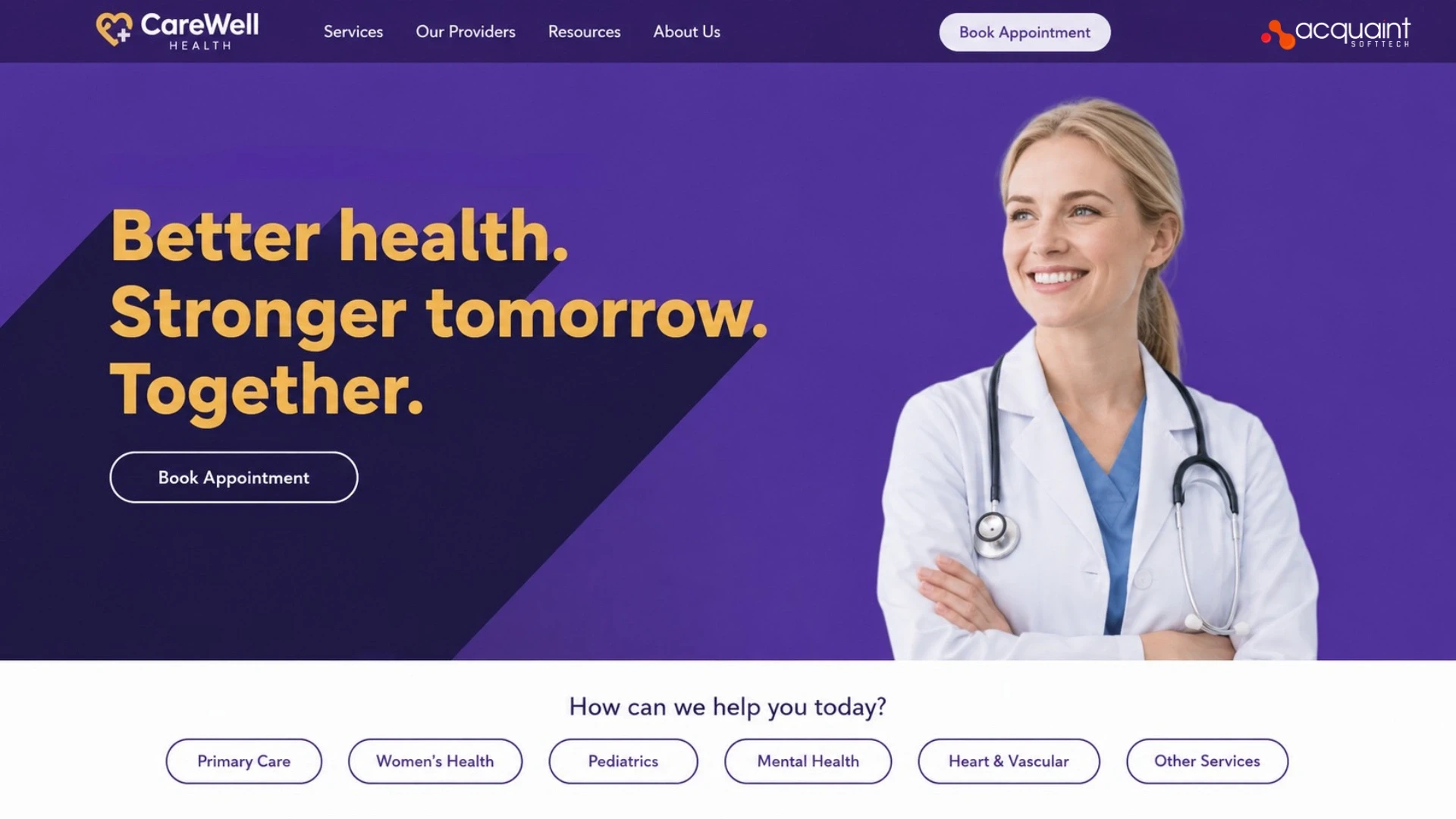
How to Build a Professional Healthcare Website In 2026
To build a healthcare website, design a clean, minimalistic, mobile-friendly site with easy navigation and the key pages (home, about, services, testimonials, appointment booking). Add online appointment scheduling, a patient portal, telemedicine, secure payments, and a database system, and ensure compliance (HIPAA, GDPR). Use a secure stack such as Laravel, PHP, or Python with a CMS like WordPress. A basic site costs 2,000 to 5,000 USD, and advanced builds 15,000 to 80,000 USD and up.
Mukesh Ram
April 26, 2023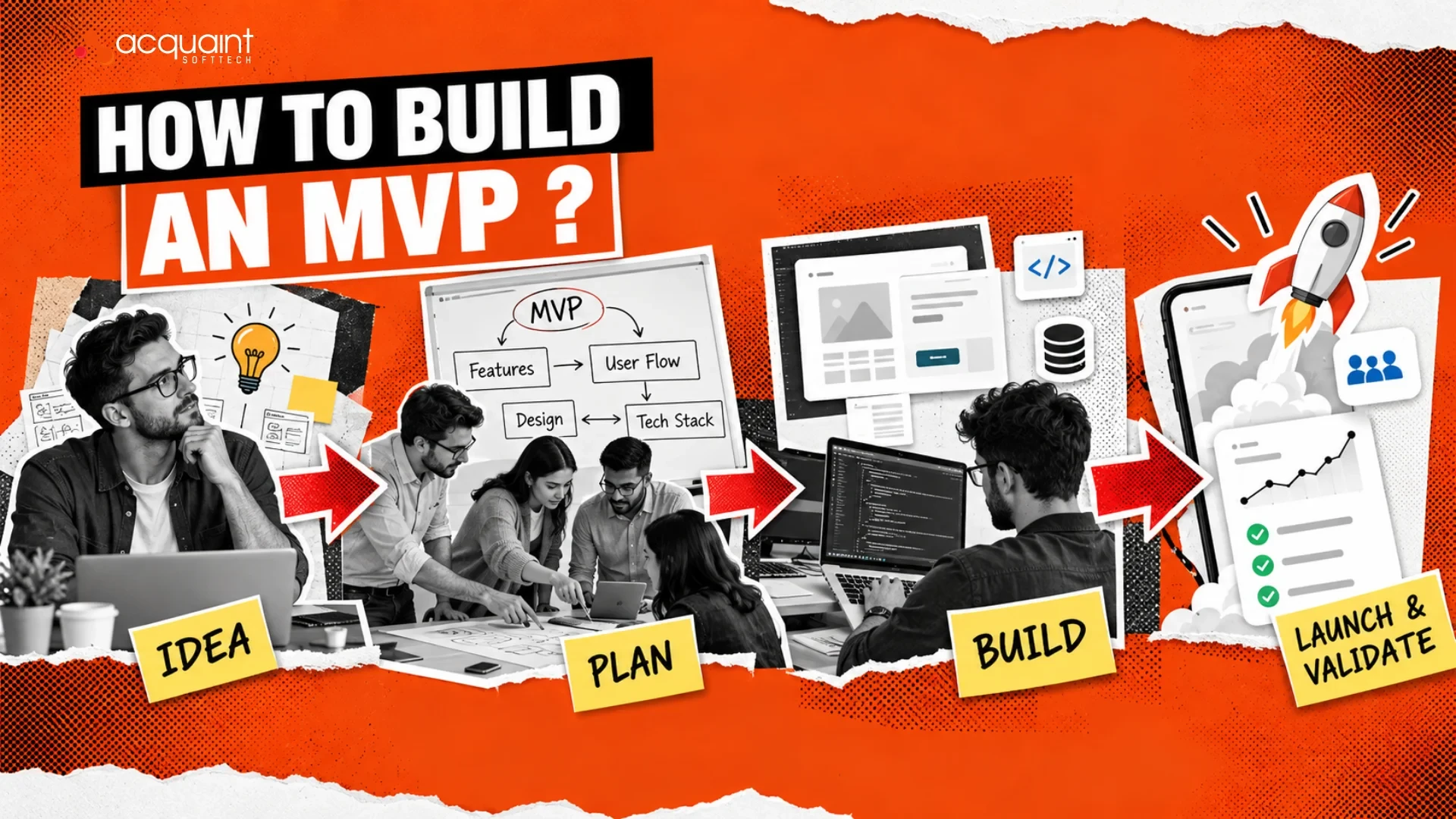
MVP Chapter #6: How to Build an MVP?
To build an MVP, identify a core user problem, isolate your riskiest assumption, and build only the essential features needed to test it. Focus on speed with simple tools or no-code platforms, launch quickly to real users, and gather data to iterate. In short: define the problem and user, cut scope to the must-haves, then build and launch fast to learn.
Mukesh Ram
August 31, 2022
How much will your web app development cost?
Web application development cost typically ranges from $15,000 to $200,000+ globally (roughly £15,000 to £150,000+ in the UK), depending on scope, features, and team location. A simple MVP runs $10,000 to $50,000, a mid-scale business web app $50,000 to $150,000, and a complex or enterprise platform $150,000 to $300,000+. Hiring a remote team can cut labor costs sharply, and at Acquaint Softtech, an MVP can reduce your project cost by up to 60%.
Mukesh Ram
November 11, 2022India (Head Office)
203/204, Shapath-II, Near Silver Leaf Hotel, Opp. Rajpath Club, SG Highway, Ahmedabad-380054, Gujarat
USA
7838 Camino Cielo St, Highland, CA 92346
UK
The Powerhouse, 21 Woodthorpe Road, Ashford, England, TW15 2RP
New Zealand
42 Exler Place, Avondale, Auckland 0600, New Zealand
Canada
141 Skyview Bay NE , Calgary, Alberta, T3N 2K6