

Building a Property Listing Portal: MLS Integration, IDX Feed, and Advanced Search Filters
MLS IDX integration is a system that connects a local real estate database to a public website so agents can display live property listings. A property listing portal has four working parts: an MLS connection that pulls listings through the RESO Web API under your IDX agreement, a sync pipeline that keeps a local copy fresh (often every 15 to 60 minutes), a search layer with map-based browsing and advanced faceted filters that runs against your own database rather than the MLS, and a lead capture flow that pushes registrations into a CRM.

Sanjay Prajapati
As Head of Business at Acquaint Softtech, I have helped brokerages and PropTech founders turn a static website into a live software product development asset that buyers actually search across the US, UK, and Australia.
A property listing portal is a website where visitors search live MLS inventory, filter by map and features, and register as leads, all under your brand. The reason to build one is simple: buyers spend weeks browsing listings before they call, so the site that holds the search holds the lead.

- A founder or product owner building a real estate search portal.
- A CTO scoping MLS integration, an IDX feed, and faceted search.
- A broker or agency owner tired of sending buyers to Zillow.
- A team weighing a custom IDX portal against a WordPress plugin.
If you want the wider category picture first, our PropTech software development guide shows where a listing portal sits inside a full property platform.
This is a build guide, not a plugin roundup. It covers what MLS and IDX really are, the compliance you must clear, how data flows through the RESO Web API, how to build map-based property search and advanced filter faceted search, plus a real project, a tech stack, and honest cost.
What is MLS IDX integration?
MLS IDX integration is the connection that lets your website display live listings from a shared real estate database. It joins three things: the MLS, the IDX rules, and the feed that moves data between them.
MLS (Multiple Listing Service). A regional cooperative database where local agents post properties for sale, with standardized fields for price, beds, photos, and status.
IDX (Internet Data Exchange). A rule framework and technology standard, also called broker reciprocity, that lets members share and display those listings on their own domains.
The feed. Approved vendors pull data from the MLS through an API and format it for the website, which is the MLS IDX data integration most portals depend on.
Because the listing engine is the core that every other feature depends on, teams building a real search product often hire MERN stack developers who have shipped data-heavy portals before.
Why build your own listing portal
A portal you own turns listing search into leads, traffic, and data that stay with you. The four benefits below are why brokerages move off third-party portals.
Full inventory. Buyers can search every active local listing, not just your own, which keeps them on your site.
Automatic updates. Listings sync regularly, often every 15 to 60 minutes, so prices and availability stay accurate.
Lead capture. Registration and saved-search prompts send visitor data straight into a CRM for follow-up.
SEO growth. Native IDX property pages act like your own posts, so search engines index your local listings and send you organic traffic.
A buyer app extends that reach, so teams often hire React Native developers to ship a property listing portal MLS IDX integration app for iOS and Android from one codebase.
Before you build: membership, compliance, agreements
You cannot display MLS data legally without three things in place: membership, compliance, and signed agreements. Getting these wrong is why scraping listings is never an option.
Membership. You must belong to the local MLS board, and in the US there are over 500 regional MLSs, so a metro brand may need several feeds.
Compliance. You must show required listing attributions, honor broker opt-outs, and refresh data on the schedule the MLS sets.
Agreements. You need signed contracts between you, your broker, the MLS, and your technology vendor before a single listing goes live.
Most of these display and data rules trace back to policy set by the National Association of Realtors, which shapes how IDX listings can appear on member sites.
The data format itself is governed by an industry standard body, the Real Estate Standards Organization, whose RESO Web API and Data Dictionary define how modern feeds are structured.
How listings flow: the RESO Web API and local sync
The architecture. The industry has standardized on the RESO Web API, the modern successor to the older RETS protocol. Your backend authenticates with the MLS API using your IDX credentials, does an initial MLS import, then keeps a synchronized copy in your own database.
Why keep a local copy instead of querying the MLS live?
Because a local copy is what searches fast and custom. When a visitor searches, the query runs against your database, not live against the MLS, so you can build your own filtering, mapping, and neighborhood browsing. The engineering work is keeping that copy faithful: catching every new listing, price change, and status flip to pending or sold, and removing withdrawn listings promptly.
That MLS sync is a scheduled pipeline that has to run continuously and reconcile adds, changes, and removals, which is why teams hire automation engineers to own the jobs that poll the feed and keep listings current.
Normalizing messy MLS fields and geocoding addresses for search is data work in its own right, so many builds also hire Python developers for the ingestion, normalization, and geospatial layer.
Vendors such as Realtyna offer a Realtyna MLS API and organic IDX technology if you prefer a managed feed, and our own real estate marketplace build guide covers how the same ingestion layer scales to hundreds of thousands of records.
Native rendering vs widgets and WordPress plugins
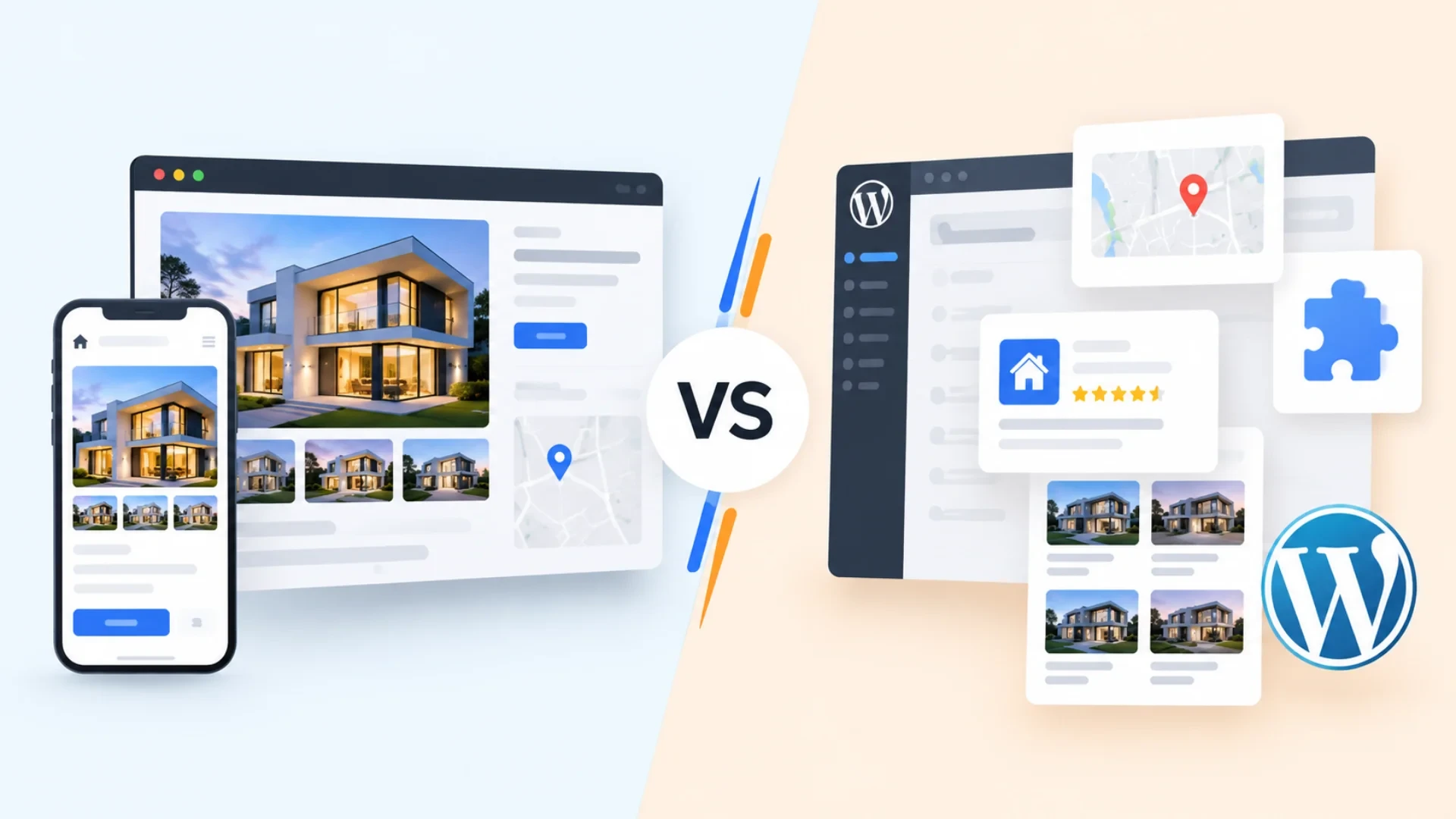
There are two ways listings appear on a site, and they behave very differently underneath. Widgets and iframes are the cheap route; native rendering is the one that builds SEO you own.
A widget or iframe loads search results from a vendor server, often on the vendor subdomain, so search engines credit that content to the vendor, not you. Native rendering generates listing pages from your own synchronized database, on your domain, with your URLs, so every listing page is your content and every neighborhood page can embed live, filtered results.
There is a fast, cheap path too: a property listing portal MLS IDX integration free option using a property listing WordPress theme like Houzez with a plugin feed, which suits small agents, and if that fits, teams can hire WordPress developers to set it up.
The honest tradeoff is that native IDX websites are more engineering work, since they need a database, a sync pipeline, a search index, and image handling. But if organic search matters at all, the gap between native and widget compounds every month, and always in the same direction.
Building map-based search and advanced filters
How search is actually built. To build a property search engine, you run queries against a search index over your local copy, not the raw database, so filtering by price, beds, area, and map bounds returns in milliseconds.
How does map-based property search work?
Map-based property search stores each listing with geocoordinates and queries by the map viewport. As the user pans or zooms, the portal requests listings within the current bounds, clusters dense pins, and updates the result list in sync with the map. Drawing a custom search area on the map is just a polygon filter against those coordinates.
A fast map and index at scale is an infrastructure job, so teams hire DevOps engineers to run the search cluster, caching, and image delivery that keep results instant.
How do advanced search filters work in real estate?
Advanced filter faceted search shows counts next to each option, such as how many homes match three beds in a price band, and updates those counts as the user narrows the search. It relies on faceted aggregations in the search index, so every filter combination stays fast and no dead-end zero-result path surprises the buyer.
Ranking, recommendations, and lead scoring on top of that search are a natural fit for AI development services, which turn a plain result list into a personalized one.
How to build a property listing portal, step by step

To build a property listing site, secure the feed, sync a local copy, index it for search, render listings natively, and capture leads. Here is the build in six steps.
Clear compliance. Join the MLS boards you need and sign the IDX agreements with your broker and vendor.
Connect the feed. Authenticate to the RESO Web API and run the initial MLS import of listings, photos, and fields.
Build the sync pipeline. Poll for adds, changes, and removals on the required schedule and keep the local copy faithful.
Index for search. Load the copy into a search index with geocoordinates and facets for price, beds, area, and map bounds.
Render natively. Generate listing and neighborhood pages on your domain with correct attribution and structured data.
Capture leads. Add registration, saved searches, and alerts, and push every lead into the CRM automatically.
Designing the data model and compliance rules up front is exactly what a product discovery workshop is for, because reworking the listing schema after launch is expensive.
Want a portal that owns the search, the SEO, and the leads?
Our engineers have built listing engines, MLS ingestion, faceted search, and agent dashboards for real estate clients. Tell us your MLS boards and the experience you want, and we will map a custom IDX portal with a fixed scope and clear milestones.
Tech stack for a property listing portal
The best stack for a listing portal pairs a fast search index and a durable database with a reliable sync layer and a mapping front end. Speed and freshness matter more than novelty.
Layer | Common choice | Why |
Frontend | React or Next.js | Fast listing pages and map UI |
Mobile | React Native | One buyer app for iOS and Android |
Backend | Node.js or Laravel | Feed sync, APIs, lead capture |
Database | PostgreSQL | Faithful local copy of listings |
Search | Elasticsearch or OpenSearch | Faceted and geospatial queries |
Maps | Mapbox or Google Maps | Map-based browsing and draw search |
If you want a senior architect to lock the ingestion, search, and compliance design before the first sprint, virtual CTO services put that experienced hand on the plan early.
When an MLS moves from RETS to the RESO Web API or changes its rules, version upgrade services keep the feed working without breaking live search.
Listing portal cost by market

Listing portal cost depends on scope and where your team sits. A single-MLS search site is far cheaper than a multi-feed portal with faceted search, a buyer app, and agent dashboards.
The ranges below are 2026 planning estimates at local agency rates, meant as starting points to confirm against a real scope, not fixed quotes. Offshore delivery from India typically lands well below these numbers.
Target market | Single-MLS portal | Multi-feed platform |
United States / New York | $25,000 to $60,000 | $90,000 to $220,000+ |
United Kingdom | GBP 20,000 to 48,000 | GBP 72,000 to 175,000+ |
Europe (EU) | EUR 22,000 to 54,000 | EUR 82,000 to 200,000+ |
Australia | AUD 38,000 to 90,000 | AUD 140,000 to 330,000+ |
New Zealand | NZD 40,000 to 95,000 | NZD 150,000 to 350,000+ |
The biggest lever is engineering rate, not the feature list, which is why many teams hire remote developers to build the same portal for a fraction of local cost.
For teams that want to ship a single-MLS core first and expand, software development outsourcing keeps the build lean, and a custom IDX portal India delivery model is a common way to control that spend.
If you would rather hire developers for MLS integration as an extension of your own team, IT staff augmentation adds vetted engineers who have built feeds and search before.
Real case study: a real estate brokerage backend
No two builds are identical, and a documented parallel from our own work is a real estate brokerage that needed listings, agent activity, and leads unified in one custom system. The table below maps the problem to what we delivered.
Focus area | The challenge | What Acquaint Softtech delivered |
Listings engine | Listings, agent activity, and leads were scattered across disconnected tools. | A Laravel-based backend with modular services for property listings that can evolve independently. |
Roles and access | Too much control slowed agents; too little created oversight gaps. | A role-based permission system that agents, team leads, and administrators all accepted as fair. |
Leads and pipeline | Leads were lost between systems and ownership was unclear. | Lead management with dashboards giving managers visibility into listings, lead flow, and agent activity. |
Continuity | Historical CRM data and live sales activity could not be disrupted. | CRM integration and document storage that preserved history while the new system went live. |
Result: the client reported immediate gains in operational clarity, fewer lost leads, and better pipeline visibility, with 5.0 ratings for quality, schedule, and cost. In their words, the standout was the ability to design a permissions system that both agents and administrators accepted.
You can browse this and other projects on our case studies page to see the delivery detail behind the summary above.
Why teams struggle, and what to check before you build
Most listing portals do not fail at the design. They fail at the sync and the search, where a lagging feed shows sold homes as active, and a slow index makes buyers bounce.
If you are choosing between a custom build and a plugin, check for these before you commit:
How often does listing data refresh, specifically, and how are removals handled?
Do listings render natively on your domain, or through an embedded widget?
Who holds the IDX agreement and credentials if you part ways with the vendor?
Is search backed by a real index with facets and map bounds, not raw database queries?
That track record is where it matters. Acquaint Softtech has delivered 1,300 or more projects over 13 or more years with 70 or more in-house engineers, 48 or more Clutch reviews, more than 1,290 Upwork jobs, and can deploy vetted developers within 48 hours.
For a long-lived portal that keeps evolving, a dedicated software development team keeps the feed, search, and compliance consistent from launch through scale.
After launch, feeds and MLS rules change, which is where support and maintenance services keep sync, attribution, and search healthy.
Keeping the whole build on track from single MLS to multi-feed platform is easier when you hire a project manager to own the plan and the sprint cadence.
And for firms that want to offer a branded portal to many brokerages at once, white label development services deliver the multi-tenant version as a productized offering.
Ready to own your MLS search instead of renting a widget?
Share your target MLS boards and the search experience you want, or a short brief. We will review your feed, sync, search, and compliance needs, then hand back a prioritised plan and a scope you can act on. This is the last step before you commit engineering time.
Frequently Asked Questions
-
How to build a property listing portal?
Build a property listing portal in six moves: clear MLS membership and IDX agreements, connect the RESO Web API, sync a faithful local copy of listings, index that copy for faceted and map-based search, render listing pages natively on your own domain, and capture leads into a CRM. The engineering effort concentrates in the sync pipeline and the search index, not the page design.
-
How do I integrate MLS/IDX data?
Integrate MLS IDX data by authenticating to your MLS through the RESO Web API on credentials issued under your IDX agreement, running an initial MLS import, then polling for adds, changes, and removals on the schedule the MLS requires. Store a synchronized local copy so search runs against your database, and apply attribution and opt-out rules automatically to stay compliant.
-
How does map-based property search work?
Map-based property search stores each listing with geocoordinates and queries by the current map viewport. As the user pans or zooms, the portal fetches listings within those bounds, clusters dense pins, and keeps the result list in sync with the map. Drawing a custom area is simply a polygon filter run against the listing coordinates in the search index.
-
How do advanced search filters work in real estate?
Advanced filter faceted search uses aggregations in the search index to show live counts beside each option, such as how many homes match three beds within a price band, and recalculates them as the buyer narrows the search. This keeps every filter combination fast and avoids dead-end, zero-result paths that push buyers off the site.
-
How to integrate IDX into a website?
To integrate IDX into a website, first secure MLS membership and an IDX agreement, then either install a vendor plugin (common on a property listing WordPress build) or connect the RESO Web API directly for a custom portal. A plugin is faster to launch; a native integration gives you your own URLs, faster search, and the SEO value of listing pages hosted on your domain.
-
Is IDX Broker legit?
Yes, IDX Broker is a long-established, legitimate IDX vendor that provides hosted real estate websites and an embeddable property search tool with wide MLS coverage. It suits agents who want a fast, managed setup. The tradeoff is that hosted or embedded search can limit design control and SEO ownership compared with a custom portal that renders listings natively on your own domain.
-
What is the difference between MLS and IDX?
The MLS is the private, regional database where agents list properties with standardized fields. IDX is the policy framework and technology that lets a member display other brokers’ MLS listings on their own website. Put simply, the MLS holds the data, and IDX is the permission and standard that lets you show it under your brand.
-
How much does a property listing portal cost to build?
A single-MLS search portal typically runs from the mid-tens of thousands into six figures at local agency rates, while a multi-feed platform with faceted search, a buyer app, and agent dashboards costs more. The main cost driver is engineering rate rather than the feature list, so offshore delivery from India is materially cheaper for the same scope.
I am Sanjay Parjapati, a developer at heart and a Head of business by work. My journey started with coding and helped me grow towards becoming a head of business which led me to focus on dual skills, i.e. technical know-hows and the business know-hows. My journey of 10+ years has helped me grow immensely from a professional viewpoint.
Table of Contents
Get Started with Acquaint Softtech
- 13+ Years Delivering Software Excellence
- 1300+ Projects Delivered With Precision
- Official Laravel & Laravel News Partner
- Official Statamic Partner
Related Blog

How to Build a Real Estate Marketplace Platform
Building a real estate marketplace isn't a listings website; it's a live system where buyers, agents, and data connect in real time. Auto-routing leads, refreshing listings instantly, and giving every agent a full working environment inside the platform. One architecture decision in week one determines whether you scale to 1,000 listings or 1,000,000.

Manish Patel
May 19, 2026
The Complete Guide to PropTech Software Development in 2026
PropTech is not a real estate website with a login. It is a system of record that manages listings, leases, ledgers, and work orders on a single accountable platform. Here is what it costs, how it is built, and how to pick a partner in 2026.

Acquaint Softtech
May 4, 2026
Hotel PMS Development: Front Desk, Housekeeping, and Guest Management in One System
A hotel PMS is not a booking system. It is the operational backbone connecting every department in real time. Here is what it includes, how each module is built, and what it costs in 2026.
Manish Patel
May 20, 2026India (Head Office)
203/204, Shapath-II, Near Silver Leaf Hotel, Opp. Rajpath Club, SG Highway, Ahmedabad-380054, Gujarat
USA
7838 Camino Cielo St, Highland, CA 92346
UK
The Powerhouse, 21 Woodthorpe Road, Ashford, England, TW15 2RP
New Zealand
42 Exler Place, Avondale, Auckland 0600, New Zealand
Canada
141 Skyview Bay NE , Calgary, Alberta, T3N 2K6