

Real-Time Location Tracking for Ride-Hailing: Google Maps vs Mapbox vs Custom Solutions
Mapbox is generally better for a custom ride-hailing app because it offers full visual customization, cheaper scaling, and specialized APIs like Map Matching for smooth vehicle tracking, whereas Google Maps provides more out-of-the-box familiarity and denser global POI data.

Manish Patel
As the Chief Information Officer at Acquaint Softtech, I get the same question from ride-hailing founders every week: which map should power our live driver tracking? The honest answer is that the map is only the surface. The real work is a streaming pipeline, and getting the mapping SDK right is why teams hire React Native developers who have shipped real-time tracking before, not just embedded a static map.
Here is the fast version of Google Maps vs Mapbox. Google Maps gives you the deepest global POI data and a map users already trust. Mapbox gives you full visual customization, cheaper scaling, and a specialized Map Matching API that snaps noisy GPS to roads for smooth tracking. A custom solution, built on the open OpenStreetMap dataset with MapLibre, gives you total control and no per-call bill, at the cost of running your own infrastructure.

- You are choosing between Google Maps, Mapbox, and a custom mapping stack for a ride-hailing app.
- You want to know how live driver tracking actually works, end to end.
- You need real 2026 feature and cost comparisons, not a vendor pitch.
- You are a CEO, CTO, COO, founder, or agency owner shipping a mobility product.
This guide compares the three paths on how they work, features, cost per trip, and the full stack, then shows a real project that proves the tracking layer. It sits inside our wider on-demand app development guide, so you can see where mapping fits next to matching, payments, and the admin dashboard.
Everything here reflects real work. Acquaint Softtech has built live location, routing, and dispatch features into production apps, and this article shows exactly where each mapping choice wins and where it breaks. Serious software product development treats the map as an engineering system, not a widget.
How real-time location tracking actually works
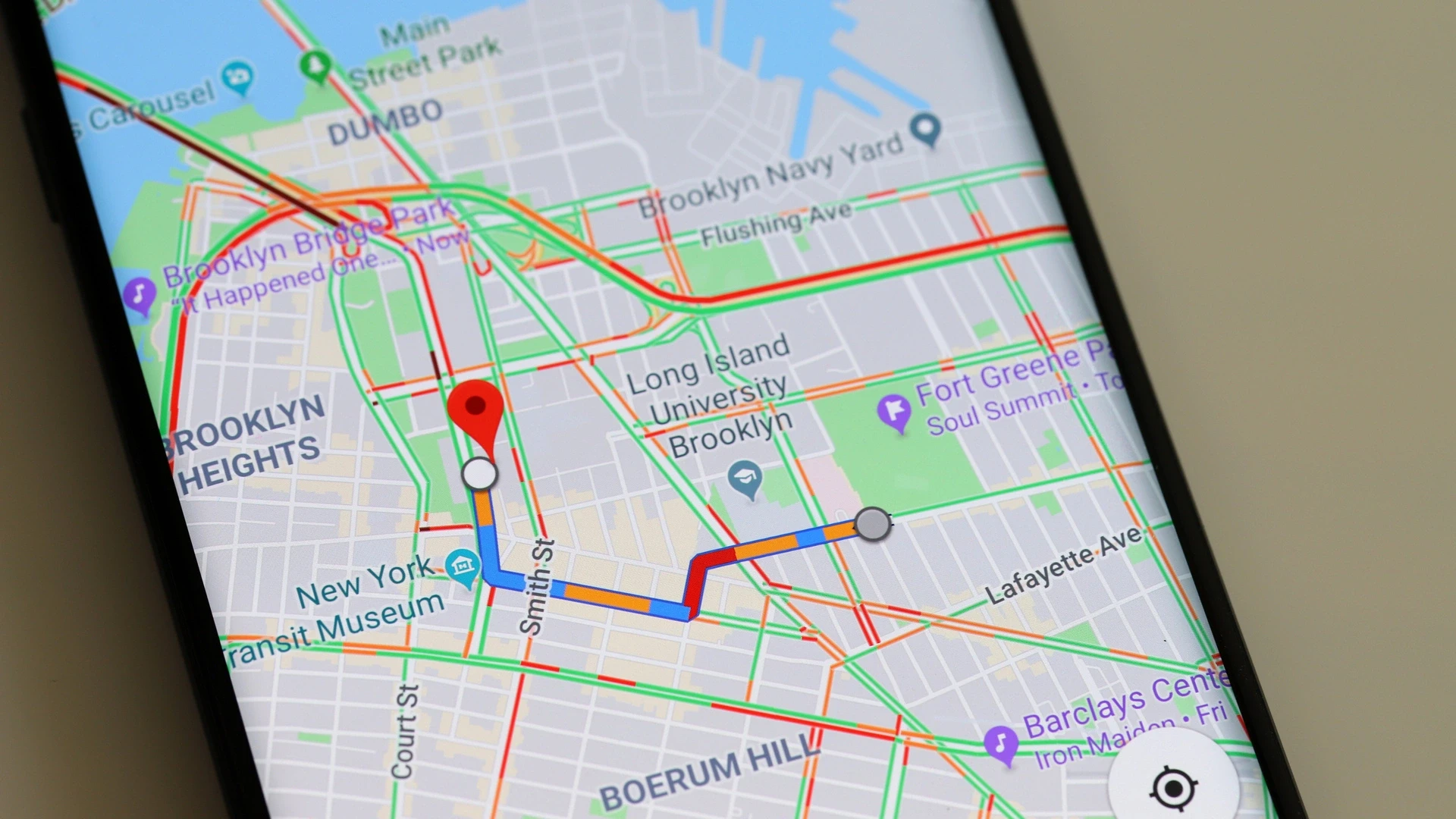
Real-time location tracking works as a four-step pipeline: the driver device captures GPS, the app streams those coordinates to a backend every few seconds, the backend snaps the noisy points to the road network, and the rider app renders a smoothly moving car. The map SDK only handles the last step. Most tracking problems live in the first three.
Raw GPS is jittery. Left alone, the car icon jumps across buildings and off the road. This is why live driver tracking, explained properly, is a streaming and correction problem, not a rendering one, and why teams hire MERN stack developers who have built socket-driven systems that move thousands of updates per second.
Keeping that pipeline healthy under load is an operations job as much as a coding one, so mature teams hire DevOps engineers to run the message brokers, auto-scaling, and monitoring behind it. The same real-time discipline shows up in our Laravel-powered ride-hailing guide, which walks through the socket layer in detail.
Pipeline step | What happens | Where it goes wrong |
1. Capture GPS | Driver device reads location every 3 to 5 seconds | Battery drain, low accuracy indoors |
2. Stream to backend | Coordinates pushed over WebSockets or MQTT | Request-response setups cannot keep up |
3. Snap to road | Map Matching corrects points to the road network | Skipping this makes the car jump and drift |
4. Render for rider | Map SDK animates the car along the route | Choppy animation without interpolation |
Google Maps vs Mapbox vs custom: the three paths
There are three real paths for ride-hailing mapping: Google Maps for the richest data and instant user familiarity, Mapbox for customization and cheaper scale, and a custom MapLibre and OpenStreetMap stack for full control with no per-call fees. Each is a different trade-off between convenience, cost, and control.
Google Maps is the safe default: the deepest global places data, the map billions of users recognize, and the fastest path to a working screen. Mapbox is the design-and-scale choice, with pixel-level styling and vector tiles that render smoothly on mobile. A custom stack is the ownership choice, and for teams that want it without a big hire, software development outsourcing turns it into a delivery plan.
The custom route is not only for giants. Agencies and platforms that want to offer branded mapping under their own name use white label development to ship a controlled stack faster, then extend it as volume grows.
Path | Best for | Main trade-off |
Google Maps | Richest POI data and user trust | Highest per-call cost at scale, limited styling |
Mapbox | Custom-branded maps and smooth tracking | Thinner POI data in some regions |
Custom (MapLibre + OSM) | Full control and no per-call fees | You run and maintain the infrastructure |
Feature comparison for ride-hailing
On the three features that decide a ride-hailing map, customization, real-time tracking, and cost, Mapbox leads on control and price, while Google Maps leads on familiarity and data depth. The comparison below is the honest, side-by-side version.
Customization
Mapbox: complete control over colors, fonts, and 3D landmarks through Mapbox Studio, so the map matches your brand identity.
Google Maps: limited styling options and strict Google branding rules on the UI.
Real-time tracking and routing
Mapbox: Map Matching and Matrix APIs snap noisy GPS to roads for a smooth gliding car animation, the same setup Curb uses across 100,000-plus taxis.
Google Maps: the Roads API and standard Maps SDKs are reliable but more rigid to fine-tune for custom driver pings.
Cost and pricing
Mapbox: generally cheaper at scale for high-volume mobile map renders and custom tracking.
Google Maps: higher per-request costs for heavy loads, though it includes rich place-name databases out of the box.
On Mapbox vs. Google Maps accuracy, both are excellent in the USA, UK, Europe, Australia, and New Zealand, so for those markets the decision usually comes down to branding, tracking smoothness, and price rather than raw coverage.
Smart, demand-aware routing on top of either is a natural fit for AI development once you have live trip data, a pattern we cover in our guide to AI and data analytics for demand and ETA.
A recurring theme in Mapbox vs. Google Maps Reddit threads is that one JavaScript codebase across rider, driver, and admin keeps behavior consistent, which is why many builds hire MEAN stack developers to share tracking logic across all three clients.
Factor | Mapbox | Google Maps |
Customization | Full control via Mapbox Studio | Colors and labels only, Google branding |
Smooth tracking | Map Matching for gliding animation | Roads API, more rigid to tune |
POI and places data | Good, varies by region | Best in class globally |
Cost at scale | Generally cheaper | Higher per-request at volume |
Offline maps | Native on mobile SDKs | Limited offline caching |
Live tracking looks choppy, or your map bill is climbing?
Both point to the same layer: how you stream GPS and snap it to roads. Send us your current setup, and we will review the SDK, the streaming backend, and the API mix, then hand back a smoother, cheaper plan.
Cost and pricing: Google Maps vs Mapbox per trip

The right way to read Mapbox vs Google Maps pricing is per trip, not per API. A single ride-hailing trip generates 8 to 14 map calls: geocoding the pickup and drop-off, an ETA, driver-to-rider routing, trip routing, and a stream of live position updates. Multiply that by daily trips, and the provider gap becomes real money.
Google Maps offers a free monthly credit and unmatched data, but per-request costs climb fast once you exceed it, especially with heavy geocoding and places calls. Mapbox has a generous free tier and runs meaningfully cheaper at scale for map renders and tracking. For a platform doing a few hundred trips a day, the monthly difference is often a few hundred dollars, enough to fund real engineering. A dedicated software development team keeps that spend efficient from MVP through scale.
Where you build matters as much as which provider you pick. Ride-hailing mapping development costs in India run far below USA or Australia rates for the same scope, which is why many founders hire remote developers offshore. Our taxi booking app cost guide breaks the numbers down by feature.
The ranges below are 2026 planning estimates for a platform at roughly 400 daily trips. Provider pricing changes often, so confirm current rates against your real API mix before you commit.
Provider | Rough monthly cost at 400 trips/day | Best fit |
Google Maps | Higher, roughly 800 to 1,400 USD | Data depth and instant user trust |
Mapbox | Lower, roughly 250 to 600 USD | Custom branding and smooth tracking |
Custom (MapLibre + OSM) | Mostly infrastructure and engineering | High volume and full cost control |
The recommended real-time tracking tech stack
A modern real-time tracking stack pairs a fast map SDK with a streaming backend and reliable geocoding. Map rendering and streaming are separate concerns, and treating them that way is what keeps the car smooth and the bill sane.
Map rendering and navigation: the Mapbox SDK for smooth vector maps and turn-by-turn routing.
Backend and real-time database: Firebase, Supabase, or AWS IoT Core to stream high-frequency latitude and longitude driver updates.
Geocoding and search: Mapbox Geocoding, or a hybrid approach such as pairing with Radar, for address autocomplete.
Getting started with the SDK and keys
Practically, the Mapbox path starts by creating a free account, generating a Mapbox API key, and using the mapbox api free tier to prototype tracking before you pay a cent. The free api key covers early testing, and mapbox api pricing only kicks in at real volume, which makes it a low-risk way to prove the gliding-car experience. Building that cleanly is where teams hire Laravel developers for the booking and dispatch backend.
The streaming and snap-to-road layer is data-heavy, so teams hire Python developers to own the position pipeline and any ETA or demand models on top of it. If you are still choosing a mobile framework, our comparison of React Native app development companies covers the trade-offs that matter for real-time apps.
Layer | Recommended choice | Why it matters |
Map rendering | Mapbox SDK or MapLibre | Smooth vector maps and turn-by-turn routing |
Real-time streaming | Firebase, Supabase, or AWS IoT Core | High-frequency driver location updates |
Snap to road | Mapbox Map Matching or OSRM | Turns jittery GPS into a smooth path |
Geocoding and search | Mapbox Geocoding or hybrid with Radar | Accurate pickup and drop-off addresses |
Ready to make driver tracking smooth and smart?
From snap-to-road animation to AI-driven ETAs and pricing, the tracking layer is where a ride-hailing app feels premium or cheap. Share your build, and we will scope the streaming, mapping, and models that make it feel like Uber.
When to build a custom mapping solution
Build a custom mapping solution when map volume is high enough that per-call fees hurt, when you need full control of styling and data, or when you want to avoid vendor lock-in. Below that threshold, Google Maps or Mapbox is almost always the faster, cheaper choice.
A custom stack usually means MapLibre for rendering, OpenStreetMap for base data, and self-hosted routing engines like OSRM or Valhalla for directions and Map Matching. It removes per-call bills entirely, but you take on tile servers, updates, and uptime. The data-heavy geocoding and routing services are where teams hire Django developers for a proven Python backend.
This is a decision worth making with a senior architect in the room. For teams without that seniority in-house, virtual CTO services give you an experienced voice to weigh the real cost of owning the stack against the convenience of a managed provider, before you commit a budget to answering: can I build my own mapping for an Uber-like app?
How Acquaint Softtech builds real-time tracking

Here is a real, verified example rather than a hypothetical one. No published Acquaint Softtech case study names a ride-hailing client with passenger numbers, so I will not invent one.
The closest documented, Clutch-verified parallel is 1st Choice Pest Solutions, a United States field-service company for whom we built the same live-location building blocks a ride-hailing app runs on: in-app navigation, route management, dispatch coordination, and real-time job status.
Ride-hailing tracking needs | What we built for 1st Choice Pest Solutions | Why it transfers |
Live location and routing | In-app job navigation and route management for field technicians | Same GPS routing and live position logic a driver app needs |
Dispatch and assignment | Smoother dispatch and technician coordination for last-minute jobs | Mirrors matching a rider request to the nearest driver |
Operator visibility | Real-time reporting on technician activity and job status for office staff | The live admin dashboard every ride-hailing platform runs |
Rider-side tracking | Customer app to track service progress and get reminders | The passenger watching a driver approach in real time |
Reliable delivery | Laravel and mobile team via staff augmentation, weekly sprint demos | The discipline that keeps a tracking build on schedule |
In the client’s own words, “the new mobile app transformed the rhythm of our field operations,” and the standout was “their combination of expertise and business understanding.” Those words came from Mike Ness, Owner and CEO of 1st Choice Pest Solutions, on an engagement rated 5.0 on Clutch. Live navigation, dispatch, and real-time status are the same parts a driver-tracking build needs, which is why this is an honest proof point rather than a stock demo.
Adding senior hands and keeping it healthy
When you need extra engineers on the streaming and mapping layer fast, IT staff augmentation adds vetted people to your team, and after launch, support and maintenance services keep the tracking, geocoding, and routing paths healthy as SDKs and pricing change.
You can review projects on our case studies page and read verified feedback on our Clutch profile, where Acquaint Softtech holds a 4.9 out of 5 across 50-plus reviews. That track record is why founders trust Acquaint Softtech to get the real-time layer right the first time.
Frequently asked questions
-
Which is cheaper, Google Maps or Mapbox for ride apps?
Mapbox is generally cheaper for ride-hailing at scale, especially for map renders and live tracking, often running well below Google Maps at a few hundred trips a day. Google Maps offers a free monthly credit and richer places data, but per-request costs climb faster once you exceed it, particularly with heavy geocoding.
-
How to integrate Mapbox in a ride-hailing app?
Create a Mapbox account, generate an API key, and add the Mapbox SDK to your React Native or native apps. Render the map, stream driver GPS to a backend like Firebase or AWS IoT Core, then use the Map Matching API to snap points to roads and animate the car. Start on the free tier, then scale.
-
What is the best mapping SDK for taxi apps?
There is no single best SDK; it depends on your priorities. Mapbox wins for custom branding, smooth tracking, and cost at scale. Google Maps wins for global data depth and instant user familiarity. A custom MapLibre and OpenStreetMap stack wins at very high volume where per-call fees justify running your own infrastructure.
-
Can I build my own mapping for an Uber-like app?
Yes. A custom stack uses MapLibre for rendering, OpenStreetMap for base data, and self-hosted OSRM or Valhalla for routing and Map Matching, removing per-call fees entirely. The trade-off is that you run tile servers, updates, and uptime yourself, so it pays off mainly at high volume or when full control matters.
-
Is Mapbox cheaper than Google Maps?
In most ride-hailing scenarios, yes. Mapbox has a generous free tier and lower per-call costs for map loads, directions, and tracking, so it is typically cheaper at scale. Google Maps can still be cheaper for very low volume that stays inside its free credit, and it bundles richer POI data that some apps value more than the savings.
-
Can I share my real-time location on Google Maps?
Yes, in the consumer Google Maps app, you can share live location with contacts for a set time. That is a user feature, though, not a ride-hailing tracking system. Building live driver tracking into your own app requires the Maps SDK plus a streaming backend that pushes GPS updates continuously, which is a separate engineering job.
-
How do I get Google Maps to show real time?
In a custom app, real-time behavior comes from your architecture, not a setting: stream device GPS to a backend every few seconds over WebSockets or MQTT, snap the points to roads, and push updates to the rider app. The Google Maps SDK then renders the moving marker. Without the streaming layer, the map only refreshes on demand.
-
How do I copy my location from Google Maps to Uber?
In consumer apps, you can drop a pin in Google Maps, copy the address or coordinates, and paste them into Uber’s pickup field. Inside your own ride-hailing app, you would not do this manually; the app reads GPS directly and geocodes it, so the pickup point is set automatically from the device location.
I lead technology and client success at Acquaint Softtech with one goal in mind. Deliver work that feels personal, reliable, and worthy of long term trust. I stay close to both our clients and our developers to make sure every project moves with clarity, quality, and accountability.
Table of Contents
Get Started with Acquaint Softtech
- 13+ Years Delivering Software Excellence
- 1300+ Projects Delivered With Precision
- Official Laravel & Laravel News Partner
- Official Statamic Partner
Related Blog
Food Delivery App Like Zomato & DoorDash: Architecture, Features, and Scale
Zomato and DoorDash are not apps. They are data platforms. Every feature you see in the consumer interface is the output of a precisely designed data model, a set of platform entities with defined relationships, and a state machine with explicit transition rules. This guide walks through the data architecture, the platform design decisions, and the six scaling triggers that tell you when the platform needs to grow.
Manish Patel
May 21, 2026.webp "Building a Freelance Marketplace Like Upwork or Fiverr: Two-Sided Platform Architecture")
Building a Freelance Marketplace Like Upwork or Fiverr: Two-Sided Platform Architecture
A freelance marketplace like Upwork or Fiverr is a two-sided platform that connects clients who need work done with freelancers who provide services. It works by letting clients post jobs or browse gigs, matching them with freelancers, holding payment in escrow against milestones, and releasing funds when work is approved, taking a commission on each transaction.
Manish Patel
June 30, 2026.webp "Building On-Demand Lifestyle Apps: Beauty, Fitness, Wellness")
Building On-Demand Lifestyle Apps: Beauty, Fitness, Wellness, and Personal Care Marketplace
An on-demand lifestyle app is a marketplace that lets users book beauty, fitness, wellness, and personal care services on demand, at home, at a venue, or virtually. It works by connecting customers with vetted professionals through category discovery, real-time scheduling, secure payments, and reviews, in the style of the Urban Company lifestyle model.
Manish Patel
July 7, 2026India (Head Office)
203/204, Shapath-II, Near Silver Leaf Hotel, Opp. Rajpath Club, SG Highway, Ahmedabad-380054, Gujarat
USA
7838 Camino Cielo St, Highland, CA 92346
UK
The Powerhouse, 21 Woodthorpe Road, Ashford, England, TW15 2RP
New Zealand
42 Exler Place, Avondale, Auckland 0600, New Zealand
Canada
141 Skyview Bay NE , Calgary, Alberta, T3N 2K6