

Table of Contents
What Is Laravel Telescope?
Introduction
Laravel Telescope is an elegant debugging and diagnostic assistant developed by the Laravel team for PHP web applications. It gives real-time, deep insight into the background operations of your app, serving as an advanced alternative to manual dd() (dump and die) statements or the Laravel Debugbar.
So what is Laravel Telescope used for? Mainly for debugging: it provides a standalone dashboard (usually at /telescope) that tracks requests, queries, jobs, and more, making it an excellent companion for local development and staging. Using it well is part of the Laravel development services at Acquaint Softtech.
What Is Laravel Telescope?
Laravel Telescope is a powerful tool for discovering, exploring, and debugging your application. It is an open-source tool that lets you inspect your entire application, giving you access to all of your models, routes, and controllers without refreshing your browser window every time you want something new.
It is a developer-focused, elegant debugging and diagnostic assistant for Laravel, designed to help developers understand what is happening behind the scenes during development and debugging, with real-time insights into requests, exceptions, queries, performance metrics, and other activity within the application.
Key Features And What It Tracks
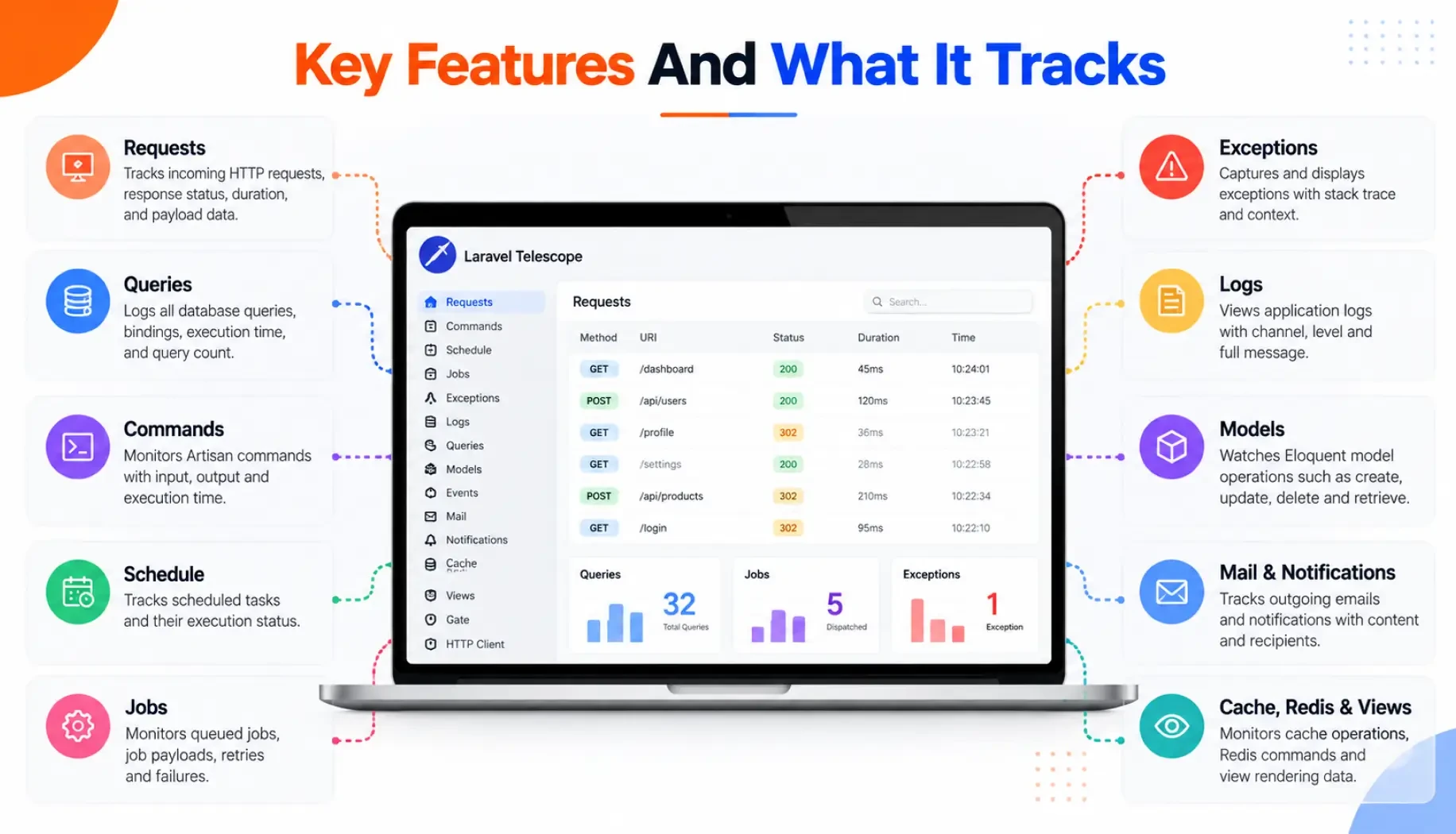
Telescope monitors almost everything happening under the hood of your application. The official Laravel Telescope documentation lists every watcher; here are the main ones:
What Telescope tracks | What it captures |
Database queries | All executed SQL, execution times, and N+1 query problems |
HTTP requests | Incoming requests, headers, payloads, session data, cookies, and responses |
Exceptions and logs | A centralized view of errors, stack traces, and custom log entries |
Queued jobs and batches | Background queue status, payload parameters, and runtime performance |
Cache operations | Cache hits, misses, updates, and key definitions |
Mail and notifications | Previews of outgoing emails and notifications from the dashboard |
Scheduled tasks | Executed cron/scheduled commands and their output logs |
Features Of Laravel Telescope
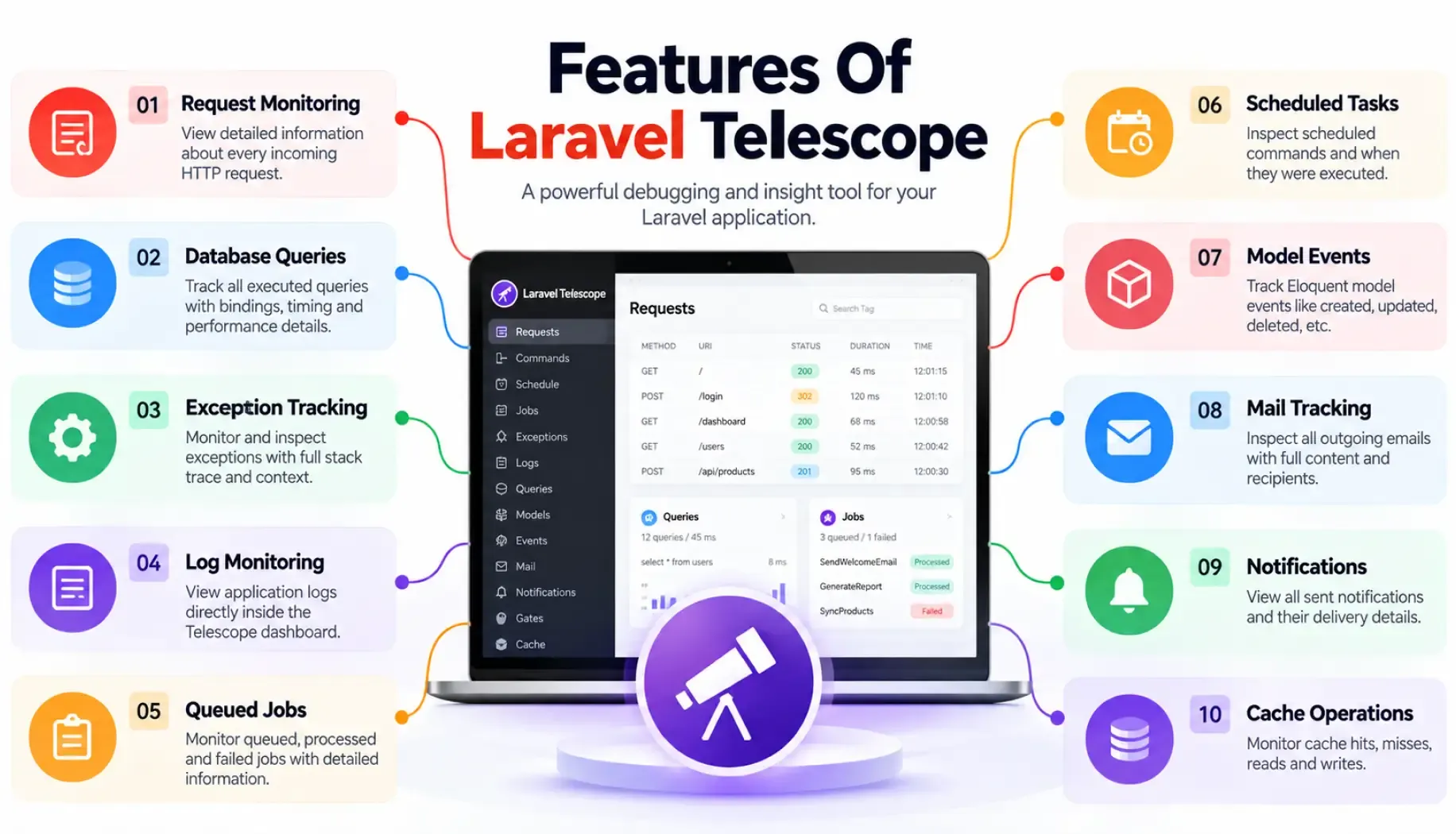
Request and response monitoring: tracks every HTTP request and response, showing method, URI, status code, and response content.
Exception handling: captures detailed information about exceptions, including stack traces and context, to simplify debugging.
Database query monitoring: logs executed queries with execution time and bound parameters to identify and optimize slow queries.
Real-time notifications and task-scheduling insights: surfaces application events as they happen and shows scheduled tasks and their output.
Email insights and custom metrics: captures sent emails to inspect content and recipients, and lets you add custom metrics for specific events.
Auth insights, tagging and filtering, and a clean UI: shows authenticated users and their actions, lets you tag and filter entries, and presents it all in an intuitive dashboard.
Adding your own watchers and custom metrics for a specific product is part of custom Laravel development at Acquaint Softtech.
How To Install Telescope In Laravel
Setting up Telescope takes three commands: install it via Composer, publish its assets, and run the migrations that create its tracking tables:
# Install as a development dependency |
Wiring Telescope and other tooling into a repeatable pipeline is covered in the DevOps and CI/CD strategy in Laravel.
How Does Telescope Work?
Telescope works through a set of watchers registered in your application. As requests, queries, jobs, mails, cache operations, and other events occur, these watchers record entries into your database, and the Telescope dashboard (usually at /telescope) reads and displays them in real time, so you can inspect exactly what happened without adding dd() statements or refreshing manually. Interpreting all that data to find the real bottleneck is where Laravel consulting services can help.
Ship A Bug-Free, Well-Monitored Laravel App
Acquaint Softtech uses Telescope and the right monitoring tools to build and debug reliable Laravel apps. Book a free 30-minute consultation, no sales pitch, just honest advice.
Common Applications And Benefits
Telescope's most popular uses are debugging, testing, performance monitoring, security, and developer productivity.
The benefits follow from that: comprehensive, centralized debugging; real-time monitoring of live requests and exceptions; database query insights for spotting slow queries; detailed exception and request/response information; task-scheduling and email tracking; user auth auditing; and a clean, well-documented interface that speeds up development.
Its query insights are especially useful for the tuning covered in Laravel performance optimization.
Telescope Vs Debugbar, Horizon, Pulse, And Nightwatch
Telescope is one of several Laravel observability tools, and it helps to know where each fits. Telescope and the barryvdh/laravel-debugbar package are both for local debugging, though Debugbar shows a bar in the browser while Telescope logs to a dashboard.
Laravel Horizon monitors and manages Redis queues, Laravel Pulse gives a lightweight real-time performance dashboard suitable for production, and the newer Laravel Nightwatch is a hosted application-monitoring service.
Choosing the right mix of these for a large system is part of Laravel enterprise development at Acquaint Softtech.
Should You Use Telescope In Production?
Telescope is invaluable during development and debugging, but it is typically not recommended for production due to potential security and performance concerns, since it records a lot of sensitive data.
If you must run Telescope in production, restrict access with authorization gates, prune old entries regularly, and sample rather than record everything, or use a production-grade tool like Pulse or Nightwatch instead. Keeping observability safe and useful over time is part of Laravel maintenance and support from Acquaint Softtech.
Is Laravel Still Relevant In 2026, And Is It Backend Or Frontend?
Yes, Laravel is very relevant: Laravel 13 shipped in March 2026 with a large community and yearly releases, and tools like Telescope are part of why. Laravel is a free, open-source PHP web framework used to build web apps and APIs faster than plain PHP, and it is a backend, server-side framework (though Blade, Livewire, and Inertia can drive the frontend), so Telescope monitors that backend: the requests, queries, and jobs running on the server.
Debugging Smarter With A Laravel Team
Tools like Telescope only help as much as the person reading them: spotting an N+1 query in a wall of SQL, tracing an exception back to its real cause, or telling a slow query from a slow external API takes experience, and knowing when to reach for Telescope versus Horizon, Pulse, or Nightwatch matters just as much.
If you want that skill on your side, you can hire Laravel developers from Acquaint Softtech, an Official Laravel Partner, whose engineers use Telescope and the wider observability stack to find and fix issues fast, so your application ships stable and stays that way as it grows.
Final Thoughts
Laravel Telescope is an excellent tool for improving the development and debugging process in Laravel applications. It helps developers identify and resolve issues more efficiently, optimize performance, and gain a deeper understanding of their application's behavior. While it is invaluable during development and debugging, remember that it is typically not recommended for production environments due to potential security and performance concerns, so pair it with a production-grade monitor when your app goes live.
India (Head Office)
203/204, Shapath-II, Near Silver Leaf Hotel, Opp. Rajpath Club, SG Highway, Ahmedabad-380054, Gujarat
USA
7838 Camino Cielo St, Highland, CA 92346
UK
The Powerhouse, 21 Woodthorpe Road, Ashford, England, TW15 2RP
New Zealand
42 Exler Place, Avondale, Auckland 0600, New Zealand
Canada
141 Skyview Bay NE , Calgary, Alberta, T3N 2K6